

微信小程序swiper组件用法实例分析【附源码下载】
更新时间:2017年12月07日 12:24:16 作者:去海边生活
这篇文章主要介绍了微信小程序swiper组件用法,结合实例形式分析了微信小程序中swiper组件的功能、使用方法,并附带完整源码供读者下载参考,需要的朋友可以参考下
本文实例讲述了微信小程序swiper组件用法。分享给大家供大家参考,具体如下:
关于视图容器swiper的详细内容可参考官方文档
先来看看运行效果:
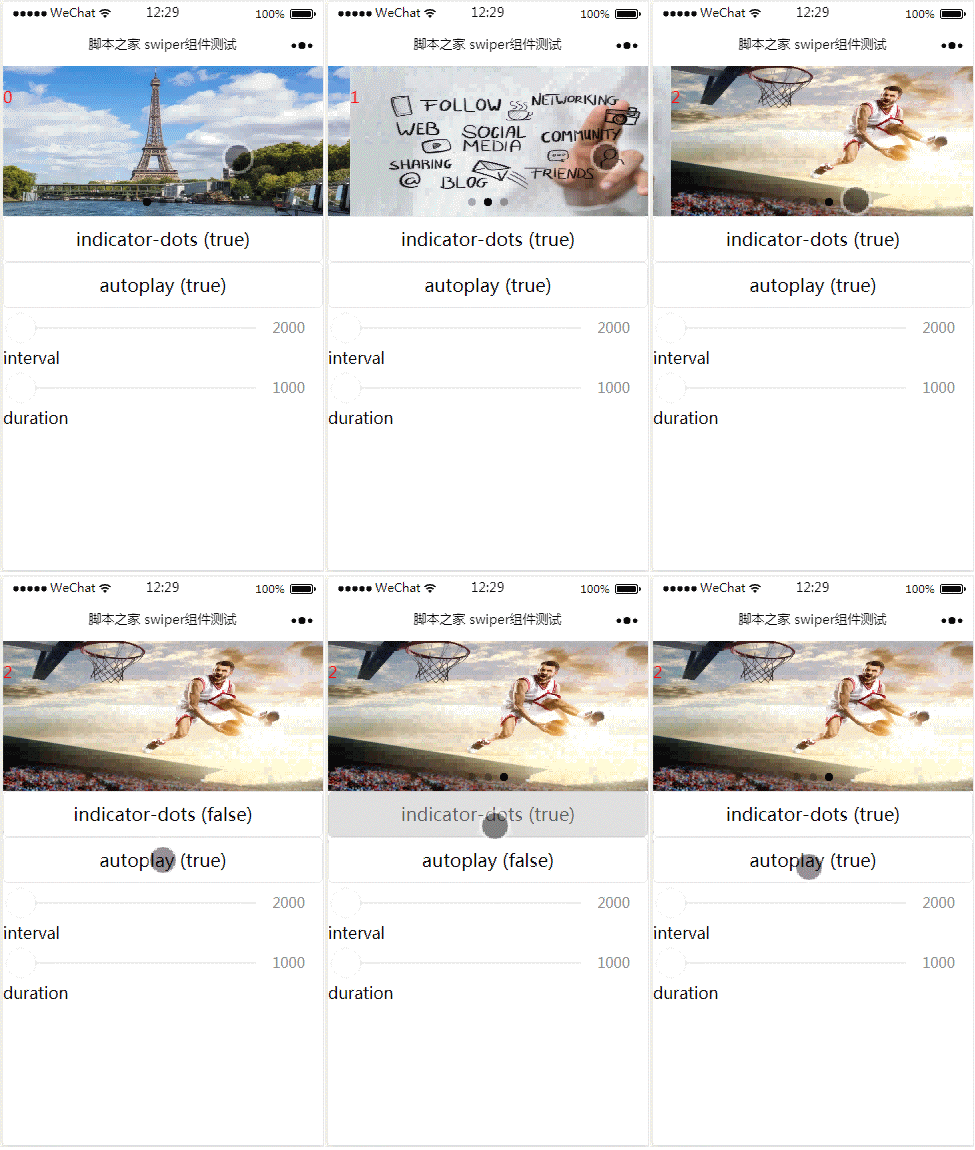
index.js:
Page({
 data: {
  imgUrls: ['http://img02.tooopen.com/images/20150928/tooopen_sy_143912755726.jpg',
'http://img06.tooopen.com/images/20160818/tooopen_sy_175866434296.jpg',
'http://img06.tooopen.com/images/20160818/tooopen_sy_175833047715.jpg'
  ],
  indicatorDots: false,
  autoplay: false,
  interval: 5000,
  duration: 1000
 },
 changeIndicatorDots: function (e) {
  this.setData({
   indicatorDots: !this.data.indicatorDots
  })
 },
 changeAutoplay: function (e) {
  this.setData({
   autoplay: !this.data.autoplay
  })
 },
 intervalChange: function (e) {
  this.setData({
   interval: e.detail.value
  })
 },
 durationChange: function (e) {
  this.setData({
   duration: e.detail.value
  })
 }
})
index.wxml:
<swiper indicator-dots="{{indicatorDots}}"
autoplay="{{autoplay}}" interval="{{interval}}" duration="{{duration}}">
  <block wx:for="{{imgUrls}}" wx:key="{{index}}">
    <swiper-item>
      <image src="{{item}}" class="slide-image" width="355" height="150" ></image>
      <text class="textindex">{{index}}</text>
    </swiper-item>
  </block>
</swiper>
<button bindtap="changeIndicatorDots"> indicator-dots ({{indicatorDots}})</button>
<button bindtap="changeAutoplay"> autoplay ({{autoplay}})</button>
<slider bindchange="intervalChange" show-value min="2000" max="5000"/> interval
<slider bindchange="durationChange" show-value min="1000" max="2000"/> duration
index.wxss:
.slide-image{
  display: inline;
}
.textindex{
  position: absolute;
  top :20px;
  color: red;
}
附:完整实例代码点击此处本站下载。
希望本文所述对大家微信小程序开发有所帮助。
相关文章
 这篇文章主要介绍了Firefox中使用outerHTML的2种解决方法,需要的朋友可以参考下2014-06-06
 本节主要介绍了用javascript对一个json数组深度赋值的具体实现,需要的朋友可以参考下2014-07-07
 这篇文章主要介绍了js实现的简单radio背景颜色选择器代码,利用鼠标事件及页面元素动态操作实现页面背景颜色的改变功能,具有一定参考借鉴价值,需要的朋友可以参考下2015-08-08
 这篇文章主要介绍了Javascript中的arguments与重载介绍,本文讲解了Javscript 重载、Javascript arguments不是一个数组等内容,需要的朋友可以参考下2015-03-03
 一个简单的类似title的提示效果,但现实内容可以很丰富,以上js另存为tip.js,下面是使用的demo。2010-11-11
showModalDialog模态对话框的使用详解以及浏览器兼容
showModalDialog是jswindow对象的一个方法,和window.open一样都是打开一个新的页面。区别是:showModalDialog打开子窗口后,父窗口就不能获取焦点了(也就是无法操作了)2014-01-01
js中的eval()函数把含有转义字符的字符串转换成Object对象的方法
下面小编就为大家带来一篇js中的eval()函数把含有转义字符的字符串转换成Object对象的方法。小编觉的挺不错的,现在就分享给大家,也给大家做个参考。一起跟随小编过来看看吧2016-12-12 这篇文章主要为大家简单介绍一下JS中如何实现二叉树层序遍历,感兴趣的小伙伴可以详细参考阅读2023-03-03
 这篇文章主要介绍了JS小游戏之象棋暗棋源码详解,对游戏源码进行了较为详细的分析,并附带完整实例代码供大家学习参考,需要的朋友可以参考下2014-09-09
 这篇文章主要为大家详细介绍了原生JS实现无缝轮播图,文中示例代码介绍的非常详细,具有一定的参考价值,感兴趣的小伙伴们可以参考一下2020-06-06
最新评论