

.Net Core简单使用Mvc内置的Ioc
本文基于 .NET Core 2.0。
鉴于网上的文章理论较多,鄙人不才,想整理一份 Hello World(Demo)版的文章。
目录
场景一:简单类的使用
场景二:包含接口类的使用
场景三:涉及引用类库的使用
场景一:简单类的使用
类 DemoService.cs:
public class DemoService
 {
 public string Test()
 {
  return Guid.NewGuid().ToString();
 }
 }
控制器 DemoController.cs:
public class DemoController : Controller
 {
 private readonly DemoService _demoService;

 public DemoController(DemoService demoService)
 {
  _demoService = demoService;
 }

 public IActionResult Index()
 {
  return Json(_demoService.Test());
 }
 }
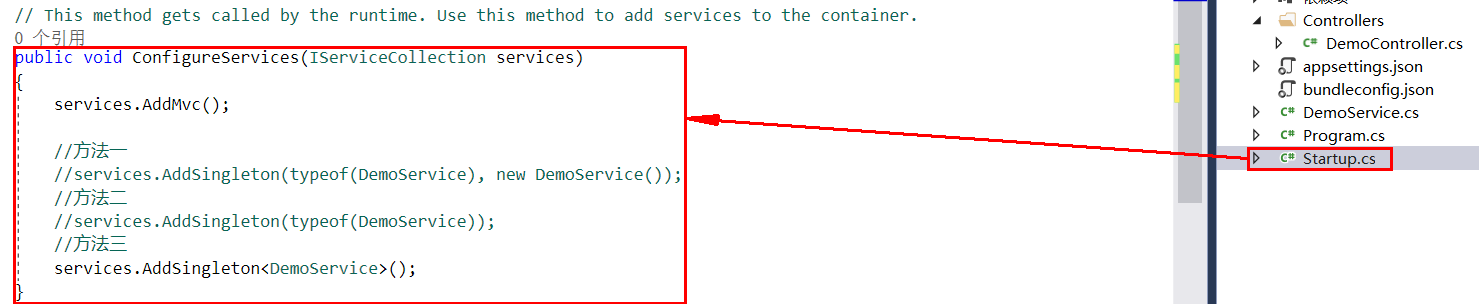
需要先在 Startup.cs 下的 ConfigureServices() 方法中进行注册才能使用,这里提供了三种方法,可以选择自己喜欢的方式进行注册。
//方法一
 services.AddSingleton(typeof(DemoService), new DemoService());

 //方法二
 services.AddSingleton(typeof(DemoService));

//方法三
 services.AddSingleton<DemoService>();
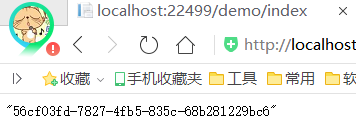
执行输出结果,正常:
IOC 的容器目前有三种生命周期 Transient、Scoped 和 Singleton,使用方式大致相同,具体差异不在这里进行叙述:
//范例
 services.AddTransient(typeof(DemoService));
 services.AddScoped<DemoService>();
场景二:包含接口类的使用
接口 IDemo2Service.cs:
public interface IDemo2Service
 {
 string Test();
 }
接口实现 Demo2Service.cs:
public class Demo2Service : IDemo2Service
 {
 public string Test()
 {
  return Guid.NewGuid().ToString();
 }
 }
控制器 Demo2Controller.cs:
public class Demo2Controller : Controller
 {
 private readonly IDemo2Service _demoService;

 public Demo2Controller(IDemo2Service demoService)
 {
  _demoService = demoService;
 }

 public IActionResult Index()
 {
  return Json(_demoService.Test());
 }
 }
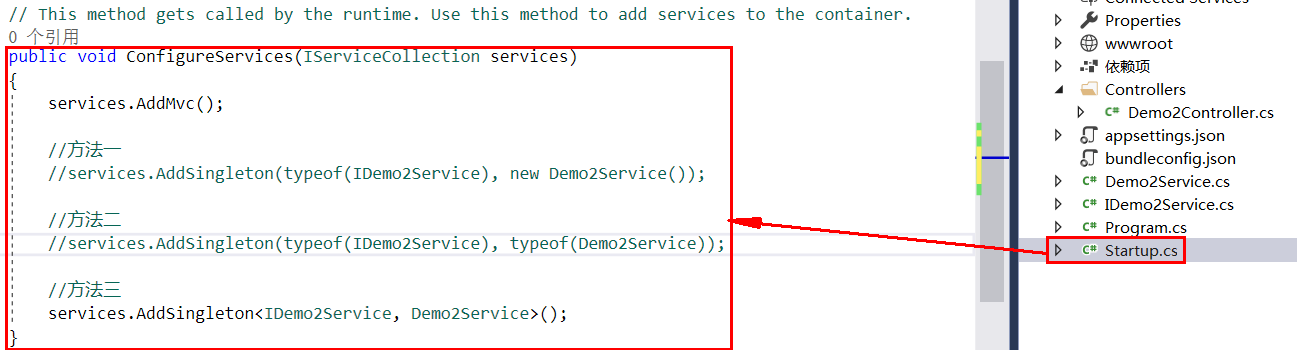
目前需要在类 Startup.cs 中的 ConfigureServices() 方法内新增的注册方法如下(可选其一):
 //方法一
 services.AddSingleton(typeof(IDemo2Service), new Demo2Service());

//方法二
 services.AddSingleton(typeof(IDemo2Service), typeof(Demo2Service));

 //方法三
 services.AddSingleton<IDemo2Service, Demo2Service>();
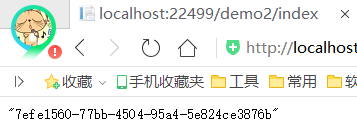
输出结果正常:
场景三:涉及引用类库的使用
我们先新增一个用于标识作用的接口 IServiceSupport.cs,该接口没有包含方法,只是一个标识作用,有点类似 DDD 的聚合根接口 IAggregateRoot:
 public interface IServiceSupport
 {
 }
接口 IDemo3Service.cs
public interface IDemo3Service
 {
 string Test();
 }
接口实现 Demo3Service.cs
public class Demo3Service : IDemo3Service
 {
 public string Test()
 {
  return Guid.NewGuid().ToString();
 }
 }
这次我们统一编写一个方法将该类库下的所有接口和实现进行注册:
 private static void AddSingletonServices(IServiceCollection services)
 {
  var asm = Assembly.Load(new AssemblyName("IocCoreDemo.Services"));
  var serviceTypes = asm.GetTypes()
  .Where(x => typeof(IServiceSupport).IsAssignableFrom(x) && !x.GetTypeInfo().IsAbstract);

  foreach (var serviceType in serviceTypes)
  {
  foreach (var serviceInterface in serviceType.GetInterfaces())
  {
   services.AddSingleton(serviceInterface, serviceType);
  }
  }
 }
因为使用了反射,所以需要 using System.Reflection;
这次我们在 Startup.cs 类中添加和修改的方法如图所示:
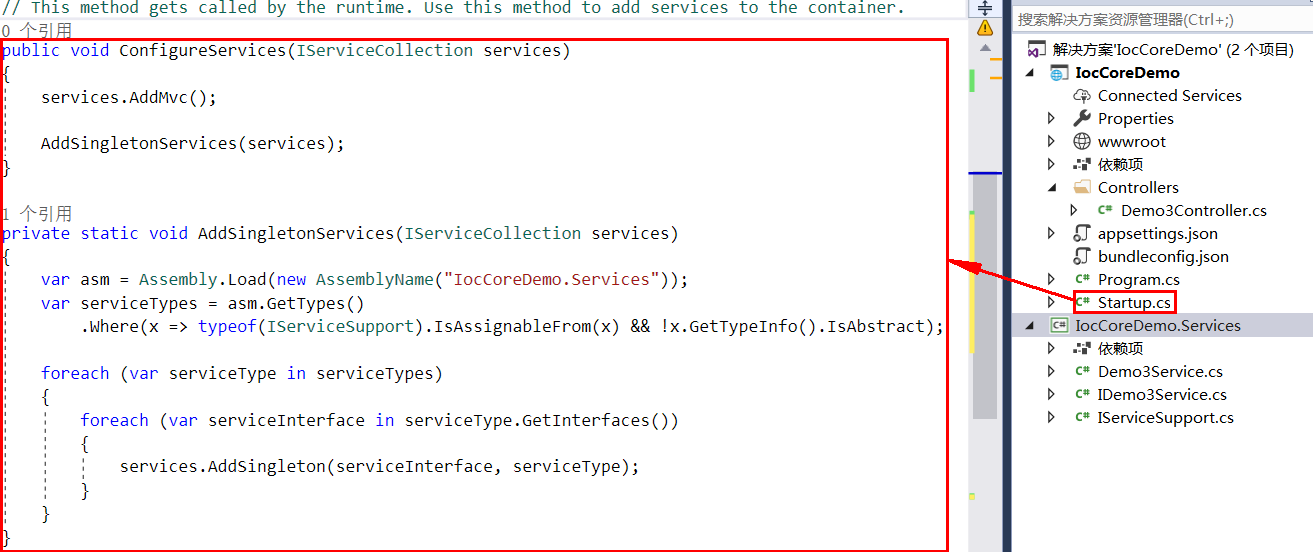
Startup.cs 类中使用的有效命名空间如下:
using IocCoreDemo.Services;
using Microsoft.AspNetCore.Builder;
using Microsoft.AspNetCore.Hosting;
using Microsoft.Extensions.Configuration;
using Microsoft.Extensions.DependencyInjection;
using System.Linq;
using System.Reflection;
如果注入失败,执行结果便会如图所示:

为什么会出现上图的情况呢?因为小编忘记把接口 IDemo3Service 继承自接口 IServiceSupport 了,接下来我们只需要做出一个继承的编写操作即可:
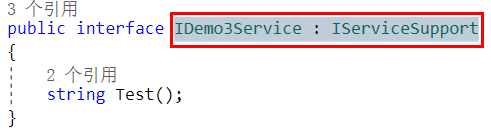
再次执行启动,结果便如你所料:

以上就是本文的全部内容,希望对大家的学习有所帮助,也希望大家多多支持脚本之家。
相关文章

.Net Core导入千万级数据至Mysql数据库的实现方法
今天我们谈谈MySQL怎么高性能插入千万级的数据的,讨论这个问题牵扯到一个数据迁移功能,高性能的插入数据,接下来通过本文给大家分享几种实现方法,感兴趣的朋友跟随小编一起学习下吧2021-05-05
WPF集合控件实现分隔符(ItemsControl Separator)
这篇文章主要为大家详细介绍了WPF集合控件实现分隔符ItemsControl Separator,具有一定的参考价值,感兴趣的小伙伴们可以参考一下2017-04-04 打包(Bundling)及压缩(Minification)指的是将多个js文件或css文件打包成单一文件并压缩的做法,如此可减少浏览器需下载多个文件案才能完成网页显示的延迟感等,能有效缩小文件案体积,提高传输效率,提供使用者更流畅的浏览体验。2015-06-06
ASP.NET Core MVC学习教程之路由(Routing)
这篇文章主要给大家介绍了关于ASP.NET Core MVC学习教程之路由(Routing)的相关资料,文中通过示例代码介绍的非常详细,对大家学习或者使用ASP.NET Core MVC具有一定的参考学习价值,需要的朋友们下面来一起学习学习吧2019-07-07 这篇文章主要介绍了.NET Framework的相关资料,文中讲解非常细致,帮助大家更好的学习.NET Framework,有意向想学习.NET Framework的朋友可以了解下2020-07-07
 membership的数据库可以通过aspnet_regsql.exe来配置生成,但是里面的东西,不一定都是我需要的,有时我也想自定义一些东西。2010-02-02
 这篇文章主要介绍了.NET中间件与VUE拦截器联合使用详情,文章围绕主题展开详细的内容介绍,具有一定的参考价值,需要的小伙伴可以参考一下2022-07-07
 这篇文章主要为大家介绍了在ASP.NET中如何做到支持断点续传下载大文件(ZT),需要的朋友可以参考下2014-07-07
asp.net通过HttpModule自动在Url地址上添加参数
由于项目中有许多页面需要用到cid参数,所以想通过传值cid来获取数据。2010-01-01 这篇文章主要介绍了ASP.NET用户注册实战,巩固前10小节所学的全部知识,文中示例代码介绍的非常详细,具有一定的参考价值,感兴趣的小伙伴们可以参考一下2015-08-08
最新评论