

微信小程序wx.uploadfile 本地文件转base64的实现代码
更新时间:2018年06月28日 10:45:51 作者:websites
这篇文章主要介绍了微信小程序wx.uploadfile 本地文件转base64的实现方法,文中通过代码讲解给大家介绍的非常详细,具有一定的参考借鉴价值,需要的朋友可以参考下
微信小程序wx.uploadfile, 利用PHP接口把本地图片转化为base64位。
网上到处都是粘贴复制的wx.uploadfile的解决方案, 但目前还没有具体的代码:
特意呈现出来给需要的伙伴们:
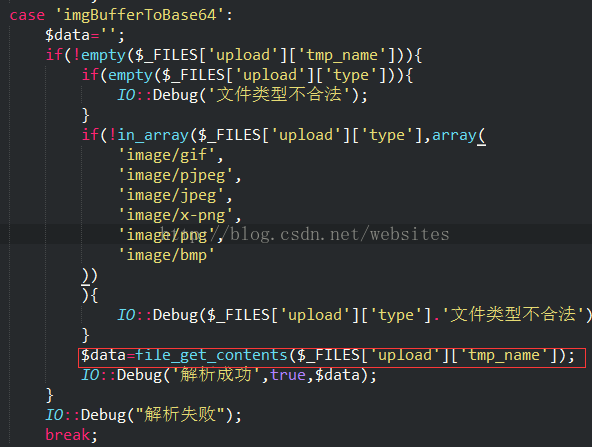
代码:
case 'imgBufferToBase64':
<span style="white-space: pre;"> </span>$data='';
<span style="white-space: pre;"> </span>file_put_contents("1.txt",var_export($_FILES,true)."\r\n",FILE_APPEND);
<span style="white-space: pre;"> </span>if(!empty($_FILES['upload']['tmp_name'])){
<span style="white-space: pre;">  </span>if(empty($_FILES['upload']['type'])){
<span style="white-space: pre;">   </span>IO::Debug('文件类型不合法');
<span style="white-space: pre;">  </span>}
<span style="white-space: pre;">  </span>if(!in_array($_FILES['upload']['type'],array(
<span style="white-space: pre;">   </span>'image/gif',
<span style="white-space: pre;">   </span>'image/pjpeg',
<span style="white-space: pre;">   </span>'image/jpeg',
<span style="white-space: pre;">   </span>'image/x-png',
<span style="white-space: pre;">   </span>'image/png',
<span style="white-space: pre;">   </span>'image/bmp'
<span style="white-space: pre;">  </span>))){
<span style="white-space: pre;">   </span>IO::Debug($_FILES['upload']['type'].'文件类型不合法');
<span style="white-space: pre;">  </span>}
<span style="white-space: pre;">  </span>$data=file_get_contents($_FILES['upload']['tmp_name']);
<span style="white-space: pre;">  </span>file_put_contents("1.txt",var_export($data,true)."\r\n",FILE_APPEND);
<span style="white-space: pre;">  </span>IO::Debug('解析成功',true,$data);
<span style="white-space: pre;"> </span>}
<span style="white-space: pre;"> </span>IO::Debug("解析失败");
break;
js代码:
wx.uploadFile({
 url: 'https://' + app.globalData.host + '/api/?sign=' + sign,
 filePath: tempFilePaths[0],
 name: 'upload',
 header: {
 "content-type": "multipart/form-data",
 "content-type": "application/x-www-form-urlencoded"
 },
 formData: formData,
 success: function (res) {
<span style="white-space: pre;"> </span>var $data = JSON.parse(res.data);
  if (typeof ($data.data) != "undefined" && $data.code){
  var imgBase64 = "data:image/jpeg;base64," + $data.data;
  }
 }
})
总结
以上所述是小编给大家介绍的微信小程序wx.uploadfile 本地文件转base64的实现代码,希望对大家有所帮助,如果大家有任何疑问请给我留言,小编会及时回复大家的。在此也非常感谢大家对脚本之家网站的支持!
相关文章
 这篇文章主要为大家详细介绍了JS原生手写轮播图效果,文中示例代码介绍的非常详细,具有一定的参考价值,感兴趣的小伙伴们可以参考一下2022-08-08
 这篇文章主要为大家详细介绍了JavaScript贪吃蛇的实现代码,文中示例代码介绍的非常详细,具有一定的参考价值,感兴趣的小伙伴们可以参考一下2021-09-09
详解如何在Javascript中使用Object.freeze()
这篇文章主要介绍了详解如何在Javascript中使用Object.freeze(),文中通过示例代码介绍的非常详细,对大家的学习或者工作具有一定的参考学习价值,需要的朋友们下面随着小编来一起学习学习吧2020-10-10 这篇文章主要为大家详细介绍了JS实现图片切换特效,文中示例代码介绍的非常详细,具有一定的参考价值,感兴趣的小伙伴们可以参考一下2019-12-12
postman+json+springmvc测试批量添加实例
下面小编就为大家分享一篇postman+json+springmvc测试批量添加实例,具有很好的参考价值,希望对大家有所帮助。一起跟随小编过来看看吧2018-03-03
JavaScript计算值然后把值嵌入到html中的实现方法
下面小编就为大家带来一篇JavaScript计算值然后把值嵌入到html中的实现方法。小编觉得挺不错的,现在就分享给大家,也给大家做个参考。一起跟随小编过来看看吧2016-10-10 因为经常被Javascript中的rul的相关知识困扰,今天来总结一下URL的特殊字符2011-11-11
 js获取指定日期前后的日期,在实际应用中还是比较实用的,下面为大家简单介绍下具体的实现过程,有需要的朋友可以参考下2013-08-08
从JavaScript纯函数解析最深刻的函子 Monad实例
这篇文章主要为大家介绍了从JavaScript纯函数解析最深刻的函子 Monad实例详解,有需要的朋友可以借鉴参考下,希望能够有所帮助,祝大家多多进步,早日升职加薪2022-10-10 今天小编就为大家分享一篇layui table去掉右侧滑动条的实现方法,具有很好的参考价值,希望对大家有所帮助。一起跟随小编过来看看吧2019-09-09
最新评论