

自己的vscode-settings.json配置详解
更新时间:2020年05月09日 15:23:58 作者:兔子零84
这篇文章主要介绍了自己的vscode-settings.json配置,文中通过示例代码介绍的非常详细,对大家的学习或者工作具有一定的参考学习价值,需要的朋友们下面随着小编来一起学习学习吧
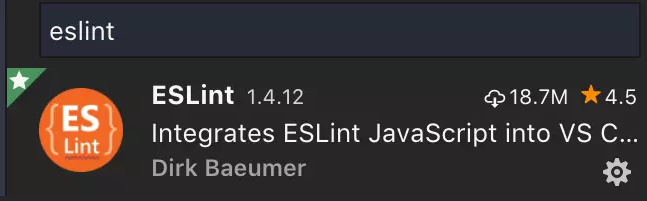
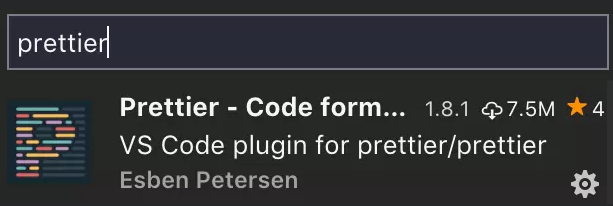
vscode从插件库里安装eslint和prettier
实现自动格式化
{
 // 是否允许自定义的snippet片段提示
 "editor.snippetSuggestions": "top",
 // vscode默认启用了根据文件类型自动设置tabsize的选项
 "editor.detectIndentation": false,
 // 重新设定tabsize
 "editor.tabSize": 2,
 // #每次保存的时候自动格式化
 "editor.formatOnSave": false,
 // #每次保存的时候将代码按eslint格式进行修复
 "eslint.autoFixOnSave": true,
 "editor.fontWeight": "400",
 "editor.formatOnType": false,
 "workbench.iconTheme": "material-icon-theme",
 "git.confirmSync": false,
 "team.showWelcomeMessage": false,
 "window.zoomLevel": 0,
 "editor.renderWhitespace": "boundary",
 "editor.cursorBlinking": "smooth",
 "editor.minimap.enabled": true,
 "editor.minimap.renderCharacters": false,
 "window.title": "${dirty}${activeEditorMedium}${separator}${rootName}",
 "editor.codeLens": true,
 //eslint 代码自动检查相关配置
 "eslint.enable": true,
 "eslint.run": "onType",
 "eslint.options": {
 "extensions": [
  ".js",
  ".vue"
 ]
 },
 // 添加 vue 支持
 "eslint.validate": [
 "javascriptreact",
 "vue",
 "javascript",
 {
  "language": "vue",
  "autoFix": true
 },
 "html",
 {
  "language": "html",
  "autoFix": true
 }
 ],
 // #让prettier使用eslint的代码格式进行校验
 "prettier.eslintIntegration": true,
 // #去掉代码结尾的分号
 "prettier.semi": false,
 // #使用带引号替代双引号
 "prettier.singleQuote": true,
 // #让函数(名)和后面的括号之间加个空格
 "javascript.format.insertSpaceBeforeFunctionParenthesis": true,
 // #这个按用户自身习惯选择
 "vetur.format.defaultFormatter.html": "js-beautify-html",
 // #让vue中的js按编辑器自带的ts格式进行格式化
 "vetur.format.defaultFormatter.js": "vscode-typescript",
 "explorer.confirmDelete": false,
 "vetur.format.defaultFormatterOptions": {
 "js-beautify-html": {
  "wrap_attributes": "force-aligned"
  // #vue组件中html代码格式化样式
 }
 },
 // 格式化stylus, 需安装Manta's Stylus Supremacy插件
 "stylusSupremacy.insertColons": false, // 是否插入冒号
 "stylusSupremacy.insertSemicolons": false, // 是否插入分好
 "stylusSupremacy.insertBraces": false, // 是否插入大括号
 "stylusSupremacy.insertNewLineAroundImports": false, // import之后是否换行
 "stylusSupremacy.insertNewLineAroundBlocks": false, // 两个选择器中是否换行
 "files.associations": {
 "*.cjson": "jsonc",
 "*.wxss": "css",
 "*.wxs": "javascript"
 },
 "emmet.includeLanguages": {
 "wxml": "html"
 },
 "minapp-vscode.disableAutoConfig": true,
 "window.menuBarVisibility": "visible",
 "git.enableSmartCommit": true,
 "git.autofetch": true,
 "liveServer.settings.donotShowInfoMsg": true,
 "[html]": {
 "editor.defaultFormatter": "vscode.html-language-features"
 },
 "javascript.updateImportsOnFileMove.enabled": "always",
 "workbench.colorTheme": "SynthWave '84",
 "editor.fontSize": 18,
 "search.followSymlinks": false,
 "workbench.sideBar.location": "right",
 "vscode_custom_css.policy": true,
 "vscode_custom_css.imports": [
 "file:///C:/Users/wongseedling/Desktop/vscode-transparent-glow/synthwave84.css",
 "file:///C:/Users/wongseedling/Desktop/vscode-transparent-glow/toolbar.css",
 "file:///C:/Users/wongseedling/Desktop/vscode-transparent-glow/vscode-vibrancy-style.css",
 "file:///C:/Users/wongseedling/Desktop/vscode-transparent-glow/enable-electron-vibrancy.js",
 ],
 // 高亮的颜色,emm暂时只支持这样写
 "wxmlConfig.activeColor": {
 "color": "#e5c07b"
 },
 // 是否禁用高亮组件
 "wxmlConfig.activeDisable": false,
 // 是否开启保存自动格式化
 "wxmlConfig.onSaveFormat": false,
 "wxmlConfig.format": {
 "brace_style": "collapse",
 "end_with_newline": false,
 "indent_char": "",
 "indent_handlebars": false,
 "indent_inner_html": false,
 "indent_scripts": "keep",
 "indent_size": 2,
 "indent_with_tabs": true,
 "max_preserve_newlines": 1,
 "preserve_newlines": true,
 "wrap_attributes": "force-expand-multiline"
 },
 // 高亮所忽略的组件数组
 "wxmlConfig.tagNoActiveArr": [
 "view",
 "button",
 "text",
 "icon",
 "image",
 "navigator",
 "block",
 "input",
 "template",
 "form",
 "camera",
 "textarea"
 ],
 "zenMode.restore": true,
 "breadcrumbs.enabled": true,
 "terminal.integrated.shell.windows": "C:\\WINDOWS\\System32\\WindowsPowerShell\\v1.0\\powershell.exe",
 "[wxml]": {
 "editor.defaultFormatter": "qiu8310.minapp-vscode"
 },
 "gitlens.advanced.messages": {
 "suppressLineUncommittedWarning": true
 },
 "javascript.format.placeOpenBraceOnNewLineForControlBlocks": true,
 "editor.formatOnPaste": false,
 "vsicons.presets.hideFolders": true,
 "editor.cursorStyle": "line-thin"
}
第二版本
{
 // 換行
 "editor.wordWrap": "on",
 // 是否允许自定义的snippet片段提示
 "editor.snippetSuggestions": "top",
 // vscode默认启用了根据文件类型自动设置tabsize的选项 不檢查縮進,保存后統一按設置項來設置
 "editor.detectIndentation": false,
 // 重新设定tabsize 代码缩进修改成4个空格
 "editor.tabSize": 2,
 // #每次保存的时候自动格式化
 "editor.formatOnSave": false,
 // #每次保存的时候将代码按eslint格式进行修复 使用eslint 風格使用standard 進行代碼規則限制
 "editor.fontWeight": "200",
 "editor.formatOnType": false,
 "workbench.iconTheme": "material-icon-theme",
 "git.confirmSync": false,
 "team.showWelcomeMessage": false,
 "window.zoomLevel": 0,
 "editor.renderWhitespace": "boundary",
 "editor.cursorBlinking": "smooth",
 "editor.minimap.enabled": true,
 "editor.minimap.renderCharacters": false,
 "window.title": "${dirty}${activeEditorMedium}${separator}${rootName}",
 "editor.codeLens": true,
 //eslint 代码自动检查相关配置
 "eslint.enable": true,
 "eslint.run": "onType",
 "eslint.options": {
 "configFile": "D:/.eslintrc.js",
 "plugins": ["html"],
 "extensions": [
  ".js",
  ".vue"
 ]
 },
 "eslint.validate": [
 "javascript",
 "javascriptreact",
 "html",
 "vue"
],
 // #让prettier使用eslint的代码格式进行校验
 "prettier.eslintIntegration": true,
 // #去掉代码结尾的分号
 "prettier.semi": true,
 // #使用带引号替代双引号
 "prettier.singleQuote": true,
 // #让函数(名)和后面的括号之间加个空格
 "javascript.format.insertSpaceBeforeFunctionParenthesis": true,
 // #这个按用户自身习惯选择 html格式化
 "vetur.format.defaultFormatter.html": "js-beautify-html",
 // #让vue中的js按编辑器自带的ts格式进行格式化
 "vetur.format.defaultFormatter.js": "vscode-typescript",
 "explorer.confirmDelete": false,
 "vetur.format.defaultFormatterOptions": {
 "js-beautify-html": {
  "wrap_attributes": "force-aligned"
  // #vue组件中html代码格式化样式
 }
 },
 // 格式化stylus, 需安装Manta's Stylus Supremacy插件
 "stylusSupremacy.insertColons": false, // 是否插入冒号
 "stylusSupremacy.insertSemicolons": false, // 是否插入分好
 "stylusSupremacy.insertBraces": false, // 是否插入大括号
 "stylusSupremacy.insertNewLineAroundImports": false, // import之后是否换行
 "stylusSupremacy.insertNewLineAroundBlocks": false, // 两个选择器中是否换行
 "files.associations": {
 "*.cjson": "jsonc",
 "*.wxss": "css",
 "*.wxs": "javascript"
 },
 "emmet.includeLanguages": {
 "wxml": "html"
 },
 "minapp-vscode.disableAutoConfig": true,
 "window.menuBarVisibility": "visible",
 "git.enableSmartCommit": true,
 "git.autofetch": true,
 "liveServer.settings.donotShowInfoMsg": true,
 "[html]": {
 "editor.defaultFormatter": "vscode.html-language-features"
 },
 "javascript.updateImportsOnFileMove.enabled": "always",
 "workbench.colorTheme": "Default Dark+",
 // 字體大小
 "editor.fontSize": 15,
 // 設置行高
 "editor.lineHeight": 20,
 "search.followSymlinks": false,
 "workbench.sideBar.location": "right",
 "vscode_custom_css.policy": true,
 "vscode_custom_css.imports": [
 "file:///C:/vscode-transparent-glow/synthwave84.css",
 "file:///C:/vscode-transparent-glow/toolbar.css",
 "file:///C:/vscode-transparent-glow/vscode-vibrancy-style.css",
 "file:///C:/vscode-transparent-glow/enable-electron-vibrancy.js"
 ],
 // 高亮的颜色,emm暂时只支持这样写
 "wxmlConfig.activeColor": {
 "color": "#e5c07b"
 },
 // 是否禁用高亮组件
 "wxmlConfig.activeDisable": false,
 // 是否开启保存自动格式化
 "wxmlConfig.onSaveFormat": false,
 "wxmlConfig.format": {
 "brace_style": "collapse",
 "end_with_newline": false,
 "indent_char": "",
 "indent_handlebars": false,
 "indent_inner_html": false,
 "indent_scripts": "keep",
 "indent_size": 2,
 "indent_with_tabs": false,
 "max_preserve_newlines": 1,
 "preserve_newlines": false,
 "wrap_attributes": "force-expand-multiline"
 },
 // 高亮所忽略的组件数组
 "wxmlConfig.tagNoActiveArr": [
 "view",
 "button",
 "text",
 "icon",
 "image",
 "navigator",
 "block",
 "input",
 "template",
 "form",
 "camera",
 "textarea"
 ],
 "zenMode.restore": true,
 "breadcrumbs.enabled": true,
 "terminal.integrated.shell.windows": "C:\\WINDOWS\\System32\\WindowsPowerShell\\v1.0\\powershell.exe",
 "[wxml]": {
 "editor.defaultFormatter": "qiu8310.minapp-vscode"
 },
 "gitlens.advanced.messages": {
 "suppressLineUncommittedWarning": true
 },
 "javascript.format.placeOpenBraceOnNewLineForControlBlocks": true,
 "editor.formatOnPaste": false,
 "vsicons.presets.hideFolders": true,
 "editor.cursorStyle": "line-thin",
 "editor.suggestSelection": "first",
 "vsintellicode.modify.editor.suggestSelection": "automaticallyOverrodeDefaultValue",
 "editor.codeActionsOnSave": {
 "source.fixAll.eslint": true
 },
 "terminal.integrated.rendererType": "dom",
 "vscode_vibrancy.opacity": 0.5
}
第一项 VS code编辑使用eslint的规则去格式化代码
{
 "[javascript]": {
 "editor.defaultFormatter": "HookyQR.beautify"
 },
 "[html]": {
 "editor.defaultFormatter": "HookyQR.beautify"
 },
 "eslint.validate": [
 "javascript",
 "javascriptreact",
 "vue-html",
 {
  "language": "vue",
  "autoFix": true
 }
 ],
 "eslint.run": "onSave",
 "eslint.autoFixOnSave": true,
 "editor.codeActionsOnSave": {
 "source.fixAll.eslint": true
 },
}
VS code还可以指定ESLint的格式文件
"eslint.options": {
 "configFile": "E:/git/github/styleguide/eslint/.eslintrc.js",
 "plugins": ["html"]
},
"eslint.validate": [
 "javascript",
 "javascriptreact",
 "html",
 "vue"
]
第二项 使用 Prettier - Code formatter 根据eslint的规则去格式化代码
"[vue]": {
  "editor.defaultFormatter": "esbenp.prettier-vscode"
 },
 "[javascript]": {
  "editor.defaultFormatter": "esbenp.prettier-vscode"
 },
 "eslint.validate": [
  "javascript",
  "javascriptreact",
  "vue-html",
  {
   "language": "vue",
   "autoFix": true
  }
 ],
 "eslint.run": "onSave",
 "eslint.autoFixOnSave": true,
 "editor.codeActionsOnSave": {
  "source.fixAll.eslint": true
 },

 "prettier.printWidth": 200,
 "prettier.requireConfig": true,
 "prettier.semi": false,
 "prettier.useEditorConfig": false,
 "prettier.useTabs": true,
{
 // 換行
 "editor.wordWrap": "on",
 // 是否允许自定义的snippet片段提示
 "editor.snippetSuggestions": "top",
 // vscode默认启用了根据文件类型自动设置tabsize的选项 不檢查縮進,保存后統一按設置項來設置
 "editor.detectIndentation": false,
 // 重新设定tabsize 代码缩进修改成4个空格
 "editor.tabSize": 2,
 // #每次保存的时候自动格式化
 "editor.formatOnSave": false,
 // #每次保存的时候将代码按eslint格式进行修复 使用eslint 風格使用standard 進行代碼規則限制
 "editor.fontWeight": "200",
 "editor.formatOnType": false,
 "workbench.iconTheme": "vscode-icons-mac",
 "git.confirmSync": false,
 "team.showWelcomeMessage": false,
 "window.zoomLevel": 0,
 "editor.renderWhitespace": "boundary",
 "editor.cursorBlinking": "smooth",
 "editor.minimap.enabled": true,
 "editor.minimap.renderCharacters": false,
 "window.title": "${dirty}${activeEditorMedium}${separator}${rootName}",
 "editor.codeLens": true,
 //eslint 代码自动检查相关配置
 "eslint.enable": true,
 "eslint.run": "onType",
 "eslint.options": {
 "configFile": "D:/.eslintrc.js",
 "plugins": [
  "html"
 ],
 "extensions": [
  ".js",
  ".vue"
 ]
 },
 "eslint.validate": [
 "javascript",
 "javascriptreact",
 "html",
 "vue"
 ],
 // #让prettier使用eslint的代码格式进行校验
 "prettier.eslintIntegration": true,
 // #去掉代码结尾的分号
 "prettier.semi": true,
 // #使用带引号替代双引号
 "prettier.singleQuote": true,
 // #让函数(名)和后面的括号之间加个空格
 "javascript.format.insertSpaceBeforeFunctionParenthesis": true,
 // #这个按用户自身习惯选择 html格式化
 "vetur.format.defaultFormatter.html": "js-beautify-html",
 // #让vue中的js按编辑器自带的ts格式进行格式化
 "vetur.format.defaultFormatter.js": "vscode-typescript",
 "explorer.confirmDelete": false,
 "vetur.format.defaultFormatterOptions": {
 "js-beautify-html": {
  "wrap_attributes": "force-aligned"
  // #vue组件中html代码格式化样式
 }
 },
 // 格式化stylus, 需安装Manta's Stylus Supremacy插件
 "stylusSupremacy.insertColons": false, // 是否插入冒号
 "stylusSupremacy.insertSemicolons": false, // 是否插入分好
 "stylusSupremacy.insertBraces": false, // 是否插入大括号
 "stylusSupremacy.insertNewLineAroundImports": false, // import之后是否换行
 "stylusSupremacy.insertNewLineAroundBlocks": false, // 两个选择器中是否换行
 "files.associations": {
 "*.cjson": "jsonc",
 "*.wxss": "css",
 "*.wxs": "javascript"
 },
 "emmet.includeLanguages": {
 "wxml": "html"
 },
 "minapp-vscode.disableAutoConfig": true,
 "window.menuBarVisibility": "visible",
 "git.enableSmartCommit": true,
 "git.autofetch": true,
 "liveServer.settings.donotShowInfoMsg": true,
 "[html]": {
 "editor.defaultFormatter": "vscode.html-language-features"
 },
 "javascript.updateImportsOnFileMove.enabled": "always",
 "workbench.colorTheme": "SynthWave '84",
 // 字體大小
 "editor.fontSize": 15,
 // 設置行高
 "editor.lineHeight": 20,
 "search.followSymlinks": false,
 "workbench.sideBar.location": "left",
 "vscode_custom_css.policy": true,
 "vscode_custom_css.imports": [
 "file:///C:/vscode-transparent/synthwave84.css",
 "file:///C:/vscode-transparent/toolbar.css",
 "file:///C:/vscode-transparent/vscode-vibrancy-style.css",
 "file:///C:/vscode-transparent/enable-electron-vibrancy.js"
 ],
 // 高亮的颜色,emm暂时只支持这样写
 "wxmlConfig.activeColor": {
 "color": "#e5c07b"
 },
 // 是否禁用高亮组件
 "wxmlConfig.activeDisable": false,
 // 是否开启保存自动格式化
 "wxmlConfig.onSaveFormat": false,
 "wxmlConfig.format": {
 "brace_style": "collapse",
 "end_with_newline": false,
 "indent_char": "",
 "indent_handlebars": false,
 "indent_inner_html": false,
 "indent_scripts": "keep",
 "indent_size": 2,
 "indent_with_tabs": false,
 "max_preserve_newlines": 1,
 "preserve_newlines": false,
 "wrap_attributes": "force-expand-multiline"
 },
 // 高亮所忽略的组件数组
 "wxmlConfig.tagNoActiveArr": [
 "view",
 "button",
 "text",
 "icon",
 "image",
 "navigator",
 "block",
 "input",
 "template",
 "form",
 "camera",
 "textarea"
 ],
 "zenMode.restore": true,
 "breadcrumbs.enabled": true,
 "terminal.integrated.shell.windows": "C:\\WINDOWS\\System32\\WindowsPowerShell\\v1.0\\powershell.exe",
 "[wxml]": {
 "editor.defaultFormatter": "qiu8310.minapp-vscode"
 },
 "gitlens.advanced.messages": {
 "suppressLineUncommittedWarning": true
 },
 "javascript.format.placeOpenBraceOnNewLineForControlBlocks": true,
 "editor.formatOnPaste": false,
 "vsicons.presets.hideFolders": true,
 "editor.cursorStyle": "line-thin",
 "editor.suggestSelection": "first",
 "vsintellicode.modify.editor.suggestSelection": "automaticallyOverrodeDefaultValue",
 "editor.codeActionsOnSave": {
 "source.fixAll.eslint": true
 },
 "terminal.integrated.rendererType": "dom",
 "vscode_vibrancy.opacity": 1,
 "npm.fetchOnlinePackageInfo": false
}
到此这篇关于自己的vscode-settings.json配置的文章就介绍到这了,更多相关vscode-settings.json配置内容请搜索脚本之家以前的文章或继续浏览下面的相关文章希望大家以后多多支持脚本之家!
您可能感兴趣的文章:
相关文章
 这篇文章主要介绍了vscode的eslint插件不起作用问题及解决方案,具有很好的参考价值,希望对大家有所帮助,如有错误或未考虑完全的地方,望不吝赐教2023-10-10
解决git配置错误ssh:connect to host github.com
学习git时,可能会碰到远程仓库连接问题,解决方法是确保.ssh目录正确配置,首先,确认.ssh是隐藏文件夹,可通过ctrl+h显示,然后,创建无后缀的config文件,并填写正确的git邮箱账号,最后,通过终端验证配置是否成功,这些步骤有助于解决git远程连接的常见问题2024-10-10 VScode是微软推出的一款轻量级的编辑器,采用了和VS相同的UI界面。今天小编给大家带来一篇如何使用vscode来进行最基本的工作的小教程,希望大家能够喜欢2020-01-01
 这篇文章主要介绍了最新版Git2.29.2超详细安装流程,本文通过图文并茂的形式给大家介绍的非常详细,对大家的学习或工作具有一定的参考借鉴价值,需要的朋友可以参考下2020-12-12
 在vscode中使用Git可以帮助我们更方便地管理代码,进行版本控制,下面通过本文给大家介绍vscode使用git的配置教程,感兴趣的朋友一起看看吧2024-08-08
 这篇文章主要介绍了人工智能机器学习常用算法总结及各个常用算法精确率对比,需要的朋友可以参考下2020-03-03
IDEA2019.3在Plugins中搜索不到translation的解决
这篇文章主要介绍了IDEA2019.3在Plugins中搜索不到translation的解决,文中通过图文的非常详细,对大家的学习或者工作具有一定的参考学习价值,需要的朋友们下面随着小编来一起学习学习吧2020-06-06 这篇文章主要介绍了详解VSCode打开多个项目文件夹的解决方法,文中通过示例代码介绍的非常详细,对大家的学习或者工作具有一定的参考学习价值,需要的朋友们下面随着小编来一起学习学习吧2020-04-04
 很多朋友问小编浏览器输入http被自动跳转至https问题,到底该怎么解决呢,其实解决方法很简单,主要关闭浏览器的HSTS功能就可以了,关于http自动跳转至https的解决方法跟随小编一起看看吧2021-05-05
 Jenkins用Java语言编写,可在Tomcat等流行的servlet容器中运行,也可独立运行,这篇文章主要介绍了jenkins配置163邮箱的步骤,需要的朋友可以参考下2022-01-01
最新评论