

Matplotlib animation模块实现动态图
更新时间:2021年02月25日 08:39:45 作者:门下平章
这篇文章主要介绍了Matplotlib animation模块实现动态图,文中通过示例代码介绍的非常详细,对大家的学习或者工作具有一定的参考学习价值,需要的朋友们下面随着小编来一起学习学习吧
matplotlib 画图功能非常强大,目前也只能根据官网 提供的例子简单地画几张图。最近学习了能画动态图的animation模块,作个简单地记录。
在matplotlib作图中,比较常用的是matplotlib.pyplot模块,这个模块有非常多的属性和方法,简要列举下这次用到的方法:
matplotlib.pyplot.subplots(nrows=1, ncols=1, sharex=False, sharey=False, squeeze=True, subplot_kw=None, gridspec_kw=None, **fig_kw)
返回fig和ax对象!
例子1. 动态画出sin函数曲线
import numpy as np
import matplotlib.pyplot as plt
from matplotlib.animation import FuncAnimation

fig, ax = plt.subplots()
xdata, ydata = [], []
ln, = ax.plot([], [], 'r-', animated=False)

def init():
  ax.set_xlim(0, 2*np.pi)
  ax.set_ylim(-1, 1)
  return ln,

def update(frame):
  xdata.append(frame)
  ydata.append(np.sin(frame))
  ln.set_data(xdata, ydata)
  return ln,

ani = FuncAnimation(fig, update, frames=np.linspace(0, 2*np.pi, 128),
          init_func=init, blit=True)
plt.show()
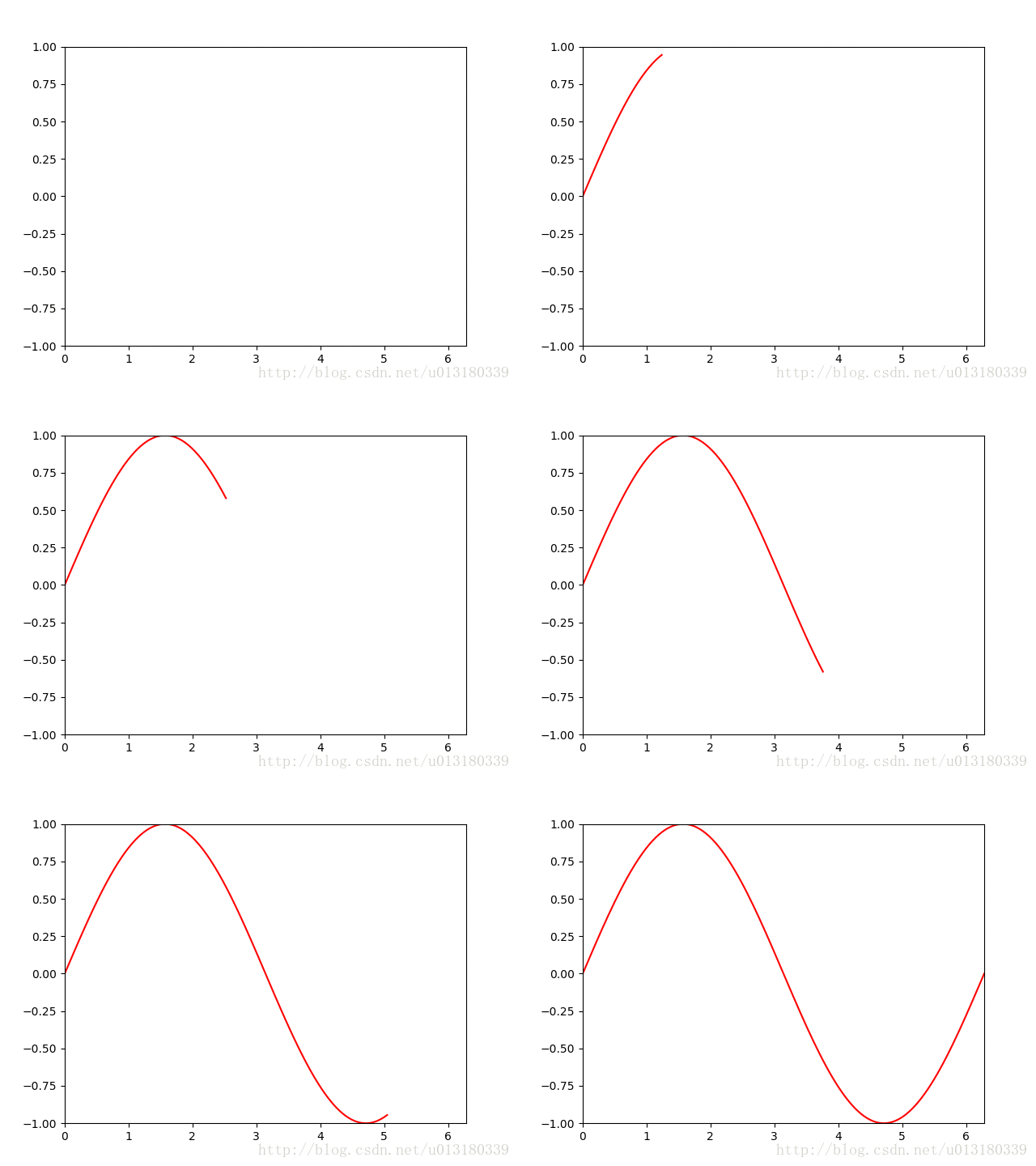
画这类图的关键是要给出不断更新的函数,这里就是update 函数了。注意, line, = ax.plot([], [], 'r-', animated=False) 中的, 表示创建tuple类型。迭代更新的数据frame 取值从frames 取得。
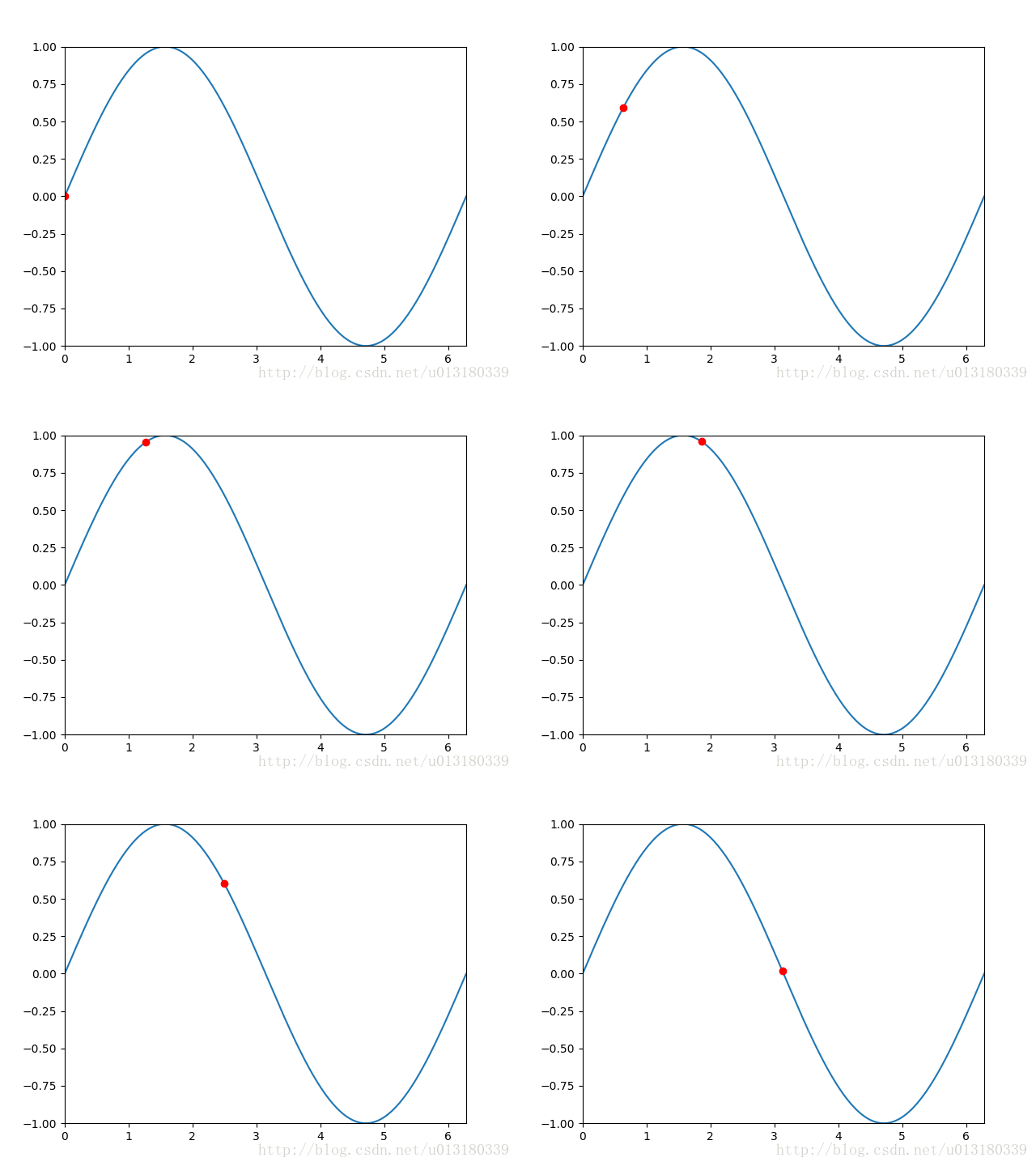
例子2. 动态显示一个动点,它的轨迹是sin函数。
import numpy as np
import matplotlib.pyplot as plt
from matplotlib import animation

"""
animation example 2
author: Kiterun
"""

fig, ax = plt.subplots()
x = np.linspace(0, 2*np.pi, 200)
y = np.sin(x)
l = ax.plot(x, y)
dot, = ax.plot([], [], 'ro')

def init():
  ax.set_xlim(0, 2*np.pi)
  ax.set_ylim(-1, 1)
  return l

def gen_dot():
  for i in np.linspace(0, 2*np.pi, 200):
    newdot = [i, np.sin(i)]
    yield newdot

def update_dot(newd):
  dot.set_data(newd[0], newd[1])
  return dot,

ani = animation.FuncAnimation(fig, update_dot, frames = gen_dot, interval = 100, init_func=init)
ani.save('sin_dot.gif', writer='imagemagick', fps=30)

plt.show()
这里我们把生成的动态图保存为gif图片,前提要预先安装imagemagic。
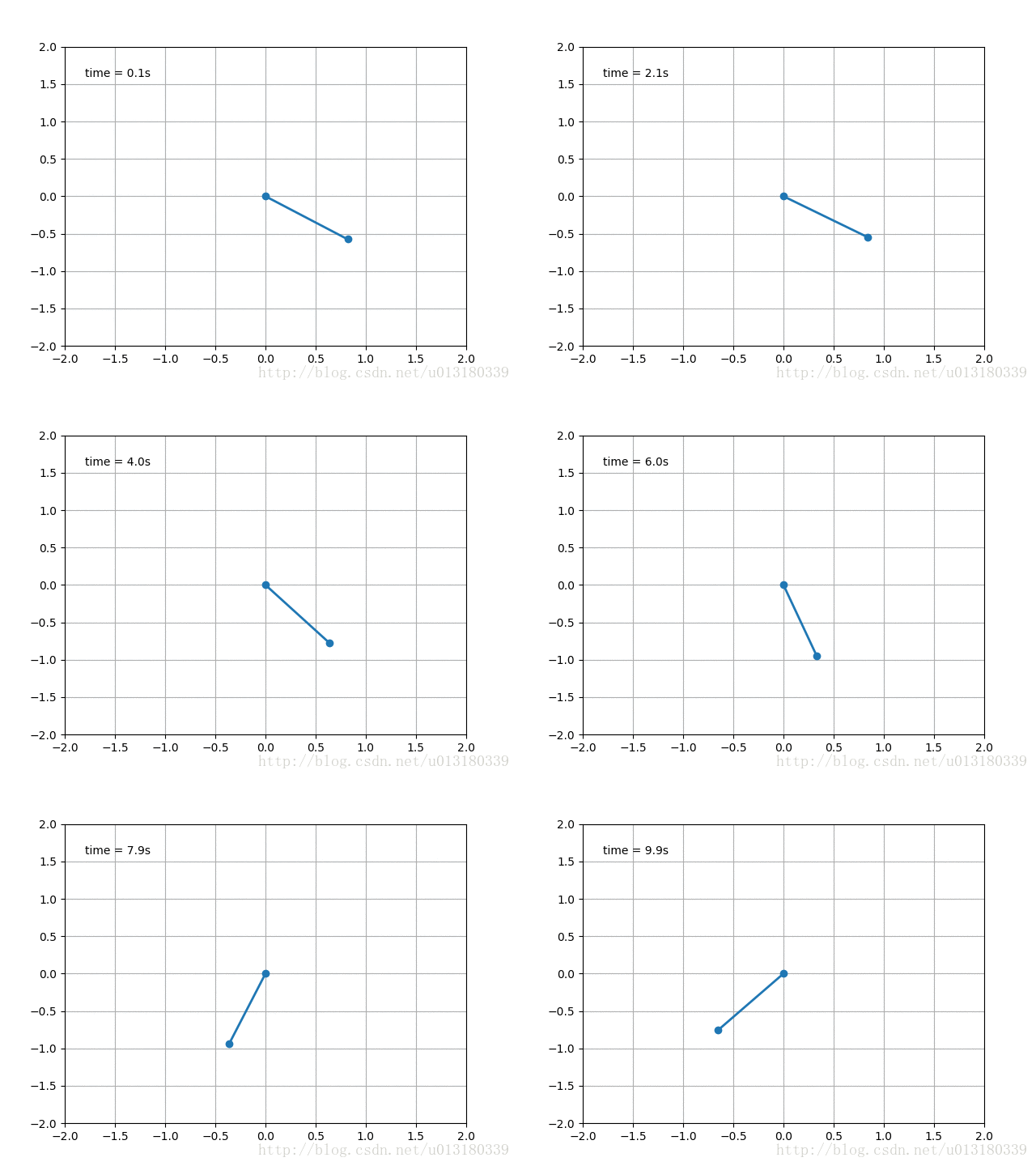
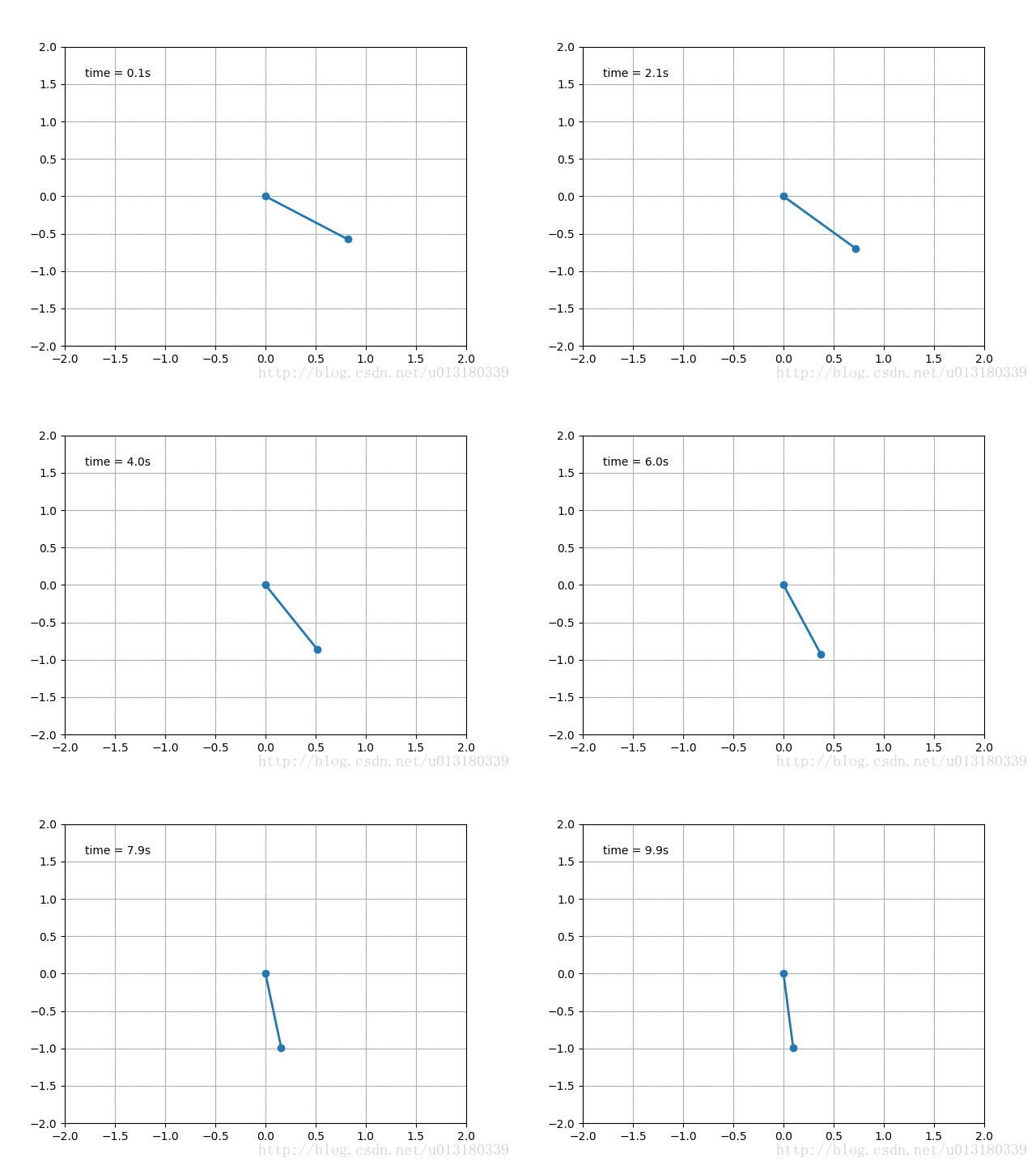
例子3. 单摆(没阻尼&有阻尼)
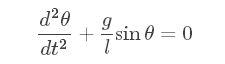
无阻尼的单摆力学公式:
附加阻尼项:

这里需要用到scipy.integrate的odeint模块,具体用法找时间再专门写一篇blog吧,动态图代码如下:
# -*- coding: utf-8 -*-

from math import sin, cos
import numpy as np
from scipy.integrate import odeint
import matplotlib.pyplot as plt
import matplotlib.animation as animation

g = 9.8
leng = 1.0
b_const = 0.2

# no decay case:
def pendulum_equations1(w, t, l):
  th, v = w
  dth = v
  dv = - g/l * sin(th)
  return dth, dv

# the decay exist case:
def pendulum_equations2(w, t, l, b):
  th, v = w
  dth = v
  dv = -b/l * v - g/l * sin(th)
  return dth, dv

t = np.arange(0, 20, 0.1)
track = odeint(pendulum_equations1, (1.0, 0), t, args=(leng,))
#track = odeint(pendulum_equations2, (1.0, 0), t, args=(leng, b_const))
xdata = [leng*sin(track[i, 0]) for i in range(len(track))]
ydata = [-leng*cos(track[i, 0]) for i in range(len(track))]

fig, ax = plt.subplots()
ax.grid()
line, = ax.plot([], [], 'o-', lw=2)
time_template = 'time = %.1fs'
time_text = ax.text(0.05, 0.9, '', transform=ax.transAxes)

def init():
  ax.set_xlim(-2, 2)
  ax.set_ylim(-2, 2)
  time_text.set_text('')
  return line, time_text

def update(i):
  newx = [0, xdata[i]]
  newy = [0, ydata[i]]
  line.set_data(newx, newy)
  time_text.set_text(time_template %(0.1*i))
  return line, time_text

ani = animation.FuncAnimation(fig, update, range(1, len(xdata)), init_func=init, interval=50)
#ani.save('single_pendulum_decay.gif', writer='imagemagick', fps=100)
ani.save('single_pendulum_nodecay.gif', writer='imagemagick', fps=100)
plt.show()
例子4. 滚动的球
import numpy as np
import matplotlib.pyplot as plt
import matplotlib.animation as animation

fig = plt.figure(figsize=(6, 6))
ax = plt.gca()
ax.grid()
ln1, = ax.plot([], [], '-', lw=2)
ln2, = ax.plot([], [], '-', color='r', lw=2)
theta = np.linspace(0, 2*np.pi, 100)
r_out = 1
r_in = 0.5

def init():
  ax.set_xlim(-2, 2)
  ax.set_ylim(-2, 2)
  x_out = [r_out*np.cos(theta[i]) for i in range(len(theta))]
  y_out = [r_out*np.sin(theta[i]) for i in range(len(theta))]
  ln1.set_data(x_out, y_out)
  return ln1,

def update(i):
  x_in = [(r_out-r_in)*np.cos(theta[i])+r_in*np.cos(theta[j]) for j in range(len(theta))]
  y_in = [(r_out-r_in)*np.sin(theta[i])+r_in*np.sin(theta[j]) for j in range(len(theta))]
  ln2.set_data(x_in, y_in)
  return ln2,

ani = animation.FuncAnimation(fig, update, range(len(theta)), init_func=init, interval=30)
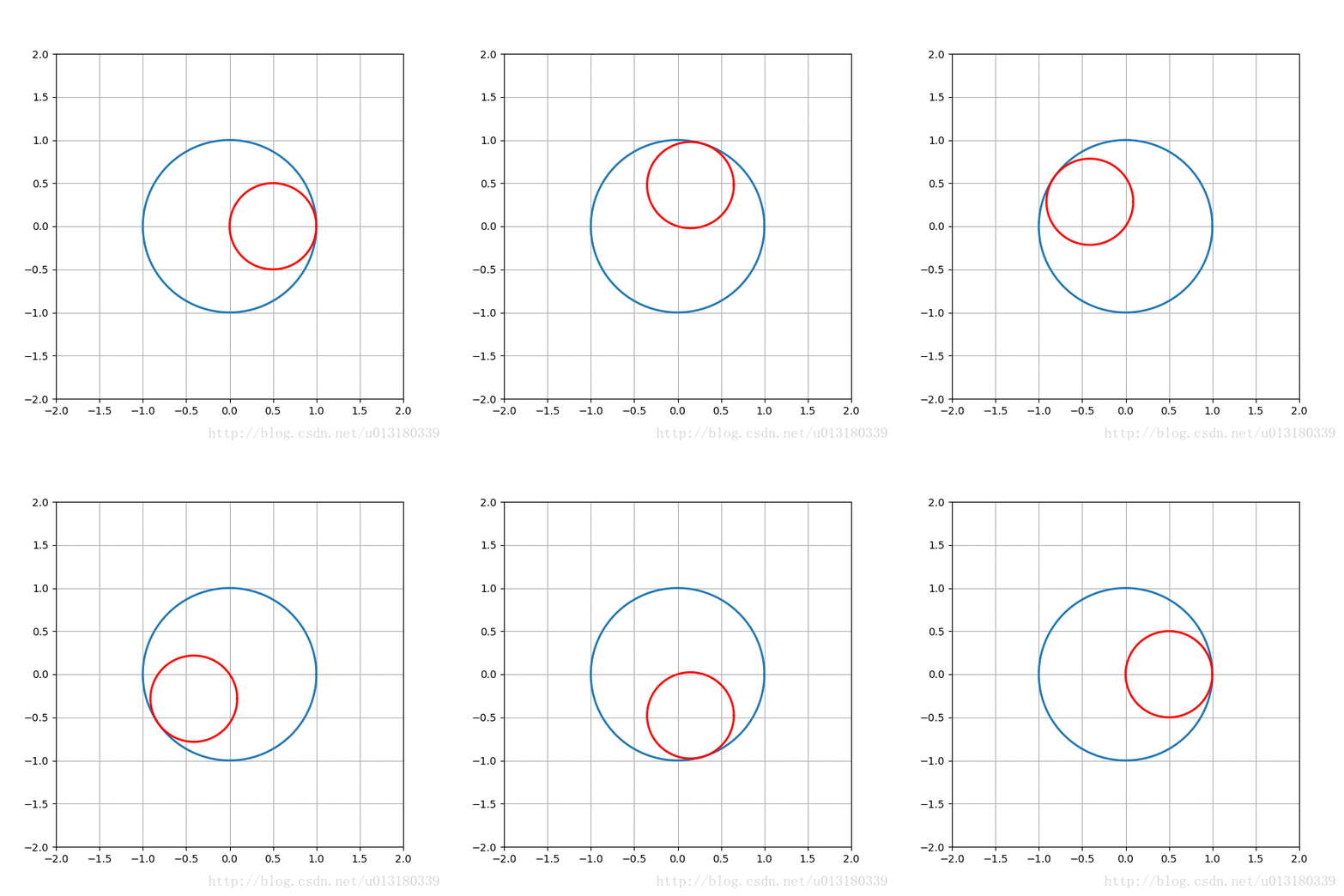
ani.save('roll.gif', writer='imagemagick', fps=100)

plt.show()
到此这篇关于Matplotlib animation模块实现动态图 的文章就介绍到这了,更多相关Matplotlib 动态图 内容请搜索脚本之家以前的文章或继续浏览下面的相关文章希望大家以后多多支持脚本之家!
相关文章
 今天小编就为大家分享一篇Python图片转换成矩阵,矩阵数据转换成图片的实例,具有很好的参考价值,希望对大家有所帮助。一起跟随小编过来看看吧2018-07-07
 本篇文章给大家介绍了Python selenium自动化网页抓取器的实例应用以及知识点分析,有需要的参考学习下。2018-01-01
 这篇文章主要介绍了python的变量和数据类型,实例分析了Python中返回一个返回值与多个返回值的方法,需要的朋友可以参考下2021-10-10
 这篇文章主要介绍了Python实现的计数排序算法,简单描述了计数排序的算法原理并结合具体实例形式分析了Python计数排序的相关实现与使用技巧,需要的朋友可以参考下2017-11-11
 本文将利用Python编写一个B站全自动抽奖的小程序,可以实时监控自己关注的UP主,如果关注的UP主中有人发布了抽奖的动态,就自动参与这个抽奖。这样就能不错过任何一个可以暴富的机会了。需要的可以参考一下2022-03-03
 这篇文章主要介绍了Python如何使用ElementTree解析xml,文中通过示例代码介绍的非常详细,对大家的学习或者工作具有一定的参考学习价值,需要的朋友可以参考下2020-10-10
 这篇文章主要为大家介绍了python类方法和静态方法,具有一定的参考价值,感兴趣的小伙伴们可以参考一下,希望能够给你带来帮助2022-01-01
 在本篇内容里小编给各位整理的是一篇关于python文件排序的方法总结,有需要的朋友们可以参考下。2020-09-09
 这篇文章主要为大家详细介绍了Python实现加解密、编码解码、进制转换、字符串转换的最全版操作方法,文中的示例代码讲解详细,大家可以收藏一下2023-01-01
 这篇文章主要介绍了利用Python实现自动生成图文并茂的数据分析,文章围绕主题展开详细的内容介绍,具有一定的参考价值,需要的朋友可以参考一下2022-08-08
最新评论