

Python趣味挑战之用pygame实现飞机塔防游戏
更新时间:2021年05月28日 10:13:33 作者:dhjabc_1
一步步实现有趣的飞机塔防游戏,有兴趣了解一下吗?文中有非常详细的代码示例,对喜欢玩游戏的小伙伴们很有帮助哦,需要的朋友可以参考下
一、先让飞机在屏幕上飞起来吧。
(一)实现飞机类
class Plane:
    def __init__(self,filename,screen):
        self.plane = pygame.image.load(filename).convert_alpha()
        self.height = self.plane.get_height()
        self.width = self.plane.get_width()

        self.radius = randint(2, 10)
        self.xpos = randint(self.radius, 800-self.radius)
        self.ypos = randint(self.radius, 700-self.radius)
       # self.xpos = randint(100, 600)
        # self.ypos = randint(100, 600)

        self.xvelocity = randint(2, 6)/5
        self.yvelocity = randint(2, 6)/5

        self.angle = math.atan2(self.yvelocity,self.xvelocity)
        self.fangle = math.degrees(self.angle)+90

        self.screen = screen
        self.scrnwidth = 800
        self.scrnheight = 700


    def move_ball(self):

        self.xpos += self.xvelocity
        self.ypos += self.yvelocity

        # 如果球的y坐标大于等于屏幕高度和球的半径的差,则调整球的运行y轴方向朝上
        if self.ypos >= self.scrnheight-self.width:
            self.yvelocity = -self.yvelocity
            self.angle = math.atan2(self.yvelocity, self.xvelocity)
            self.fangle = math.degrees(self.angle) + 90

        # 如果球的y坐标小于等于屏幕高度和球的半径的差,则调整球的y轴运行方向朝下
        if self.ypos <= 0:
            self.yvelocity = abs(self.yvelocity)
            self.angle = math.atan2(self.yvelocity, self.xvelocity)
            self.fangle = math.degrees(self.angle) + 90

        # 如果球的x坐标大于等于屏幕宽度和球的半径差,则调整球的运行x轴方向朝左
        if self.xpos >= self.scrnwidth-self.height:
            self.xvelocity = -self.xvelocity
            self.angle = math.atan2(self.yvelocity, self.xvelocity)
            self.fangle = math.degrees(self.angle) + 90

        # 如果球的x坐标小于等于屏幕宽度和球半径的差,则调整球的运行x轴方向朝右
        if self.xpos <= 0:
            self.xvelocity = abs(self.xvelocity)
            self.angle = math.atan2(self.yvelocity, self.xvelocity)
            self.fangle = math.degrees(self.angle) + 90

        self.planed = pygame.transform.rotate(self.plane, -(self.fangle))
        self.screen.blit(self.planed, (self.xpos,self.ypos))
(二)让飞机飞起来
if __name__ == '__main__':
    pygame.init()
    screen = pygame.display.set_mode((800, 700))
    plane = Plane('plane.png',screen)

    clock = pygame.time.Clock()
    while True:
        for event in pygame.event.get():
            if event.type == pygame.QUIT:
                pygame.quit()
                sys.exit()
        clock.tick(200)
        screen.fill((0, 0, 0))
        plane.move_ball()
        pygame.display.update()
(三)运行效果
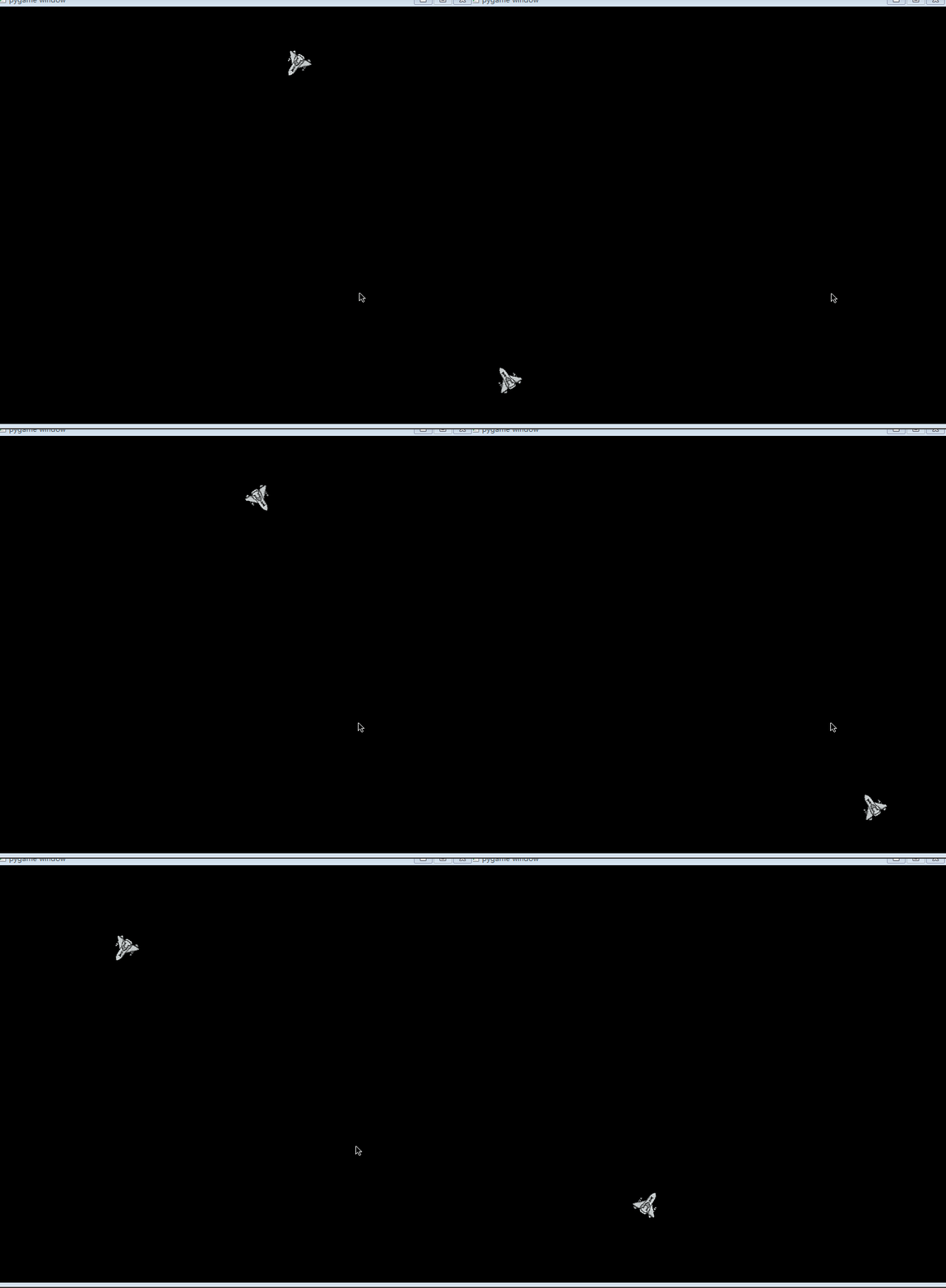
二、屏幕下发实现一个塔防设备
(一)实现塔防设备类
class Pao:
    def __init__(self,screen):
        self.start = (100,700)
        self.end = None
        self.screen = screen
        self.count = 0
        self.bullet_list = []
        pass

    def getpos(self,pos2,r):
        self.angle = math.atan2( pos2[1]-self.start[1],pos2[0]-self.start[0])
        self.fangle = math.degrees(self.angle)
        self.x = self.start[0]+r*math.cos(self.angle)
        self.y = self.start[1]+r*math.sin(self.angle)
        self.r = r
        self.end = pos2

    def move(self):
        pygame.draw.line(self.screen, (255, 0, 0), self.start, (self.x,self.y), 5)
        pygame.draw.circle(self.screen,(0,255,0),self.start,15)
(二)主函数实现调用
pao  = Pao(screen)
    clock = pygame.time.Clock()
    while True:
        for event in pygame.event.get():
            if event.type == pygame.QUIT:
                pygame.quit()
                sys.exit()
        clock.tick(200)
        screen.fill((0, 0, 0))
        plane.move_ball()
        pao.getpos((plane.xpos, plane.ypos), 35)
        pao.move()
(三)实现效果
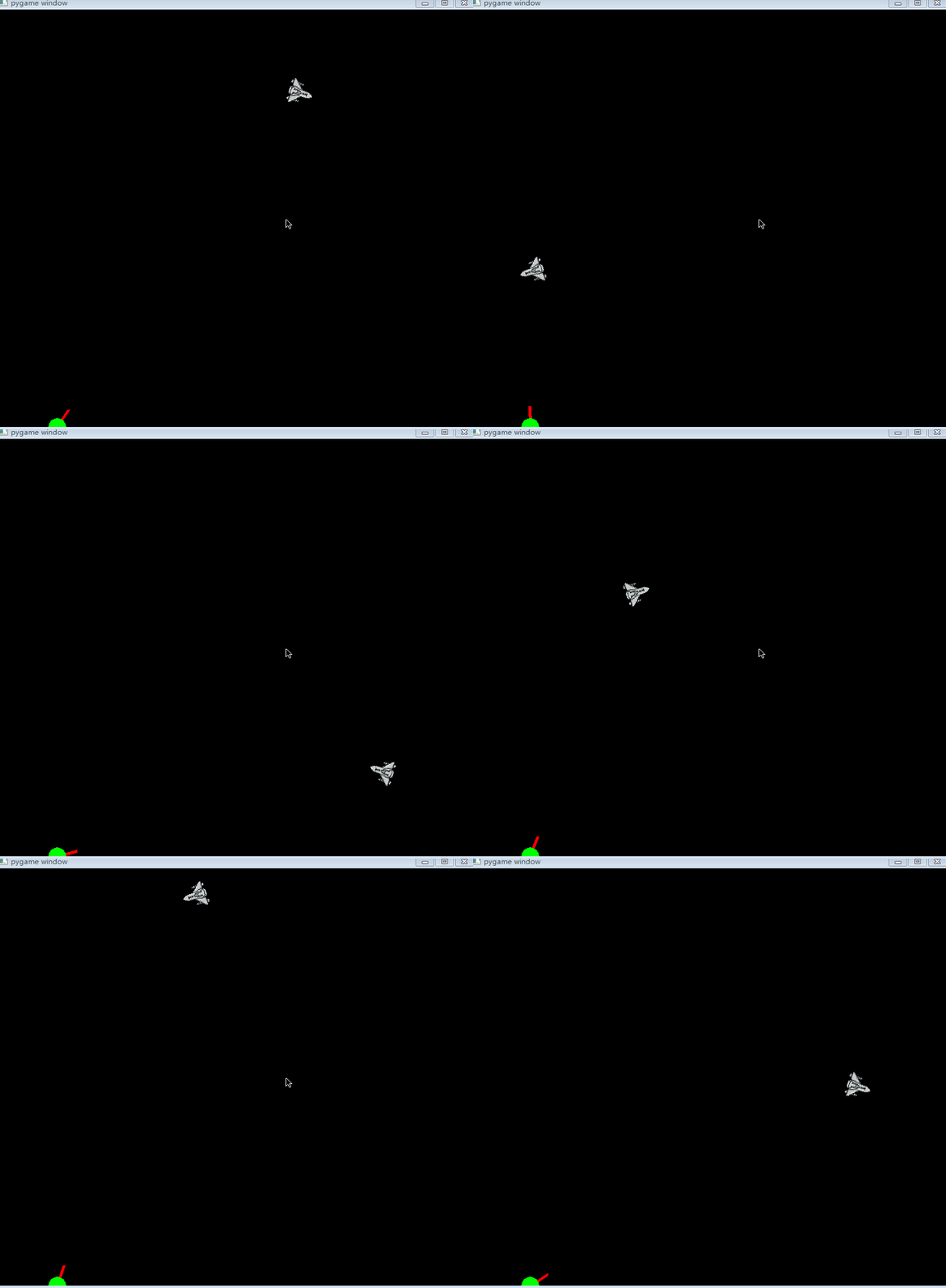
发现没有,塔防设备跟踪飞机的运动而运动,一切都在监控中。
三、让子弹也飞起来吧
(一)实现子弹类
class Bullet:
    def __init__(self,x,y,fangle,screen,angle):
        self.posx = x
        self.posy = y
        self.fangle = fangle
        self.angle = angle
        self.alive = True
        self.screen = screen
        self.bullet = pygame.image.load('bullet2.png').convert_alpha()
        self.r = random.randint(5,10)

    def move(self):
        self.planed = pygame.transform.rotate(self.bullet, -(self.fangle))
        self.posx += self.r * math.cos(self.angle)
        self.posy +=  self.r * math.sin(self.angle)
        # self.xpos, self.ypos = (self.xpos + section * cosa, self.ypos - section * sina)
        if self.posy > 700 or self.posy < 0 or self.posx < 0 or self.posx > 800:
            self.alive = False
        if self.alive:
            self.screen.blit(self.planed, (self.posx, self.posy))
(二)在塔防设备实现子弹生成
在move函数上写相关代码
 def move(self):
        pygame.draw.line(self.screen, (255, 0, 0), self.start, (self.x,self.y), 5)
        pygame.draw.circle(self.screen,(0,255,0),self.start,15)
        if self.count % 100 == 19:
            self.bullet_list.append(Bullet(self.x,self.y,self.fangle,self.screen,self.angle))
        self.count += 1
        for bullet in self.bullet_list:
            if bullet.alive is not True:
                del bullet
            else:
                bullet.move()
(三)完整代码
import pygame,sys
from math import *
from Ball import Ball
import random
from random import randint
import math

class Plane:
    def __init__(self,filename,screen):
        self.plane = pygame.image.load(filename).convert_alpha()
        self.height = self.plane.get_height()
        self.width = self.plane.get_width()

        self.radius = randint(2, 10)
        self.xpos = randint(self.radius, 800-self.radius)
        self.ypos = randint(self.radius, 700-self.radius)

        self.xvelocity = randint(2, 6)/5
        self.yvelocity = randint(2, 6)/5

        self.angle = math.atan2(self.yvelocity,self.xvelocity)
        self.fangle = math.degrees(self.angle)+90

        self.screen = screen
        self.scrnwidth = 800
        self.scrnheight = 700


    def move_ball(self):

        self.xpos += self.xvelocity
        self.ypos += self.yvelocity

        # 如果球的y坐标大于等于屏幕高度和球的半径的差,则调整球的运行y轴方向朝上
        if self.ypos >= self.scrnheight-self.width:
            self.yvelocity = -self.yvelocity
            self.angle = math.atan2(self.yvelocity, self.xvelocity)
            self.fangle = math.degrees(self.angle) + 90

        # 如果球的y坐标小于等于屏幕高度和球的半径的差,则调整球的y轴运行方向朝下
        if self.ypos <= 0:
            self.yvelocity = abs(self.yvelocity)
            self.angle = math.atan2(self.yvelocity, self.xvelocity)
            self.fangle = math.degrees(self.angle) + 90

        # 如果球的x坐标大于等于屏幕宽度和球的半径差,则调整球的运行x轴方向朝左
        if self.xpos >= self.scrnwidth-self.height:
            self.xvelocity = -self.xvelocity
            self.angle = math.atan2(self.yvelocity, self.xvelocity)
            self.fangle = math.degrees(self.angle) + 90

        # 如果球的x坐标小于等于屏幕宽度和球半径的差,则调整球的运行x轴方向朝右
        if self.xpos <= 0:
            self.xvelocity = abs(self.xvelocity)
            self.angle = math.atan2(self.yvelocity, self.xvelocity)
            self.fangle = math.degrees(self.angle) + 90

        self.planed = pygame.transform.rotate(self.plane, -(self.fangle))
        self.newRect = self.plane.get_rect(center=(self.xpos,self.ypos))
        self.screen.blit(self.planed,self.newRect)

class Pao:
    def __init__(self,screen):
        self.start = (100,700)
        self.end = None
        self.screen = screen
        self.count = 0
        self.bullet_list = []
        pass

    def getpos(self,pos2,r):
        self.angle = math.atan2( pos2[1]-self.start[1],pos2[0]-self.start[0])
        self.fangle = math.degrees(self.angle)
        self.x = self.start[0]+r*math.cos(self.angle)
        self.y = self.start[1]+r*math.sin(self.angle)
        self.r = r
        self.end = pos2

    def move(self):
        pygame.draw.line(self.screen, (255, 0, 0), self.start, (self.x,self.y), 5)
        pygame.draw.circle(self.screen,(0,255,0),self.start,15)
        if self.count % 100 == 19:
            self.bullet_list.append(Bullet(self.x,self.y,self.fangle,self.screen,self.angle))
        self.count += 1
        for bullet in self.bullet_list:
            if bullet.alive is not True:
                del bullet
            else:
                bullet.move()

class Bullet:
    def __init__(self,x,y,fangle,screen,angle):
        self.posx = x
        self.posy = y
        self.fangle = fangle
        self.angle = angle
        self.alive = True
        self.screen = screen
        self.bullet = pygame.image.load('bullet2.png').convert_alpha()
        self.r = random.randint(5,10)

    def move(self):
        self.planed = pygame.transform.rotate(self.bullet, -(self.fangle))
        self.posx += self.r * math.cos(self.angle)
        self.posy +=  self.r * math.sin(self.angle)
        # self.xpos, self.ypos = (self.xpos + section * cosa, self.ypos - section * sina)
        if self.posy > 700 or self.posy < 0 or self.posx < 0 or self.posx > 800:
            self.alive = False
        if self.alive:
            self.screen.blit(self.planed, (self.posx, self.posy))


if __name__ == '__main__':
    pygame.init()
    screen = pygame.display.set_mode((800, 700))
    plane = Plane('plane.png',screen)
    pao  = Pao(screen)

    clock = pygame.time.Clock()
    while True:
        for event in pygame.event.get():
            if event.type == pygame.QUIT:
                pygame.quit()
                sys.exit()
        clock.tick(200)
        screen.fill((0, 0, 0))
        plane.move_ball()
        pao.getpos((plane.xpos, plane.ypos), 35)
        pao.move()
        pygame.display.update()
(四)运行效果
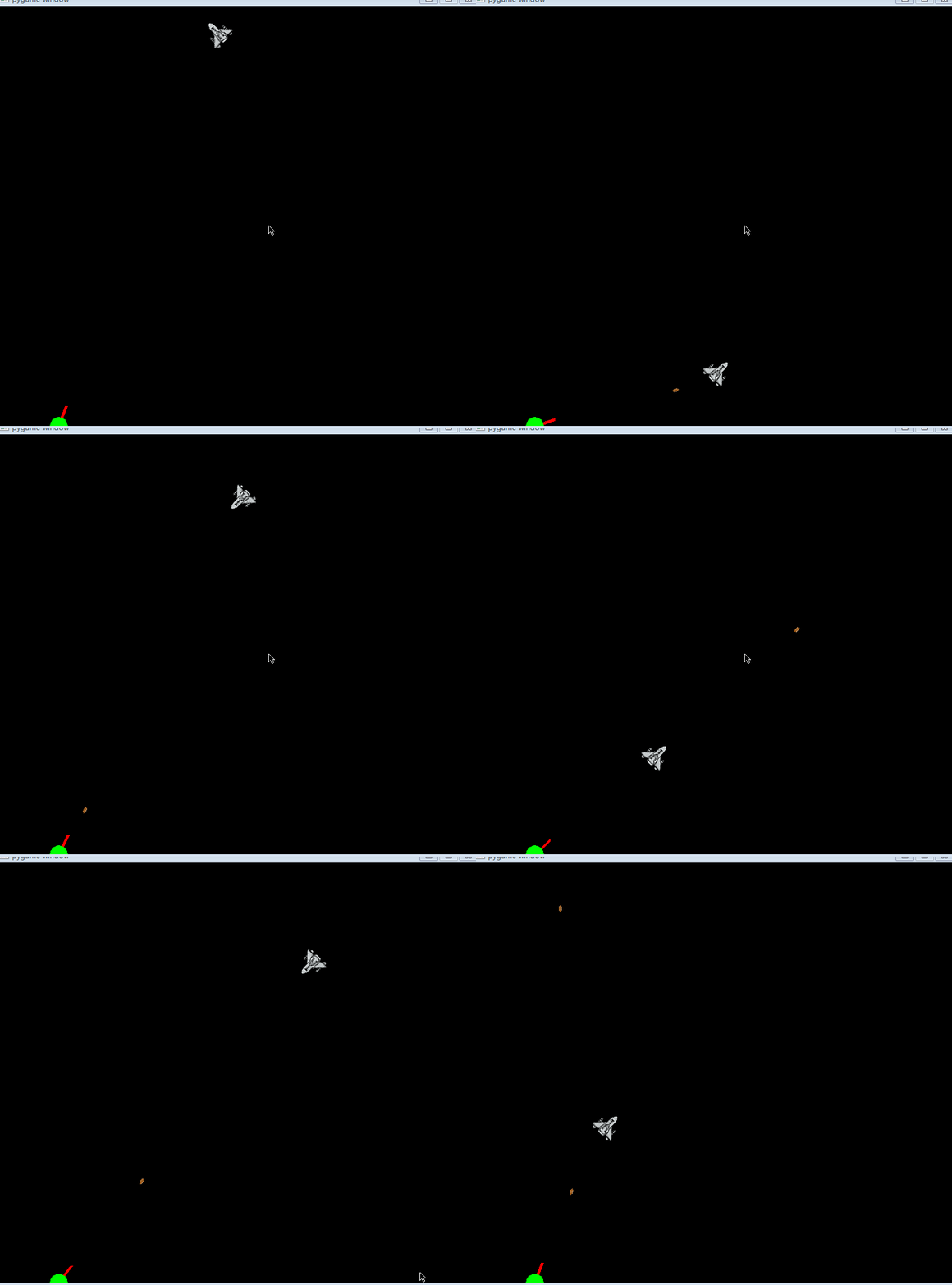
四、碰撞监测和爆炸效果实现
(一)碰撞监测
plane_rect = plane.newRect # planed.get_rect()
        # print(plane_rect)
        # print(len(pao.bullet_list))
        for bullet in pao.bullet_list:
            # print(bullet.alive)
            # print(bullet.planed.get_rect())
            if plane_rect.colliderect(bullet.newRect):
                bullet.alive = False
                plane.reset()
                print('1')
(二)爆炸效果
检测是否碰撞
 if plane.alive:
                plane.move_ball()
            else:
                plane.destroy(fCount, screen)
碰撞后的效果
def destroy(self, fCount, winSurface):
        self.screen.blit(self.dList[self.dIndex],self.newRect)
        if fCount % 3 == 0:
            self.dIndex += 1
        if self.dIndex == 4:
            self.reset()
(三)记录得分
初始化变量
self.score = 0
展示变量
text1 = self.font.render('score:%s' % self.score, True, (255, 255, 0))
self.screen.blit(text1, (45, 15))
五、完整代码
import pygame,sys
from math import *
from Ball import Ball
import random
from random import randint
import math

class Plane:
    def __init__(self,filename,screen):
        self.plane = pygame.image.load(filename).convert_alpha()
        self.height = self.plane.get_height()
        self.width = self.plane.get_width()
        self.alive = True
        self.dIndex = 0
        self.newRect = None
        # 爆炸
        self.dSurface1 = pygame.image.load("./images/enemy1_down1.png").convert_alpha()
        self.dSurface2 = pygame.image.load("./images/enemy1_down2.png").convert_alpha()
        self.dSurface3 = pygame.image.load("./images/enemy1_down3.png").convert_alpha()
        self.dSurface4 = pygame.image.load("./images/enemy1_down4.png").convert_alpha()
        self.dList = [self.dSurface1, self.dSurface2, self.dSurface3, self.dSurface4]

        self.radius = randint(2, 10)
        self.xpos = randint(self.radius, 800-self.radius)
        self.ypos = randint(self.radius, 700-self.radius)

        self.xvelocity = randint(2, 6)/5
        self.yvelocity = randint(2, 6)/5

        self.angle = math.atan2(self.yvelocity,self.xvelocity)
        self.fangle = math.degrees(self.angle)+90

        self.screen = screen
        self.scrnwidth = 800
        self.scrnheight = 700

    def destroy(self, fCount, winSurface):
        self.screen.blit(self.dList[self.dIndex],self.newRect)
        if fCount % 3 == 0:
            self.dIndex += 1
        if self.dIndex == 4:
            self.reset()

    def reset(self):
        self.radius = randint(2, 10)
        self.xpos = randint(self.radius, 800-self.radius)
        self.ypos = randint(self.radius, 700-self.radius)

        self.xvelocity = randint(2, 6)/5
        self.yvelocity = randint(2, 6)/5

        self.angle = math.atan2(self.yvelocity,self.xvelocity)
        self.fangle = math.degrees(self.angle)+90

        self.alive = True
        self.dIndex = 0

    def move_ball(self):

        self.xpos += self.xvelocity
        self.ypos += self.yvelocity

        # 如果球的y坐标大于等于屏幕高度和球的半径的差,则调整球的运行y轴方向朝上
        if self.ypos >= self.scrnheight-self.width:
            self.yvelocity = -self.yvelocity
            self.angle = math.atan2(self.yvelocity, self.xvelocity)
            self.fangle = math.degrees(self.angle) + 90

        # 如果球的y坐标小于等于屏幕高度和球的半径的差,则调整球的y轴运行方向朝下
        if self.ypos <= 0:
            self.yvelocity = abs(self.yvelocity)
            self.angle = math.atan2(self.yvelocity, self.xvelocity)
            self.fangle = math.degrees(self.angle) + 90

        # 如果球的x坐标大于等于屏幕宽度和球的半径差,则调整球的运行x轴方向朝左
        if self.xpos >= self.scrnwidth-self.height:
            self.xvelocity = -self.xvelocity
            self.angle = math.atan2(self.yvelocity, self.xvelocity)
            self.fangle = math.degrees(self.angle) + 90

        # 如果球的x坐标小于等于屏幕宽度和球半径的差,则调整球的运行x轴方向朝右
        if self.xpos <= 0:
            self.xvelocity = abs(self.xvelocity)
            self.angle = math.atan2(self.yvelocity, self.xvelocity)
            self.fangle = math.degrees(self.angle) + 90

        self.planed = pygame.transform.rotate(self.plane, -(self.fangle))
        self.newRect = self.plane.get_rect(center=(self.xpos,self.ypos))
        self.screen.blit(self.planed,self.newRect)

class Pao:
    def __init__(self,screen):
        self.start = (100,700)
        self.end = None
        self.screen = screen
        self.count = 0
        self.bullet_list = []
        self.score = 0
        self.font = pygame.font.Font(r'C:\Windows\Fonts\simsun.ttc', 16)

    def getpos(self,pos2,r):
        self.angle = math.atan2( pos2[1]-self.start[1],pos2[0]-self.start[0])
        self.fangle = math.degrees(self.angle)
        self.x = self.start[0]+r*math.cos(self.angle)
        self.y = self.start[1]+r*math.sin(self.angle)
        self.r = r
        self.end = pos2

    def move(self):
        pygame.draw.line(self.screen, (255, 0, 0), self.start, (self.x,self.y), 5)
        pygame.draw.circle(self.screen,(0,255,0),self.start,15)
        text1 = self.font.render('score:%s' % self.score, True, (255, 255, 0))
        self.screen.blit(text1, (45, 15))

        if self.count % 30 == 19:
            self.bullet_list.append(Bullet(self.x,self.y,self.fangle,self.screen,self.angle))
        self.count += 1
        for bullet in self.bullet_list:
            if bullet.alive is False:
                self.bullet_list.remove(bullet)
            else:
                bullet.move()

class Bullet:
    def __init__(self,x,y,fangle,screen,angle):
        self.posx = x
        self.posy = y
        self.fangle = fangle
        self.angle = angle
        self.alive = True
        self.screen = screen
        self.bullet = pygame.image.load('bullet2.png').convert_alpha()
        self.r = random.randint(5,10)
        self.newRect = None

    def move(self):
        self.planed = pygame.transform.rotate(self.bullet, -(self.fangle))
        self.posx += self.r * math.cos(self.angle)
        self.posy +=  self.r * math.sin(self.angle)
        if self.posy > 700 or self.posy < 0 or self.posx < 0 or self.posx > 800:
            self.alive = False
        self.newRect = self.bullet.get_rect(center=(self.posx, self.posy))
        if self.alive:
            self.screen.blit(self.planed, self.newRect)


if __name__ == '__main__':
    pygame.init()
    screen = pygame.display.set_mode((800, 700))
    pao = Pao(screen)
    plane_list = []
    for i in range(2):
        plane_list.append((Plane('enemy.png',screen)))
    fCount = 0

    clock = pygame.time.Clock()
    plane = random.choice(plane_list)
    while True:
        for event in pygame.event.get():
            if event.type == pygame.QUIT:
                pygame.quit()
                sys.exit()
        clock.tick(200)
        screen.fill((0, 0, 0))
        pao.getpos((plane.xpos, plane.ypos), 35)
        pao.move()
        for plane in plane_list:
            plane_rect = plane.newRect
            for bullet in pao.bullet_list:
                try:
                    if plane_rect.colliderect(bullet.newRect):
                        bullet.alive = False
                        plane.alive = False
                        pao.score += 1
                        plane = random.choice(plane_list)
                        print('1')
                except:
                    pass
            if plane.alive:
                plane.move_ball()
            else:
                plane.destroy(fCount, screen)

        fCount += 1

        pygame.display.update()
六、运行效果
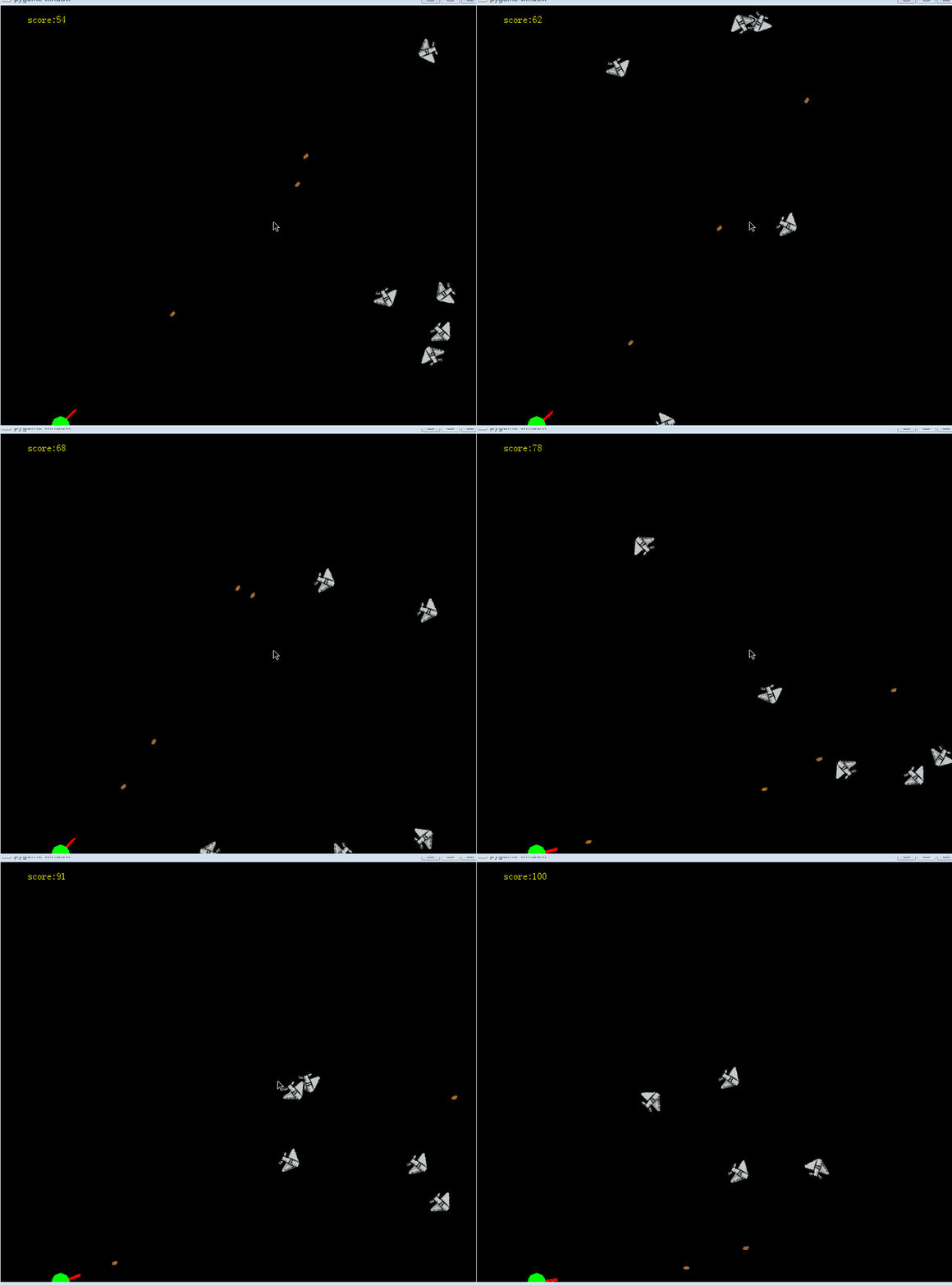
写完,比心!
到此这篇关于Python趣味挑战之用pygame实现飞机塔防游戏的文章就介绍到这了,更多相关pygame实现飞机塔防游戏内容请搜索脚本之家以前的文章或继续浏览下面的相关文章希望大家以后多多支持脚本之家!
相关文章
 这篇文章主要给大家介绍了关于webdriver.Chrome()没反应的解决办法,文中通过图文介绍的非常详细,对大家的学习或者工作具有一定的参考借鉴价值,需要的朋友可以参考下2024-03-03
 今天小编就为大家分享一篇Python实现CNN的多通道输入实例,具有很好的参考价值,希望对大家有所帮助。一起跟随小编过来看看吧2020-01-01
 这篇文章主要为大家详细介绍了python实现图片转字符画,文中示例代码介绍的非常详细,具有一定的参考价值,感兴趣的小伙伴们可以参考一下2021-02-02
 在Python中,heapq模块提供了实现最小堆算法的数据结构,能够用作优先队列,本文将详细介绍heapq模块,包括堆的基本概念、heapq的功能和示例代码,需要的可以参考下2023-12-12
如何使用PyCharm将代码上传到GitHub上(图文详解)
这篇文章主要介绍了如何使用PyCharm将代码上传到GitHub上(图文详解),文中通过图文介绍的非常详细,对大家的学习或者工作具有一定的参考学习价值,需要的朋友们下面随着小编来一起学习学习吧2020-04-04 二元运算符作用于位,进行逐位运算。二元运算只是组合两个值以创建新值的规则。本文将为大家详细讲讲Python NumPy中的二元计算,需要的可以了解一下2022-08-08
 Vim 插件是一个 .vim 的脚本文件,定义了函数、映射、语法规则和命令,可用于操作窗口、缓冲以及行。一般一个插件包含了命令定义和事件钩子。当使用 Python 编写 vim 插件时,函数外面是使用 VimL 编写,尽管 VimL 学起来很快,但 Python 更加灵活2014-11-11
ubuntu16.04升级Python3.5到Python3.7的方法步骤
这篇文章主要介绍了ubuntu16.04升级Python3.5到Python3.7的方法步骤,文中通过示例代码介绍的非常详细,对大家的学习或者工作具有一定的参考学习价值,需要的朋友们下面随着小编来一起学习学习吧2020-08-08 这篇文章主要为大家详细介绍了如何使用Python自动化处理日常任务,例如自动化文件管理,自动化定时任务,自动化发送邮件等,有需要的小伙伴可以参考一下2025-01-01
 之前网上也有不少关于行业的分析数据,今天我们就根据不同岗位,公司类型规模,学历要求,薪资分布等来进行分析,把职位分析功能集合封装起来,做成一个小工具分享给大家吧2021-09-09
最新评论