

python环境功能强大的pip-audit安全漏洞扫描工具
更新时间:2022年02月19日 09:37:38 作者:kali_Ma
这篇文章主要为大家介绍了python环境中功能强大的pip-audit安全漏洞扫描工具的功能介绍及安装使用说明,有需要的朋友可以借鉴参考下,希望能够有所帮助
关于pip-audit
pip-audit是一款功能强大的安全漏洞扫描工具,该工具主要针对Python环境,可以帮助广大研究人员扫描和测试Python包中的已知安全漏洞。pip-audit使用了PythonPackagingAdvisory数据库PyPIJSONAPI作为漏洞报告源。
功能介绍
- 1、支持对本地环境和依赖组件(requirements风格文件)进行安全审计;
- 2、支持多种漏洞服务(PyPI、OSV);
- 3、支持以CycloneDX XML或JSON格式发送SBOM;
- 4、提供人类和机器均可读的输出格式(columnar、JSON);
- 5、无缝接入 / 重用本地pip缓存;
工具安装
pip-audit基于Python开发,且要求本地环境为Python 3.7或更新版本。安装并配置好Python环境之后,就可以使用下列命令并通过pip来安装pip-audit了:
python -m pip install pip-audit
第三方包
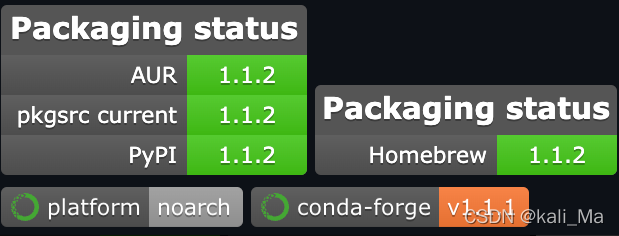
pip-audit的正常运行需要使用到多个第三方包,具体组件包名称和版本如下图所示:
除此之外,我们还可以通过conda来安装pip-audit:
conda install -c conda-forge pip-audit
工具使用
我们可以直接将pip-audit以独立程序运行,或通过“python -m”运行:
pip-audit --help

python -m pip_audit --help
usage: pip-audit [-h] [-V] [-l] [-r REQUIREMENTS] [-f FORMAT] [-s SERVICE]
                 [-d] [-S] [--desc [{on,off,auto}]] [--cache-dir CACHE_DIR]
                 [--progress-spinner {on,off}] [--timeout TIMEOUT]
                 [--path PATHS] [-v] [--fix] [--require-hashes]
audit the Python environment for dependencies with known vulnerabilities

optional arguments:
  -h, --help            show this help message and exit
  -V, --version         show program's version number and exit
  -l, --local           show only results for dependencies in the local
                        environment (default: False)
  -r REQUIREMENTS, --requirement REQUIREMENTS
                        audit the given requirements file; this option can be
                        used multiple times (default: None)
  -f FORMAT, --format FORMAT
                        the format to emit audit results in (choices: columns,
                        json, cyclonedx-json, cyclonedx-xml) (default:
                        columns)
  -s SERVICE, --vulnerability-service SERVICE
                        the vulnerability service to audit dependencies
                        against (choices: osv, pypi) (default: pypi)
  -d, --dry-run         without `--fix`: collect all dependencies but do not
                        perform the auditing step; with `--fix`: perform the
                        auditing step but do not perform any fixes (default:
                        False)
  -S, --strict          fail the entire audit if dependency collection fails
                        on any dependency (default: False)
  --desc [{on,off,auto}]
                        include a description for each vulnerability; `auto`
                        defaults to `on` for the `json` format. This flag has
                        no effect on the `cyclonedx-json` or `cyclonedx-xml`
                        formats. (default: auto)
  --cache-dir CACHE_DIR
                        the directory to use as an HTTP cache for PyPI; uses
                        the `pip` HTTP cache by default (default: None)
  --progress-spinner {on,off}
                        display a progress spinner (default: on)
  --timeout TIMEOUT     set the socket timeout (default: 15)
  --path PATHS          restrict to the specified installation path for
                        auditing packages; this option can be used multiple
                        times (default: [])
  -v, --verbose         give more output; this setting overrides the
                        `PIP_AUDIT_LOGLEVEL` variable and is equivalent to
                        setting it to `debug` (default: False)
  --fix                 automatically upgrade dependencies with known
                        vulnerabilities (default: False)
  --require-hashes      require a hash to check each requirement against, for
                        repeatable audits; this option is implied when any
                        package in a requirements file has a `--hash` option.
                        (default: False)
退出代码
任务完成后, pip-audit将会退出运行,并返回一个代码以显示其状态,其中:
0:未检测到已知漏洞;
1:检测到了一个或多个已知漏洞;
工具使用样例
审计当前Python环境中的依赖:
$ pip-audit
No known vulnerabilities found
审计给定requirements文件的依赖:
$ pip-audit -r ./requirements.txt
No known vulnerabilities found
审计一个requirements文件,并排除系统包:
$ pip-audit -r ./requirements.txt -l
No known vulnerabilities found
审计依赖中发现的安全漏洞:
$ pip-audit
Found 2 known vulnerabilities in 1 package
Name  Version ID             Fix Versions
----  ------- -------------- ------------
Flask 0.5     PYSEC-2019-179 1.0
Flask 0.5     PYSEC-2018-66  0.12.3
审计依赖(包含描述):
$ pip-audit --desc

Found 2 known vulnerabilities in 1 package

Name  Version ID             Fix Versions Description

----  ------- -------------- ------------ --------------------------------------------------------------------------------------------------------------------------------------------------------------------------------------------------------------------------------------------------------------------------------------------------------------------------------------------------------------------------------------------------------

Flask 0.5     PYSEC-2019-179 1.0          The Pallets Project Flask before 1.0 is affected by: unexpected memory usage. The impact is: denial of service. The attack vector is: crafted encoded JSON data. The fixed version is: 1\. NOTE: this may overlap CVE-2018-1000656.

Flask 0.5     PYSEC-2018-66  0.12.3       The Pallets Project flask version Before 0.12.3 contains a CWE-20: Improper Input Validation vulnerability in flask that can result in Large amount of memory usage possibly leading to denial of service. This attack appear to be exploitable via Attacker provides JSON data in incorrect encoding. This vulnerability appears to have been fixed in 0.12.3\. NOTE: this may overlap CVE-2019-1010083.
审计JSON格式依赖:
$ pip-audit -f json | jq
Found 2 known vulnerabilities in 1 package
[
{
"name": "flask",
"version": "0.5",
"vulns": [
{
"id": "PYSEC-2019-179",
"fix_versions": [
"1.0"
],
"description": "The Pallets Project Flask before 1.0 is affected by: unexpected memory usage. The impact is: denial of service. The attack vector is: crafted encoded JSON data. The fixed version is: 1\. NOTE: this may overlap CVE-2018-1000656."
},
{
"id": "PYSEC-2018-66",
"fix_versions": [
"0.12.3"
],
"description": "The Pallets Project flask version Before 0.12.3 contains a CWE-20: Improper Input Validation vulnerability in flask that can result in Large amount of memory usage possibly leading to denial of service. This attack appear to be exploitable via Attacker provides JSON data in incorrect encoding. This vulnerability appears to have been fixed in 0.12.3\. NOTE: this may overlap CVE-2019-1010083."
}
]
},
{
"name": "jinja2",
"version": "3.0.2",
"vulns": []
},
{
"name": "pip",
"version": "21.3.1",
"vulns": []
},
{
"name": "setuptools",
"version": "57.4.0",
"vulns": []
},
{
"name": "werkzeug",
"version": "2.0.2",
"vulns": []
},
{
"name": "markupsafe",
"version": "2.0.1",
"vulns": []
}
]
审计并尝试自动审计存在漏洞的依赖:
$ pip-audit --fix

Found 2 known vulnerabilities in 1 package and fixed 2 vulnerabilities in 1 package

Name  Version ID             Fix Versions Applied Fix

----- ------- -------------- ------------ ----------------------------------------

flask 0.5     PYSEC-2019-179 1.0          Successfully upgraded flask (0.5 => 1.0)

flask 0.5     PYSEC-2018-66  0.12.3       Successfully upgraded flask (0.5 => 1.0)
许可证协议
本项目的开发与发布遵循 Apache 2.0开源许可证协议。
以上就是python环境功能强大的pip-audit安全漏洞扫描工具的详细内容,更多关于pip-audit安全漏洞扫描工具的资料请关注脚本之家其它相关文章!
相关文章
 OpenCV常用的图像处理为阈值二值化、边缘检测、轮廓检测、高斯滤波、色彩转换、调节对比度。本文主要介绍了利用Python和OpenCV对实时图像进行上述六种操作的详细讲解,感兴趣的可以了解一下。2021-11-11
 这篇文章主要为大家详细介绍了如何利用python实现获取域名ssl证书信息和到期时间,文中的示例代码讲解详细,感兴趣的小伙伴可以跟随小编一起了解一下2023-09-09
 这篇文章主要介绍了使用LibTorch进行C++调用pytorch模型方式,具有很好的参考价值,希望对大家有所帮助。如有错误或未考虑完全的地方,望不吝赐教2022-12-12
 这篇文章主要给大家介绍了关于OpenCV-Python给图像去除水印的多种方法,文中介绍的每种方法都有其适用场景和实现步骤,具体实现需要根据实际情况选择和调整,需要的朋友可以参考下2024-12-12
 最近学习python中的数据类型时,难免联想到java中的基本型数据类型与引用型数据类型。接下来通过本文给大家介绍python中int与str互转,需要的朋友可以参考下2018-07-07
 这篇文章主要为大家详细介绍了如何在ChatGPT内构建一个Python解释器,文中的示例代码讲解详细,具有一定的学习价值,需要的可以参考一下2023-02-02
 本文主要介绍了三种在使用Playwright或pytest-playwright进行Web自动化测试时设置base_url的方法,文中通过示例代码介绍的非常详细,对大家的学习或者工作具有一定的参考学习价值,需要的朋友们下面随着小编来一起学习学习吧2026-01-01
 这篇文章主要介绍了python如何将文件a.txt的内容复制到b.txt中,具有很好的参考价值,希望对大家有所帮助。如有错误或未考虑完全的地方,望不吝赐教2022-12-12
pandas使用函数批量处理数据(map、apply、applymap)
这篇文章主要介绍了pandas使用函数批量处理数据(map、apply、applymap),文中通过示例代码介绍的非常详细,对大家的学习或者工作具有一定的参考学习价值,需要的朋友们下面随着小编来一起学习学习吧2020-11-11 变量作用域是Python中非常重要的概念,它决定了在哪里可以访问变量,下面我将用通俗易懂的方式,结合代码示例和图表,带你全面了解Python变量作用域,需要的朋友可以参考下2025-06-06
最新评论