

Python实现迅速获取文件的路径
更新时间:2025年01月20日 09:51:13 作者:cheese-liang
这篇文章主要为大家详细介绍了如何使用Python实现迅速获取文件的路径,文中的示例代码讲解详细,感兴趣的小伙伴可以跟随小编一起学习一下
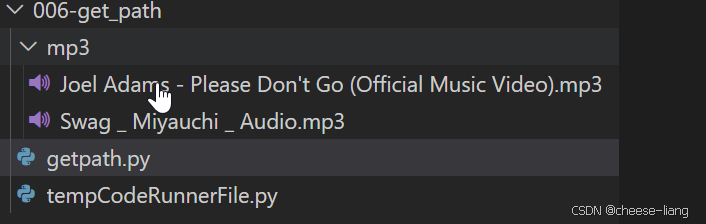
文件准备

如图我要获取get_path的绝对路径,以及下方MP3文件的绝对路径
代码准备
1.获取当前工作目录的绝对路径
import os

# 获取当前工作目录的绝对路径
current_directory = os.getcwd()
print("当前工作目录的绝对路径是:", current_directory)
运行结果
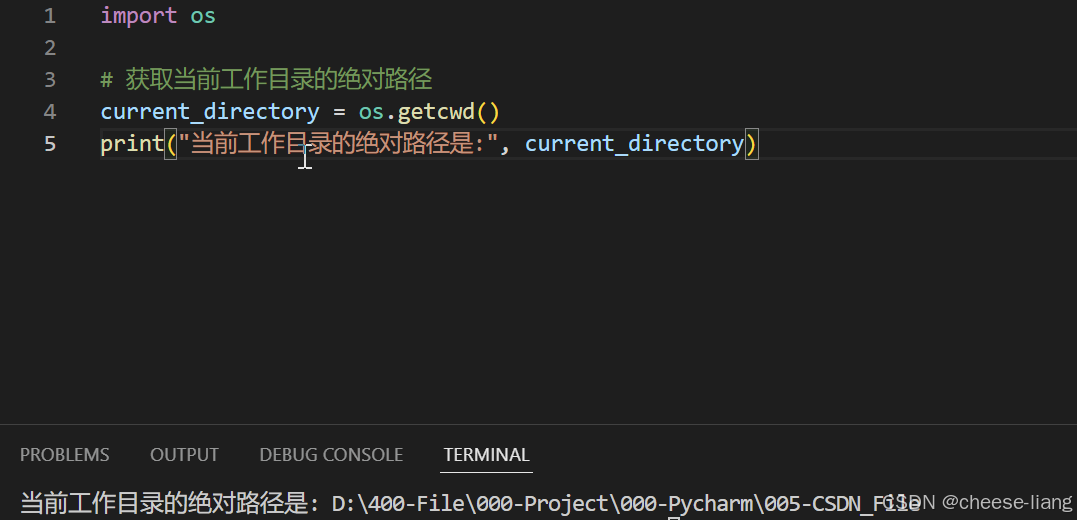
2.获取指定文件的绝对路径
import os

# 获取当前工作目录的绝对路径
current_directory = os.getcwd()
filepath="006-get_path\mp3\Swag _ Miyauchi _ Audio.mp3"
print("当前工作目录的绝对路径是:", current_directory+filepath)
运行结果
我要获得MP3下的swag……文件的路径,那么我先打印出绝对路径current_dictory然后加上 \006-get_path\mp3\Swag _ Miyauchi _ Audio.mp3即可
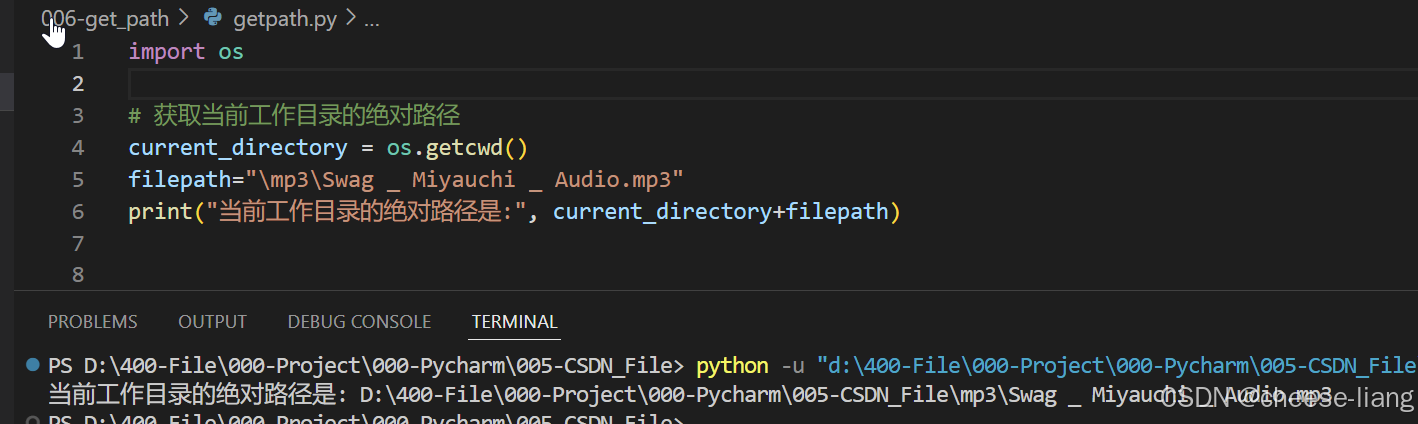
打印成功
应用
# 使用示例
if __name__ == "__main__":
    # 设置要转换的格式,支持mp3, wav, ogg, flac等格式
    input_format = "mp3"
    output_format = "wav"

    # 单文件转换示例
    input_file_path = "D:/400-File/000-Project/000-Pycharm/005-CSDN_File/005-convert_music/mp3/Joel Adams - Please Don't Go (Official Music Video).mp3"
    output_file_path = "D:/400-File/000-Project/000-Pycharm/005-CSDN_File/005-convert_music/wav/Joel Adams - Please Don't Go (Official Music Video).wav"

    converter = AudioConverter(input_format, output_format)
    converter.convert(input_file_path, output_file_path)
比如此处代码我们要插入冗长的路径,这样如果是多文件的话
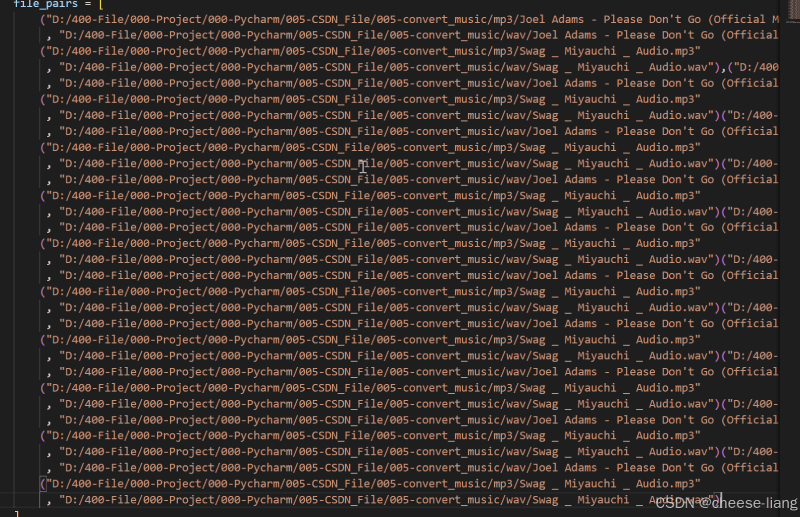
将会十分的麻烦
所以我们修改代码为
import os

# 获取当前工作目录的绝对路径
current_directory = os.getcwd()
filepath1="/005-convert_music/mp3/Joel Adams - Please Don't Go (Official Music Video).mp3"
filepath2="/005-convert_music/wav/Joel Adams - Please Don't Go (Official Music Video).wav"
filefullpath1=current_directory+filepath1
filefullpath2=current_directory+filepath2

print(filefullpath1)
print(filefullpath2)

# 使用示例
if __name__ == "__main__":
    # 设置要转换的格式,支持mp3, wav, ogg, flac等格式
    input_format = "mp3"
    output_format = "wav"

    # 单文件转换示例
    input_file_path = filefullpath1
    output_file_path = filefullpath2

    converter = AudioConverter(input_format, output_format)
    converter.convert(input_file_path, output_file_path)
使用os.getcwd()获取绝对路径,免去繁杂的路径,这样我们就能快速得到文件的路径了
需要注意的是,我们获取的是文件的绝对路径
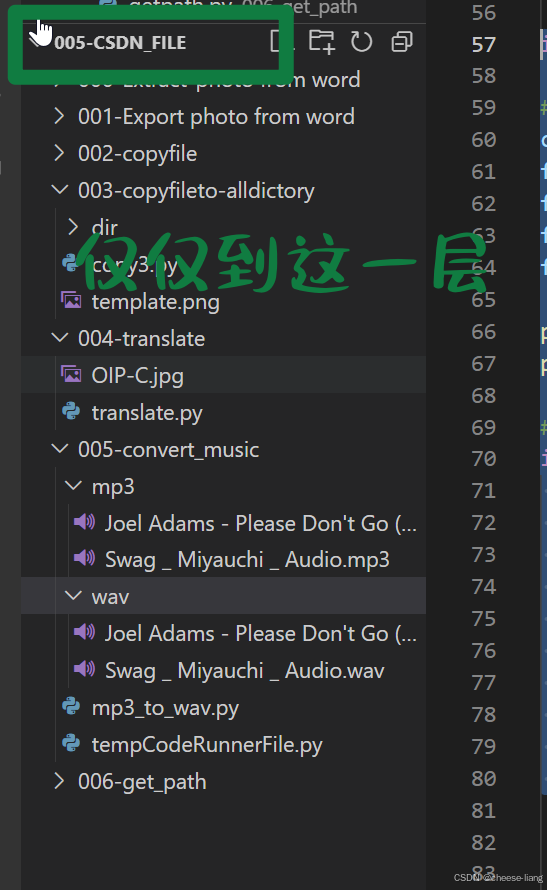
为了得到Joel Adams - Please Don't Go (Official Music Video).mp3的路径,我们需要加上
“/005-convert_music/mp3/Joel Adams - Please Don't Go (Official Music Video).mp3”
具体的代码就是这样的
import os

# 获取当前工作目录的绝对路径
current_directory = os.getcwd()
filepath1="/005-convert_music/mp3/Joel Adams - Please Don't Go (Official Music Video).mp3"
filefullpath1=current_directory+filepath1
获取绝对路径后将两个路径相加即可
仅仅是两个文件的路径也许不明显,但是如果是成白上千的文件,那么如此获得的路径将会节约许许多多的时间
到此这篇关于Python实现迅速获取文件的路径的文章就介绍到这了,更多相关Python获取文件路径内容请搜索脚本之家以前的文章或继续浏览下面的相关文章希望大家以后多多支持脚本之家!
相关文章
 这篇文章主要介绍了Python for循环搭配else常见问题解决,文中通过示例代码介绍的非常详细,对大家的学习或者工作具有一定的参考学习价值,需要的朋友可以参考下2020-02-02
python关于os.walk函数查找windows文件方式
这篇文章主要介绍了python关于os.walk函数查找windows文件方式,具有很好的参考价值,希望对大家有所帮助,如有错误或未考虑完全的地方,望不吝赐教2023-08-08 这篇文章主要介绍了Python数据库反向生成Model最优方案的示例详解,有需要的朋友可以借鉴参考下,希望能够有所帮助,祝大家多多进步,早日升职加薪2022-07-07
深度学习的MNIST手写数字数据集识别方式(准确率99%,附代码)
这篇文章主要介绍了深度学习的MNIST手写数字数据集识别方式(准确率99%,附代码),具有很好的参考价值,希望对大家有所帮助,如有错误或未考虑完全的地方,望不吝赐教2024-06-06 在Django中,redirect是一个用于进行重定向的函数,本文主要介绍了Django重定向redirect的具有使用,具有一定的参考价值,感兴趣的可以了解一下2023-11-11
 看图猜成语,是考验一个人的反应能力,也考验一个人的右脑思维。据说越聪明的人,这道题的完成率越高。本文就来用Python实现这一经典小游戏,需要的可以参考一下2023-02-02
 这篇文章主要介绍了Python八大常见排序算法定义、实现及时间消耗效率分析,结合具体实例形式对比分析了冒泡排序、直接插入排序、选择排序、归并排序、希尔排序、桶排序、堆排序等排序算法的使用与执行效率,需要的朋友可以参考下2018-04-04
 这篇文章主要介绍了Python HTMLTestRunner库安装过程解析,文中通过示例代码介绍的非常详细,对大家的学习或者工作具有一定的参考学习价值,需要的朋友可以参考下2020-05-05
 这篇文章主要介绍了Python使用Plotly绘图工具,绘制甘特图,文中通过示例代码介绍的非常详细,对大家的学习或者工作具有一定的参考学习价值,需要的朋友们下面随着小编来一起学习学习吧2019-04-04
 这篇文章主要介绍了Python Scrapy图片爬取原理及代码实例,文中通过示例代码介绍的非常详细,对大家的学习或者工作具有一定的参考学习价值,需要的朋友可以参考下2020-06-06
最新评论