

使用Python开发在线编辑器
更新时间:2025年02月05日 10:19:35 作者:mosquito_lover1
这篇文章主要为大家详细介绍了如何使用Python开发一个在线编辑器,文中的示例代码讲解详细,具有一定的借鉴价值,有需要的小伙伴可以了解一下
实现效果
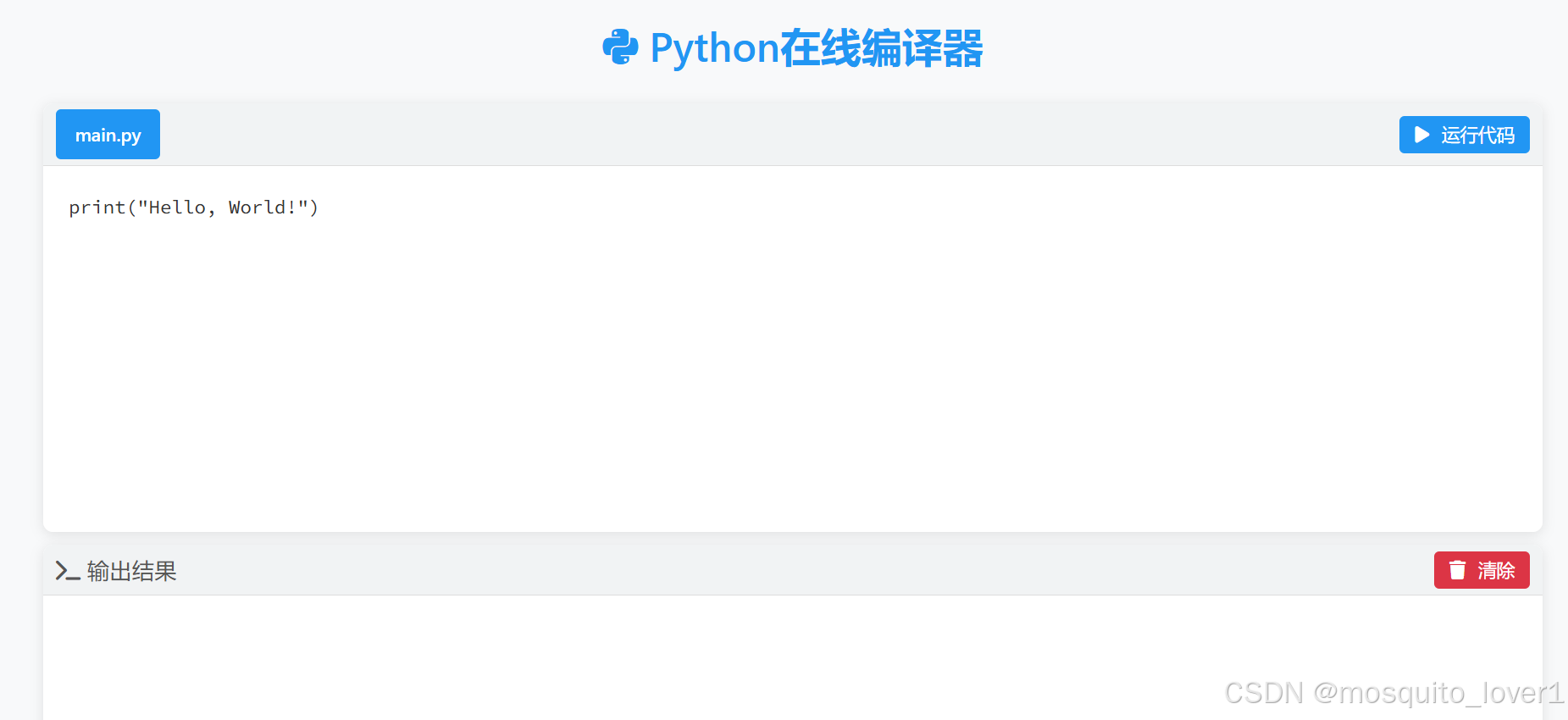
完整代码
from flask import Flask, render_template, request, jsonify
import sys
from io import StringIO
import contextlib
import subprocess
import importlib
import threading
import time
import ast
import re

app = Flask(__name__)

RESTRICTED_PACKAGES = {
    'tkinter': '抱歉,在线编译器不支持 tkinter,因为它需要图形界面环境。请在本地运行需要GUI的代码。',
    'tk': '抱歉,在线编译器不支持 tk/tkinter,因为它需要图形界面环境。请在本地运行需要GUI的代码。',
    'pygame': 'pygame将被转换为Web版本运行'  # 不再限制pygame,而是转换它
}

def convert_tkinter_to_web(code):
    """将tkinter代码转换为Web等效实现"""
    # 解析Python代码
    tree = ast.parse(code)

    # 提取窗口属性
    window_props = {
        'title': 'Python GUI',
        'width': '700',
        'height': '500',
        'buttons': [],
        'labels': [],
        'entries': [],
        'layout': []
    }

    # 用于存储函数定义
    functions = {}

    # 首先收集所有函数定义
    for node in ast.walk(tree):
        if isinstance(node, ast.FunctionDef):
            functions[node.name] = ast.unparse(node)

    # 分析代码中的tkinter组件
    for node in ast.walk(tree):
        if isinstance(node, ast.Assign):
            if isinstance(node.value, ast.Call):
                # 提取窗口标题
                if hasattr(node.value.func, 'attr') and node.value.func.attr == 'Tk':
                    for subnode in ast.walk(tree):
                        if isinstance(subnode, ast.Call) and hasattr(subnode.func, 'attr'):
                            if subnode.func.attr == 'title' and len(subnode.args) > 0:
                                window_props['title'] = ast.literal_eval(subnode.args[0])
                            elif subnode.func.attr == 'geometry' and len(subnode.args) > 0:
                                geom = ast.literal_eval(subnode.args[0])
                                match = re.match(r'(\d+)x(\d+)', geom)
                                if match:
                                    window_props['width'] = match.group(1)
                                    window_props['height'] = match.group(2)

                # 提取按钮
                elif hasattr(node.value.func, 'attr') and node.value.func.attr == 'Button':
                    button = {'text': 'Button', 'command': None}
                    for kw in node.value.keywords:
                        if kw.arg == 'text':
                            button['text'] = ast.literal_eval(kw.value)
                        elif kw.arg == 'command':
                            # 处理不同类型的command
                            if isinstance(kw.value, ast.Name):
                                # 简单的函数名
                                button['command'] = kw.value.id
                            elif isinstance(kw.value, ast.Lambda):
                                # Lambda表达式
                                button['command'] = f"lambda_{len(window_props['buttons'])}"
                                functions[button['command']] = ast.unparse(kw.value)
                            else:
                                # 其他情况,尝试转换为字符串
                                try:
                                    button['command'] = ast.unparse(kw.value)
                                except:
                                    button['command'] = 'unknown_command'
                    window_props['buttons'].append(button)

                # 提取标签
                elif hasattr(node.value.func, 'attr') and node.value.func.attr == 'Label':
                    label = {'text': ''}
                    for kw in node.value.keywords:
                        if kw.arg == 'text':
                            try:
                                label['text'] = ast.literal_eval(kw.value)
                            except:
                                # 如果不是字面量,尝试直接转换为字符串
                                label['text'] = ast.unparse(kw.value)
                    window_props['labels'].append(label)

                # 提取输入框
                elif hasattr(node.value.func, 'attr') and node.value.func.attr == 'Entry':
                    try:
                        entry_id = node.targets[0].id
                    except:
                        entry_id = f"entry_{len(window_props['entries'])}"
                    window_props['entries'].append({'id': entry_id})

    # 生成Web等效代码
    web_code = f"""
<!DOCTYPE html>
<div class="tk-window" style="width: {window_props['width']}px; height: {window_props['height']}px;">
    <div class="tk-title-bar">{window_props['title']}</div>
    <div class="tk-content">
"""

    # 添加标签
    for label in window_props['labels']:
        web_code += f'        <div class="tk-label">{label["text"]}</div>\n'

    # 添加输入框
    for entry in window_props['entries']:
        web_code += f'        <input type="text" class="tk-entry" id="{entry["id"]}">\n'

    # 添加按钮
    for button in window_props['buttons']:
        command = button['command'] if button['command'] else ''
        web_code += f'        <button class="tk-button" onclick="tkButtonClick(\'{command}\')">{button["text"]}</button>\n'

    web_code += """    </div>
</div>
<script>
window.pythonFunctions = {
"""

    # 添加Python函数定义
    for func_name, func_code in functions.items():
        web_code += f"    '{func_name}': {func_code},\n"

    web_code += """};
</script>
"""

    return web_code

def convert_pygame_to_web(code):
    """将pygame代码转换为Web Canvas实现"""
    web_code = """
<canvas id="pygame-canvas" style="border: 1px solid #000;"></canvas>
<script>
const canvas = document.getElementById('pygame-canvas');
const ctx = canvas.getContext('2d');
// 设置画布大小
canvas.width = 800;
canvas.height = 600;
// 模拟 pygame 的基本功能
const pygame = {
    display: {
        set_mode: (size) => {
            canvas.width = size[0];
            canvas.height = size[1];
            return canvas;
        },
        update: () => {
            // Canvas 自动更新
        },
        flip: () => {
            // Canvas 自动更新
        }
    },
    draw: {
        rect: (surface, color, rect) => {
            ctx.fillStyle = `rgb(${color[0]},${color[1]},${color[2]})`;
            ctx.fillRect(rect[0], rect[1], rect[2], rect[3]);
        },
        circle: (surface, color, pos, radius) => {
            ctx.beginPath();
            ctx.fillStyle = `rgb(${color[0]},${color[1]},${color[2]})`;
            ctx.arc(pos[0], pos[1], radius, 0, Math.PI * 2);
            ctx.fill();
        }
    },
    event: {
        get: () => [],  // 简化的事件处理
        pump: () => {}
    },
    init: () => {},
    quit: () => {},
    time: {
        Clock: function() {
            return {
                tick: (fps) => 1000/fps
            };
        }
    }
};
// 转换后的Python代码
function runGame() {
    try {
        // 这里将插入转换后的游戏代码
        %PYTHON_CODE%
    } catch (error) {
        console.error('Game error:', error);
    }
}
// 启动游戏循环
runGame();
</script>
"""

    # 处理 Python 代码
    try:
        tree = ast.parse(code)
        # 转换 Python 代码为 JavaScript
        js_code = convert_pygame_code_to_js(tree)
        web_code = web_code.replace('%PYTHON_CODE%', js_code)
        return web_code
    except Exception as e:
        return f"<div class='error'>转换错误: {str(e)}</div>"

def convert_pygame_code_to_js(tree):
    """将 Python AST 转换为 JavaScript 代码"""
    js_code = []

    for node in ast.walk(tree):
        if isinstance(node, ast.Import):
            continue  # 跳过导入语句
        elif isinstance(node, ast.Assign):
            # 转换赋值语句
            if hasattr(node.value, 'func') and isinstance(node.value.func, ast.Attribute):
                if node.value.func.attr == 'set_mode':
                    js_code.append(f"const screen = pygame.display.set_mode([{node.value.args[0].elts[0].n}, {node.value.args[0].elts[1].n}]);")
        elif isinstance(node, ast.While):
            # 转换游戏主循环
            js_code.append("function gameLoop() {")
            # ... 处理循环体
            js_code.append("    requestAnimationFrame(gameLoop);")
            js_code.append("}")
            js_code.append("gameLoop();")

    return "\n".join(js_code)

def install_package(package):
    """自动安装缺失的包"""
    # 检查是否是受限制的包
    if package.lower() in RESTRICTED_PACKAGES:
        raise ImportError(RESTRICTED_PACKAGES[package.lower()])

    try:
        importlib.import_module(package)
    except ImportError:
        try:
            # 尝试使用 pip 安装包
            subprocess.check_call([sys.executable, "-m", "pip", "install", package])
        except subprocess.CalledProcessError as e:
            raise Exception(f"安装包 {package} 失败: {str(e)}")

def timeout_handler():
    """强制终止超时的代码执行"""
    raise TimeoutError("代码执行超时(最大执行时间:5秒)")

@app.route('/')
def index():
    return render_template('index.html')

@app.route('/execute', methods=['POST'])
def execute_code():
    code = request.json.get('code', '')

    try:
        # 检测是否包含pygame代码
        if 'pygame' in code:
            web_code = convert_pygame_to_web(code)
            return jsonify({
                'status': 'success',
                'output': '',
                'gui': web_code
            })
        # 检测是否包含tkinter代码
        elif 'tkinter' in code or 'tk' in code:
            web_code = convert_tkinter_to_web(code)
            return jsonify({
                'status': 'success',
                'output': '',
                'gui': web_code
            })

        # 非GUI代码正常执行
        output_buffer = StringIO()
        with contextlib.redirect_stdout(output_buffer):
            exec(code, globals(), {})

        output = output_buffer.getvalue()
        return jsonify({
            'status': 'success',
            'output': output if output else '程序执行完成,没有输出'
        })

    except Exception as e:
        return jsonify({
            'status': 'error',
            'output': f'错误: {str(e)}'
        })

if __name__ == '__main__':
    app.run(debug=True)
以上就是使用Python开发在线编辑器的详细内容,更多关于Python在线编辑器的资料请关注脚本之家其它相关文章!
相关文章
 本文详细介绍了Python中`index()`方法和`find()`方法的使用方法、参数说明和举例说明,这些方法都用于查找元素或子字符串的位置,但`index()`方法在未找到时会抛出异常,而`find()`方法会返回-12025-11-11
 本文给大家分享的是基于asyncio 异步协程框架实现收集B站直播弹幕收集系统的简单设计,并附上源码,有需要的小伙伴可以参考下2016-09-09
 这篇文章主要介绍了Pandas数据分析之pandas文本处理,pandas对文本数据也有很多便捷处理方法,可以不用写循环,向量化操作运算速度快,还可以进行高级的正则表达式,各种复杂的逻辑筛选和匹配提取信息2022-08-08
 今天小编就为大家分享一篇python Django中models进行模糊查询的示例,具有很好的参考价值,希望对大家有所帮助。一起跟随小编过来看看吧2019-07-07
 这篇文章主要为大家详细介绍了python使用SMTP发送qq或sina邮件,具有一定的参考价值,感兴趣的小伙伴们可以参考一下2017-10-10
解决Python中list里的中文输出到html模板里的问题
今天小编就为大家分享一篇解决Python中list里的中文输出到html模板里的问题,具有很好的参考价值,希望对大家有所帮助。一起跟随小编过来看看吧2018-12-12 这篇文章主要介绍了python 中的@运算符使用,具有很好的参考价值,希望对大家有所帮助。如有错误或未考虑完全的地方,望不吝赐教2021-05-05
Django admin实现TextField字段changelist页面换行、空格正常显示
本文主要介绍了Django admin实现TextField字段changelist页面换行、空格正常显示,文中通过示例代码介绍的非常详细,具有一定的参考价值,感兴趣的小伙伴们可以参考一下2022-01-01 Lock类是threading中用于锁定当前线程的锁定类,本文给大家介绍了Python threading中lock的使用,需要的朋友可以参考下2022-11-11
 xlwings是一个用于在Excel和Python之间进行交互的库,它允许您使用Python操作Excel文件,包括读取和写入数据,运行宏,设置格式等等,我们可以使用xlwings来处理Excel文件中的数据,执行各种操作,所以本文小编就给大家python xlwings模块用法2023-09-09
最新评论