

pip install jupyterlab失败的原因问题及探索
背景
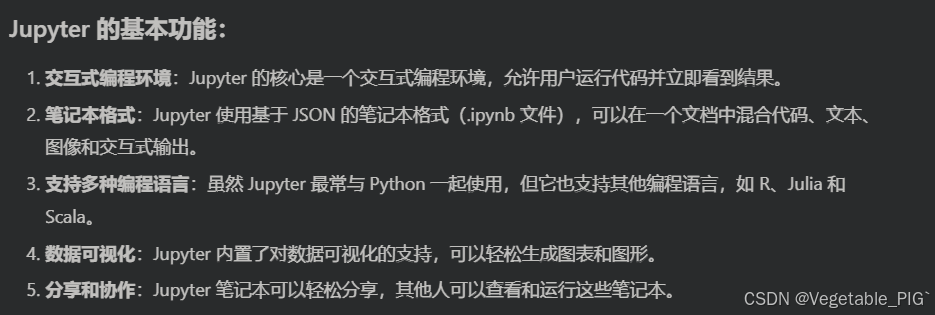
最近在学习Yolo模型,然后其中要下载jupyter(有点像一个超级笔记本,可以进行交互式编程,适合深度学习,数据分析等应用)。
问题
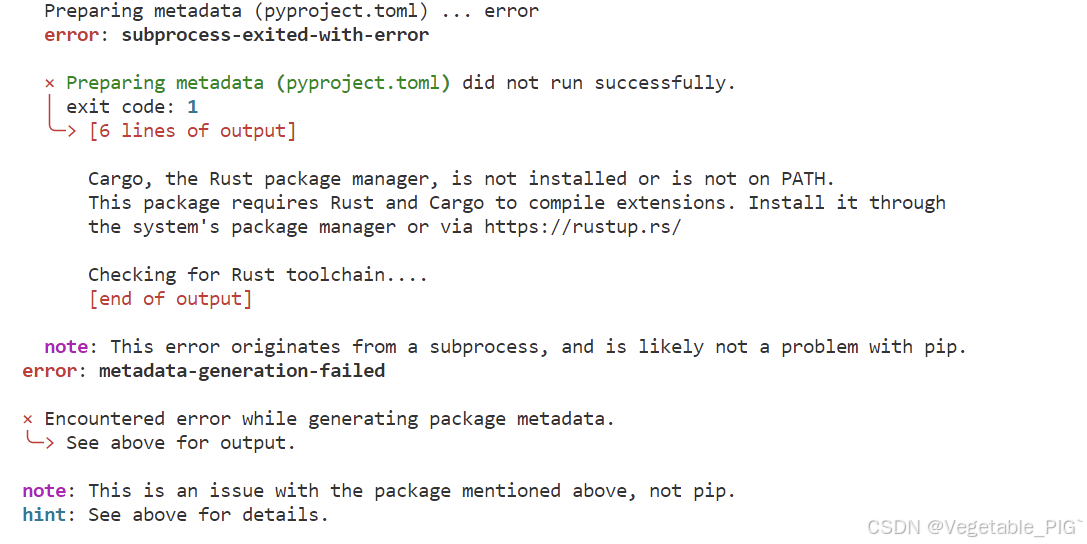
在执行完pip install jupyterlab后报错:
Preparing metadata (pyproject.toml) ... error
error: subprocess-exited-with-error× Preparing metadata (pyproject.toml) did not run successfully.
│ exit code: 1
╰─> [6 lines of output]Cargo, the Rust package manager, is not installed or is not on PATH.
This package requires Rust and Cargo to compile extensions. Install it through
the system's package manager or via https://rustup.rs/Checking for Rust toolchain....
[end of output]note: This error originates from a subprocess, and is likely not a problem with pip.
error: metadata-generation-failed× Encountered error while generating package metadata.
╰─> See above for output.note: This is an issue with the package mentioned above, not pip.
hint: See above for details.
解决方案
去网上检索,然后分析出这段报错的可能原因:
pywinpty 是一个 Python 包,它提供了对 WindowsPTY 的支持,这通常用于 JupyterLab 等工具以实现终端功能。为了编译这个包,需要 Rust 编程语言的编译环境。
于是我就去rust官网去下载了并按步骤配置了编译环境。
然而这个时候我在执行完 pip install jupyterlab还是发现不可行,我后面想了下我是在conda环境下操作的,其实当时下载conda的时候就已经自动安装配置好了rust编程语言的编译环境,所以应该是pywinpty包丢失的问题。
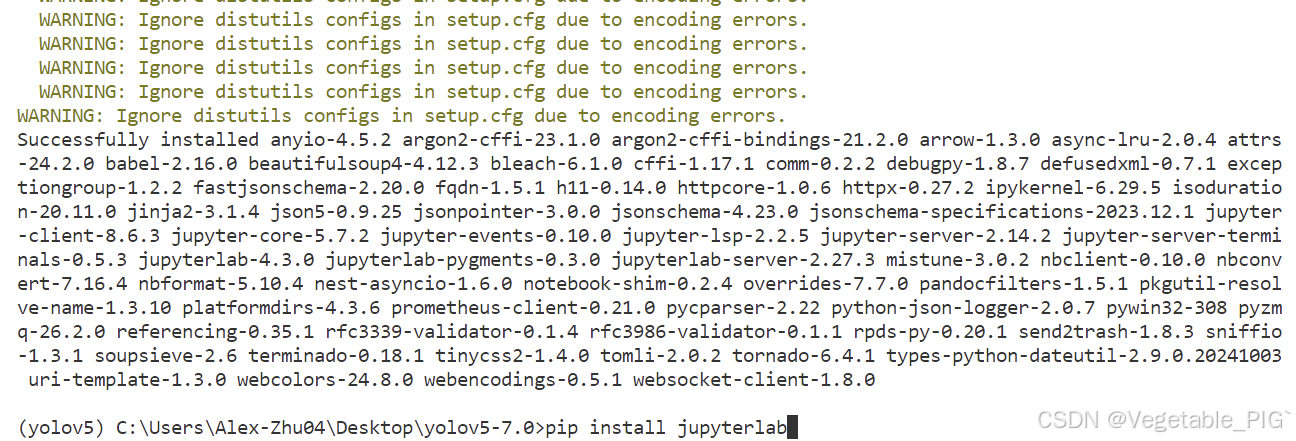
conda install -c conda-forge pywinpty
输入如上代码即可安装好 pywinpty包,然后再执行pip install jupyterlab就可以正常下载了。
总结
以上为个人经验,希望能给大家一个参考,也希望大家多多支持脚本之家。
相关文章
 这篇文章主要介绍了pytorch交叉熵损失函数的weight参数的使用,具有很好的参考价值,希望对大家有所帮助。如有错误或未考虑完全的地方,望不吝赐教2021-05-05
 这篇文章主要介绍了Python版中国省市经纬度,需要的朋友可以参考下2020-02-02
 今天小编就为大家分享一篇pytorch中的inference使用实例,具有很好的参考价值,希望对大家有所帮助。一起跟随小编过来看看吧2020-02-02
 在这个快节奏的时代,一个小小的贴心举动往往能带来意想不到的温暖,本文就将教你如何使用Python构建一个自动化的每日天气提醒系统,有需要的可以参考下2025-10-10
 今天小编就为大家分享一篇python 用opencv调用训练好的模型进行识别的方法,具有很好的参考价值,希望对大家有所帮助。一起跟随小编过来看看吧2018-12-12
 最近搞安装ssl模块每天都弄到很晚,所以这里给大家整理下,这篇文章主要给大家介绍了关于python3.10及以上版本编译安装ssl模块的详细过程,文中介绍的非常详细,需要的朋友可以参考下2023-05-05
Python拆分Excel工作簿或工作表为多个文件的高效方法
在日常工作中,我们经常需要处理包含大量数据的Excel文件,为了提高效率和准确性,我们可以将一个Excel文件或其中某一个工作表按需求拆分为多个文件,本文将提供以下两个示例介绍如何通过Python高效地拆分Excel工作簿或工作表,需要的朋友可以参考下2024-12-12 今天使用python计算数据相关性,但是发现计算出的表格中间好多省略号,而且也不对齐。怎么解决这个问题,下面小编给大家带来了python中pandas如何输出完整、对齐的表格,感兴趣的朋友一起看看吧2021-10-10
Python一行命令实现自动生成 requirements.txt
一个清晰、准确的requirements.txt文件能够记录项目所依赖的所有第三方库及其版本,下面我们就来看看如何使用Python一行命令实现自动生成 requirements.txt吧2026-03-03 在Python实际开发中会经常需要用到对列表进行排序,下面这篇文章主要给大家介绍了关于python列表中常见的一些排序方法,文中通过实例代码介绍的非常详细,需要的朋友可以参考下2022-09-09
最新评论