

Jupyter notebook无法链接内核、运行代码问题
问题来源
今天想在 vscode 上使用 Jupyter notebook 跑 Python 代码,但无法使用,提示要升级内核。
Running cells with base requires the ipykernel package to be installed or requires an update.
其实这个问题存在好一段时间了,不过之前没空处理,就搁置了,今天来看看究竟是怎么回事。
解决问题过程
Jupyter 客户端闪退-包版本冲突
vscode 上的插件不行,那就试试本地的 Jupyter notebook 客户端,结果发现也不行!客户端直接闪一下就没有,改用命令行,发现一个报错:
ImportError: The Jupyter Notebook requires tornado >= 5.0, but you have 4.5.3

安装下tornado==5.0。
pip install tornado==5.0
安装成功了,不过提示了很多版本冲突问题。
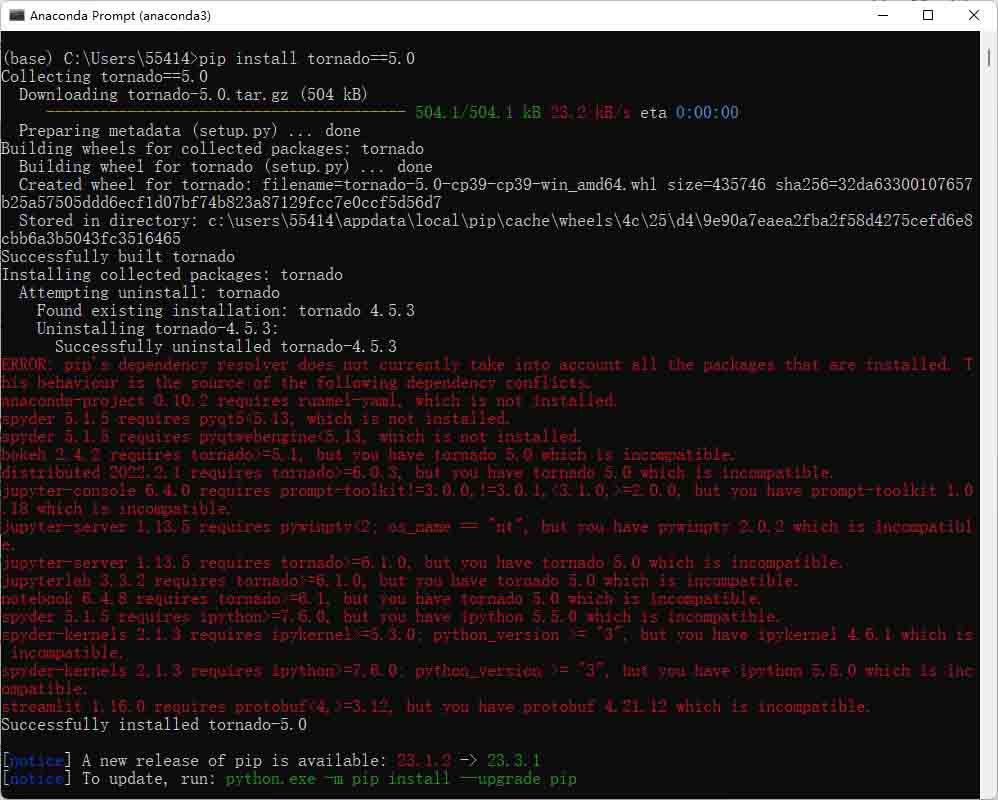
根据红色提示,逐一安装相关的依赖包。
anaconda-project 0.10.2 requires ruamel-yaml, which is not installed.
spyder 5.1.5 requires pyqt5<5.13, which is not installed.
spyder 5.1.5 requires pyqtwebengine<5.13, which is not installed.
bokeh 2.4.2 requires tornado>=5.1, but you have tornado 5.0 which is incompatible.
distributed 2022.2.1 requires tornado>=6.0.3, but you have tornado 5.0 which is incompatible.
jupyter-console 6.4.0 requires prompt-toolkit!=3.0.0,!=3.0.1,< 3.1.0,>=2.0.0, but you have prompt-toolkit 1.0.18 which is incompatible.
jupyter-server 1.13.5 requires pywinpty<2; os_name == “nt”, but you have pywinpty 2.0.2 which is incompatible.
jupyter-server 1.13.5 requires tornado>=6.1.0, but you have tornado 5.0 which is incompatible.
jupyterlab 3.3.2 requires tornado>=6.1.0, but you have tornado 5.0 which is incompatible.
notebook 6.4.8 requires tornado>=6.1, but you have tornado 5.0 which is incompatible.
spyder 5.1.5 requires** ipython>=7.6.0**, but you have ipython 5.5.0 which is incompatible.
spyder-kernels 2.1.3 requires ipykernel>=5.3.0; python_version >= “3”, but you have ipykernel 4.6.1 which is incompatible.
spyder-kernels 2.1.3 requires ipython>=7.6.0; python_version >= “3”, but you have ipython 5.5.0 which is incompatible.
streamlit 1.16.0 requires protobuf<4,>=3.12, but you have protobuf 4.21.12 which is incompatible.
每安装完一个包,会有一次红色提示包是否冲突,有一些包会自动补全安装,最终安装了以下 6 个(根据红色报错提示来判断)。
pip install tornado==6.1.0
pip install ipython==7.6.0
pip install ipykernel==5.3.0
pip install prompt-toolkit==3.0.2
pip install pyqt5==5.12.3 -i https://pypi.tuna.tsinghua.edu.cn/simple
pip install pyqtwebengine==5.12.1 -i https://pypi.tuna.tsinghua.edu.cn/simple
安装完了,在命令行再次输入 jupyter notebook,回车,终于可以启动。
不过打开 .ipynb 文件之后,一直提示“内核正在启动,请等待…”。

Jupyter 链接不上内核,无法执行代码
虽然 Jupyter 客户端打开了,但是连接不上内核,查看命令行,发现几个问题:
- 调用错误
- 文件冲突
- 路径错误
- 找不到文件
问题1:调用错误
错误描述:
ImportError: cannot import name ‘to_formatted_text’ from partially initialized module ‘prompt_toolkit.formatted_text’ (most likely due to a circular import) (D:\anaconda3\Lib\site-packages\prompt_toolkit\formatted_text_init_.py)
该报错升级一下prompt_toolkit即可。
pip install --upgrade prompt_toolkit
升级完是 3.0.40 版本,这时会提示另外一个报错:
ipython 7.6.0 requires prompt-toolkit<2.1.0,>=2.0.0, but you have prompt-toolkit 3.0.40 which is incompatible.
升级ipython,升级后版本:ipython-8.17.2,解决。
pip install --upgrade ipython
Tips:prompt_toolkit主要用于创建交互式命令行和终端应用程序。
它提供了一套丰富的功能以增强用户与命令行界面的交互体验,这些功能包括语法高亮、多行编辑、代码补全、自动提示、使用鼠标移动光标、查询历史以及良好的Unicode支持。
问题2:文件冲突
错误描述:
[jupyter_nbextensions_configurator] nbextension ‘highlight_selected_word/main’ has duplicate listings in both ‘C:\ProgramData\jupyter\nbextensions\highlight_selected_word\configurator.yaml’ and ‘D:\anaconda3\share\jupyter\nbextensions\highlight_selected_word\configurator.yaml’
这个是因为存在两个 nbextension,其目录下各存在一个 configurator.yaml 文件。
分别打开着两个文件,发现二者一模一样,而且从字面上看highlight_selected_word是高亮代码,不影响核心功能,而且两个配置文件都一致,选谁都无所谓,暂时不管它。
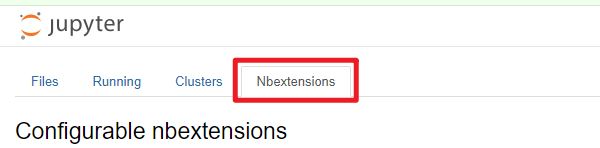
注:这个 Nbextensions 是一个为 Jupyter Notebook 提供扩展功能的库。它包含了一系列实用的小插件,可以帮助我们实现文件结构的可视化,特别适用于包含大量代码或者需要 Markdown 混排的场合。
问题3:路径错误
错误描述:
Config option “template_path” not recognized by “ExporterCollapsibleHeadings”. Did you mean one of: “extra_template_paths, template_name, template_paths”?
Config option “template_path” not recognized by “TocExporter”. Did you mean one of: “extra_template_paths, template_name, template_paths”?
Config option “template_path” not recognized by “LenvsHTMLExporter”. Did you mean one of: “extra_template_paths, template_name, template_paths”?
Config option “template_path” not recognized by “LenvsTocHTMLExporter”. Did you mean one of: “extra_template_paths, template_name, template_paths”?
Config option “template_path” not recognized by “LenvsLatexExporter”. Did you mean one of: “extra_template_paths, template_name, template_paths”?
Config option “template_path” not recognized by “LenvsSlidesExporter”. Did you mean one of: “extra_template_paths, template_name, template_paths”?
Config option “template_path” not recognized by “ExporterCollapsibleHeadings”. Did you mean one of: “extra_template_paths, template_name, template_paths”?
Config option “template_path” not recognized by “TocExporter”. Did you mean one of: “extra_template_paths, template_name, template_paths”?
Config option “template_path” not recognized by “LenvsHTMLExporter”. Did you mean one of: “extra_template_paths, template_name, template_paths”?
Config option “template_path” not recognized by “LenvsTocHTMLExporter”. Did you mean one of: “extra_template_paths, template_name, template_paths”?
Config option “template_path” not recognized by “LenvsLatexExporter”. Did you mean one of: “extra_template_paths, template_name, template_paths”?
Config option “template_path” not recognized by “LenvsSlidesExporter”. Did you mean one of: “extra_template_paths, template_name, template_paths”?
该报错是因为配置文件中的template_path未指定相关的路径,系统不清楚是哪个。
找到文件
D:\anaconda3\Lib\site-packages\nbconvert\exporters\templateexporter.py
打开文件,搜索template_paths = List(['.']),在其后加上template_path = template_paths。
参考如下:
    template_paths = List(['.']).tag(config=True, affects_environment=True)
template_path = template_pathsTips:或许还有另外的解决方案,这些模块不知道配置文件中的template_path是extra_template_paths、template_name、template_paths这三中的哪一个,那是不是意味着把配置文件的template_path改为template_paths便可解决呢?或许可行,不过这个问题的难点在于不知道配置文件的路径……
问题4:找不到文件
报错描述:
404 GET /nbextensions/pydeck/extension.js?v=20231111174515 (::1) 21.940000ms referer=http://localhost:8888/notebooks/test_df.ipynb
404 GET /nbextensions/echarts-countries-js/index.js?v=20231111174515 (::1) 14.600000ms referer=http://localhost:8888/notebooks/test_df.ipynb
404 GET /nbextensions/echarts-china-provinces-js/main.js?v=20231111174515 (::1) 18.590000ms referer=http://localhost:8888/notebooks/test_df.ipynb
404 GET /nbextensions/echarts-china-cities-js/index.js?v=20231111174515 (::1) 7.980000ms referer=http://localhost:8888/notebooks/test_df.ipynb
404 GET /nbextensions/echarts-china-misc-js/index.js?v=20231111174515 (::1) 15.960000ms referer=http://localhost:8888/notebooks/test_df.ipynb
404 GET /nbextensions/echarts-united-kingdom-js/main.js?v=20231111174515 (::1) 15.960000ms referer=http://localhost:8888/notebooks/test_df.ipynb
404 GET /nbextensions/echarts-themes-js/index.js?v=20231111174515 (::1) 20.940000ms referer=http://localhost:8888/notebooks/test_df.ipynb
Kernel started: 4b184439-6a4f-4ea9-bc64-3a4a3cb586e0, name: python3
404 GET /nbextensions/widgets/notebook/js/extension.js?v=20231111174515 (::1) 21.940000ms referer=http://localhost:8888/notebooks/test_df.ipynb
这些报错都是找不到相关的文件导致的。这些文件对应着下面标黄色的拓展。
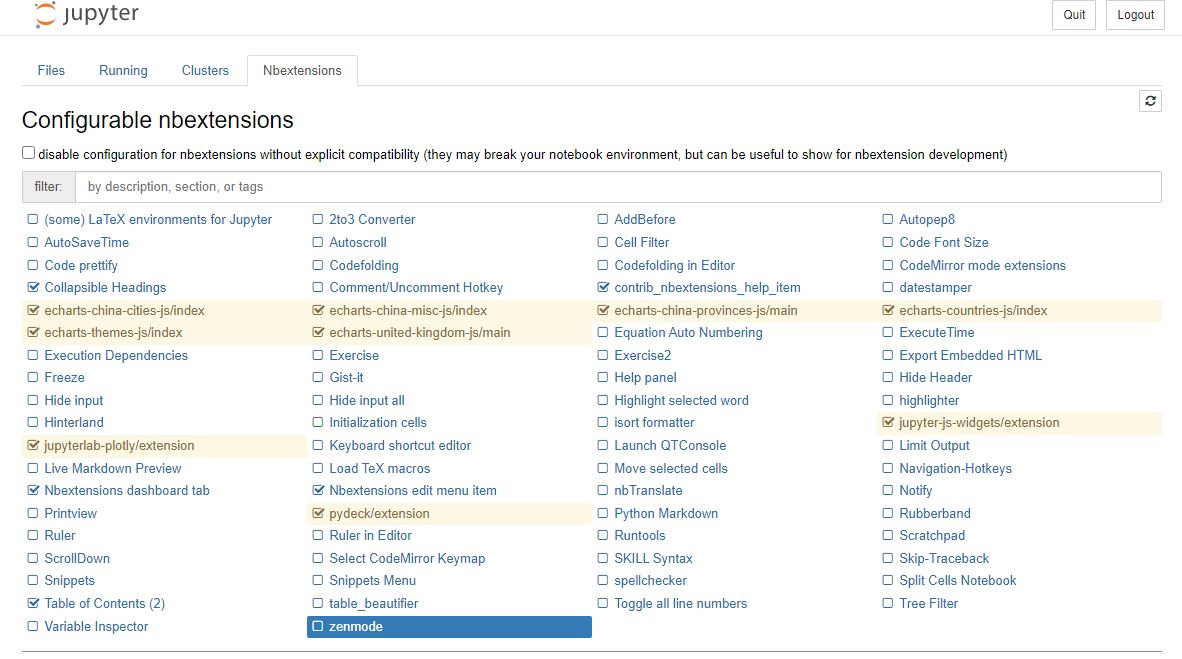
随便单击一个,可以看到一些英文提示,大意是:这些扩展在notebook json配置中被禁用,没有提供一个yaml文件来告诉我们如何配置它。但是,您仍然可以从这里启用或禁用它。
这些文件猜测是版本变更之后,更新了拓展库,部分拓展不再支持,所以找不到了,如果不需要的,可以挨个点一下 Forget。
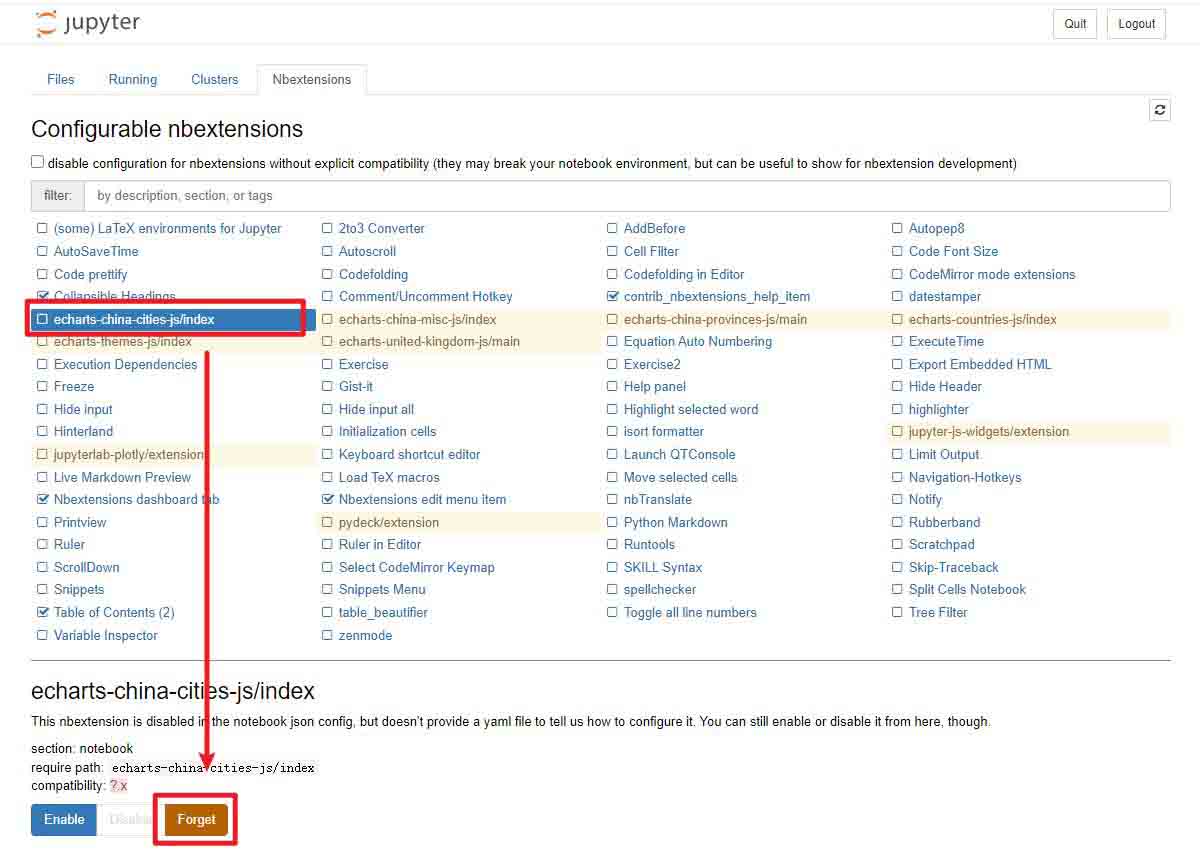
如果还想要使用,可以试试 Github 上相关项目的安装方案
参考 jupyter-echarts:https://github.com/pyecharts/jupyter-echarts
jupyter nbextension install echarts
jupyter nbextension enable echarts/main
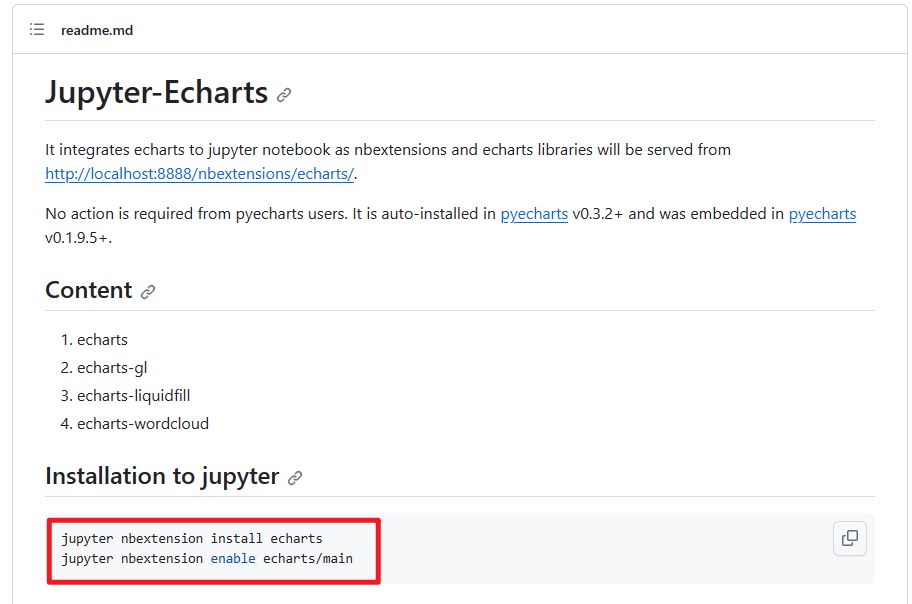
不过可能会失败

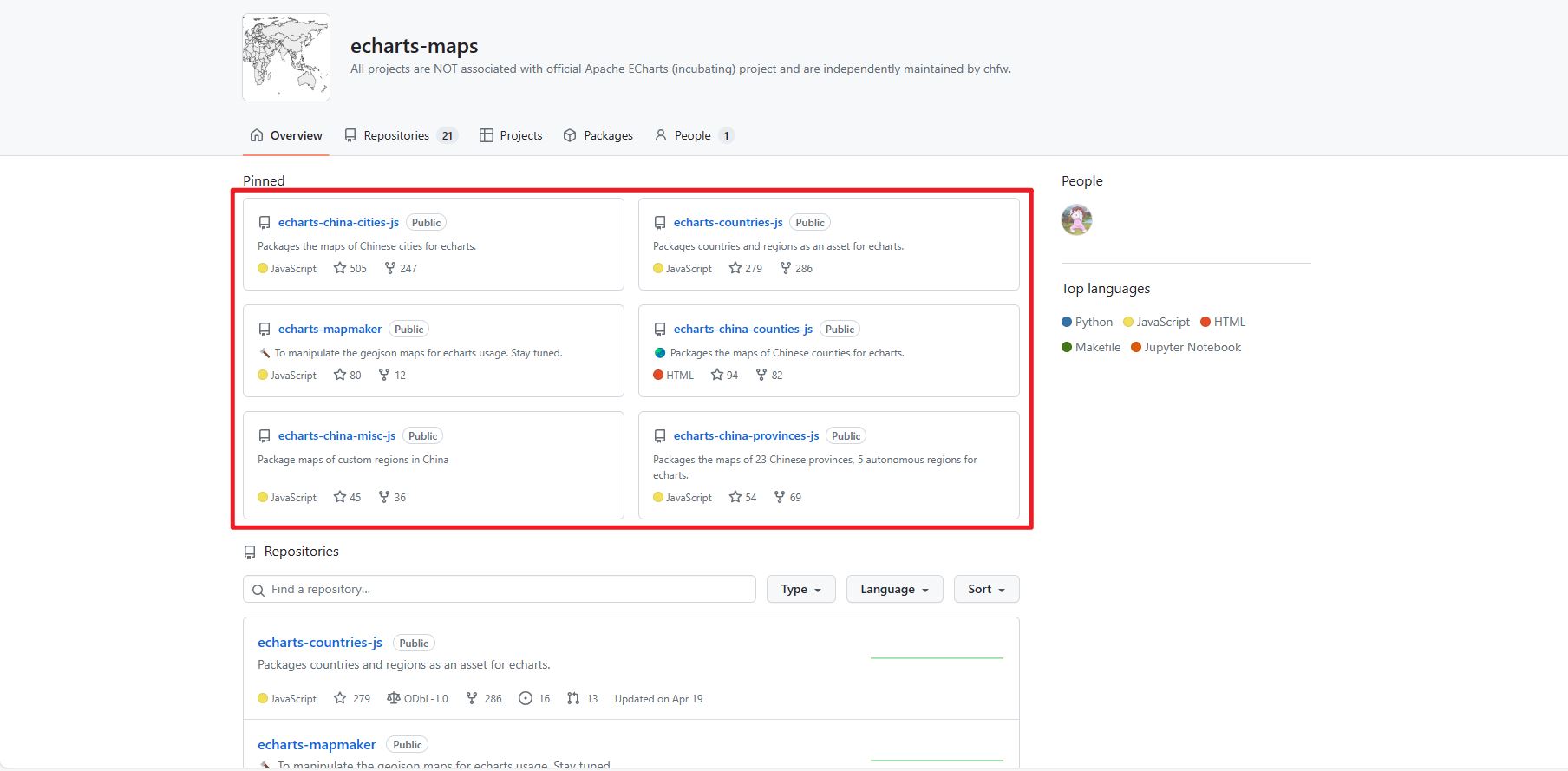
另外,在 echarts-maps 项目可以看到这些地图的来源,不过http://localhost:8888/nbextensions/echarts-xxx.js路径的相关文件都是 404。
Jupyter 恢复连接
经过上面的一番折腾,客户端和 Vscode 的 Jupyter 都已经可以正常使用。撒花~~~
总结
好像挺长时间没有碰家里这台电脑的 Jupyter notebook,没想到问题这么大,好在最终基本都修好了。
整个过程,首先是验证 Jupyter 出问题是 Vscode 插件的问题,还是整体都出问题,定位到时整体出问题之后,尝试在本地打开它,结果打不开,因为部分包冲突了!解决包冲突问题,终于可以打开,不过依旧还是有问题——无法连接内核,无法执行代码。根据终端报错,逐一排查问题并解决掉:
- 调用错误:升级一下
prompt_toolkit,升级ipython; - 文件冲突:忽略;
- 路径错误:修改
…\Lib\site-packages\nbconvert\exporters\templateexporter.py文件,新增template_path = template_paths给template_path赋值; - 找不到文件:文件被删,要么 Forget,要么尝试安装(略)。
以上为个人经验,希望能给大家一个参考,也希望大家多多支持脚本之家。
相关文章
 `shutil.move()`函数可以移动文件或目录,移动目录时,如果目标目录不存在,会创建该目录并将源目录内容移动到新目录;如果目标目录存在,则将源目录移动到目标目录下,移动文件时,如果目标路径是目录,则将文件移动到该目录下并重命名2024-12-12
 debug是编码是非常重要的调试技巧,通过在运行过程中设置断点,帮助开发人员更好的理解运行过程,下面这篇文章主要给大家介绍了关于python进行debug操作的相关资料,需要的朋友可以参考下2023-06-06
 在本篇文章里小编给大家整理的是关于python快速编写单行注释多行注释的方法,有此需要的朋友们可以参考学习下。2019-07-07
 在Python中,位运算是一种对二进制数进行操作的运算方式,它们直接对二进制位进行操作,而不考虑这些位所表示的实际值,本文将详细介绍Python中的位运算符,需要的朋友可以参考下2024-08-08
 这篇文章主要为大家介绍了一次请求多个fixtures,以及fixtures被多次请求的pytest官方解读,有需要的朋友可以借鉴参考下,希望能够有所帮助,祝大家多多进步,早日升职加薪2022-06-06
python3光学字符识别模块tesserocr与pytesseract的使用详解
这篇文章主要介绍了python3光学字符识别模块tesserocr与pytesseract的使用详解,文中通过示例代码介绍的非常详细,对大家的学习或者工作具有一定的参考学习价值,需要的朋友们下面随着小编来一起学习学习吧2020-02-02 这篇文章主要介绍了详解Django中的form库的使用,Django是最为著名的Python编程框架,需要的朋友可以参考下2015-07-07
 今天小编就为大家分享一篇python生成每日报表数据(Excel)并邮件发送的实例,具有很好的参考价值,希望对大家有所帮助。一起跟随小编过来看看吧2019-02-02
 这篇文章主要介绍了Python中的嵌套循环详情,嵌套循环就是一个外循环的主体部分是一个内循环。内循环或外循环可以是任何类型,下列详情介绍内容,需要的朋友可以参考一下2022-03-03
 在Python开发中,pip 是一个不可或缺的工具,用于安装和管理Python包,然而,由于默认的PyPI服务器位于国外,国内用户在安装依赖时可能会遇到下载速度慢、连接不稳定等问题,所以本文将详细介绍如何使用国内镜像源来加速pip install -r requirements.txt的过程2025-03-03
最新评论