

Python脚本实现自动替换文件指定内容
更新时间:2025年03月03日 09:39:18 作者:玩人工智能的辣条哥
这篇文章主要为大家详细介绍了如何编写一个py脚本,可以实现自定义替换py文件里面指定内容,感兴趣的小伙伴可以跟随小编一起学习一下
环境
python3.10
问题描述
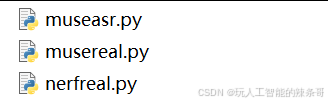
如何写个py脚本,自定义替换py文件里面指定内容:1.py里面的192.168.1.7:11434替换为192.168.1.7:11435
解决方案
1.单个内容替换,1.py文件里面的192.168.1.7:11434替换为192.168.1.7:11435
import os

def replace_content_in_file(file_path, old_string, new_string):
    """Replace all occurrences of old_string with new_string in the file."""
    # Check if the file exists
    if not os.path.exists(file_path):
        print(f"文件 {file_path} 不存在")
        return

    # Read the content of the file
    with open(file_path, 'r', encoding='utf-8') as file:
        content = file.read()

    # Replace the old string with the new string
    updated_content = content.replace(old_string, new_string)
```bash

    # Write the updated content back to the file
    with open(file_path, 'w', encoding='utf-8') as file:
        file.write(updated_content)

    print(f"成功替换 {old_string} 为 {new_string} 在文件 {file_path}")

# Specify the file path and strings to replace
file_path = '1.py'
old_string = '192.168.1.7:11434'
new_string = '192.168.1.7:11435'

# Call the function to replace content
replace_content_in_file(file_path, old_string, new_string)
2.填写具体文件夹路径folder_path = '/home/user/scripts/'下面的1.py文件里面的192.168.1.7:11434替换为192.168.1.7:11435
import os

def replace_content_in_file(file_path, old_string, new_string):
    """Replace all occurrences of old_string with new_string in the file."""
    # Check if the file exists
    if not os.path.exists(file_path):
        print(f"文件 {file_path} 不存在")
        return

    # Read the content of the file
    with open(file_path, 'r', encoding='utf-8') as file:
        content = file.read()

    # Replace the old string with the new string
    updated_content = content.replace(old_string, new_string)

    # Write the updated content back to the file
    with open(file_path, 'w', encoding='utf-8') as file:
        file.write(updated_content)

    print(f"成功替换 {old_string} 为 {new_string} 在文件 {file_path}")

# Specify the folder path and file name
folder_path = '/home/user/scripts/'
file_name = '1.py'
file_path = os.path.join(folder_path, file_name)

# Strings to replace
old_string = '192.168.18.7:11434'
new_string = '192.168.18.7:11435'

# Call the function to replace content
replace_content_in_file(file_path, old_string, new_string)
3.不同文件夹多文件替换
import os

def replace_content_in_file(file_path, old_string, new_string):
    """Replace all occurrences of old_string with new_string in the file."""
    # Check if the file exists
    if not os.path.exists(file_path):
        print(f"文件 {file_path} 不存在")
        return

    # Read the content of the file
    try:
        with open(file_path, 'r', encoding='utf-8') as file:
            content = file.read()
    except Exception as e:
        print(f"读取文件 {file_path} 时出错: {e}")
        return

    # Replace the old string with the new string
    updated_content = content.replace(old_string, new_string)

    # Write the updated content back to the file
    try:
        with open(file_path, 'w', encoding='utf-8') as file:
            file.write(updated_content)
        print(f"成功替换 {old_string} 为 {new_string} 在文件 {file_path}")
    except Exception as e:
        print(f"写入文件 {file_path} 时出错: {e}")

# Specify the files and their respective folder paths
files_to_replace = [
    {'folder': '/path/to/w', 'file': '1.py'},
    {'folder': '/path/to/x', 'file': '2.py'}
]

# Strings to replace
old_string = '192.168.16.7:11434'
new_string = '192.168.16.7:11435'

# Iterate over each file and its folder path
for entry in files_to_replace:
    folder_path = entry['folder']
    file_name = entry['file']
    file_path = os.path.join(folder_path, file_name)
    replace_content_in_file(file_path, old_string, new_string)
4.最后脚本
python th.py
import os
import chardet
def detect_file_encoding(file_path):
    """检测文件的实际编码"""
    with open(file_path, 'rb') as file:
        raw_data = file.read()
        result = chardet.detect(raw_data)
        return result['encoding']
def replace_content_in_file(file_path, old_string, new_string):
    """替换文件中的所有old_string为new_string"""
    # 检查文件是否存在
    if not os.path.exists(file_path):
        print(f"文件 {file_path} 不存在")
        return

    try:
        # 检测文件编码
        encoding = detect_file_encoding(file_path)
        print(f"检测到文件编码: {encoding}")

        # 读取文件内容
        with open(file_path, 'r', encoding=encoding) as file:
            content = file.read()
            print(f"替换前内容:\n{content}")

        # 替换内容
        updated_content = content.replace(old_string, new_string)
        if updated_content == content:
            print(f"未找到 {old_string},无需替换")
            return

        # 写入更新后的内容
        with open(file_path, 'w', encoding=encoding) as file:
            file.write(updated_content)

        print(f"成功替换 {old_string} 为 {new_string} 在文件 {file_path}")
        print(f"替换后内容:\n{updated_content}")

    except PermissionError:
        print(f"权限不足,无法访问文件 {file_path}")
    except Exception as e:
        print(f"处理文件 {file_path} 时出错: {e}")
def main():
    # 指定文件和文件夹路径
    files_to_replace = [
        {'folder': '/mnt/e/work/metahuman-stream/web/realtalk/examples', 'file': 'index.html'},
        {'folder': '/mnt/e/work/metahuman-stream/web/realtalk/examples', 'file': 'index_noauto.js'}
    ]
    # 要替换的字符串
    old_string = '192.168.18.7:11434'
	  new_string = '192.168.18.7:11435'
    # 遍历每个文件并进行替换
    for entry in files_to_replace:
        folder_path = entry['folder']
        file_name = entry['file']
        file_path = os.path.join(folder_path, file_name)

        print(f"\n正在处理文件: {file_path}")
        replace_content_in_file(file_path, old_string, new_string)
if __name__ == "__main__":
    print("脚本开始执行...")
    main()
    print("脚本执行完成。")
以上就是Python脚本实现自动替换文件指定内容的详细内容,更多关于Python替换内容的资料请关注脚本之家其它相关文章!
相关文章
 这篇文章主要介绍了python 中如何取出colomap部分的颜色范围,本文以以jet为例给大家提供一种方法,可以提取colormap色标中的一部分,取出我们满意的色标区域,感兴趣的朋友跟随小编一起看看吧2022-02-02
Python库BeautifulSoup中的select()和select_one()有什么区别
BeautifulSoup是一个强大且易于使用的Python库,它能够解析HTML和XML文档,并提供了一系列便捷的方法来提取所需的数据,其中,`select()`和`select_one()` 允许我们使用 CSS 选择器来定位文档中的元素,本文将深入探讨这两个函数的使用方法、区别以及实际应用场景2025-06-06 这篇文章主要介绍了python中日期和时间格式化输出的方法,实例总结了Python常见的日期与事件操作技巧,非常具有实用价值,需要的朋友可以参考下2015-03-03
详解Python中的Numpy、SciPy、MatPlotLib安装与配置
这篇文章主要介绍了详解Python中的Numpy、SciPy、MatPlotLib安装与配置,具有一定的参考价值,感兴趣的小伙伴们可以参考一下2017-11-11 这篇文章主要介绍了利用python下载scihub成文献为PDF操作,具有很好的参考价值,希望对大家有所帮助。一起跟随小编过来看看吧2020-07-07
 pygame是python的游戏编程模块,今天我们就来一起简单的学习如何使用该模块2021-06-06
 下面小编就为大家带来一篇Python 多进程并发操作中进程池Pool的实例。小编觉得挺不错的,现在就分享给大家,也给大家做个参考。一起跟随小编过来看看吧2017-11-11
 在Python中,字符串是不可变类型,即无法直接修改字符串的某一位字符。这篇文章主要介绍了Python中修改字符串的四种方法,需要的朋友可以参考下2018-11-11
 这篇文章主要为大家详细介绍了如何利用Python和tkinter自定义实现简单的文件选择按钮和颜色选择按钮,有需要的小伙伴可以跟随小编一起学习一下2023-10-10
 这篇文章主要介绍了selenium+python自动化测试之环境搭建,小编觉得挺不错的,现在分享给大家,也给大家做个参考。一起跟随小编过来看看吧2019-01-01
最新评论