

使用Python实现一键隐藏屏幕并锁定输入
1. 概述
你是否曾在办公时被人从背后偷看屏幕?或者在咖啡厅、图书馆等公共场合不想让别人看到你的私人内容?今天,我们将带你使用 Python 编写一个一键隐藏屏幕并锁定输入的黑科技程序,能够在指定热键触发后立即遮挡屏幕,并禁止一切键盘鼠标输入。
这款工具基于 Tkinter 和 pynput,不仅能够全屏覆盖你的电脑,还支持自定义遮罩图片和文本,无论是工作还是娱乐,都能帮你有效防止信息泄露。
接下来,我们将详细讲解其功能、代码实现,并带你手把手打造属于你的专属隐私屏!
2. 功能亮点
本项目具备以下核心功能:
一键触发隐私屏 :用户可以自定义触发热键(默认 Ctrl + Menu),快速激活或隐藏隐私屏。
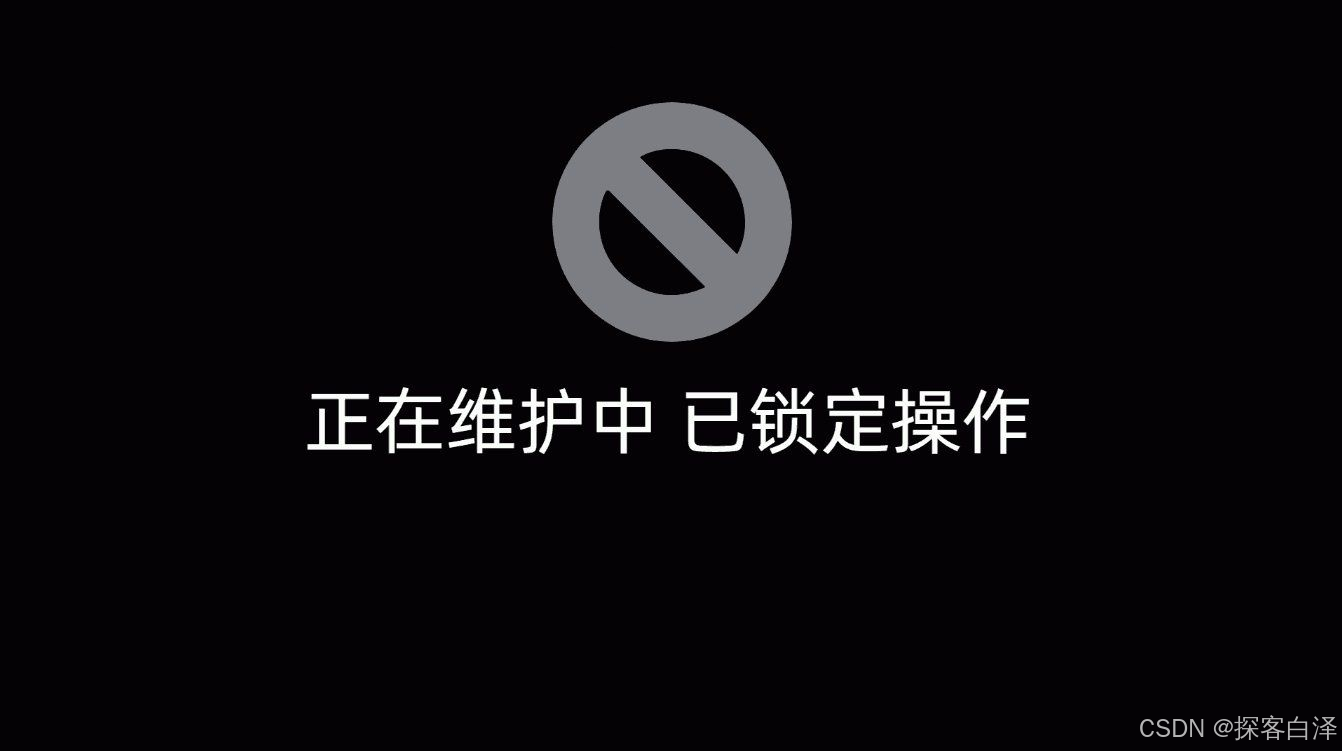
全屏黑色遮罩 :当触发后,屏幕会变成黑色,并阻止用户查看当前内容。
自定义遮罩内容 :
- 可选择图片(如公司 Logo)作为屏保;
- 可设置文本(如“请勿打扰”)。
输入锁定 :程序运行时,键盘和鼠标都会被禁用,确保电脑处于“冻结”状态。
后台日志记录 :所有操作都会被记录,方便调试与监控。
3.代码实现
以下是完整的 Python 代码:
import sys
import os
import ctypes
import tkinter as tk
import datetime
import threading
import time
from tkinter import Label
from PIL import Image, ImageTk
import configparser
from pynput import keyboard
import logging
from logging.handlers import TimedRotatingFileHandler

# 设置日志
def setup_logging():
    log_dir = os.path.join(os.path.dirname(os.path.abspath(__file__)), 'logs')
    if not os.path.exists(log_dir):
        os.makedirs(log_dir)
    log_file = os.path.join(log_dir, 'app.log')
    handler = TimedRotatingFileHandler(
        log_file, when="midnight", interval=1, backupCount=31, encoding='utf-8'
    )
    handler.suffix = "%Y-%m-%d.log"
    formatter = logging.Formatter('[%(asctime)s] %(message)s', datefmt='%H:%M:%S')
    handler.setFormatter(formatter)
    logger = logging.getLogger()
    logger.setLevel(logging.DEBUG)
    logger.addHandler(handler)

setup_logging()

screen_visible = False
hotkey_combination = []
show_debugger = False
_blocking_thread = None
_stop_blocking = False

def _lock_input_periodically(screen = None):
    global _stop_blocking, hotkey_combination
    while not _stop_blocking:
        ctypes.windll.user32.BlockInput(True)
        screen and screen.getFocus()

        set_keys = set(hotkey_combination)
        if {'Ctrl_l', 'Ctrl_r'} & set_keys and {'Alt_l', 'Alt_gr'} & set_keys and 'Delete' in set_keys:
            hotkey_combination = [k for k in hotkey_combination if k not in {'Ctrl_l', 'Ctrl_r', 'Alt_l', 'Alt_gr', 'Delete'}]

        if show_debugger:
            logging.debug("输入&焦点 锁定")
        time.sleep(0.5)

class PrivacyScreen:
    def __init__(self, root, config):
        start_time = datetime.datetime.now()
        self.root = root
        self.config = config
        self.initUI()
        elapsed_time = (datetime.datetime.now() - start_time).total_seconds()
        logging.debug(f"创建完成 - {elapsed_time}s")

    def initUI(self):
        logging.debug("开始初始化窗口")
        self.root.attributes('-fullscreen', True)
        self.root.configure(background='black')
        self.root.attributes('-topmost', True)
        self.root.bind("<Escape>", lambda e: None)
        self.root.config(cursor="none")

        self.center_frame = tk.Frame(self.root, bg='black')
        self.center_frame.pack(expand=True, fill="both")

        widgets = []

        if 'covimg' in self.config and self.config['covimg'] != '':
            image_path = self.config['covimg']
            if os.path.exists(image_path):
                try:
                    logging.debug(f"加载图片 - {image_path}")
                    image = Image.open(image_path)
                    self.image = ImageTk.PhotoImage(image)
                    self.image_label = Label(self.center_frame, image=self.image, bg="black")
                    widgets.append(self.image_label)
                except Exception as e:
                    logging.error(f"图片错误 - {e}")
        if 'covtxt' in self.config and self.config['covtxt'] != '':
            text = self.config['covtxt']
            self.text_label = Label(self.center_frame, text=text, fg='#999', bg='black', font=('Microsoft YaHei', 48, 'bold'))
            widgets.append(self.text_label)

        if len(widgets) == 2:
            y_offset = -60
        else:
            y_offset = 0
        if len(widgets) > 0:
            for i, widget in enumerate(widgets):
                widget.place(relx=0.5, rely=0.5, anchor="center", y=y_offset)
                y_offset += 215

    def showScreen(self):
        global screen_visible
        screen_visible = True
        self.root.deiconify()
        block_input(True, self)
        logging.debug("绘制组件 - ■")

    def hideScreen(self):
        global screen_visible
        screen_visible = False
        self.root.withdraw()
        block_input(False)
        logging.debug("绘制组件 - □")

    def getFocus(self):
        self.root.focus_force()

def get_log_time():
    return datetime.datetime.now().strftime("%H:%M:%S")

def block_input(block, screen = None):
    global _blocking_thread, _stop_blocking
    try:
        logging.debug(f"阻塞输入 - {'■' if block else '□'}")
        if block:
            if _blocking_thread is None or not _blocking_thread.is_alive():
                _stop_blocking = False
                _blocking_thread = threading.Thread(target=_lock_input_periodically, args=(screen,))
                _blocking_thread.daemon = True
                _blocking_thread.start()
        else:
            _stop_blocking = True
            if _blocking_thread is not None and _blocking_thread.is_alive():
                _blocking_thread.join()
            ctypes.windll.user32.BlockInput(False)
    except Exception as e:
        logging.error(f"阻塞失败 - {e}")

def toggle_privacy_screen(screen):
    if screen_visible:
        logging.debug("隐私窗口 - □")
        screen.hideScreen()
    else:
        logging.debug("隐私窗口 - ■")
        screen.showScreen()

def get_config_path():
    if hasattr(sys, '_MEIPASS'):
        base_path = sys._MEIPASS
    else:
        base_path = os.path.dirname(os.path.abspath(__file__))
    config_path = os.path.join(base_path, 'psc.conf')
    logging.debug(f"配置文件路径: {config_path}")
    return config_path

def read_config():
    config = configparser.ConfigParser()
    config_file = get_config_path()

    if not os.path.exists(config_file):
        logging.error(f"配置丢失: {config_file}")
        sys.exit(1)

    with open(config_file, 'r', encoding='utf-8') as f:
        logging.debug("读取配置 - Start")
        config.read_file(f)

    settings = {
        'hotkey': config.get('DEFAULT', 'hotkey', fallback='Ctrl_r+Menu'),
        'covimg': config.get('DEFAULT', 'covimg', fallback=''),
        'covtxt': config.get('DEFAULT', 'covtxt', fallback='该设备已锁定'),
        'strict': config.get('DEFAULT', 'strict', fallback=True),
        'debugs': config.get('DEFAULT', 'debugs', fallback=False)
    }
    settings['strict'] = str(settings['strict']).lower() == 'true' or settings['strict'] == '1'
    settings['debugs'] = str(settings['debugs']).lower() == 'true' or settings['debugs'] == '1'

    global show_debugger
    show_debugger = settings['debugs']

    logging.debug(f"配置加载 - Success")
    logging.debug(f"配置内容 - {settings}")
    return settings

def parse_hotkey(hotkey_str):
    keys = hotkey_str.split('+')
    logging.debug(f"解析热键: {hotkey_str} -> {keys}")
    return [key.strip() for key in keys]

def convert_special_key(input_string):
    return "" if any(f'F{i}' in input_string.upper() for i in range(13, 25)) else ''.join(chr(ord(c) + 64) if 1 <= ord(c) <= 26 else c for c in input_string or "")

def register_hotkey(hotkey, callback, strict):
    def on_press(key):
        global hotkey_combination
        try:
            key_name = convert_special_key(key.char if hasattr(key, 'char') else key.name)
            if key_name:
                key_name = key_name.capitalize()
                if key_name not in hotkey_combination:
                    hotkey_combination.append(key_name)
                if show_debugger:
                    logging.debug(f"i 按键 - ■ - {key_name}    当前 - {hotkey_combination}")
                if strict == 0:
                    if all(k in hotkey_combination for k in hotkey):
                        logging.info("★ 热键触发")
                        callback()
                else:
                    if sorted(hotkey_combination) == sorted(hotkey):
                        logging.info("★ 热键触发")
                        callback()
        except AttributeError:
            pass

    def on_release(key):
        global hotkey_combination
        try:
            key_name = convert_special_key(key.char if hasattr(key, 'char') else key.name)
            if key_name:
                key_name = key_name.capitalize()
                if key_name in hotkey_combination:
                    hotkey_combination.remove(key_name)
                    if key_name.startswith("Shift") and all(len(i) == 1 for i in hotkey_combination):
                        hotkey_combination = []
                if show_debugger:
                    logging.debug(f"i 按键 - □ - {key_name}    当前 - {hotkey_combination}")
        except AttributeError:
            pass

    listener = keyboard.Listener(on_press=on_press, on_release=on_release)
    listener.start()
    logging.debug("键盘监听 - Running")
    return listener

def main():
    logging.debug("")
    logging.debug("# ========== 程序启动 ========== #")
    logging.debug("")
    try:
        config = read_config()
        hotkey = parse_hotkey(config['hotkey'])

        root = tk.Tk()
        root.withdraw()
        privacy_screen = PrivacyScreen(root, config)

        register_hotkey(hotkey, lambda: toggle_privacy_screen(privacy_screen), config['strict'])
        root.mainloop()
    except Exception as e:
        logging.error(f"未知异常 - {e}", exc_info=True)
        raise

if __name__ == "__main__":
    main()
代码解析:
日志管理:程序会在 logs/ 目录下自动创建日志文件,按日期存储。
热键监听:使用 pynput 监听键盘输入,检测到特定按键组合时触发屏幕遮罩。
隐私屏 UI:
- 采用 Tkinter 全屏窗口,背景黑色。
- 支持加载本地图片和文本。
键盘鼠标锁定:调用 ctypes.windll.user32.BlockInput(True) 禁用所有输入。
配置文件 **psc.conf**:
hotkey:设置触发热键。
covimg:遮罩图片路径。
covtxt:遮罩文本内容。
strict:是否启用严格模式。
debugs:是否开启调试信息。
4.使用方法
1. 运行环境
Windows 系统(目前仅支持 Windows,Mac/Linux 需额外适配)
Python 3.7+
依赖库安装:
pip install pillow pynput
2. 配置文件
创建 psc.conf 文件,填入以下内容:
[DEFAULT]
hotkey=Ctrl_r+Menu
covimg=
covtxt=该设备已锁定
strict=True
debugs=False
3. 运行程序
在终端执行:
python privacy_screen.py
按下 Ctrl + Menu 触发隐私屏,再次按下相同热键可解除。
5. 展示效果
6. 代码优化与拓展
目前的版本已经实现了基础功能,后面将进行进行以下优化:
提升安全性:
- 目前的 BlockInput(True) 在某些情况下可能会失效,可以结合 Windows API 进一步增强锁定能力。
- 添加密码解锁功能,防止误操作。
增强兼容性:
- 适配 Mac 和 Linux,使用 Xlib 或 pyautogui 进行输入锁定。
- 提供跨平台 GUI,如 PyQt。
新增远程控制:
- 通过 Flask 或 WebSocket 远程控制隐私屏。
- 在手机端发送指令激活/解除锁定。
7. 总结
本项目提供了一种便捷的隐私保护方案,适用于程序员、设计师、财务人员、商务人士等需要保护屏幕内容的用户。它具有 快速响应、完全遮挡、可定制、输入锁定 等特点,是一个实用的 Python 黑科技工具。
到此这篇关于使用Python实现一键隐藏屏幕并锁定输入的文章就介绍到这了,更多相关Python屏幕隐藏与锁定内容请搜索脚本之家以前的文章或继续浏览下面的相关文章希望大家以后多多支持脚本之家!
相关文章

一文详解Python中的Map,Filter和Reduce函数
这篇文章主要介绍了一文详解Python中的Map,Filter和Reduce函数,本文重点介绍Python中的三个特殊函数Map,Filter和Reduce,以及如何使用它们进行代码编程2022-08-08 爬虫获取信息,很多时候是需要从网页源码中获取链接信息的,下面这篇文章主要给大家介绍了关于Python无法用requests获取网页源码的解决方法,文中通过示例代码介绍的非常详细,需要的朋友可以参考下2022-07-07
 这篇文章主要为大家介绍了Python采集C站热榜数据实战示例详解,有需要的朋友可以借鉴参考下,希望能够有所帮助,祝大家多多进步,早日升职加薪2023-05-05
Python绘制三角函数图(sin\cos\tan)并标注特定范围的例子
今天小编就为大家分享一篇Python绘制三角函数图(sin\cos\tan)并标注特定范围的例子,具有很好的参考价值,希望对大家有所帮助。一起跟随小编过来看看吧2019-12-12 这篇文章主要想来和大家一起探索一下Python条件语句的奇妙世界——解密逻辑与控制流,文中的示例代码讲解详细,感兴趣的小伙伴可以学习一下2023-07-07
 这篇文章主要介绍了Python 防止死锁的方法,文中讲解非常细致,代码帮助大家更好的理解和学习,感兴趣的朋友可以了解下2020-07-07
Python中random.shuffle()函数用法代码案例
random.shuffle方法,对元素进行重新排序,打乱原有的顺序,返回一个随机序列,该方法的作用类似洗牌,本文重点给大家介绍Python中random.shuffle()函数用法代码案例,感兴趣的朋友跟随小编一起看看吧2022-11-11
对python数据清洗容易遇到的函数-re.sub bytes string详解
今天小编就为大家分享一篇对python数据清洗容易遇到的函数-re.sub bytes string详解,具有很好的参考价值,希望对大家有所帮助。一起跟随小编过来看看吧2019-07-07 本篇文章主要介绍了利用Python中的DPED工具实现照片一键美化,可以实现照片亮度提高和色彩鲜明度提高,代码简洁易懂,具有一定学习价值,感兴趣的小伙伴可以了解一下2021-11-11
 这篇文章主要为大家详细介绍了使用python/pytorch读取数据集的示例,文中的示例代码讲解详细,具有一定参考价值,感兴趣的小伙伴可以跟随小编一起学习一下2023-12-12
最新评论