

Illustrator CS4鼠绘卡通绿叶子大树
vector.tutsplus 发布时间:2010-06-20 10:34:09 作者:长颈鹿  我要评论
我要评论
我要评论Illustrator CS4鼠绘教程:卡通绿叶子大树
仍然选择物体〉渐变网格工具,检查预览框,设定Rows to 4, Columns to 4, Appearance of Flat, and Highlight at 100%,然后按OK。
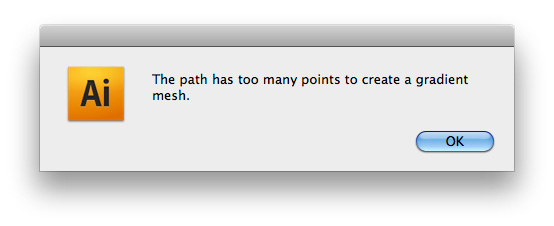
如果你得到一个错误信息,读下面的提示。
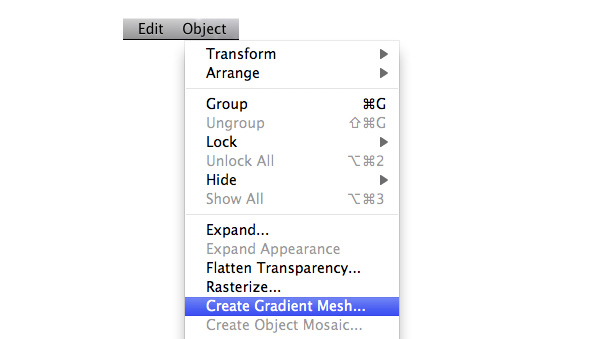

Extra – Skip if You Don’t Get an Error Message
If you get an error message saying that “the path has too many points to create a gradient mesh”, then you can do one of the following:
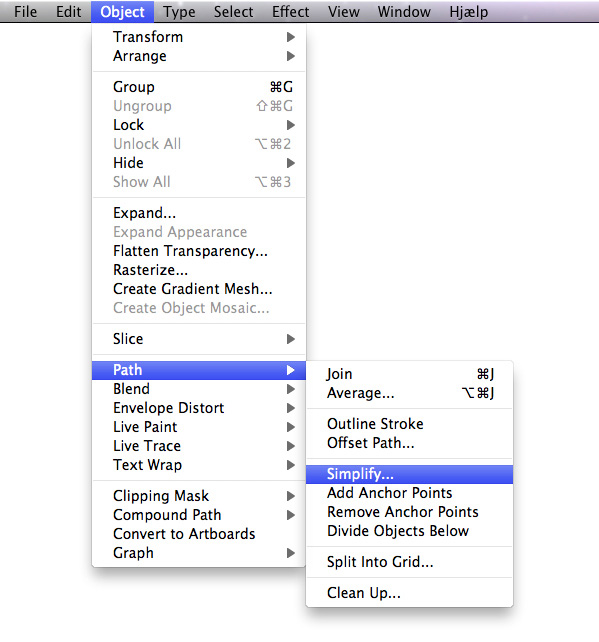
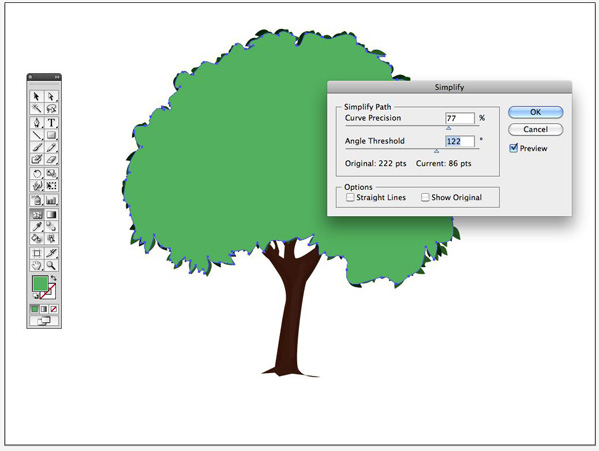
Redraw the shape without as many points Or go back, select the shape, and go to Object > Path > Simplify. Check the preview box, and bring both the Curve Precision and the Angle Threshold down until the Current pt is under 100. Then you are ready to repeat Step 24.
步骤25
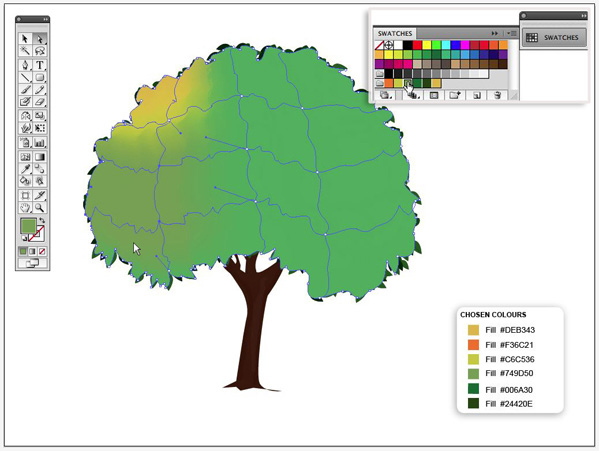
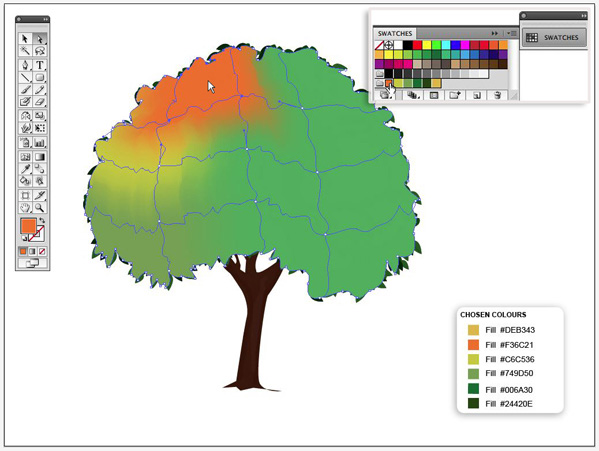
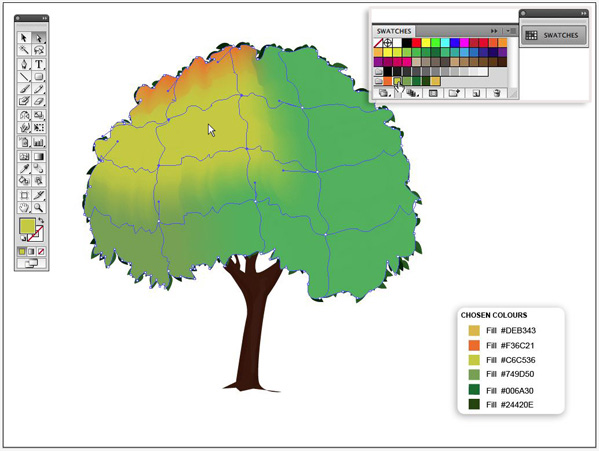
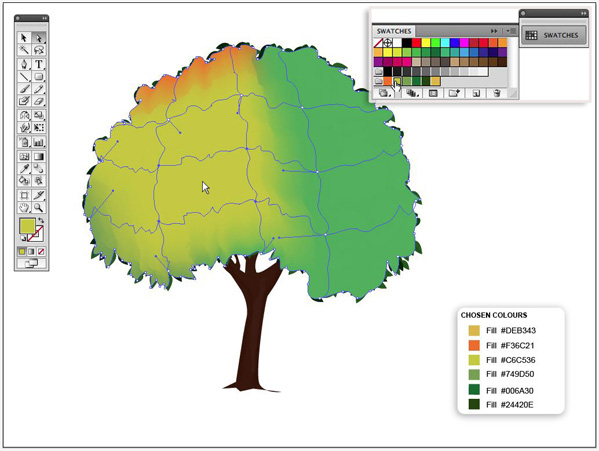
我们现在到着色渐变网格,你可能选择一些基于你的喜好想要的颜色,例如,我将选择树的左边有一些阳光,右边有一些倒影的效果的颜色。
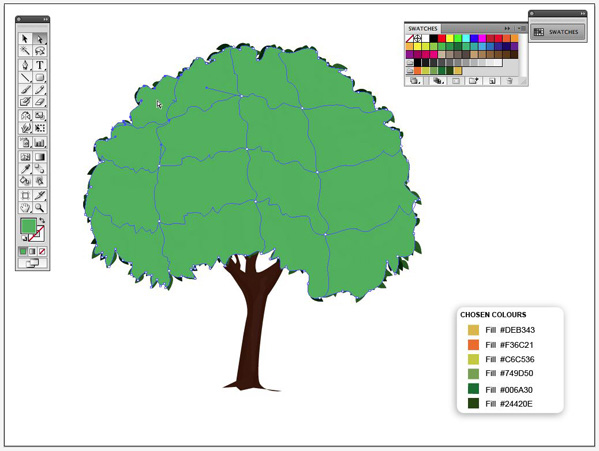
这个渐变网格已经在你的形状里创建了16个选区,用直选工具点击第一个形状的中部。
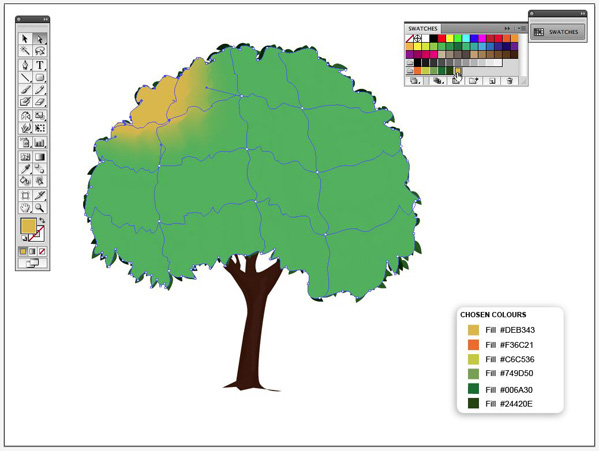
用那个区域选择,选择一个不太明亮的黄颜色。
步骤26
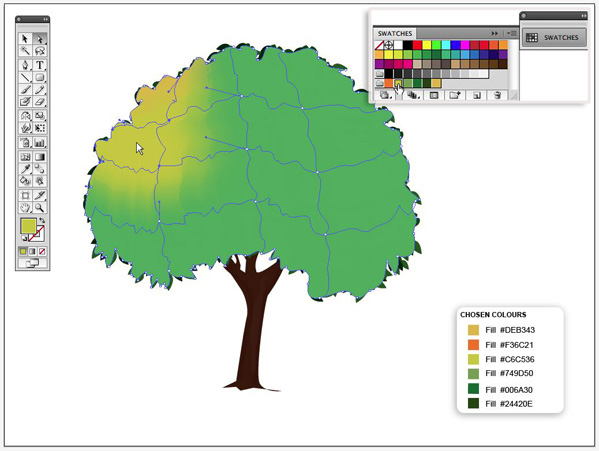
选择渐变网格其它的区域,重复上面的步骤,并且给每一个区域适当的颜色。我已经选择在网格右边置入黄绿相间的高亮阴影,和在网格底部的左边置入深绿色。

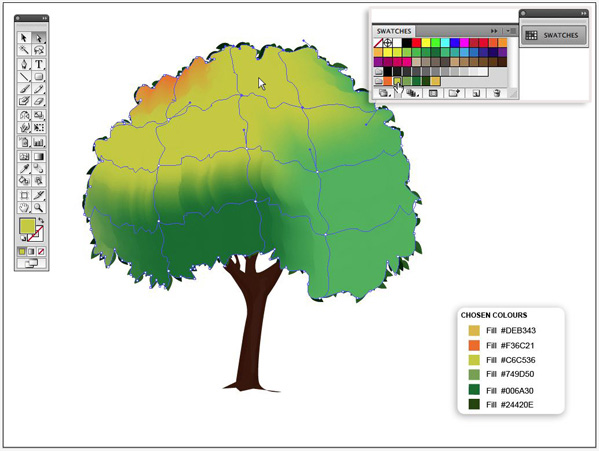
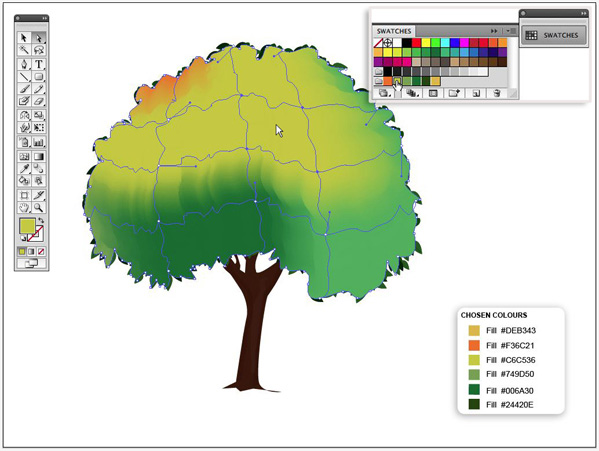
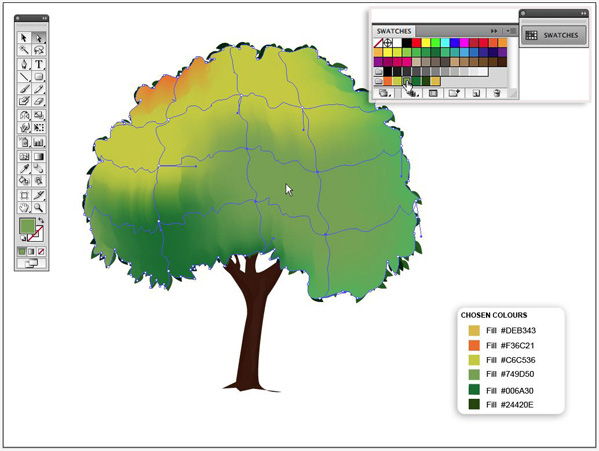
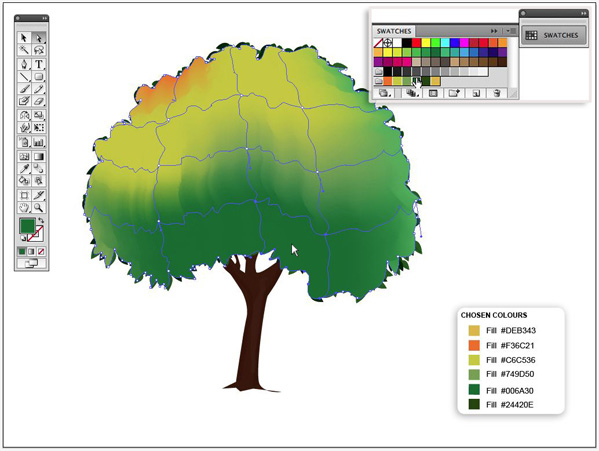
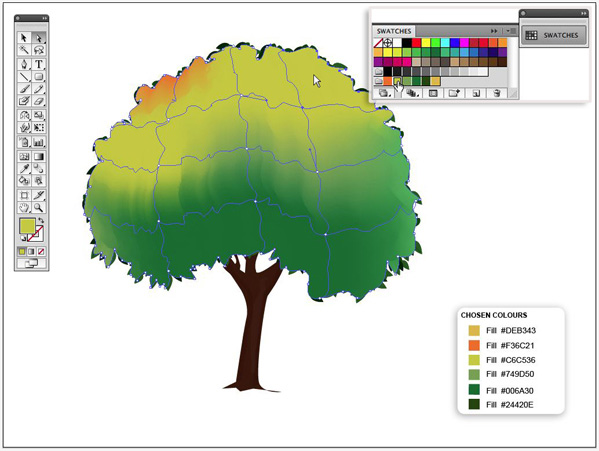
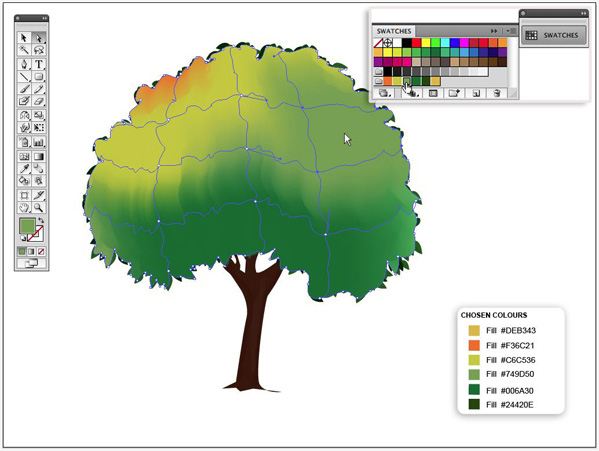
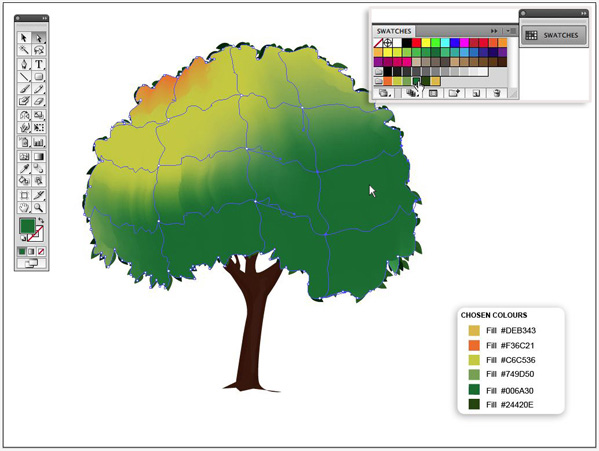
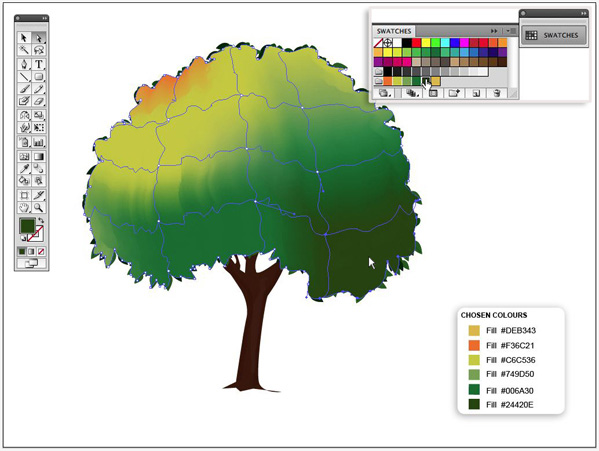
步骤27
用选择工具选择渐变网格的外形。
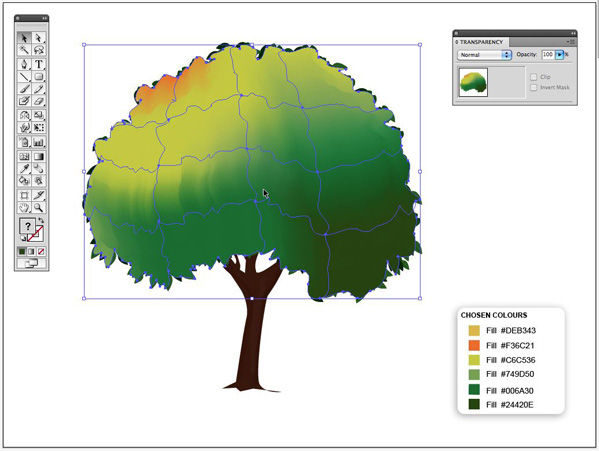
步骤28
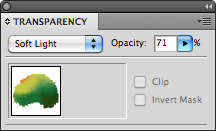
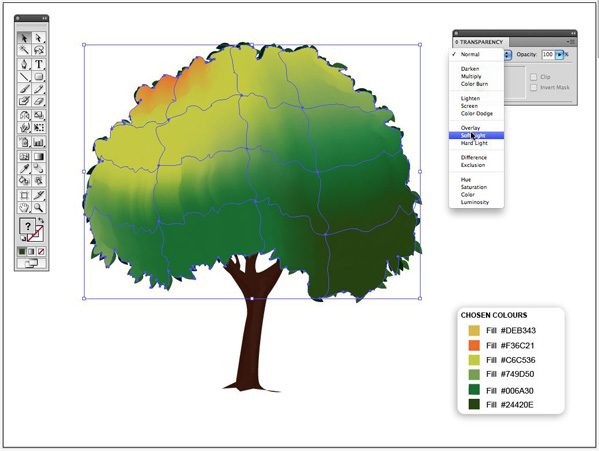
打开opacity window (Window > Transparency(透明度)窗口模式,还是选择“柔和光”选项,不透明度设定为71%。
最后的结果
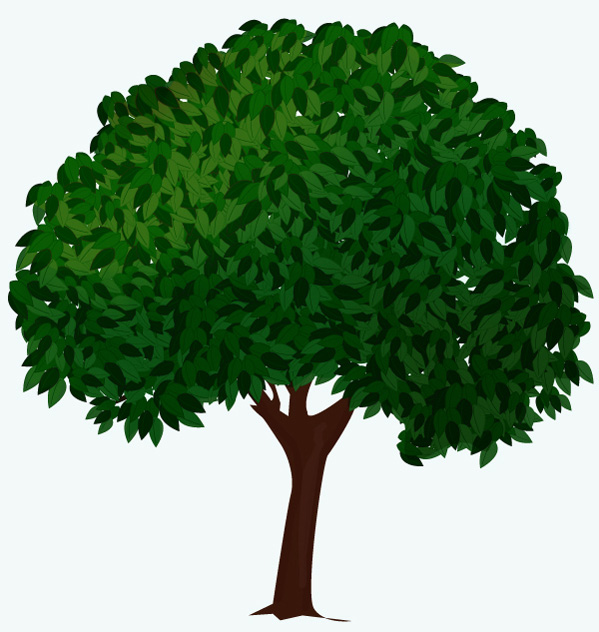
现在就让这个工具去创建你自己的森林吧。
相关文章
 偏移文本或偏移路径意味着偏离了原来的位置,虽然听起来可能不太理想或杂乱无章,但在Illustrator中使用偏移技术处理文本可以给您带来一些很酷的效果,详细请看下文介绍2026-03-03
ai怎么混合两种颜色? illustrator混合两个色块的颜色的方法
ai填充不同颜色的图形重叠以后,想要将两种颜色混合,该怎么混合颜色呢?下面我们就来看看详细的教程2024-07-18 ai网格线间距默认的不是很喜欢,想要自己调整一下,该怎么调整呢?今天我们就来看看参考线调整技巧2024-05-28
ai路径平均效果怎么用? illustrator使用平均路径的教程
Adobe Illustrator中有一个路径平均功能,如何使用呢?下面小编为大家演示路径平均功能的一种使用方法2024-05-21ai保存pdf格式出现多余内容怎么解决? 去掉pdf文件多余内容的技巧
ai保存pdf格式出现多余内容怎么解决?ai中的文档保存为pdf文件的时候,发现有多余内容,该怎么操作呢?下面我们就来看看去掉pdf文件多余内容的技巧2023-12-19- ai描边在哪里?ai中想要设置描边,该怎么操作呢?下面我们就来看看ai设置描边的多种方法2023-12-19
- ai原位复制怎么用?复制图形的时候,想要原位复制粘贴,该怎么操作呢?下面我们就来看看ai原位复制快捷键介绍2023-12-19
ai怎么让文字随着路径变形? illustrator区域文字不跟着变换方向问题的
ai怎么让文字随着路径变形?选中文字后,发现文字不跟随变换区域旋转该怎么办呢?下面我们就来看看illustrator区域文字不跟着变换问题的解决办法2023-11-30ai渐变色怎么调方向? illustrator将渐变颜色反向的技巧
ai渐变色怎么调方向?ai中给图形填渐变色,想要进行反向,该怎么操作呢?下面我们就来看看illustrator将渐变颜色反向的技巧2023-11-30
Ai彩色logo怎么做反白反黑效果? ai彩色logo转化为黑白稿的技巧
Ai彩色logo怎么做反白反黑效果?设计的彩色logo想要做黑白稿,就是反黑反白效果,下面我们就来看看ai彩色logo转化为黑白稿的技巧2023-11-12
最新评论