

Android之开发消息通知栏
更新时间:2017年04月10日 09:34:31 作者:瞳瞳色丶轻烟的博客
本文主要介绍了Android开发消息通知栏的相关知识。具有很好的参考价值。下面跟着小编一起来看下吧
一:先来效果图
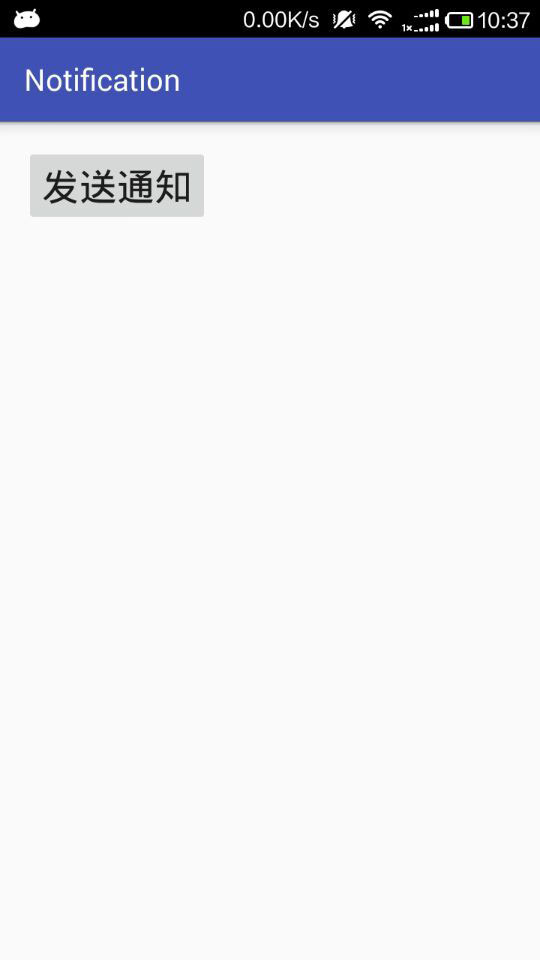

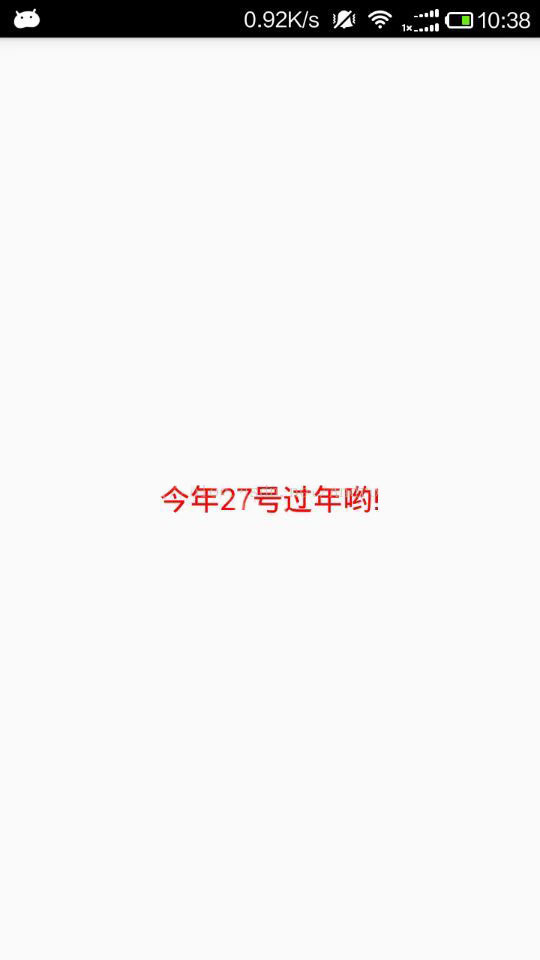
二:实现步骤
1.xml布局实现
<?xml version="1.0" encoding="utf-8"?>
<LinearLayout xmlns:android="http://schemas.android.com/apk/res/android"
 xmlns:tools="http://schemas.android.com/tools"
 android:layout_width="match_parent"
 android:layout_height="match_parent"
 android:orientation="vertical"
android:paddingBottom="@dimen/activity_vertical_margin"
android:paddingLeft="@dimen/activity_horizontal_margin" android:paddingRight="@dimen/activity_horizontal_margin"
android:paddingTop="@dimen/activity_vertical_margin"
tools:context="edu.feicui.notification.MainActivity">
 <Button
 android:id="@+id/btn_create"
 android:layout_width="wrap_content"
 android:layout_height="wrap_content"
 android:text="发送通知"
 android:textSize="25sp" />
</LinearLayout>
2.activity的实现
package edu.feicui.notification;
import android.app.Notification;
import android.app.NotificationManager;
import android.app.PendingIntent;
import android.content.Intent;
import android.os.Bundle;
import android.support.v7.app.AppCompatActivity;
import android.widget.RemoteViews;
import butterknife.ButterKnife;
import butterknife.OnClick;
public class MainActivity extends AppCompatActivity {
 /**
 * 通知栏Notification
 */
 private NotificationManager mManager;
 private Notification mNotification;
 private PendingIntent mIntent;
 private String cll;
 @Override
 protected void onCreate(Bundle savedInstanceState) {
 super.onCreate(savedInstanceState);
 setContentView(R.layout.activity_main);
 cll = "今年27号过年哟!";
 ButterKnife.bind(this);
 }
 @Override
 public void onContentChanged() {
 super.onContentChanged();
 init();
 }
 private void init() {
 //初始化通知栏管理者
 mManager = (NotificationManager) getSystemService(NOTIFICATION_SERVICE);

 //意图数组
 Intent[] intents = {new Intent(this, NotificationAcitivity.class)};
 //待处理意图对象
 mIntent = PendingIntent.getActivities(this, 0, intents, 0);
 //消息栏通知对象
 mNotification = new Notification();
 }
 @OnClick(R.id.btn_create)
 public void create() {
 //设置在通知栏的消息图标
 mNotification.icon = R.mipmap.logo_new;
 //设置在通知栏的信息内容
 mNotification.tickerText = "重大消息";
 //设置默认的声音,此外还可以设置震动(需加入权限)
 mNotification.defaults = Notification.DEFAULT_SOUND;
 //添加灯光
// mNotification.defaults=Notification.DEFAULT_LIGHTS;
 //不能删除
 mNotification.flags = Notification.FLAG_NO_CLEAR;
 //设置下拉时的显示布局
 RemoteViews convertView = new RemoteViews(getPackageName(), R.layout.layout_content);
 convertView.setImageViewResource(R.id.img, R.mipmap.logo_new);
 convertView.setTextViewText(R.id.txt, cll);
 mNotification.contentView = convertView;
 mNotification.contentIntent = mIntent;
 //发送通知
 // 第一个参数唯一的标识该Notification,第二个参数就是Notification对象
 mManager.notify(1, mNotification);
 }
}
3.AndroidManifest添加权限
<uses-permission android:name="android.permission.VIBRATE"/>
4.跳转界面的xml
<?xml version="1.0" encoding="utf-8"?>
<LinearLayout xmlns:android="http://schemas.android.com/apk/res/android"
 android:layout_width="match_parent"
 android:layout_height="match_parent"
 android:gravity="center"
 android:orientation="vertical">
 <TextView
 android:id="@+id/txt"
 android:layout_width="wrap_content"
 android:layout_height="wrap_content"
 android:textColor="#ff0000"
 android:textSize="20dp"
 android:text="今年27号过年哟!" />
</LinearLayout>
5.跳转activity的实现
package edu.feicui.notification;
import android.app.Activity;
import android.app.NotificationManager;
import android.os.Bundle;
import android.widget.TextView;
/**
 * Created by Administrator on 2017-1-20.
 */
public class NotificationAcitivity extends Activity {
 private NotificationManager mManager;
 private int index = 2;
 @Override
 protected void onCreate(Bundle savedInstanceState) {
 super.onCreate(savedInstanceState);
 setContentView(R.layout.activity_notification);
 //初始化通知栏管理者
 mManager = (NotificationManager) getSystemService(NOTIFICATION_SERVICE);
 index = 2;
 mManager.cancelAll();
 }
}
简单粗暴实用,你值得拥有
以上就是本文的全部内容,希望本文的内容对大家的学习或者工作能带来一定的帮助,同时也希望多多支持脚本之家!
您可能感兴趣的文章:
- Android中通过Notification&NotificationManager实现消息通知
- Android编程实现google消息通知功能示例
- Android消息通知栏的实现方法介绍
- Android自定义Notification添加点击事件
- Android中AlarmManager+Notification实现定时通知提醒功能
- Android 中Notification弹出通知实现代码
- Android编程使用Service实现Notification定时发送功能示例
- Android 通知使用权(NotificationListenerService)的使用
- android使用NotificationListenerService监听通知栏消息
- Android消息通知Notification常用方法(发送消息和接收消息)
相关文章

android ViewPager实现自动无限轮播和下方向导圆点
本篇文章主要介绍了android ViewPager实现自动轮播和下方向导圆点,具有一定的参考价值,感兴趣的小伙伴们可以参考一下。2017-02-02 这篇文章主要整理了Android的activity学习笔记,总共有八大亮点,推荐给大家,需要的朋友可以参考下2015-09-09
 前一篇文章主要介绍了关于Android程序的多渠道打包方法,这一篇文章介绍了多渠道打包的进阶知识,还不会的同学快进来学习下吧,建议收藏以防迷路2021-08-08
 本篇文章给大家分享了关于Python异常的相关概念知识点以及处理方法,对此有需要的朋友赶快学习下吧。2018-03-03
 这篇文章主要为大家详细介绍了一款非常简单酷炫的LoadingView动画效果,具有一定的参考价值,感兴趣的小伙伴们可以参考一下2018-08-08
 看了谷歌官方文章确实写的太简略了,甚至看完之后有很多地方还不知道怎么回事儿或者怎么用,那么接下来我将通过文章全面介绍一下DataBinding类关系2022-11-11
Android仿微信右上角点击加号弹出PopupWindow
这篇文章主要为大家详细介绍了Android仿微信右上角点击加号弹出PopupWindow,具有一定的参考价值,感兴趣的小伙伴们可以参考一下2018-04-04 这篇文章主要介绍了Android编程实现提取网址链接的方法,涉及Android针对字符串的正则匹配操作相关技巧,需要的朋友可以参考下2016-10-10
 这篇文章主要介绍了Android6.0开发中屏幕旋转原理与流程,结合实例形式详细分析了Android6.0屏幕旋转的原理与相关实现流程,并附带了Android动态开启与禁用屏幕旋转的实现方法,需要的朋友可以参考下2017-11-11
 这篇文章主要给大家介绍了关于Flutter持久化存储之数据库存储的相关资料,文中通过示例代码介绍的非常详细,对大家的学习或者使用Flutter具有一定的参考学习价值,需要的朋友们下面来一起学习学习吧2019-03-03
最新评论