

Android layoutAnimation详解及应用
更新时间:2017年05月03日 10:52:54 作者:小_源
这篇文章主要介绍了Android layoutAnimation详解及应用的相关资料,需要的朋友可以参考下
Android layoutAnimation详解及应用
前言:
最近在玩一个APP的时候,发现刚进入他的页面,他页面的子控件都是从右侧飞过来的,感觉好牛的样子,就顺便模仿了一个。看着确实是比死板呆在那舒服多了!
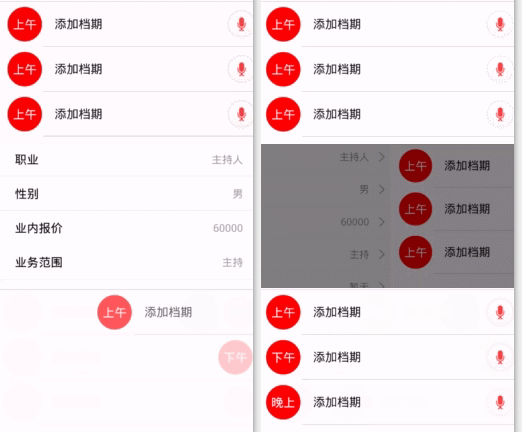
还是感觉很好看!反正我觉得比死板呆在那好看!你们觉得那!
在看咱们模仿的:
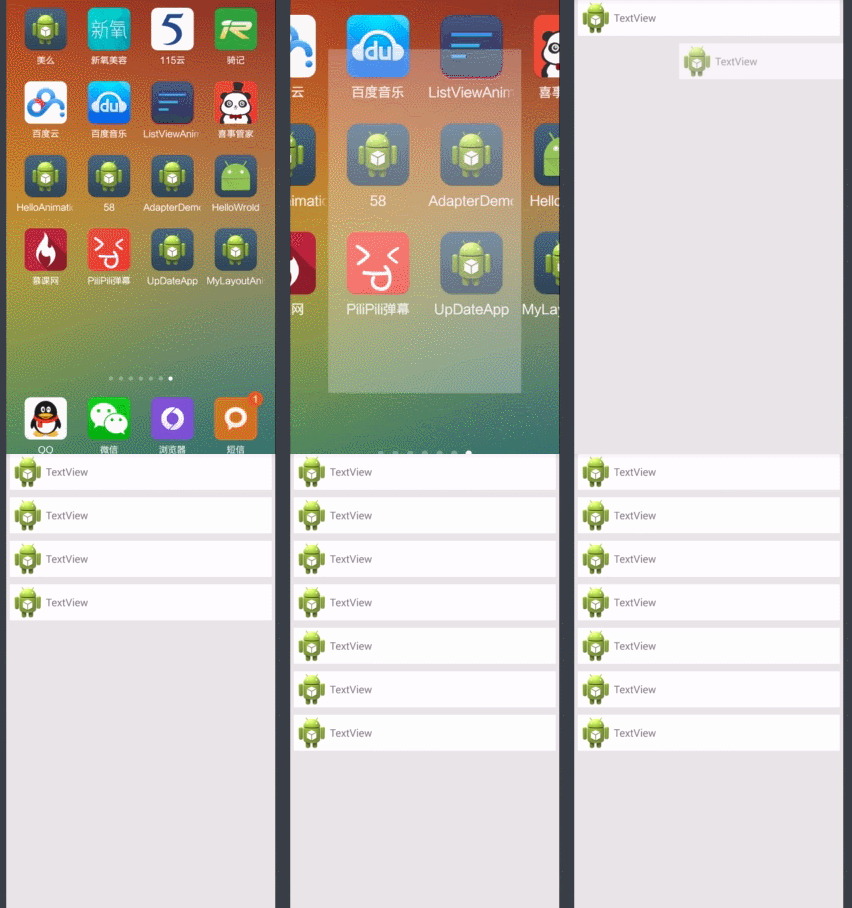
差不多,在微调一下就好了!
上点代码,其实很简单:
首先新建一个anim文件夹在里面新建两个xml
<layoutAnimation xmlns:android="http://schemas.android.com/apk/res/android"
    android:delay="90%" //空间的执行间隔
    android:animation="@anim/trans" />
<set xmlns:android="http://schemas.android.com/apk/res/android" android:interpolator="@android:anim/accelerate_interpolator">
  <translate
    android:fromXDelta="100%p" android:toXDelta="0"
    android:duration="200" />
  <alpha
    android:fromAlpha="0" android:toAlpha="1"
    android:duration="200"
    />
</set>
只要把这个动画在布局里面设置一下就出现这个效果,碉堡了!
<LinearLayout xmlns:android="http://schemas.android.com/apk/res/android"
  android:layout_width="fill_parent"
  android:layout_height="fill_parent"
  android:background="#e6e6e6"
  android:layoutAnimation="@anim/anim"
  android:orientation="vertical" >

  <LinearLayout
    android:layout_width="match_parent"
    android:layout_height="wrap_content"
    android:gravity="center|left"
    android:background="#ffffff"
    android:layout_margin="5dip"
    android:orientation="horizontal" >

    <ImageView
      android:layout_width="wrap_content"
      android:layout_height="wrap_content"
      android:src="@drawable/ic_launcher" />

    <TextView
      android:layout_width="wrap_content"
      android:layout_height="wrap_content"
      android:text="TextView" />
  </LinearLayout>
<LinearLayout
    android:layout_width="match_parent"
    android:layout_height="wrap_content"
    android:gravity="center|left"
    android:background="#ffffff"
    android:layout_margin="5dip"
    android:orientation="horizontal" >

    <ImageView
      android:layout_width="wrap_content"
      android:layout_height="wrap_content"
      android:src="@drawable/ic_launcher" />

    <TextView
      android:layout_width="wrap_content"
      android:layout_height="wrap_content"
      android:text="TextView" />
  </LinearLayout>
  <LinearLayout
    android:layout_width="match_parent"
    android:layout_height="wrap_content"
    android:gravity="center|left"
    android:background="#ffffff"
    android:layout_margin="5dip"
    android:orientation="horizontal" >

    <ImageView
      android:layout_width="wrap_content"
      android:layout_height="wrap_content"
      android:src="@drawable/ic_launcher" />

    <TextView
      android:layout_width="wrap_content"
      android:layout_height="wrap_content"
      android:text="TextView" />
  </LinearLayout>
  <LinearLayout
    android:layout_width="match_parent"
    android:layout_height="wrap_content"
    android:gravity="center|left"
    android:background="#ffffff"
    android:layout_margin="5dip"
    android:orientation="horizontal" >

    <ImageView
      android:layout_width="wrap_content"
      android:layout_height="wrap_content"
      android:src="@drawable/ic_launcher" />

    <TextView
      android:layout_width="wrap_content"
      android:layout_height="wrap_content"
      android:text="TextView" />
  </LinearLayout>
  <LinearLayout
    android:layout_width="match_parent"
    android:layout_height="wrap_content"
    android:gravity="center|left"
    android:background="#ffffff"
    android:layout_margin="5dip"
    android:orientation="horizontal" >

    <ImageView
      android:layout_width="wrap_content"
      android:layout_height="wrap_content"
      android:src="@drawable/ic_launcher" />

    <TextView
      android:layout_width="wrap_content"
      android:layout_height="wrap_content"
      android:text="TextView" />
  </LinearLayout>
  <LinearLayout
    android:layout_width="match_parent"
    android:layout_height="wrap_content"
    android:gravity="center|left"
    android:background="#ffffff"
    android:layout_margin="5dip"
    android:orientation="horizontal" >

    <ImageView
      android:layout_width="wrap_content"
      android:layout_height="wrap_content"
      android:src="@drawable/ic_launcher" />

    <TextView
      android:layout_width="wrap_content"
      android:layout_height="wrap_content"
      android:text="TextView" />
  </LinearLayout>
  <LinearLayout
    android:layout_width="match_parent"
    android:layout_height="wrap_content"
    android:gravity="center|left"
    android:background="#ffffff"
    android:layout_margin="5dip"
    android:orientation="horizontal" >

    <ImageView
      android:layout_width="wrap_content"
      android:layout_height="wrap_content"
      android:src="@drawable/ic_launcher" />

    <TextView
      android:layout_width="wrap_content"
      android:layout_height="wrap_content"
      android:text="TextView" />
  </LinearLayout>
</LinearLayout>
就这么简单的几句话,感觉用户体验顿时上升了不少!真是细节决定成败啊!
感谢阅读,希望能帮助到大家,谢谢大家对本站的支持!
相关文章
 这篇文章主要介绍了Android开发教程之电源管理,较为详细的分析了Android电源管理的相关概念、注意事项与功能实现技巧,需要的朋友可以参考下2016-06-06
 一个APP如果没有页面跳转那么是没有灵魂的,页面跳转的一个常用说法就是Navigator。那么在flutter中如何使用Navigator呢?本文就来和大家详细聊聊2023-02-02
 这篇文章主要为大家详细介绍了Android实现断点多线程下载,具有一定的参考价值,感兴趣的小伙伴们可以参考一下2018-12-12
 这篇文章主要介绍了Android App增量更新详解的相关资料,并附实例代码,要的朋友可以参考下2016-09-09
 这篇文章主要介绍了Android实现动态切换组件背景的方法,需要的朋友可以参考下2014-07-07
 这篇文章主要为大家详细介绍了Android仿淘宝物流信息TimeLineView的相关资料,具有一定的参考价值,感兴趣的小伙伴们可以参考一下2017-02-02
Android中使用DialogFragment编写对话框的实例教程
这篇文章主要介绍了Android中使用DialogFragment编写对话框的实例教程,DialogFragment也是一种Fragment,因而管理生命周期时比较给力,需要的朋友可以参考下2016-04-04 这篇文章主要为大家详细介绍了Android实现截屏,以及Android实现截长图功能,具有一定的参考价值,感兴趣的小伙伴们可以参考一下2018-05-05
 Android Studio是谷歌推出一个Android集成开发工具,基于IntelliJ IDEA。这篇文章主要介绍了Android Studio 打包生成APK文件方法,需要的朋友可以参考下2018-07-07
 这篇文章主要给大家介绍了一个吸顶Item的简单实现方法,文中通过示例代码介绍的非常详细,对各位Android开发者们具有一定的参考学习价值,需要的朋友们下面来一起学习学习吧2019-09-09
最新评论