

IOS打开照相机与本地相册选择图片实例详解
更新时间:2017年06月20日 15:08:23 作者:HelloWord杰少
这篇文章主要介绍了IOS打开照相机与本地相册选择图片实例详解的相关资料,需要的朋友可以参考下
IOS打开照相机与本地相册选择图片
最近正好项目里面要集成“打开照相机与本地相册选择图片”的功能,今天就在这边给大家写一个演示程序;打开相机拍摄后或者在相册中选择一张照片,然后将它显示在界面上。好了废话不多说,因为比较简单直接上源码。
首先,我们在头文件中添加需要用到的actionSheet控件,显示图片的UIImageView控件,并且加上所需要的协议
#import <UIKit/UIKit.h>

@interface ImagePickerViewController : UIViewController<UIImagePickerControllerDelegate,UIActionSheetDelegate,UINavigationControllerDelegate>

@property (strong, nonatomic) IBOutlet UIImageView *headImage;

@property (strong, nonatomic) UIActionSheet *actionSheet;

- (IBAction)clickPickImage:(id)sender;
@end
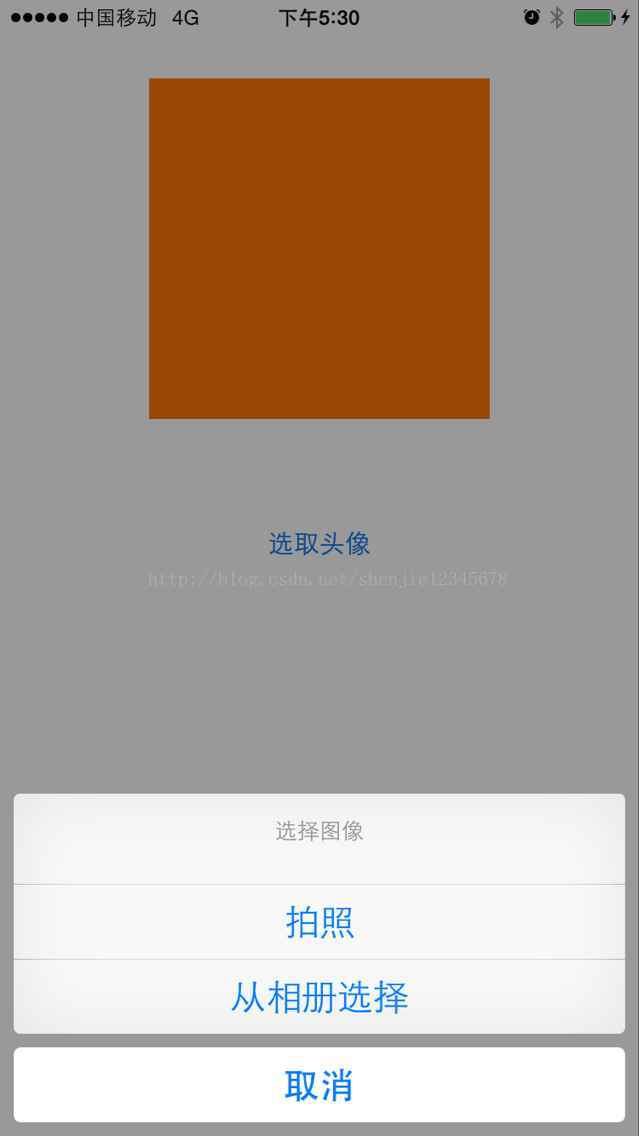
通过点击我设置在界面中的按钮来呼出actionSheet控件,来选择相应的操作拍照或是在相册中选择相片,代码如下:
//
// ImagePickerViewController.m
// testAuto
//
// Created by silicon on 15/5/9.
// Copyright (c) 2015年 silicon. All rights reserved.
//

#import "ImagePickerViewController.h"

@interface ImagePickerViewController ()

@end

@implementation ImagePickerViewController

@synthesize actionSheet = _actionSheet;

- (void)viewDidLoad {
  [super viewDidLoad];
  // Do any additional setup after loading the view from its nib.

}

- (void)didReceiveMemoryWarning {
  [super didReceiveMemoryWarning];
  // Dispose of any resources that can be recreated.
}


/**
 @ 调用ActionSheet
 */
- (void)callActionSheetFunc{
  if([UIImagePickerController isSourceTypeAvailable:UIImagePickerControllerSourceTypeCamera]){
    self.actionSheet = [[UIActionSheet alloc] initWithTitle:@"选择图像" delegate:self cancelButtonTitle:@"取消" destructiveButtonTitle:nil otherButtonTitles:@"拍照", @"从相册选择", nil nil];
  }else{
    self.actionSheet = [[UIActionSheet alloc] initWithTitle:@"选择图像" delegate:self cancelButtonTitle:@"取消"destructiveButtonTitle:nil otherButtonTitles:@"从相册选择", nil nil];
  }

  self.actionSheet.tag = 1000;
  [self.actionSheet showInView:self.view];
}

// Called when a button is clicked. The view will be automatically dismissed after this call returns
- (void)actionSheet:(UIActionSheet *)actionSheet clickedButtonAtIndex:(NSInteger)buttonIndex{
  if (actionSheet.tag == 1000) {
    NSUInteger sourceType = UIImagePickerControllerSourceTypePhotoLibrary;
    // 判断是否支持相机
    if([UIImagePickerController isSourceTypeAvailable:UIImagePickerControllerSourceTypeCamera]) {
      switch (buttonIndex) {
        case 0:
          //来源:相机
          sourceType = UIImagePickerControllerSourceTypeCamera;
          break;
        case 1:
          //来源:相册
          sourceType = UIImagePickerControllerSourceTypePhotoLibrary;
          break;
        case 2:
          return;
      }
    }
    else {
      if (buttonIndex == 2) {
        return;
      } else {
        sourceType = UIImagePickerControllerSourceTypeSavedPhotosAlbum;
      }
    }
    // 跳转到相机或相册页面
    UIImagePickerController *imagePickerController = [[UIImagePickerController alloc] init];
    imagePickerController.delegate = self;
    imagePickerController.allowsEditing = YES;
    imagePickerController.sourceType = sourceType;

    [self presentViewController:imagePickerController animated:YES completion:^{

    }];
  }
}

- (void)imagePickerController:(UIImagePickerController *)picker didFinishPickingMediaWithInfo:(NSDictionary *)info
{
  [picker dismissViewControllerAnimated:YES completion:^{

  }];

  UIImage *image = [info objectForKey:UIImagePickerControllerOriginalImage];
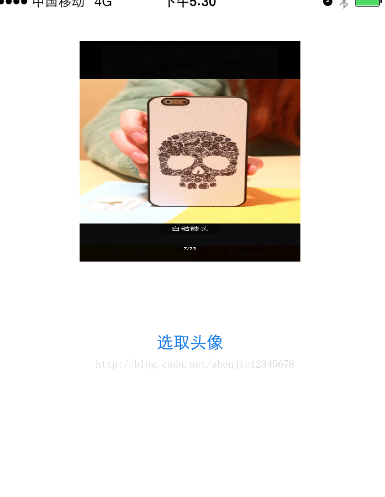
  self.headImage.image = image;
}

/*
#pragma mark - Navigation

// In a storyboard-based application, you will often want to do a little preparation before navigation
- (void)prepareForSegue:(UIStoryboardSegue *)segue sender:(id)sender {
  // Get the new view controller using [segue destinationViewController].
  // Pass the selected object to the new view controller.
}
*/

- (IBAction)clickPickImage:(id)sender {

  [self callActionSheetFunc];
}
@end
代码比较简单,也容易理解,运行的效果如下:
感谢阅读,希望能帮助到大家,谢谢大家对本站的支持!
相关文章
 这篇文章主要介绍了IOS初始化控制器的实现方法总结的相关资料,这里提供两种实现方法分别是ViewControllViewController方法和 ViewControllViewController 与 xib方法,需要的朋友可以参考下2017-10-10
 这篇文章主要介绍了iOS 验证码输入一种实现思路,本文通过实例代码给大家介绍的非常详细,具有一定的参考借鉴价值,需要的朋友可以参考下2018-10-10
iOS使用 CABasicAnimation 实现简单的跑马灯(无cpu暴涨)
本篇文章主要介绍了iOS使用 CABasicAnimation 实现简单的跑马灯(无cpu暴涨),具有一定的参考价值,有兴趣的可以了解一下。2017-01-01 这篇文章主要给大家介绍了关于Objective-C中block循环引用问题的相关资料,文中通过示例代码介绍的非常详细,对大家学习或者使用Objective-C具有一定的参考学习价值,需要的朋友们下面来一起学习学习吧2019-06-06
 给大家详细分享一下在IOS的项目开发中如何设计短信验证码防刷机制,已经步骤详解,喜欢的朋友参考下吧。2018-02-02
 这篇文章主要介绍了CAMediaTiming / 时间协议详解及实例代码的相关资料,这里附有实例代码,帮助大家学习参考,需要的朋友可以参考下2016-12-12
 这篇文章主要介绍了iOS开源一个简单的订餐app UI框架,具有一定的参考价值,感兴趣的小伙伴们可以参考一下2016-10-10
 这篇文章主要介绍了iOS应用开发中监听键盘事件的代码实例小结,呼出键盘等操作为iOS App中的必备功能,示例代码为传统的Objective-C,需要的朋友可以参考下2016-03-03
 下面小编就为大家分享一篇iOS umeng 获取deviceToken的方法,具有很好的参考价值,希望对大家有所帮助。一起跟随小编过来看看吧2018-01-01
 这篇文章主要给大家介绍了关于iOS和JS交互教程之WKWebView-协议拦截的相关资料,文中通过示例代码介绍的非常详细,对大家的学习或者工作具有一定的参考学习价值,需要的朋友们下面随着小编来一起学习学习吧2018-09-09
最新评论