

Vue实现简易翻页效果源码分享
更新时间:2018年11月08日 11:15:39 作者:天天要加油
本文给大家分享了vue实现简易翻页效果,非常不错,具有一定的参考借鉴价值,需要的朋友参考下吧
源码如下:
<html>
<head>  <meta charset="UTF-8">
  <title>slidePage</title>
  <script src="https://cdn.jsdelivr.net/npm/vue@2.5.17/dist/vue.js"></script>
  <style type="text/css">
   *{
     margin: 0;
     padding: 0;
   }
   .container {
     width: 100%;
     margin: 0 auto;
     text-align: center;
   }
   .content{
     font-size: 400px
   }
   .leftBtn{
     width: 45px;
     height: 45px;
     margin-right: 15px;
   }
   .rightBtn{
     width: 45px;
     height: 45px;
     margin-left: 15px;
   }
  </style>
</head>
<body>
<div id='root'>
  <div v-if="numberArr.length == 0">{{showMessage}}</div>
  <div class="container" v-for="(item, index) in getCurPageContent(numberArr, curPage, itemNumPerPage)" :key="index">
   <div class="content">{{item}}</div>
   <div class="pageButtonList">
     <button class="leftBtn" @click="handleClick('leftBtn')"><</button>
     <span class="pagination">{{curPage}}/{{totalPage}}</span>
     <button class="rightBtn" @click="handleClick('rightBtn')">></button>
   </div>
  </div>
</div>
<script>
  new Vue({
    el: "#root",
    data(){
      return {
        showMessage: 'No number',
        content:'',
        numberArr: [1, 2, 3, 4],
        curPage: 1,
        totalPage: 1,
        itemNumPerPage: 1
      }
    },
    mounted() {
      this.init()
    },
    methods:{
      init(){
        this.totalPage = Math.ceil(this.numberArr.length / this.itemNumPerPage)
        this.totalPage = this.totalPage < 1 ? 1 : this.totalPage
      },
      getCurPageContent: function(numberArr, curPage, itemNumPerPage){
        return numberArr.filter(function(element, index){
          if(index >= (curPage -1)* itemNumPerPage && index < curPage *itemNumPerPage){
            return true
          }else{
            return false
          }
        })
      },
      handleClick: function(arg){
        if(arg == 'leftBtn'){
          this.curPage = this.curPage > 1 ? --this.curPage : this.totalPage
        }else if (arg == 'rightBtn'){
          this.curPage = this.curPage < this.totalPage ? ++this.curPage: 1
        }
      }
      // handleLeftClick: function(){
      //   if(this.curPage > 1){
      //     this.curPage --
      //   }else{
      //     this.curPage = this.totalPage
      //   }
      // },
      // handleRightClick: function(){
      //   if(this.curPage < this.totalPage){
      //     this.curPage ++
      //   }else{
      //     this.curPage = 1
      //   }
      // }
    }
  })
</script>
</body>
</html>
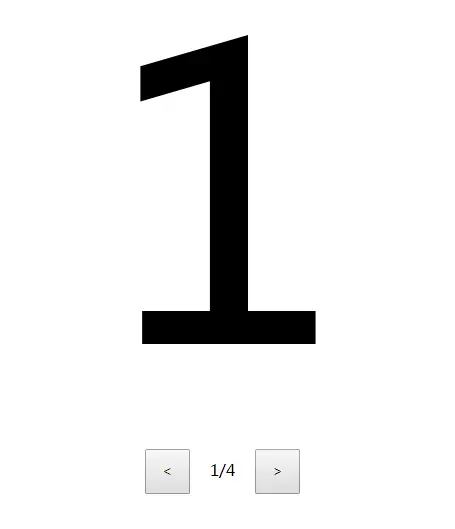
效果如下所示,点击左右能切换页面:
总结
以上所述是小编给大家介绍的Vue实现简易翻页效果源码分享,希望对大家有所帮助,如果大家有任何疑问请给我留言,小编会及时回复大家的。在此也非常感谢大家对脚本之家网站的支持!
相关文章
 本文给大家分享通过Vue写一个挺靠谱的typeahead组件功能,非常不错,具有参考借鉴价值,需要的的朋友参考下吧2017-08-08
 这篇文章主要介绍了Vue滚动页面到指定位置的实现及避坑,具有很好的参考价值,希望对大家有所帮助。如有错误或未考虑完全的地方,望不吝赐教2022-09-09
解决v-for中使用v-if或者v-bind:class失效的问题
今天小编就为大家分享一篇解决v-for中使用v-if或者v-bind:class失效的问题,具有很好的参考价值,希望对大家有所帮助。一起跟随小编过来看看吧2018-09-09 本文介绍了使用vue-cli搭建的项目在开发时配置跨域,上线后不做任何任何修改,接口也可以访问,小编觉得挺不错的,现在分享给大家,也给大家做个参考。一起跟随小编过来看看吧2019-01-01
vue3的ref,computed,reactive和toRefs你都了解吗
这篇文章主要为大家详细介绍了vue3的ref,computed,reactive和toRefs,文中示例代码介绍的非常详细,具有一定的参考价值,感兴趣的小伙伴们可以参考一下,希望能够给你带来帮助2022-03-03 这篇文章主要为大家详细介绍了基于Vue.js的表格分页组件使用方法,了解了Vue.js的特点,感兴趣的朋友可以参考一下2016-05-05
 这篇文章主要介绍了安装vue/cli后查看版本显示找不到vue指令的解决方案,具有很好的参考价值,希望对大家有所帮助,如有错误或未考虑完全的地方,望不吝赐教2023-10-10
 这篇文章主要介绍了vue filter的四种用法小结,具有很好的参考价值,希望对大家有所帮助。如有错误或未考虑完全的地方,望不吝赐教2022-04-04
 在本篇文章里小编给大家整理了一篇关于vue中对虚拟dom的理解知识点总结内容,有兴趣的朋友们可以学习参考下。2021-06-06
 在Vue里渲染一块内容,会有四个流程步骤,那么该怎么理解这个流程呢,所以本文就给大家详细讲解一下Vue 渲染流程,文中有纤细的代码示例供大家参考,需要的朋友可以参考下2023-07-07
最新评论