

Vue.js实现九宫格图片展示模块
更新时间:2021年10月20日 14:28:06 作者:前端学习账号
这篇文章主要为大家详细介绍了Vue.js实现九宫格图片展示模块,文中示例代码介绍的非常详细,具有一定的参考价值,感兴趣的小伙伴们可以参考一下
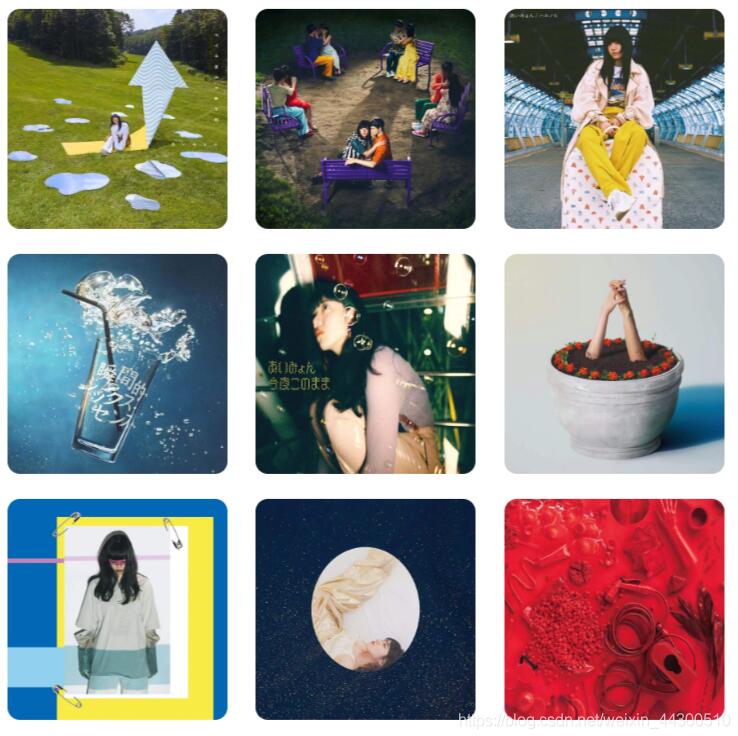
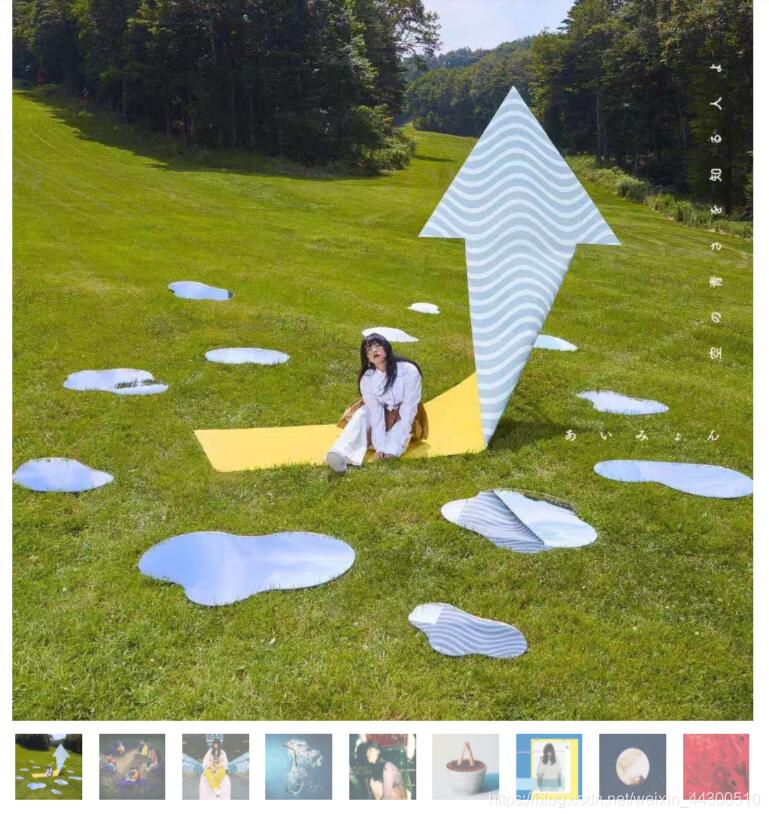
用Vue.js做了一个九宫格图片展示模块,可点击进行缩放。
模块的实际效果
九宫格缩略图效果
放大后效果
代码
HTML
<template>
<div class="SongList">
//用v-for循环渲染缩略图
     <div class="covers" :style="{display:MinDisplay}">
         <div class="cover" v-for="(img,index) in imgs" :key='img'><img :src="img.src" width="90%" class="min" @click="ZoomIn(index)" alt=""></div>
       </div>
 //渲染放大后的图
       <div class="max" :style="{display:display}">
            <div @click="ZoomOut"  v-for="(img,index) in imgs" :key='img' :class="[index===ShowIndex?'active':'None']" ><img :src="img.src" width="100%"></div>
            //放大后图片下方的导航图
            <div class="small">
                <div :class="[{'smallActive':index===ShowIndex},'cover-small']" v-for="(img,index) in imgs" :key='img' @click="select(index)" ><img :src="img.src" width="90%"></div>
            </div>
        </div>
    </div>
</template>
CSS
<style scoped>
    .SongList{
        width: 40%;
    }
    .covers{
        display: flex;
        justify-content: space-between;
        flex-wrap: wrap;
    }
    .cover{
        display: flex;
        justify-content: center;
        width: 33%;
        margin: 10px 0;
    }
    .min{
        border-radius: 10px;
        cursor: zoom-in;
    }
    .max{
        cursor: zoom-out;
        width: 100%;

    }
    .small{
        display: flex;
        justify-content: space-between;
        flex-wrap: wrap;
    }
    .cover-small{
        display: flex;
        justify-content: center;
        width: 10%;
        margin: 10px 0;
        opacity: 0.6;
        cursor: pointer;
    }
    .cover-small:hover{
        opacity: 1;
    }
    .active{
        display: flex;
    }
    .None{
        display: none;
    }
    .smallActive{
        opacity: 1;
    }

</style>
Javascript
<script>
    export default {
        name: "SongList",
        data:function() {
            return {
                ShowIndex:0,
                display: 'none',
                MinDisplay:'flex',
                //Vue模板中使用v-for循环渲染图片时不能直接使用图片文件本地位置
                imgs:[
                    {"src":require('***.jpg')},
                    {"src":require('***.jpg')},
                    {"src":require('***.jpg')},
                    {"src":require('***.jpg')},
                    {"src":require('***.jpg')},
                    {"src":require('***.jpg')},
                    {"src":require('***.jpg')},
                    {"src":require('***.jpg')},
                    {"src":require('***.jpg')},
                ]

            };
        },
        methods:{
            ZoomIn(i){
               this.display='block';
                this.MinDisplay='none';
                this.ShowIndex=i;
            },
            ZoomOut(){
                this.display='none';
                this.MinDisplay='flex';
            },
            select(i){
                this.ShowIndex=i;


            }
        }
    }
以上就是本文的全部内容,希望对大家的学习有所帮助,也希望大家多多支持脚本之家。
相关文章

基于el-table和el-pagination实现数据的分页效果
本文主要介绍了基于el-table和el-pagination实现数据的分页效果,文中通过示例代码介绍的非常详细,对大家的学习或者工作具有一定的参考学习价值,需要的朋友们下面随着小编来一起学习学习吧2022-08-08
vue项目出现ERESOLVE could not resolve问题及解决
这篇文章主要介绍了vue项目出现ERESOLVE could not resolve问题及解决方案,具有很好的参考价值,希望对大家有所帮助,如有错误或未考虑完全的地方,望不吝赐教2023-10-10 这篇文章主要介绍了vue中使用vue-cli接入融云实现即时通信的相关资料,本文通过实例代码给大家介绍的非常详细,具有一定的参考借鉴价值,需要的朋友可以参考下2019-04-04
 这篇文章主要介绍了vue实现点击出现操作弹出框的示例,帮助大家更好的理解和使用vue,感兴趣的朋友可以了解下2020-11-11
antd-DatePicker组件获取时间值,及相关设置方式
这篇文章主要介绍了antd-DatePicker组件获取时间值,及相关设置方式,具有很好的参考价值,希望对大家有所帮助。一起跟随小编过来看看吧2020-10-10 在 Vuex 中,actions 的设计默认只支持单个参数传递,这有时会限制我们的使用场景,下面我将详细介绍几种处理多参数传递的解决方案,从基础到高级,帮助您灵活应对各种需求,需要的朋友可以参考下2025-04-04
 作为一个前端开发者,我们要学会自己编写一些开发工具模块,也可以自己编写一些组件,甚至可以通过自己的能力编写一个框架出来,这都需要我们能够灵活的管理我们的包,下面这篇文章主要给大家介绍了关于如何通过一文教会你在npm上传自己的包的相关资料,需要的朋友可以参考下2023-03-03
 开发环境下Vue会提供很多警告来帮你对付常见的错误与陷阱,而在生产环境下,这些警告语句却没有用,反而会增加应用的体积,下面这篇文章主要给大家介绍了关于Vue生产环境调试的方法步骤,需要的朋友可以参考下2022-04-04
谈一谈vue请求数据放在created好还是mounted里好
这篇文章主要介绍了谈一谈vue请求数据放在created好还是mounted里好的问题,具有很好的参考价值,希望对大家有所帮助。一起跟随小编过来看看吧2020-07-07 这篇文章主要介绍了Element Breadcrumb 面包屑的使用方法,文中通过示例代码介绍的非常详细,对大家的学习或者工作具有一定的参考学习价值,需要的朋友们下面随着小编来一起学习学习吧2020-07-07
最新评论