

IOS仿今日头条滑动导航栏
之前在脚本之家平台给大家分享了网易首页导航封装类、网易首页导航封装类优化,今天在前两个的基础上仿下今日头条。
1.网易首页导航封装类中主要解决了上面导航的ScrollView和下面的页面的ScrollView联动的问题,以及上面导航栏的便宜量。
2.网易首页导航封装类优化中主要解决iOS7以上滑动返回功能中UIScreenEdgePanGestureRecognizer与ScrollView的滑动的手势冲突问题。
今天仿今日头条滑动导航和网易首页导航封装类优化相似,这个也是解决手势冲突,UIPanGestureRecognizer与ScrollView的手势冲突。
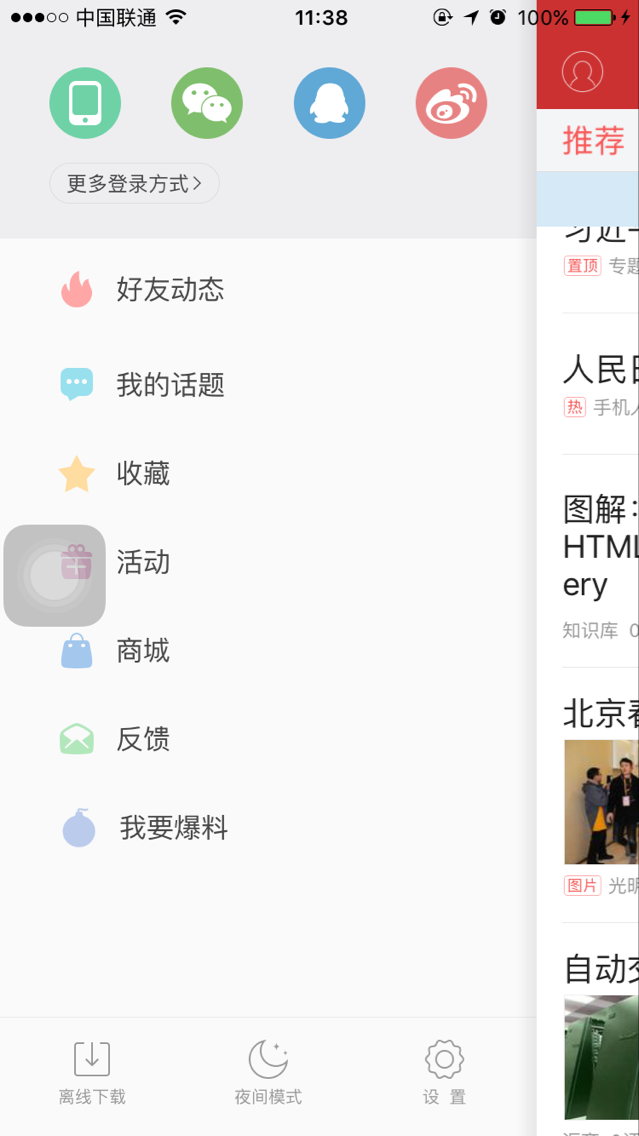
一、ViewController的层次
用上面的图来介绍,左侧的个人页面ViewController上面通过addChildViewController添加了一个以MainViewController为RootViewController的
UINavigationController,通过addSubview将UINavigationController的View添加到个人页面ViewController的View上。
二、仿今日头条滑动导航主要有3个问题:
1.UIPanGestureRecognizer与ScrollView的手势冲突
为了达到拖动滑动的效果,需要给MainViewController添加一个UIPanGestureRecognizer,由于底部是ScrollView和TableView组成的,所以会使UIPanGestureRecognizer与底部的冲突,和网易首页导航封装类优化类似需要在
- (BOOL)gestureRecognizer:(UIGestureRecognizer *)gestureRecognizer shouldRecognizeSimultaneouslyWithGestureRecognizer:(UIGestureRecognizer *)otherGestureRecognizer中根据gestureRecognizer返回YES来使ScrolView和UIPanGestureRecognizer都识别。
2.UIPanGestureRecognizer滑动结束的位置不正确
用UIPanGestureRecognizer滑动根据便宜量来改变UINavigationController的View的位置,在今日头条中滑动结束时UINavigationController的View要么在原位要么在右侧,不会停在中间,这个问题让我想起了之前做的果冻效果,手势有状态state,根据手势的状态来改变UINavigationController的View的位置,特别是在手势结束时。
3.由于1使ScrolView和UIPanGestureRecognizer都识别,导致返回时ScrolView也会滑动
让底部的ScrolView能滑动的时间应该是UINavigationController的View在初始位置frame的x为0,所以在它的frame的x>0时,底部的bottomScrollView的scrollEnabled=NO。
三、 主要实现代码(导航的代码就不贴了,只贴主要的)
1.声明一个拖动手势
@property(nonatomic,strong) UIPanGestureRecognizer *panGestureRecognizer;
2.为MainViewController添加手势
_panGestureRecognizer=[[UIPanGestureRecognizer alloc]initWithTarget:self action:@selector(panGesture:)];
_panGestureRecognizer.delegate=self;
[self.navigationController.view addGestureRecognizer:_panGestureRecognizer];
3.手势识别的方法
//平移
-(void)panGesture:(UIPanGestureRecognizer*)pan
{
//在View中的位置
// CGPoint point=[pan locationInView:self.navigationController.view];
//在View中的移动量 以手指按下的为原点
CGPoint point1=[pan translationInView:self.navigationController.view];
if (pan.state==UIGestureRecognizerStateChanged&&pan==_panGestureRecognizer) {
if (point1.x>0&&self.navigationController.view.frame.origin.x<self.navigationController.view.frame.size.width-100) {
float x= self.navigationController.view.frame.origin.x+point1.x>self.navigationController.view.frame.size.width-100?self.navigationController.view.frame.size.width-100:self.navigationController.view.frame.origin.x+point1.x;
self.navigationController.view.frame=CGRectMake(x, self.navigationController.view.frame.origin.y, self.navigationController.view.frame.size.width, self.navigationController.view.frame.size.height);
NSLog(@"%@",NSStringFromCGRect(self.navigationController.view.frame));
}
else if(point1.x<0)
{
NSLog(@"aaa %f",self.navigationController.view.frame.origin.x);
float x=self.navigationController.view.frame.origin.x+point1.x<0?0:self.navigationController.view.frame.origin.x+point1.x;
self.navigationController.view.frame=CGRectMake(x, self.navigationController.view.frame.origin.y, self.navigationController.view.frame.size.width, self.navigationController.view.frame.size.height);
}
}
else if(pan.state==UIGestureRecognizerStateEnded)
{
if (self.navigationController.view.frame.origin.x>self.navigationController.view.frame.size.width/3) {
[UIView animateWithDuration:0.2 animations:^{
self.navigationController.view.frame=CGRectMake(self.navigationController.view.frame.size.width-100, 0, self.navigationController.view.frame.size.width, self.navigationController.view.frame.size.height);
} completion:^(BOOL finished) {
self.bottomScrollView.scrollEnabled=YES;
}];
}
else
{
[UIView animateWithDuration:0.2 animations:^{
self.navigationController.view.frame=CGRectMake(0, 0, self.navigationController.view.frame.size.width, self.navigationController.view.frame.size.height);
} completion:^(BOOL finished) {
self.bottomScrollView.scrollEnabled=YES;
}];
}
}
//偏移量是增加的应该设为0
[pan setTranslation:CGPointZero inView:self.navigationController.view];
}
4.手势冲突解决
- (BOOL)gestureRecognizer:(UIGestureRecognizer *)gestureRecognizer shouldRecognizeSimultaneouslyWithGestureRecognizer:(UIGestureRecognizer *)otherGestureRecognizer
{
if (self.bottomScrollView.contentOffset.x<=0.0&&gestureRecognizer==_panGestureRecognizer) {
if (self.navigationController.view.frame.origin.x>0) {
self.bottomScrollView.scrollEnabled=NO;
}
else
{
self.bottomScrollView.scrollEnabled=YES;
}
return YES;
}
return NO;
}
四、效果图
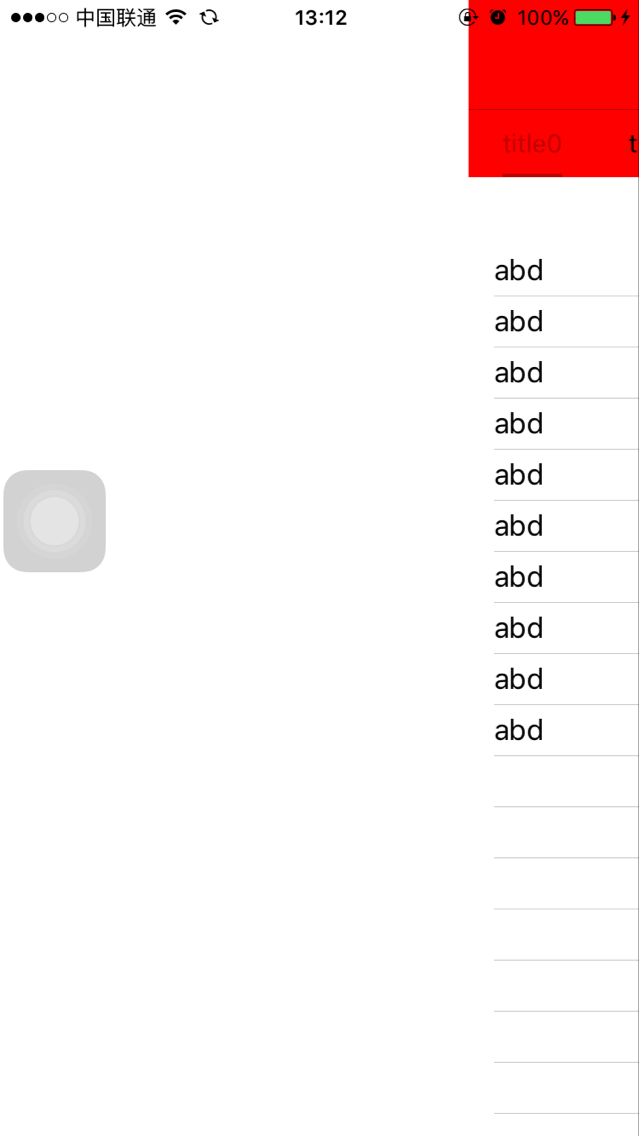
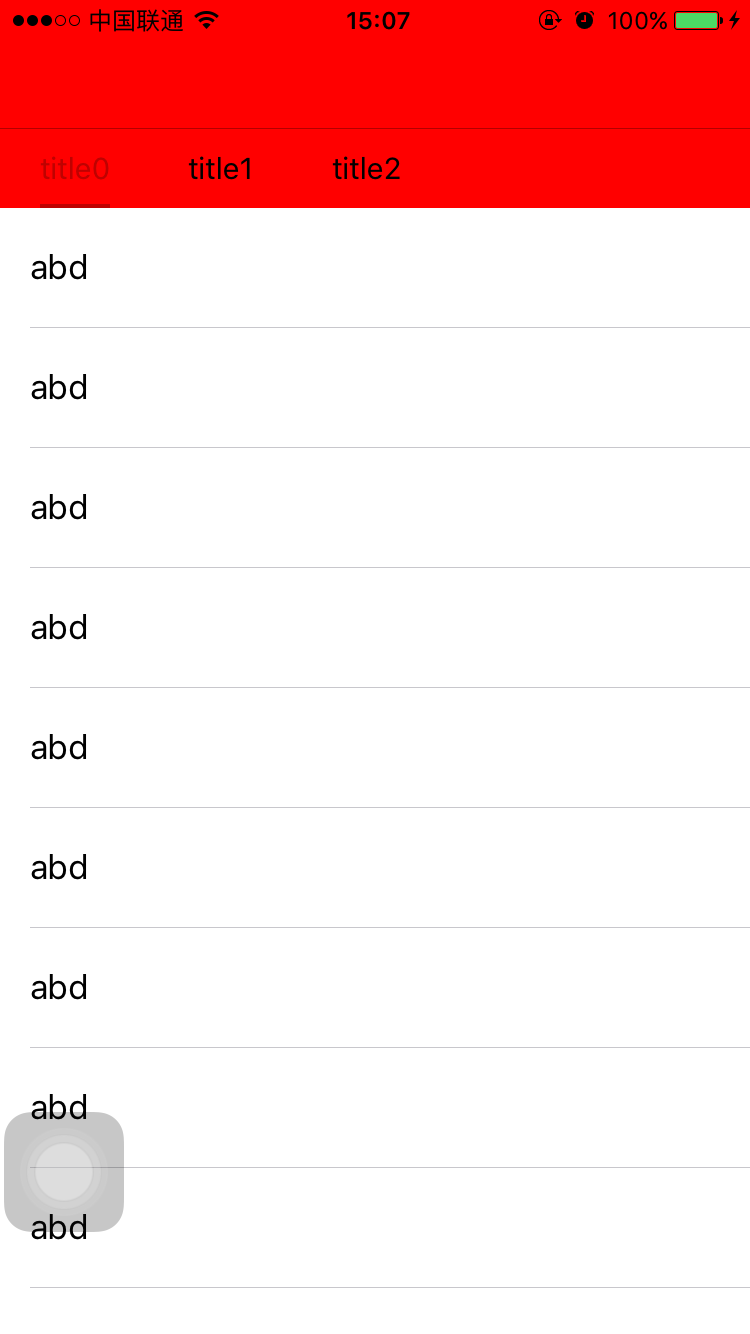
以上所述是小编给大家分享的IOS仿今日头条滑动导航栏,希望对大家有所帮助。
相关文章
 本篇文章主要介绍了IOS网络请求之AFNetWorking 3.x 使用详情,小编觉得挺不错的,现在分享给大家,也给大家做个参考。一起跟随小编过来看看吧2017-02-02
 导航栏作为iOS开发的一大空控件来说,是非常的重要这篇文章主要给大家介绍了关于iOS中导航栏的基本使用的相关资料,文中通过示例代码介绍的非常详细,需要的朋友可以参考借鉴,下面随着小编来一起学习学习吧2018-07-07
 本篇文章主要介绍了iOS之Https自签名证书认证及数据请求的封装原理,具有一定的参考价值,感兴趣的小伙伴们可以参考一下。2017-02-02
 这篇文章主要介绍了一些优化iOS程序性能的技巧,帮助大家更好的进行ios开发,感兴趣的朋友可以了解下2020-09-09
 这篇文章主要给大家介绍了关于iOS实现换肤功能的简单处理框架,文中通过示例代码介绍的非常详细,对大家的学习或者工作具有一定的参考学习价值,需要的朋友们下面来一起学习学习吧2019-02-02
 这篇文章主要介绍了iOS 数据结构之数组的操作方法,非常不错,具有一定的参考借鉴价值,需要的朋友参考下吧2018-07-07
 本篇文章主要介绍了iOS按钮暴力点击的便捷解决方案,具有一定的参考价值,感兴趣的小伙伴们可以参考一下。2016-12-12
 这篇文章主要为大家介绍了iOS文件预览分享小技能示例详解,有需要的朋友可以借鉴参考下,希望能够有所帮助,祝大家多多进步,早日升职加薪2022-08-08
iOS runtime forwardInvocation详解及整理
这篇文章主要介绍了 iOS runtime forwardInvocation详解及整理的相关资料,需要的朋友可以参考下2017-02-02 这篇文章主要为大家详细介绍了iOS实时录音和播放功能,具有一定的参考价值,感兴趣的小伙伴们可以参考一下2017-06-06
最新评论