

VUE中watch的详细使用教程(推荐!)
更新时间:2023年08月11日 11:31:51 作者:宠297
这篇文章主要给大家介绍了关于VUE中watch的详细使用教程,watch是vue实例的一个属性,主要用来监听数据的变化,并做出一些操作,需要的朋友可以参考下
1、watch是什么?
watch:是vue中常用的侦听器(监听器),用来监听数据的变化
2、watch的使用方式如下
watch: {
这里写你在data中定义的变量名或别处方法名: {
handler(数据改变后新的值, 数据改变之前旧的值) {
这里写你拿到变化值后的逻辑
}
}
}
3、watch监听简单案例(监听一个)
<template>
  <div>
    <div>
      <input type="text" v-model="something">
    </div>
  </div>
</template>
<script>
  export default {
    name: "AboutView",
    components: {},
    data() {
      return {
         something: ""
      }
    },
    watch: {
        //方法1
       "something"(newVal, oldVal) {
          console.log(`新值:${newVal}`);
          console.log(`旧值:${oldVal}`);
          console.log("hellow  world");
      }
        //方法2
        "something": {
            handler(newVal, oldVal) {
              console.log(`新的值: ${newVal}`);
              console.log(`旧的值: ${oldVal}`);
              console.log("hellow  world");
            }
          }
        }
      }
</script>
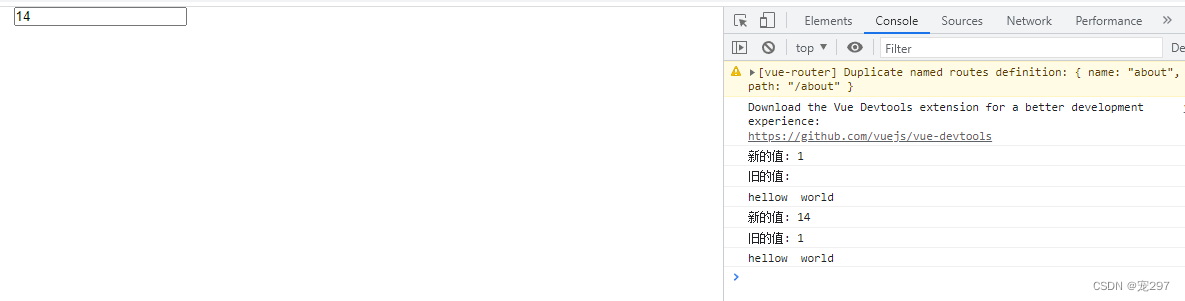
在输入框中输入1、4 效果图如下:
4、watch监听复杂单一案例(例:监听对象中的某一项)
<template>
  <div>
    <div>
      <input type="text" v-model="obj.something">
    </div>
  </div>
</template>
<script>
  export default {
    name: "AboutView",
    components: {},
    data() {
      return {
         obj: {
           something: ""
        }
      }
    },
    watch: {
        "obj.something": {
            handler(newVal, oldVal) {
              console.log(`新的值: ${newVal}`);
              console.log(`旧的值: ${oldVal}`);
              console.log("hellow  world");
            }
          }
        }
      }
</script>
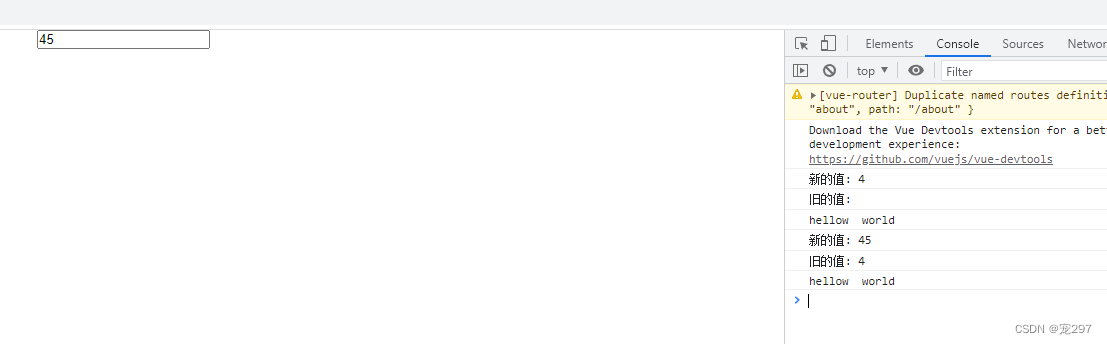
在输入框中输入4、5 效果图如下:
5、watch中immediate的用法和作用
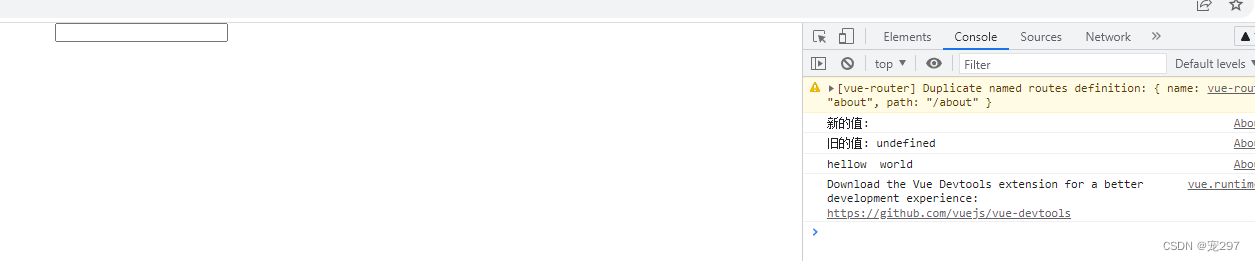
1、作用:immediate页面进来就会立即执行,值需要设为true
2、用法如下方代码所示:
<template>
  <div>
    <div>
      <input type="text" v-model="obj.something">
    </div>
  </div>
</template>
<script>
  export default {
    name: "AboutView",
    components: {},
    data() {
      return {
         obj: {
           something: ""
        }
      }
    },
    watch: {
        "obj.something": {
            handler(newVal, oldVal) {
              console.log(`新的值: ${newVal}`);
              console.log(`旧的值: ${oldVal}`);
              console.log("hellow  world");
            },
            immediate:true
          }
        }
      }
</script>
进来页面后立即加载,效果图如下:
6、watch中deep 深度监听的用法和作用
1、作用:deep 用来监听data中的对象,值需要设为true
2、用法如下方代码所示:
<template>
  <div>
    <div>
      <input type="text" v-model="obj.something">
    </div>
  </div>
</template>
<script>
  export default {
    name: "AboutView",
    components: {},
    data() {
      return {
         obj: {
           something: ""
        }
      }
    },
    watch: {
        "obj": {
            handler(newVal, oldVal) {
              console.log(`新的值: ${newVal}`);
              console.log(`旧的值: ${oldVal}`);
              console.log("hellow  world");
            },
            deep:true
          }
        }
      }
</script>
注意:
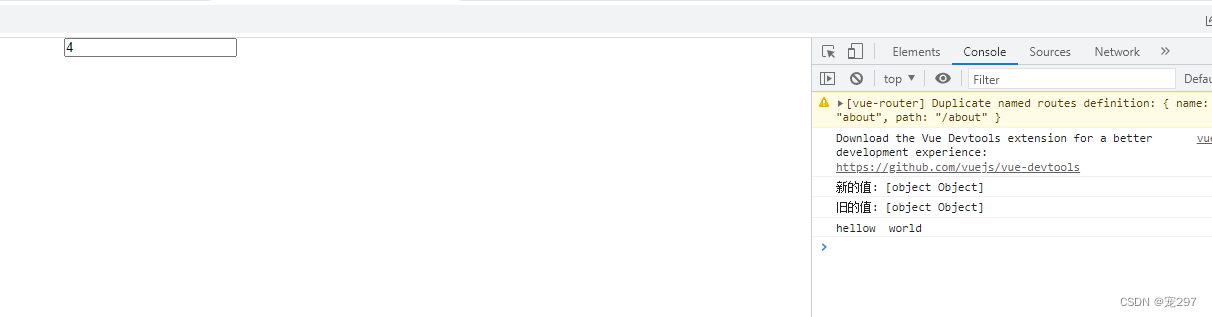
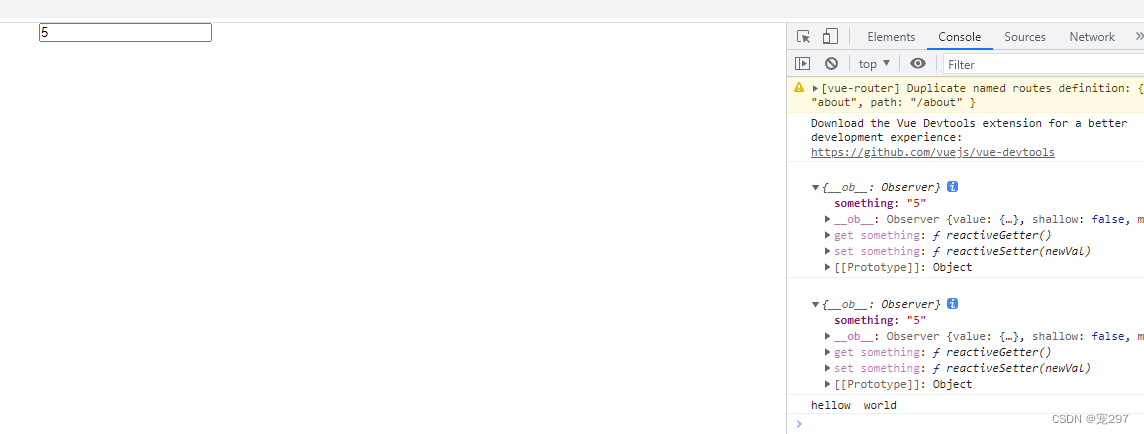
1、console.log(`新的值: ${newVal}`); 这种打印出来的是对象的类型,如下图:
2、console.log(newVal);这种打印出来的是对象本身,如下图:
总结
到此这篇关于VUE中watch的详细使用教程的文章就介绍到这了,更多相关VUE watch使用教程内容请搜索脚本之家以前的文章或继续浏览下面的相关文章希望大家以后多多支持脚本之家!
相关文章
 这篇文章主要介绍了vue如何根据不同的环境使用不同的接口地址问题,具有很好的参考价值,希望对大家有所帮助。如有错误或未考虑完全的地方,望不吝赐教2023-04-04
Vue+ElementUi实现点击表格中链接进行页面跳转与路由详解
在vue中进行前端网页开发时,通常列表数据用el-table展示,下面这篇文章主要给大家介绍了关于Vue+ElementUi实现点击表格中链接进行页面跳转与路由的相关资料,文中通过实例代码介绍的非常详细,需要的朋友可以参考下2023-02-02 这篇文章主要介绍了<el-button>点击后如何跳转指定url链接问题,具有很好的参考价值,希望对大家有所帮助。如有错误或未考虑完全的地方,望不吝赐教2023-04-04
 这篇文章主要为大家介绍了vue开发中后台系统复杂表单的优化技巧,有需要的朋友可以借鉴参考下,希望能够有所帮助,祝大家多多进步,早日升职加薪2022-07-07
 这篇文章主要给大家介绍了关于vue3使用base64加密的两种方法,我们在vue项目中有时会使用到Base6464转码,文中通过实例代码介绍的非常详细,需要的朋友可以参考下2023-07-07
vue3+vite中报错信息处理方法Error: Module “path“ has&nb
这篇文章主要介绍了vue3+vite中报错信息处理方法Error: Module “path“ has been externalized for browser compatibility...,本文给大家介绍的非常详细,对大家的学习或工作具有一定的参考借鉴价值,需要的朋友可以参考下2023-03-03 在前端开发中我们常常需要将页面页面为word文件,这篇文章主要给大家介绍了关于vue前端实现导出页面为word的两种方法,文中通过代码介绍的非常详细,需要的朋友可以参考下2024-04-04
 这篇文章主要为大家详细介绍了vue中使用svg封装全局消息提示组件,文中示例代码介绍的非常详细,具有一定的参考价值,感兴趣的小伙伴们可以参考一下2022-04-04
element plus el-form双列布局及拓展任意布局的实现
本文介绍了如何实现和拓展一个双列布局的人员信息表单,并通过封装el-form和Layout.vue组件,实现了更加灵活和可扩展的表单布局2026-02-02 这篇文章主要为大家详细介绍了vue Draggable实现拖动改变顺序,文中示例代码介绍的非常详细,具有一定的参考价值,感兴趣的小伙伴们可以参考一下2022-04-04
最新评论