

在vue3的项目中使用svg图标并且封装实践
更新时间:2026年03月26日 17:01:36 作者:Giraffe3
这篇文章主要介绍了在vue3的项目中使用svg图标并且封装实践,具有很好的参考价值,希望对大家有所帮助,如有错误或未考虑完全的地方,望不吝赐教
为什么要用svg?如何用?
SVG是一种可缩放矢量图形(英语:Scalable Vector Graphics,SVG)是基于可扩展标记语言(XML),用于描述二维矢量图形的图形格式。
SVG由W3C制定,是一个开放标准。针对一些大型项目组件库提供的svg并不够,我们还需要有极度高的自定义权限才能满足项目需要,这时候自己导入svg图标并且封装就很有必要
项目准备
首先需要引入插件
pnpm install vite-plugin-svg-icons -D
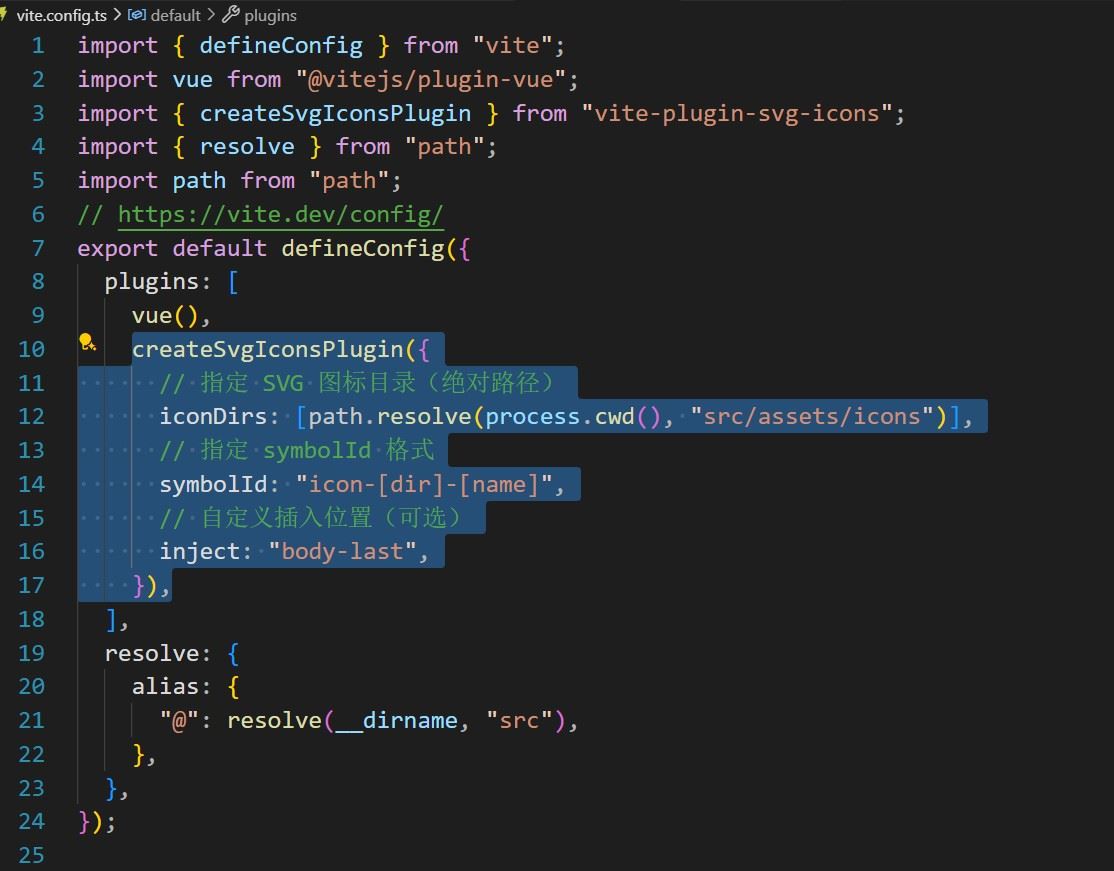
配置Vite.config.ts
//引入
import { createSvgIconsPlugin } from "vite-plugin-svg-icons";
//引入
import path from "path";


//导入
createSvgIconsPlugin({
      // 指定 SVG 图标目录(绝对路径)
      iconDirs: [path.resolve(process.cwd(), "src/assets/icons")],
      // 指定 symbolId 格式
      symbolId: "icon-[dir]-[name]",
      // 自定义插入位置(可选)
      inject: "body-last",
    }),
配置完整代码,注意一定要引入path模块
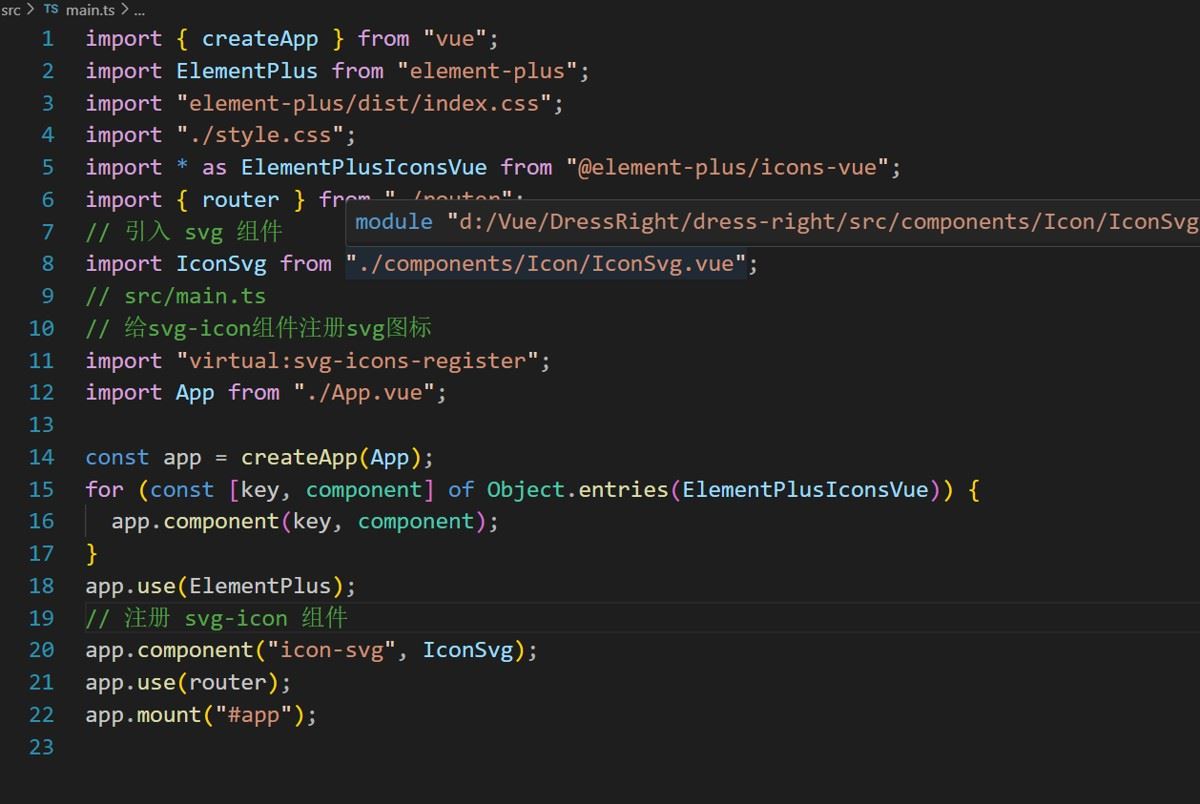
在main.ts入口文件引入
import "virtual:svg-icons-register";
完整代码(12行代码)
接着在src/components/icon文件夹下创建一个svgIcon.vue组件
代码
<script setup lang="ts">
defineProps({
  name: {
    type: String,
    required: true,
  },
  className: {
    type: String,
    default: "",
  },
});
</script>

<template>
  <svg :class="className" aria-hidden="true">
    <use :xlink:href="`#${name}`" rel="external nofollow"  />
  </svg>
</template>

<style scoped>
.svg-icon {
  width: 1em;
  height: 1em;
  fill: currentColor;
  vertical-align: middle;
  overflow: hidden;
}
</style>
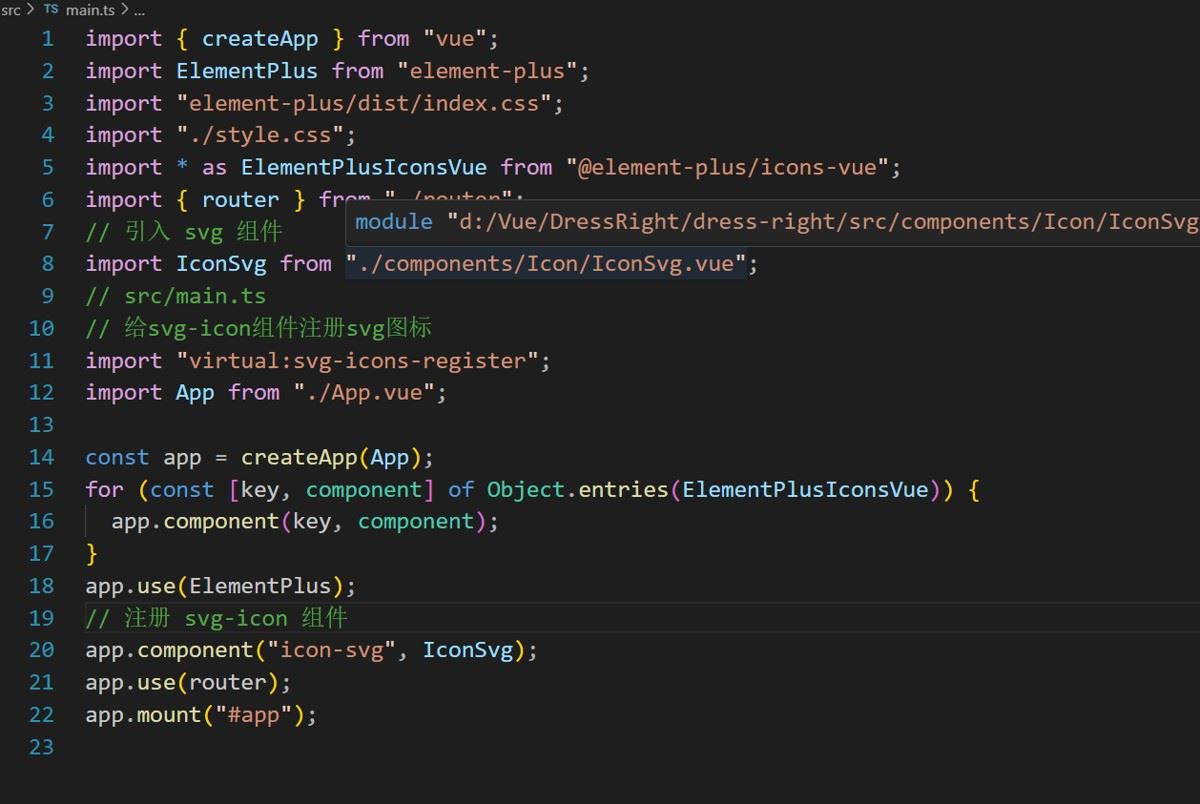
全局注册一下svg组件
//引入组件
import IconSvg from "./components/Icon/IconSvg.vue";
//全局使用组件
app.component("icon-svg", IconSvg);
代码(第八行和第20行)
用svg组件现在的svg组件已经全局注册好了直接用icon-svg包裹就行了
这些是我的svg图标和命名
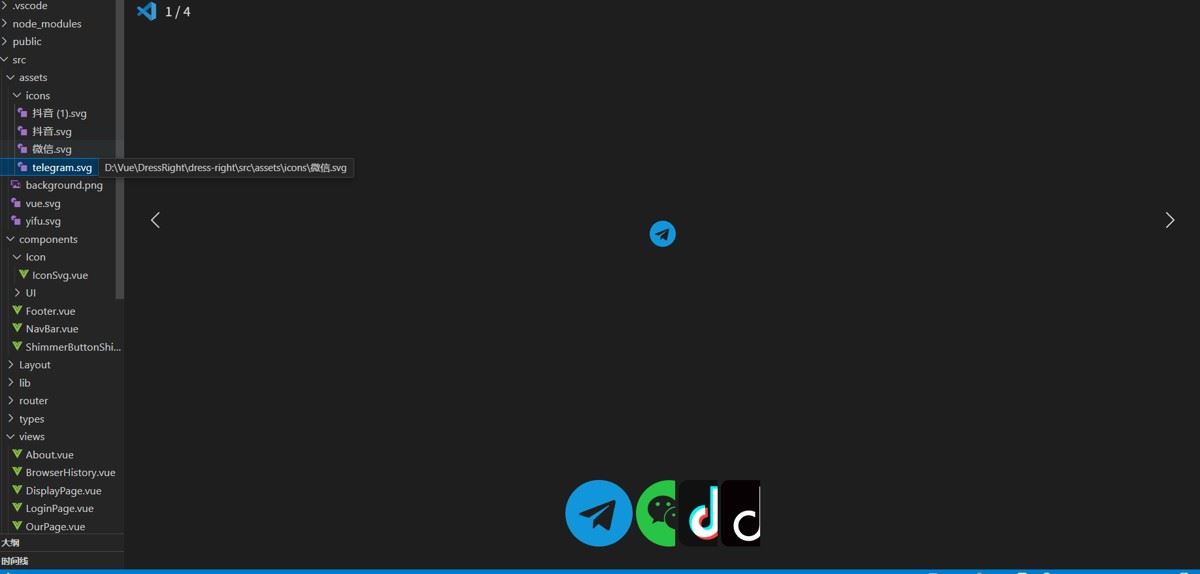
在组件用icon-svg 标签 传入name即可 name的形式一定是
 <!-- 一定要传入name name用来指定图标的 没有name就找不到图标
      而且自己导入的svg图标的名字最好小写,不要用中文,容易产生问题
       我这个当时忘记了,你给图标命名什么就写什么我的叫微信就是icon-微信
-->
<icon-svg name="icon-微信" class="icon" />
<template>
<div class="container">
<div class="footer-bar">
<div class="footer-bar-left">
<span>关于我们 </span>
<span>我们的服务</span>
<span>每日穿搭推荐</span>
<span>联系我们</span>
</div>
<div class="footer-bar-right">
<!-- -->
<icon-svg name="icon-微信" class="icon" />
<icon-svg name="icon-抖音" class="icon" />
<icon-svg name="icon-抖音 (1)" class="icon" />
<icon-svg name="icon-telegram" class="icon" />
</div>
</div>
<div class="footer-leagal">
© Dress Right 2023, 版权所有。每日穿搭建议,为您打造舒适与时尚的穿搭体验。
</div>
</div>
</template>
<script setup lang="ts"></script>
<style scoped lang="scss">
.container {
display: flex;
flex-direction: column;
justify-content: start;
width: 100%;
height: 300px;
padding: 30px 0;
background-color: #992c2c2c;
color: #333;
.footer-leagal {
padding-top: 100px;
display: flex;
justify-content: center;
align-items: center;
}
.footer-bar {
display: flex;
.footer-bar-left {
display: flex;
flex: 1;
justify-content: space-evenly;
}
.footer-bar-right {
display: flex;
justify-content: space-around;
flex: 1;
align-items: center;
svg {
&:hover {
transition: all 0.3s ease-in-out;
color: #992c2c;
transform: translateY(-5px);
cursor: pointer;
}
}
}
}
}
@media (min-width: 1280px) {
.container {
max-width: 1490px;
}
}
.icon {
width: 30px;
height: 30px;
fill: #000000;
}
</style>
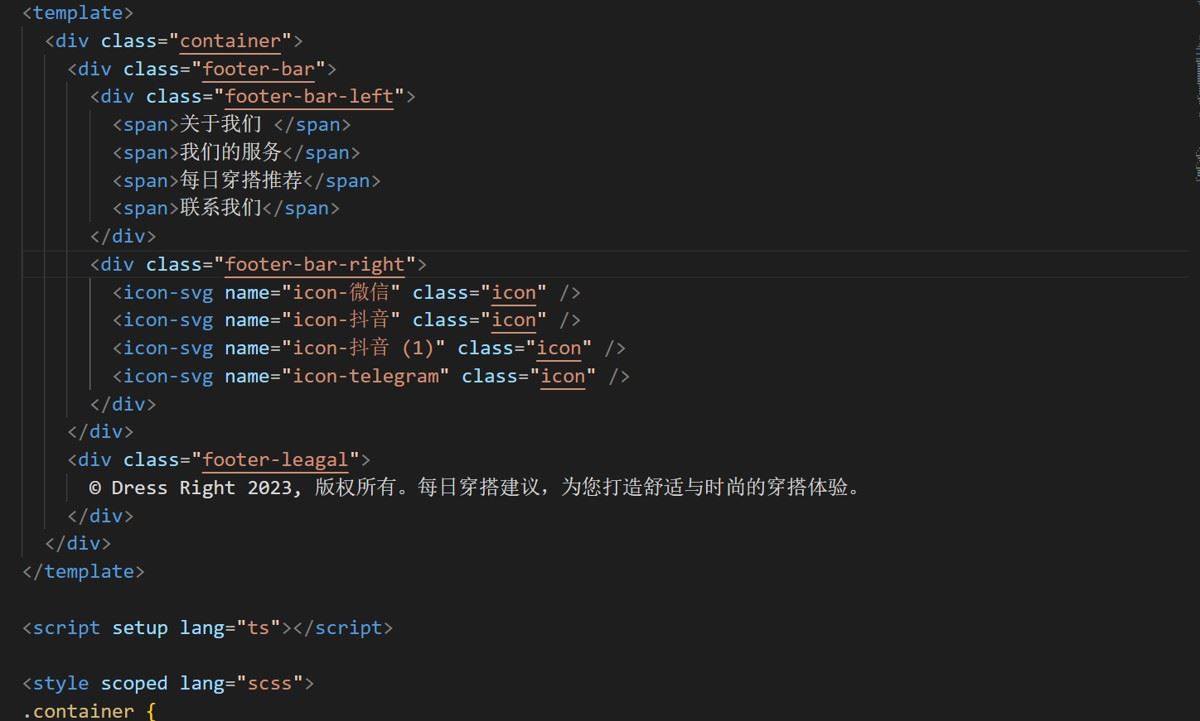
<template>
  <div class="container">
    <div class="footer-bar">
      <div class="footer-bar-left">
        <span>关于我们 </span>
        <span>我们的服务</span>
        <span>每日穿搭推荐</span>
        <span>联系我们</span>
      </div>
      <div class="footer-bar-right">
        <!--  -->
        <icon-svg name="icon-微信" class="icon" />
        <icon-svg name="icon-抖音" class="icon" />
        <icon-svg name="icon-抖音 (1)" class="icon" />
        <icon-svg name="icon-telegram" class="icon" />
      </div>
    </div>
    <div class="footer-leagal">
      © Dress Right 2023, 版权所有。每日穿搭建议,为您打造舒适与时尚的穿搭体验。
    </div>
  </div>
</template>

<script setup lang="ts"></script>

<style scoped lang="scss">
.container {
  display: flex;
  flex-direction: column;
  justify-content: start;
  width: 100%;
  height: 300px;
  padding: 30px 0;
  background-color: #992c2c2c;
  color: #333;
  .footer-leagal {
    padding-top: 100px;
    display: flex;
    justify-content: center;
    align-items: center;
  }
  .footer-bar {
    display: flex;
    .footer-bar-left {
      display: flex;
      flex: 1;
      justify-content: space-evenly;
    }
    .footer-bar-right {
      display: flex;
      justify-content: space-around;
      flex: 1;
      align-items: center;
      svg {
        &:hover {
          transition: all 0.3s ease-in-out;
          color: #992c2c;
          transform: translateY(-5px);
          cursor: pointer;
        }
      }
    }
  }
}
@media (min-width: 1280px) {
  .container {
    max-width: 1490px;
  }
}
.icon {
  width: 30px;
  height: 30px;
  fill: #000000;
}
</style>
我的footer组件代码,给组件加了一点点样式
效果图
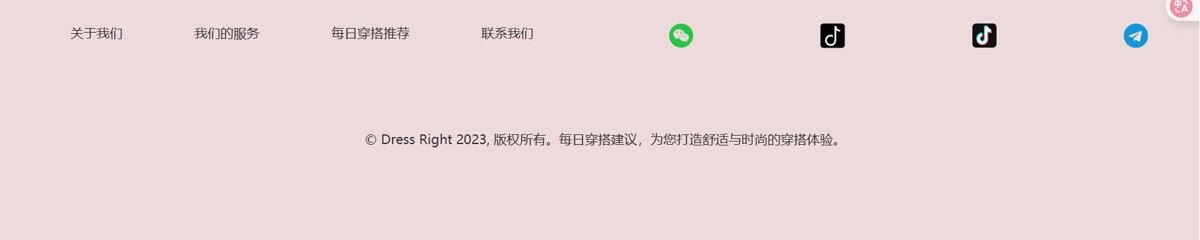
这样就能成导入svg图标了
我的svg代码
- 微信
<svg t="1745629342056" class="icon" viewBox="0 0 1024 1024" version="1.1" xmlns="http://www.w3.org/2000/svg" p-id="948" width="32" height="32"><path d="M337.387283 341.82659c-17.757225 0-35.514451 11.83815-35.514451 29.595375s17.757225 29.595376 35.514451 29.595376 29.595376-11.83815 29.595376-29.595376c0-18.49711-11.83815-29.595376-29.595376-29.595375zM577.849711 513.479769c-11.83815 0-22.936416 12.578035-22.936416 23.6763 0 12.578035 11.83815 23.676301 22.936416 23.676301 17.757225 0 29.595376-11.83815 29.595376-23.676301s-11.83815-23.676301-29.595376-23.6763zM501.641618 401.017341c17.757225 0 29.595376-12.578035 29.595376-29.595376 0-17.757225-11.83815-29.595376-29.595376-29.595375s-35.514451 11.83815-35.51445 29.595375 17.757225 29.595376 35.51445 29.595376zM706.589595 513.479769c-11.83815 0-22.936416 12.578035-22.936416 23.6763 0 12.578035 11.83815 23.676301 22.936416 23.676301 17.757225 0 29.595376-11.83815 29.595376-23.676301s-11.83815-23.676301-29.595376-23.6763z" fill="#28C445" p-id="949"></path><path d="M510.520231 2.959538C228.624277 2.959538 0 231.583815 0 513.479769s228.624277 510.520231 510.520231 510.520231 510.520231-228.624277 510.520231-510.520231-228.624277-510.520231-510.520231-510.520231zM413.595376 644.439306c-29.595376 0-53.271676-5.919075-81.387284-12.578034l-81.387283 41.433526 22.936416-71.768786c-58.450867-41.433526-93.965318-95.445087-93.965317-159.815029 0-113.202312 105.803468-201.988439 233.803468-201.98844 114.682081 0 216.046243 71.028902 236.023121 166.473989-7.398844-0.739884-14.797688-1.479769-22.196532-1.479769-110.982659 1.479769-198.289017 85.086705-198.289017 188.67052 0 17.017341 2.959538 33.294798 7.398844 49.572255-7.398844 0.739884-15.537572 1.479769-22.936416 1.479768z m346.265896 82.867052l17.757225 59.190752-63.630058-35.514451c-22.936416 5.919075-46.612717 11.83815-70.289017 11.83815-111.722543 0-199.768786-76.947977-199.768786-172.393063-0.739884-94.705202 87.306358-171.653179 198.289017-171.65318 105.803468 0 199.028902 77.687861 199.028902 172.393064 0 53.271676-34.774566 100.624277-81.387283 136.138728z" fill="#28C445" p-id="950"></path></svg>
- 抖音
<svg t="1745629395946" class="icon" viewBox="0 0 1029 1024" version="1.1" xmlns="http://www.w3.org/2000/svg" p-id="1092" width="32" height="32"><path d="M259.3792 385.3312m-170.5984 0a170.5984 170.5984 0 1 0 341.1968 0 170.5984 170.5984 0 1 0-341.1968 0Z" fill="#03F9AD" p-id="1093"></path><path d="M403.968 568.4224m-170.5984 0a170.5984 170.5984 0 1 0 341.1968 0 170.5984 170.5984 0 1 0-341.1968 0Z" fill="#F9F90B" p-id="1094"></path><path d="M631.3984 622.2848m-88.6784 0a88.6784 88.6784 0 1 0 177.3568 0 88.6784 88.6784 0 1 0-177.3568 0Z" fill="#0FF420" p-id="1095"></path><path d="M753.0496 565.248m-88.6784 0a88.6784 88.6784 0 1 0 177.3568 0 88.6784 88.6784 0 1 0-177.3568 0Z" fill="#DA0DF7" p-id="1096"></path><path d="M594.0224 369.3568m-223.0272 0a223.0272 223.0272 0 1 0 446.0544 0 223.0272 223.0272 0 1 0-446.0544 0Z" fill="#FF0000" p-id="1097"></path><path d="M901.12 1024h-778.24c-67.584 0-122.88-55.296-122.88-122.88V122.88c0-67.584 55.296-122.88 122.88-122.88h778.24c67.584 0 122.88 55.296 122.88 122.88v778.24c0 67.584-55.296 122.88-122.88 122.88z" fill="#070103" p-id="1098"></path><path d="M829.44 268.0832c-89.7024-0.1024-162.304-72.8064-162.304-162.4064 0-1.024 0.1024-2.048 0.1024-3.072h-72.4992v-19.456c-0.7168 7.3728-1.1264 14.9504-1.1264 22.528s0.4096 15.0528 1.1264 22.528v576.7168h-1.7408c0 89.7024-72.704 162.4064-162.4064 162.4064s-162.4064-72.704-162.4064-162.4064 72.704-162.4064 162.4064-162.4064c36.7616 0 70.5536 12.1856 97.792 32.768v-85.0944a234.496 234.496 0 0 0-97.792-21.1968c-130.3552 0-235.9296 105.6768-235.9296 235.9296 0 130.3552 105.6768 235.9296 235.9296 235.9296s235.9296-105.6768 235.9296-235.9296c0-0.7168 0-1.4336-0.1024-2.1504h0.1024V276.1728a235.4176 235.4176 0 0 0 162.9184 65.536v-73.6256z" fill="#FFFFFF" p-id="1099"></path></svg>
- 抖音1
<svg t="1745629416752" class="icon" viewBox="0 0 1024 1024" version="1.1" xmlns="http://www.w3.org/2000/svg" p-id="1245" width="32" height="32"><path d="M0 0m184.32 0l655.36 0q184.32 0 184.32 184.32l0 655.36q0 184.32-184.32 184.32l-655.36 0q-184.32 0-184.32-184.32l0-655.36q0-184.32 184.32-184.32Z" fill="#111111" p-id="1246"></path><path d="M204.27776 670.59712a246.25152 246.25152 0 0 1 245.97504-245.97504v147.57888a98.49856 98.49856 0 0 0-98.38592 98.38592c0 48.34304 26.14272 100.352 83.54816 100.352 3.81952 0 93.55264-0.88064 93.55264-77.19936V134.35904h157.26592a133.31456 133.31456 0 0 0 133.12 132.99712l-0.13312 147.31264a273.152 273.152 0 0 1-142.62272-38.912l-0.06144 317.98272c0 146.00192-124.24192 224.77824-241.14176 224.77824-131.74784 0.03072-231.1168-106.56768-231.1168-247.92064z" fill="#FF4040" p-id="1247"></path><path d="M164.92544 631.23456a246.25152 246.25152 0 0 1 245.97504-245.97504v147.57888a98.49856 98.49856 0 0 0-98.38592 98.38592c0 48.34304 26.14272 100.352 83.54816 100.352 3.81952 0 93.55264-0.88064 93.55264-77.19936V94.99648h157.26592a133.31456 133.31456 0 0 0 133.12 132.99712l-0.13312 147.31264a273.152 273.152 0 0 1-142.62272-38.912l-0.06144 317.98272c0 146.00192-124.24192 224.77824-241.14176 224.77824-131.74784 0.03072-231.1168-106.56768-231.1168-247.92064z" fill="#00F5FF" p-id="1248"></path><path d="M410.91072 427.58144c-158.8224 20.15232-284.44672 222.72-154.112 405.00224 120.40192 98.47808 373.68832 41.20576 380.70272-171.85792l-0.17408-324.1472a280.7296 280.7296 0 0 0 142.88896 38.62528V261.2224a144.98816 144.98816 0 0 1-72.8064-54.82496 135.23968 135.23968 0 0 1-54.70208-72.45824h-123.66848l-0.08192 561.41824c-0.11264 78.46912-130.9696 106.41408-164.18816 30.2592-83.18976-39.77216-64.37888-190.9248 46.31552-192.57344z" fill="#FFFFFF" p-id="1249"></path></svg>
- telegram
<svg t="1745629433453" class="icon" viewBox="0 0 1024 1024" version="1.1" xmlns="http://www.w3.org/2000/svg" p-id="1395" width="32" height="32"><path d="M679.424 746.862l84.005-395.996c7.424-34.852-12.581-48.567-35.438-40.009L234.277 501.138c-33.72 13.13-33.134 32-5.706 40.558l126.282 39.424 293.156-184.576c13.714-9.143 26.295-3.986 16.018 5.157L426.898 615.973l-9.143 130.304c13.13 0 18.871-5.706 25.71-12.581l61.696-59.429 128 94.282c23.442 13.129 40.01 6.29 46.3-21.724zM1024 512c0 282.843-229.157 512-512 512S0 794.843 0 512 229.157 0 512 0s512 229.157 512 512z" fill="#1296DB" p-id="1396"></path></svg>
总结
以上为个人经验,希望能给大家一个参考,也希望大家多多支持脚本之家。
相关文章

vue.js项目 el-input 组件 监听回车键实现搜索功能示例
今天小编就为大家分享一篇vue.js项目 el-input 组件 监听回车键实现搜索功能示例,具有很好的参考价值,希望对大家有所帮助。一起跟随小编过来看看吧2018-08-08 这篇文章主要为大家介绍了非常全面vue的组件通讯方法总结,有需要的朋友可以借鉴参考下,希望能够有所帮助,祝大家多多进步,早日升职加薪2022-07-07
Nuxt pages下不同的页面对应layout下的页面布局操作
这篇文章主要介绍了Nuxt pages下不同的页面对应layout下的页面布局操作,具有很好的参考价值,希望对大家有所帮助。一起跟随小编过来看看吧2020-11-11 今天小编就为大家分享一篇在vue项目中,将juery设置为全局变量的方法,具有很好的参考价值,希望对大家有所帮助。一起跟随小编过来看看吧2018-09-09
vue3 el-upload单张图片回显、编辑、删除功能实现
这篇文章主要介绍了vue3 el-upload单张图片回显、编辑、删除功能实现,图片回显时隐藏上传区域,鼠标悬浮显示遮罩层进行编辑、删除操作,删除图片后显示上传区域,本文通过实例代码分享实现方法,感兴趣的朋友一起看看吧2023-12-12 Vue3的Composition API是一个全新的API,它允许开发人员将Vue组件中的逻辑封装在单独的功能性组合中,而不是依赖于Vue选项对象。这篇文章将深入探讨Vue3的Composition API及其使用方法,需要的朋友可以参考下2023-07-07
 这篇文章主要为大家详细介绍了vue实现简单图片上传功能,文中示例代码介绍的非常详细,具有一定的参考价值,感兴趣的小伙伴们可以参考一下2020-06-06
 Vue提供了一个h()函数用于创建vnodes,本文就来介绍一下vue用h()函数创建Vnodes的实现,具有一定的参考价值,感兴趣的可以了解一下2024-01-01
 Vue中除了内置指令,也允许注册自定义的指令,下面这篇文章主要给大家介绍了关于Vue3.0写自定义指令的相关资料,需要的朋友可以参考下2021-06-06
 最近在学习vue,感觉路由守卫这个地方知识点挺多的,而且很重要,下面这篇文章主要给大家介绍了关于vue3中7种路由守卫的使用大全,文中通过实例代码介绍的非常详细,需要的朋友可以参考下2023-03-03
最新评论