

思科Sisco GNS3配置RIP与OSPF路由重发布
 我要评论
我要评论路由重分发是在大型的企业中,可能在同一网内使用到多种路由协议,为了实现多种路由协议的协同工作,路由器可以使用路由重分发(route redistribution)将其学习到的一种路由协议的路由通过另一种路由协议广播出去,这样网络的所有部分都可以连通了。 为了实现重分发,路由器必须同时运行多种路由协议,这样,每种路由协议才可以取路由表中的所有或部分其他协议的路由来进行广播。那么思科Sisco路由器如何配置RIP与OSPF路由重发布?下面是具体步骤。
配置RIP与OSPF路由重发布的步骤:
1::给R1 0/1 R2 0/1 0/0 look 0 R3 0/0 配置OSPF 放入aren1
2:给R3 0/0 look 0 R4 0/1 配置OSPF 放入aren0
3: 给R4 0/0 look 0 R5 0/0 look 0 放入 aren 2
4:给R1 0/0 look 0 R6 0/0 look 0 放入version 3
5:给R6 R1 配rip
6:给R1 R2 R3 R4 R5 配OSPF
7:实现互通
conf t
int f0/1
ip add 11.0.0.1 255.255.255.0
no sh
int f0/0
ip add 16.0.0.1 255.255.255.0
no sh
exit
int l0
ip add 1.1.1.1 255.255.255.255
no sh
exit
router ospf 1
router-id 1.1.1.1
network 11.0.0.0 0.0.0.255 area 1 放入area1network 1.1.1.0 0.0.0.0 area 1end
write
R2
conf t
int f0/1
ip add 11.0.0.2 255.255.255.0
no sh
int f0/0
ip add 12.0.0.1 255.255.255.0
no sh
exit
int l0
ip add 2.2.2.2 255.255.255.255
no sh
exit
router ospf 1
router-id 2.2.2.2
network 0.0.0.0 255.255.255.255 area 1
end
write
R3
conf t
int f0/0
ip add 12.0.0.2 255.255.255.0
no sh
int f0/1
ip add 13.0.0.1 255.255.255.0
no sh
exit
int L0
ip add 3.3.3.3 255.255.255.255
no sh
exit
router ospf 1
router-id 3.3.3.3
network 12.0.0.0 0.0.0.255 area 1
network 13.0.0.0 0.0.0.255 area 0
network 3.3.3.3 0.0.0.0 area 0
end
write
R4
conf t
int f0/1
ip add 13.0.0.2 255.255.255.0
no sh
int f0/0
ip add 14.0.0.1 255.255.255.0
no sh
exit
int l0
ip add 4.4.4.4 255.255.255.255
no sh
exit
router ospf 1
router-id 4.4.4.4
network 13.0.0.0 0.0.0.255 area 0
network 14.0.0.0 0.0.0.255 area 2
network 4.4.4.4 0.0.0.0 area 2
end
write
R5
conf t
int f0/0
ip add 14.0.0.2 255.255.255.0
no sh
exit
int l0
ip add 5.5.5.5 255.255.255.255
no sh
exit
router ospf 1
router-id 5.5.5.5
network 0.0.0.0 255.255.255.255 area 2
end
write
R1
conf t
int f0/0
ip add 16.0.0.1 255.255.255.0
no sh
exit
router rip
version 2 进V2版本
no auto-summary
network 1.1.1.0
network 16.0.0.0
end
write
R6
conf t
int f0/0
ip add 16.0.0.2 255.255.255.0
no sh
int l0
ip add 6.6.6.6 255.255.255.255
no sh
exit
router rip
version 2
no auto-summary
network 6.6.6.0
network 16.0.0.0
end
write
show ip ospf database router
R1
router ospf 1
redistribute rip subnets metric 25 metric-type 1exitrouter ripredistribute ospf 1 metric 2
做优化
R5(config)#router ospf 1
R5(config-router)#area 2 stub no-summary
把3类 4类 5类 都去了以上就是思科 GNS3 配置 rip OSPF 路由重发布,在此感谢本文的原创分享“网络技术” 博客,请务必保留此出处http://funinghua.blog.51cto.com/9125449/1548456,谢谢阅读,希望能帮到大家,请继续关注脚本之家,我们会努力分享更多优秀的文章。
相关文章

网络延迟几分钟就断? 路由器刚接核心交换机正常几分钟后无法上网解决办
最近一位小伙伴被信息化项目里的网络怪象逼到破防:核心交换机上联路由器后,前几分钟一切正常,随后延迟飙升,最后直接断网,下面我们就来看看原因分析和解决办法2026-04-13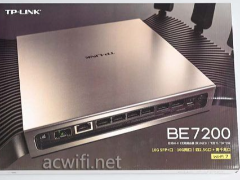
双万兆+四个2.5G口BE7200无线路由器! 普联TPLINK 7DR7299拆机测评
今天我们要拆机的TP-LINK“7DR7299”BE7200双万兆路由器标价999元,没走“八爪鱼”电竞风,而是给了一枚黑银配色的小方盒,放在玄关、电视柜都不突兀2026-04-10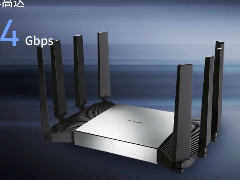 普联BE7200万兆路由器,搭载双万兆接口与WiFi7技术,高性能硬件配置提升大户型家庭网络覆盖稳定性,详细配置请看下文介绍2026-03-16
 这五个开关是现代Wi-Fi 6和Wi-Fi 7路由器中关键的性能增强功能,它们分别从信号定向、频谱效率、多设备并发、抗干扰和省电调度等维度提升网络体验2026-02-25
679元万兆光口+满血2.5G全家桶! 简析中兴BE7200 MAX路由器是否值得购买
当千兆宽带尚未普及,中兴已经将万兆路由器价格拉至679元,这不是一场简单的价格战,而是对未来的大胆预判与市场规则的重新定义2026-02-06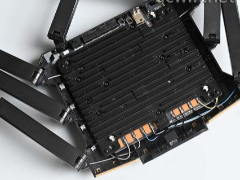
中兴问天BE7200Pro+路由器新旧两个版本有什么区别? 两版拆机对比
中兴问天BE7200Pro+路由器新版本和旧版本呢差别在换了FEM芯片,很多朋友想知道有多大差别,详细请看下文介绍2026-02-05
满血堆料Wifi7路由器! 中兴问天BE7200MAX拆机评测
问天BE7200 MAX的一大特点就是国产自主,主控芯片查了下好像是中兴自研 ZX279133(8核64线程 NPU),搭配1GB内存和256MB闪存,下面我们就来看看拆机测评2026-02-05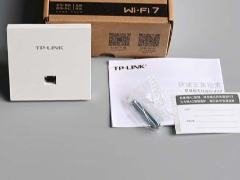
TP-LINK TL-7AP3622HI无线AP值得购买吗? TL-7AP3622HI拆机
TL-7AP3622HI是一款BE3600双频Wi-Fi 7无线面板式AP,全新双2.5G BE3600面板AP,前后网口均支持2.5G,下面我们就来看看拆解测评2026-02-05 与运行时机箱发热的原理相似,路由器作为一台“小型专用电脑”,在其工作过程中必然会产生一定的热量,然而,是否正常发热并不仅仅取决于发热本身,更关键的是要关注发热的2026-01-14
 诺基亚贝尔XG-040G-MD光猫均具备一个2.5G网口,同时配备USB3.0和USB2.0接口,但遗憾的是,它并不具备电话口和WIFI功能,下面我们就来看看详细侧测评2025-12-15
最新评论