

Photoshop结合Illustrator设计线上狂欢立体字banner教程
站酷 发布时间:2018-01-08 13:57:40 作者:玩皮兔设计  我要评论
我要评论
我要评论本教程教脚本之家的文字特效学习者使用Photoshop结合Illustrator设计线上狂欢立体字banner,教程打造的banner在电商活动中经常用到,非常喜庆、大气,感兴趣的朋友欢迎前来一起分享学习


最终效果:

教程结束,以上就是关于Photoshop结合Illustrator设计线上狂欢立体字banner教程的全部,文章来源于站酷,感谢作者玩皮兔设计给我们带来经精彩的文章!
相关文章
ps怎么制作文字平铺效果图 photoshop制作满屏字幕的技巧
ps怎么制作文字平铺效果图?ps输入的文字,想要平铺制作满屏字幕的效果,该怎么操作呢?下面我们就来看看photoshop制作满屏字幕的技巧2023-08-24 ps怎么做残破字?ps中想要给好好的文字做残破效果,该怎么制作呢?下面我们就来看看ps字体做残缺效果的制作方法2023-08-19
ps怎么设计彩色的色块字体? ps色彩斑斓文字效果的制作方法
ps怎么设计彩色的色块字体?想要设计一款色块组成的文字,该怎么设计呢?下面我们就来看看ps色彩斑斓文字效果的制作方法2023-08-19 ps文字图层怎么设置滤镜?ps输入的文字需要一些效果,该怎么给文字图层添加滤镜效果呢?下面我们就来看看ps给文字添加滤镜效果的技巧2023-07-03
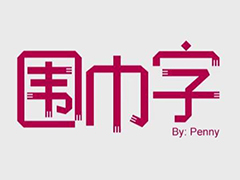 ps设计制作围巾字体怎么弄?ps中想要设计一款艺术字体,该怎么设计呢?下面我们就来看看看ps围巾艺术字制作方法2023-05-12
ps怎么设计扭曲3D文字效果? photoshop三维立体错乱字体制作技巧
ps怎么设计扭曲3D文字效果?字体无论是平面还是视频都很常用,想要设计一款三维立体错乱字体,该怎么设计呢?下面我们就来看看photoshop三维立体错乱字体制作技巧2023-04-03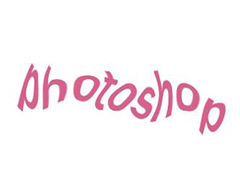
ps围绕中心旋转扭曲的字体怎么做? ps设计中心扭曲文字字体的技巧
ps围绕中心旋转扭曲的字体怎么做?ps中想要设计一款扭曲的文字,该怎么设计呢?下面我们就来看看ps设计中心扭曲文字字体的技巧2023-04-03
ps怎么设计绿色骑行的字体? Photoshop自行车骑行文字海报设计技巧
ps怎么设计绿色骑行的字体?ps中想要设计一款自行车骑行的效果,该怎么设计这款字体呢?下面我们就来看看Photoshop自行车骑行文字海报设计技巧2023-03-24
ps怎么做删除原价格的效果? PhotoShop添加文字删除线的技巧
ps怎么做删除原价格的效果?一般商场都能看到原价格和优惠价,原价格都会添加删除线个,该怎么添加呢?下面我们就来看看PhotoShop添加文字删除线的技巧2023-02-21
ps怎么设计七夕长投影立体字海报? PS给文字制作长投影图文教程
ps怎么设计七夕长投影立体字海报?想要做一个七夕的字体海报,最好是立体的,今天我们就来看看PS给文字制作长投影图文教程2023-02-14
最新评论