

C#的winform如何嵌套另一个exe程序
更新时间:2023年06月16日 10:59:42 作者:故里2130
这篇文章主要介绍了C#的winform如何嵌套另一个exe程序问题,具有很好的参考价值,希望对大家有所帮助。如有错误或未考虑完全的地方,望不吝赐教
C#winform嵌套另一个exe程序
一共有二种方法,也不知道作者从哪里复制来的,先感谢原作者。
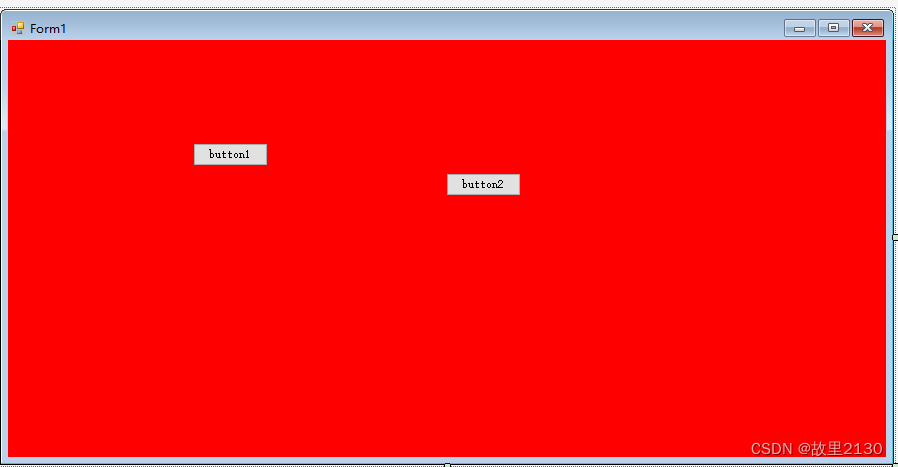
首先建立一个程序,加2个按钮,为了区分,界面修改成红色。
第一种
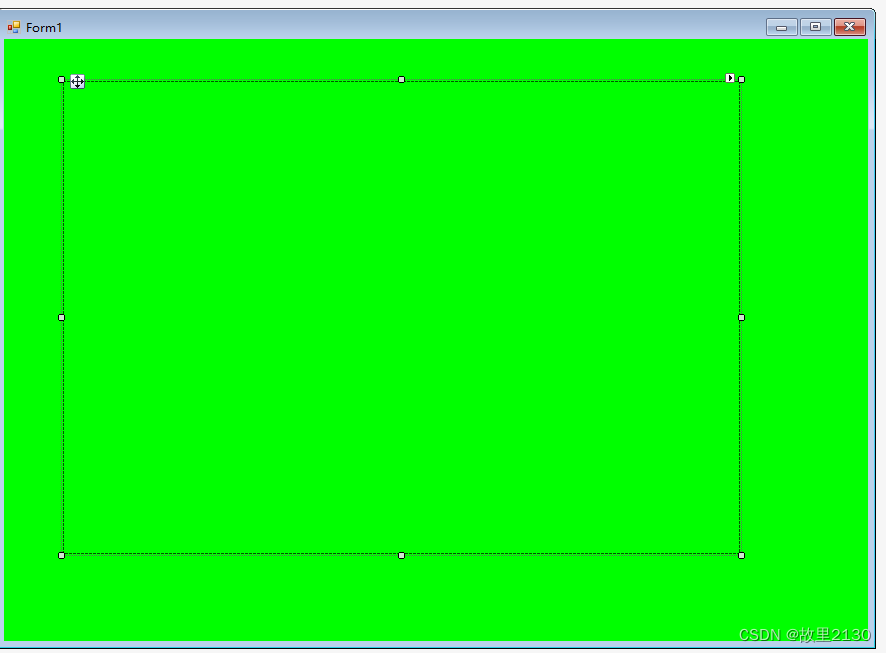
1.建立一个主程序,加一个panel1,为了区分背景是绿色
2.代码调用

3.所有代码
using System;
using System.Collections.Generic;
using System.ComponentModel;
using System.Data;
using System.Diagnostics;
using System.Drawing;
using System.Linq;
using System.Runtime.InteropServices;
using System.Text;
using System.Threading.Tasks;
using System.Windows.Forms;
namespace WindowsFormsApp1
{
    public partial class Form1 : Form
    {
        public Form1()
        {
            InitializeComponent();
        }
        /// <summary>
        /// 嵌入外部exe
        /// </summary>
        public class EmbeddedExeTool
        {
            [DllImport("User32.dll", EntryPoint = "SetParent")]
            private static extern IntPtr SetParent(IntPtr hWndChild, IntPtr hWndNewParent);
            [DllImport("user32.dll", EntryPoint = "ShowWindow")]
            private static extern int ShowWindow(IntPtr hwnd, int nCmdShow);
            [DllImport("user32.dll", SetLastError = true)]
            private static extern bool MoveWindow(IntPtr hwnd, int x, int y, int cx, int cy, bool repaint);
            [DllImport("user32.dll")]
            private static extern int GetWindowLong(IntPtr hWnd, int nIndex);
            [DllImport("user32.dll")]
            private static extern int SetWindowLong(IntPtr hWnd, int nIndex, int dwNewLong);
            [DllImport("user32.dll", SetLastError = true)]
            private static extern IntPtr FindWindow(string lpClassName, string lpWindowName);
            IntPtr WindowHandle = IntPtr.Zero;
            private const int WS_THICKFRAME = 262144;
            private const int WS_BORDER = 8388608;
            private const int GWL_STYLE = -16;
            private const int WS_CAPTION = 0xC00000;
            private Process proApp = null;
            private Control ContainerControl = null;
            private const int WS_VISIBLE = 0x10000000;
            [DllImport("user32.dll", EntryPoint = "SetWindowLong", CharSet = CharSet.Auto)]
            private static extern IntPtr SetWindowLongPtr32(HandleRef hWnd, int nIndex, int dwNewLong);
            [DllImport("user32.dll", EntryPoint = "SetWindowLongPtr", CharSet = CharSet.Auto)]
            private static extern IntPtr SetWindowLongPtr64(HandleRef hWnd, int nIndex, int dwNewLong);
            private IntPtr SetWindowLong(HandleRef hWnd, int nIndex, int dwNewLong)
            {
                if (IntPtr.Size == 4)
                {
                    return SetWindowLongPtr32(hWnd, nIndex, dwNewLong);
                }
                return SetWindowLongPtr64(hWnd, nIndex, dwNewLong);
            }
            /// <summary>
            /// 加载外部exe程序到程序容器中
            /// </summary>
            /// <param name="control">要显示exe的容器控件</param>
            /// <param name="exepath">exe的完整绝对路径</param>
            public void LoadEXE(Control control, string exepath)
            {
                ContainerControl = control;
                control.SizeChanged += Control_SizeChanged;
                ProcessStartInfo info = new ProcessStartInfo(exepath);
                info.WindowStyle = ProcessWindowStyle.Minimized;
                info.UseShellExecute = false;
                info.CreateNoWindow = false;
                proApp = Process.Start(info);
                Application.Idle += Application_Idle;
                EmbedProcess(proApp, control);
            }
            /// <summary>
            /// 加载外部exe程序到程序容器中
            /// </summary>
            /// <param name="form">要显示exe的窗体</param>
            /// <param name="exepath">exe的完整绝对路径</param>
            public void LoadEXE(Form form, string exepath)
            {
                ContainerControl = form;
                form.SizeChanged += Control_SizeChanged;
                proApp = new Process();
                proApp.StartInfo.UseShellExecute = false;
                proApp.StartInfo.CreateNoWindow = false;
                proApp.StartInfo.WindowStyle = ProcessWindowStyle.Minimized;
                proApp.StartInfo.FileName = exepath;
                proApp.StartInfo.Arguments = Process.GetCurrentProcess().Id.ToString();
                proApp.Start();
                Application.Idle += Application_Idle;
                EmbedProcess(proApp, form);
            }
            /// <summary>
            /// 确保应用程序嵌入此容器
            /// </summary>
            /// <param name="sender"></param>
            /// <param name="e"></param>
            private void Application_Idle(object sender, EventArgs e)
            {
                if (this.proApp == null || this.proApp.HasExited)
                {
                    this.proApp = null;
                    Application.Idle -= Application_Idle;
                    return;
                }
                if (proApp.MainWindowHandle == IntPtr.Zero) return;
                Application.Idle -= Application_Idle;
                EmbedProcess(proApp, ContainerControl);
            }
            /// <summary>
            /// 将指定的程序嵌入指定的控件
            /// </summary>
            private void EmbedProcess(Process app, Control control)
            {
                // Get the main handle
                if (app == null || app.MainWindowHandle == IntPtr.Zero || control == null) return;
                try
                {
                    // Put it into this form
                    SetParent(app.MainWindowHandle, control.Handle);
                    // Remove border and whatnot
                    SetWindowLong(new HandleRef(this, app.MainWindowHandle), GWL_STYLE, WS_VISIBLE);
                    ShowWindow(app.MainWindowHandle, (int)ProcessWindowStyle.Maximized);
                    MoveWindow(app.MainWindowHandle, 0, 0, control.Width, control.Height, true);
                }
                catch (Exception ex3)
                {
                    Console.WriteLine(ex3.Message);
                }
            }
            /// <summary>
            /// 嵌入容器大小改变事件
            /// </summary>
            private void Control_SizeChanged(object sender, EventArgs e)
            {
                if (proApp == null)
                {
                    return;
                }
                if (proApp.MainWindowHandle != IntPtr.Zero && ContainerControl != null)
                {
                    MoveWindow(proApp.MainWindowHandle, 0, 0, ContainerControl.Width, ContainerControl.Height, true);
                }
            }
        }
        private void Form1_Load(object sender, EventArgs e)
        {
            EmbeddedExeTool exetool = new EmbeddedExeTool();
            //WindowsFormsApp4.exe 为要嵌入外部exe的具体路径
            exetool.LoadEXE(panel1, AppDomain.CurrentDomain.BaseDirectory+ "WindowsFormsApp4.exe");//debug下面的文件夹
        }
    }
}
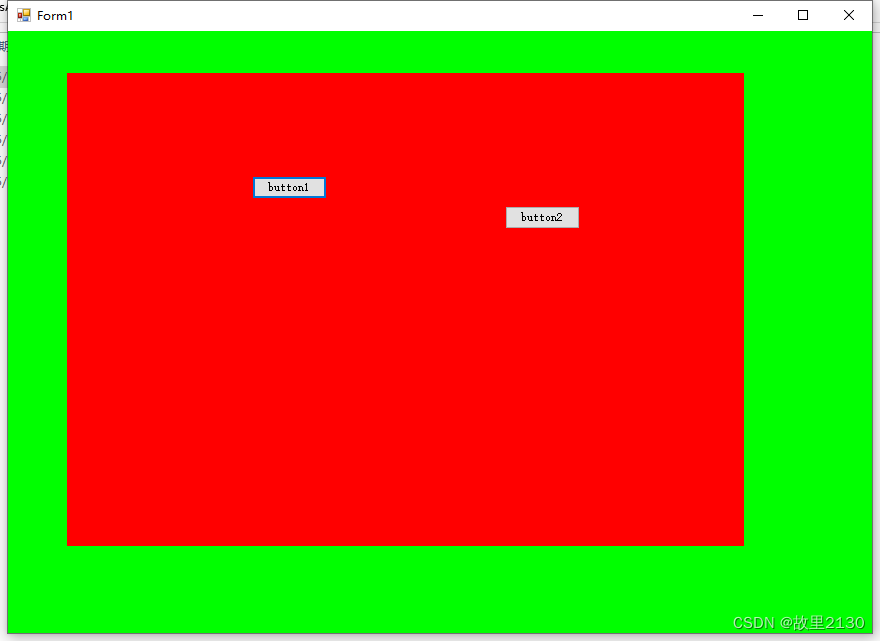
4.效果很好。
红配绿,绝配。
第二种
和第一种方式有点不一样。
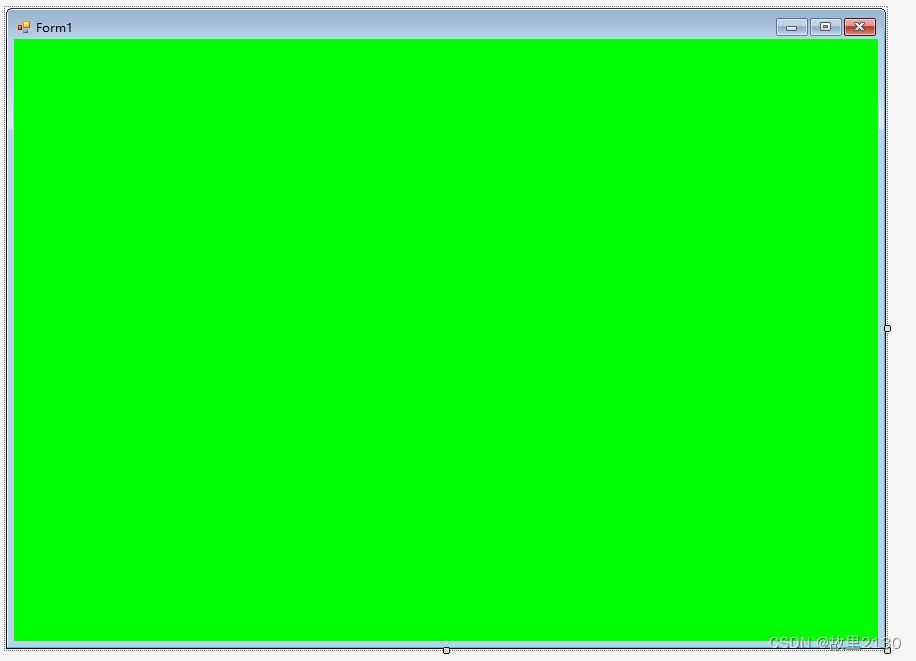
1.建立一个winform主程序,为了区分背景是绿色
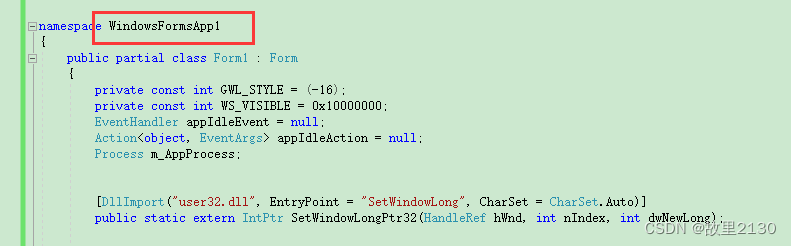
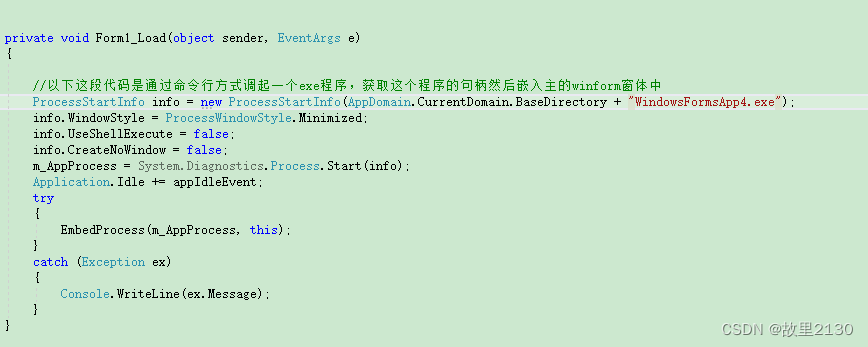
2.把代码直接复制进去,修改命名空间,再加上一个load事件即可
3.代码
using System;
using System.Collections.Generic;
using System.ComponentModel;
using System.Data;
using System.Drawing;
using System.Linq;
using System.Text;
using System.Windows.Forms;
using System.Diagnostics;
using System.Runtime.InteropServices;
namespace WindowsFormsApp1
{
    public partial class Form1 : Form
    {
        private const int GWL_STYLE = (-16);
        private const int WS_VISIBLE = 0x10000000;
        EventHandler appIdleEvent = null;
        Action<object, EventArgs> appIdleAction = null;
        Process m_AppProcess;
        [DllImport("user32.dll", EntryPoint = "SetWindowLong", CharSet = CharSet.Auto)]
        public static extern IntPtr SetWindowLongPtr32(HandleRef hWnd, int nIndex, int dwNewLong);
        [DllImport("user32.dll", EntryPoint = "SetWindowLongPtr", CharSet = CharSet.Auto)]
        public static extern IntPtr SetWindowLongPtr64(HandleRef hWnd, int nIndex, int dwNewLong);
        [DllImport("user32.dll", SetLastError = true)]
        private static extern long SetParent(IntPtr hWndChild, IntPtr hWndNewParent);
        //SetParent(IntPtr hWndChild, IntPtr hWndNewParent);这个方法很重要,就是将hWndChild指向开启exe的窗体嵌入到hWndNewParent窗体的某个控件上,或者是窗体本 身的容器
        [DllImport("user32.dll", SetLastError = true)]
        private static extern bool MoveWindow(IntPtr hwnd, int x, int y, int cx, int cy, bool repaint);
        // MoveWindow(IntPtr hwnd, int x, int y, int cx, int cy, bool repaint);这个方法是windows的api,见名知意,是移动hwnd所指的窗体到指定的位置,并且指定是否需要重绘
        public static IntPtr SetWindowLong(HandleRef hWnd, int nIndex, int dwNewLong)
        {
            if (IntPtr.Size == 4)
            {
                return SetWindowLongPtr32(hWnd, nIndex, dwNewLong);
            }
            return SetWindowLongPtr64(hWnd, nIndex, dwNewLong);
        }
        public Form1()
        {
            InitializeComponent();
            appIdleAction = new Action<object, EventArgs>(Application_Idle);
            appIdleEvent = new EventHandler(appIdleAction);
        }
        /// <summary>
        /// 确保应用程序嵌入此容器,再次确认exe嵌入,如果不调用这个方法,程序不一定能嵌入外部exe
        /// </summary>
        /// <param name="sender"></param>
        /// <param name="e"></param>
        void Application_Idle(object sender, EventArgs e)
        {
            if (this.m_AppProcess == null || this.m_AppProcess.HasExited)
            {
                this.m_AppProcess = null;
                Application.Idle -= appIdleEvent;//这一步一直不知道有什么用,但是不用这行代码程序有时候能嵌入有时候又不行
                return;
            }
            if (m_AppProcess.MainWindowHandle == IntPtr.Zero) return;
            Application.Idle -= appIdleEvent;
            EmbedProcess(m_AppProcess, this);
        }
        /// <summary>
        /// 将指定的程序嵌入指定的控件
        /// </summary>
        private void EmbedProcess(Process app, Control control)
        {
            // Get the main handle
            if (app == null || app.MainWindowHandle == IntPtr.Zero || control == null) return;
            try
            {
                // Put it into this form
                SetParent(app.MainWindowHandle, control.Handle);
            }
            catch (Exception ex1)
            {
                Console.WriteLine(ex1.Message);
            }
            try
            {
                // Remove border and whatnot
                SetWindowLong(new HandleRef(this, app.MainWindowHandle), GWL_STYLE, WS_VISIBLE);
            }
            catch (Exception ex2)
            {
                Console.WriteLine(ex2.Message);
            }
            try
            {
                MoveWindow(app.MainWindowHandle, 0, 0, control.Width, control.Height, true);
            }
            catch (Exception ex3)
            {
                Console.WriteLine(ex3.Message);
            }
        }
        private void Form1_Load(object sender, EventArgs e)
        {
            //以下这段代码是通过命令行方式调起一个exe程序,获取这个程序的句柄然后嵌入主的winform窗体中
            ProcessStartInfo info = new ProcessStartInfo(AppDomain.CurrentDomain.BaseDirectory + "WindowsFormsApp4.exe");//debug下面的文件夹
            info.WindowStyle = ProcessWindowStyle.Minimized;
            info.UseShellExecute = false;
            info.CreateNoWindow = false;
            m_AppProcess = System.Diagnostics.Process.Start(info);
            Application.Idle += appIdleEvent;
            try
            {
                EmbedProcess(m_AppProcess, this);
            }
            catch (Exception ex)
            {
                Console.WriteLine(ex.Message);
            }
        }
    }
}
4.效果
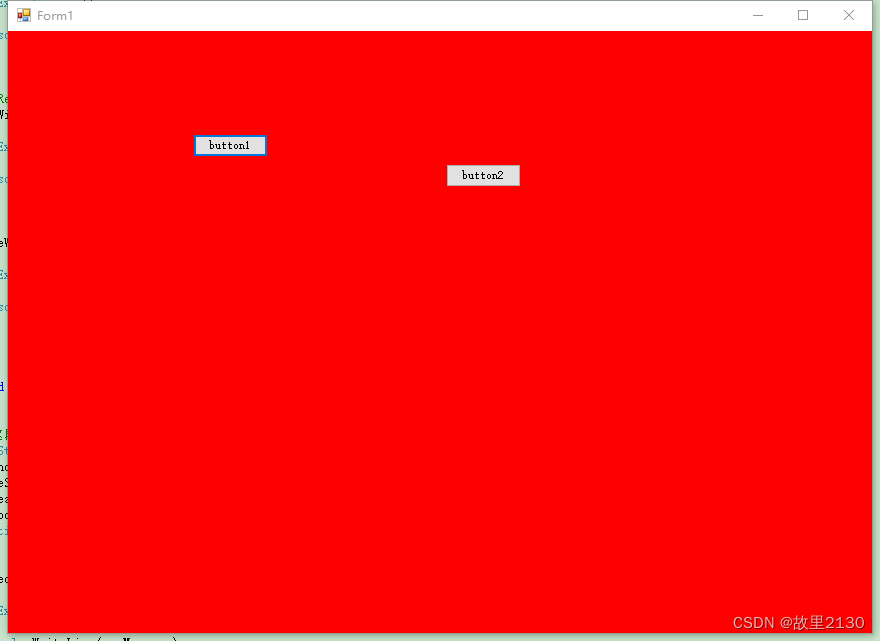
可见,第一种和第二种的效果有所区别的。
拓展。
WPF签入winform
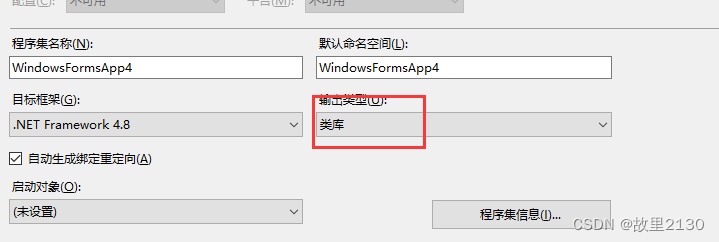
1.依然用上面的winform程序,把输出类型改成类库
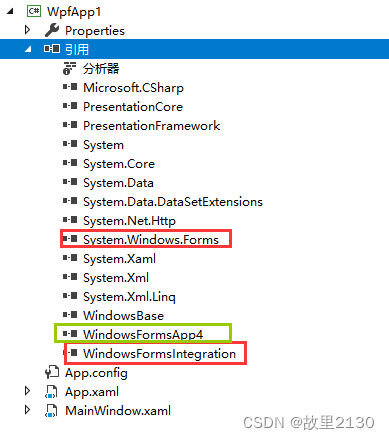
2.建立一个WPF程序,引用System.Windows.Forms和WindowsFormsIntegration,红色。绿色是步骤1生产的dll
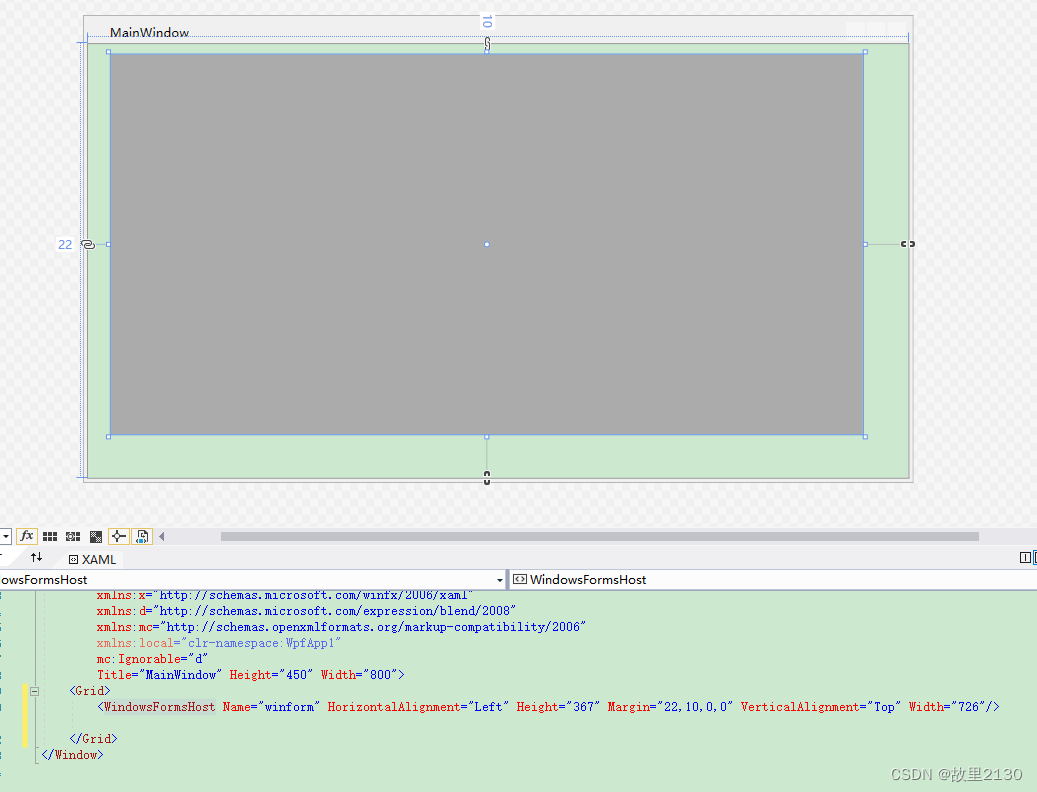
3.在wpf中增加WindowsFormsHost控件
4.cs后台代码
using System;
using System.Collections.Generic;
using System.Linq;
using System.Text;
using System.Threading.Tasks;
using System.Windows;
using System.Windows.Controls;
using System.Windows.Data;
using System.Windows.Documents;
using System.Windows.Input;
using System.Windows.Media;
using System.Windows.Media.Imaging;
using System.Windows.Navigation;
using System.Windows.Shapes;
using WindowsFormsApp4;
namespace WpfApp1
{
    /// <summary>
    /// MainWindow.xaml 的交互逻辑
    /// </summary>
    public partial class MainWindow : Window
    {
        public MainWindow()
        {
            InitializeComponent();
            Form1 mainform = new Form1();
            mainform.TopLevel = false;
            winform.Child = mainform;
        }
    }
}
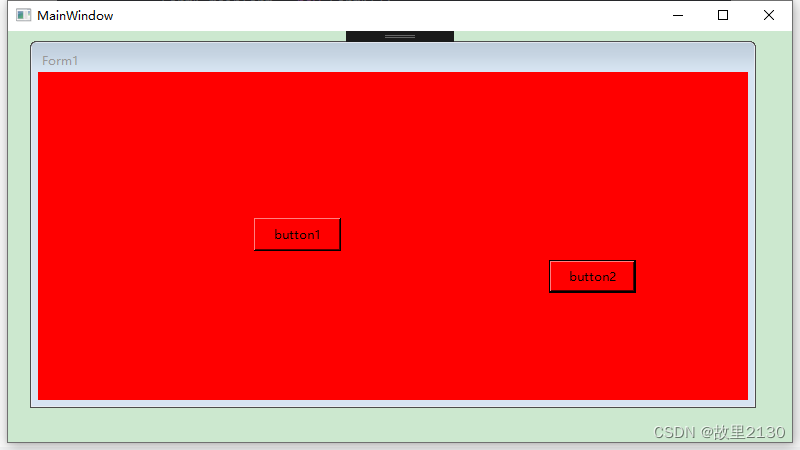
5.效果
总结
以上为个人经验,希望能给大家一个参考,也希望大家多多支持脚本之家。
相关文章
 文件批量处理器可以用于数字资产管理,数据迁移工程,日志文件处理和安全审计场景,本文将使用C#开发一个高性能文件批量处理器,希望对大家有所帮助2025-03-03
 这篇文章主要为大家介绍了Unity UGUI的Toggle复选框组件使用详解,有需要的朋友可以借鉴参考下,希望能够有所帮助,祝大家多多进步,早日升职加薪2023-07-07
 本文介绍了如何设计和实现一个基于C#的多线程文件上传和下载工具,支持FTP、SMTP、MSMQ和ActiveMQ通信,工具包含详细的用户界面设计、部署说明、扩展功能建议、性能测试数据以及注意事项,需要的朋友可以参考下2026-03-03
 这篇文章主要介绍了C#函数式编程中的惰性求值详解,本文讲解了惰性求值的相关知识并给出代码实例,需要的朋友可以参考下2015-01-01
 通过从unity内部函数中抽几个出来改造,强制取某个裁切球的级联阴影映射,通过案例给大家详细介绍,文中给出了完整的urp shader代码,对Unity级联阴影知识感兴趣的朋友一起看看吧2021-06-06
 这篇文章主要介绍了C#通过属性名字符串获取、设置对象属性值操作,结合实例形式总结分析了C#通过反射获取对象属性值并设置属性值,获取对象的所有属性名称及类型等相关操作技巧,需要的朋友可以参考下2020-03-03
 这篇文章主要介绍了C#画笔Pen画虚线的方法,涉及C#画笔Pen属性的相关设置技巧,需要的朋友可以参考下2015-06-06
 本文主要介绍了C#使用双检锁的示例代码,文中通过示例代码介绍的非常详细,对大家的学习或者工作具有一定的参考学习价值,需要的朋友们下面随着小编来一起学习学习吧2025-12-12
 这篇文章主要介绍了C# 获取文件夹里所有文件名,本文通过实例代码给大家介绍的非常详细,对大家的学习或工作具有一定的参考借鉴价值,需要的朋友可以参考下2022-08-08
 这篇文章主要介绍了C#编程实现四舍五入、向上及下取整的方法,涉及C#数学运算的相关技巧,具有一定参考借鉴价值,需要的朋友可以参考下2015-11-11
最新评论