

SpringBoot响应出现中文乱码的解决方法
更新时间:2024年02月03日 10:22:48 作者:K_arot
这篇文章主要介绍了SpringBoot响应出现中文乱码的解决方法,文中通过示例代码介绍的非常详细,对大家的学习或者工作有一定的参考价值,需要的朋友们下面随着小编来一起来学习吧
第一种方式
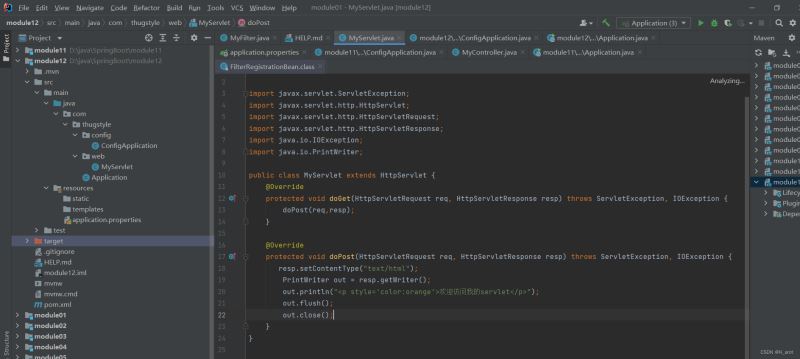
创建Servlet类
解决乱码也可以直接resp.setContentType("text/html;charset=utf-8"),为了演示使用字符集过滤器类这里先不设置编码格式,输出流记得刷新和关闭。
package com.thugstyle.web;

import javax.servlet.ServletException;
import javax.servlet.http.HttpServlet;
import javax.servlet.http.HttpServletRequest;
import javax.servlet.http.HttpServletResponse;
import java.io.IOException;
import java.io.PrintWriter;

public class MyServlet extends HttpServlet {
    @Override
    protected void doGet(HttpServletRequest req, HttpServletResponse resp) throws ServletException, IOException {
        doPost(req,resp);
    }

    @Override
    protected void doPost(HttpServletRequest req, HttpServletResponse resp) throws ServletException, IOException {
       resp.setContentType("text/html");
        PrintWriter out = resp.getWriter();
        out.println("<p style='color:orange'>欢迎访问我的servlet</p>");
        out.flush();
        out.close();
    }
}
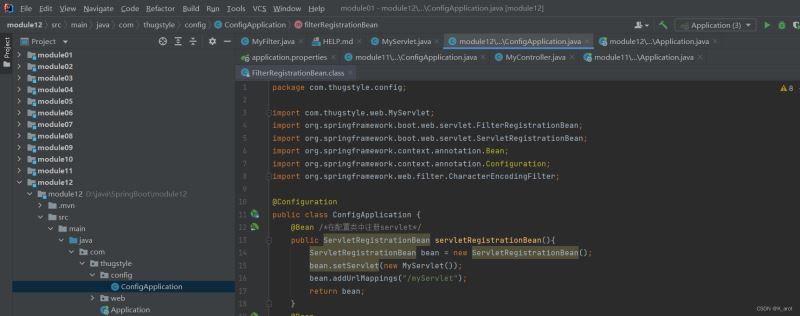
注册Servlet
@Configuration声明配置类,@Bean可以将方法返回值添加到Spring容器中,可由容器调用
package com.thugstyle.config;

import com.thugstyle.web.MyServlet;
import org.springframework.boot.web.servlet.FilterRegistrationBean;
import org.springframework.boot.web.servlet.ServletRegistrationBean;
import org.springframework.context.annotation.Bean;
import org.springframework.context.annotation.Configuration;
import org.springframework.web.filter.CharacterEncodingFilter;

@Configuration
public class ConfigApplication {
    @Bean /*在配置类中注册servlet*/
    public ServletRegistrationBean servletRegistrationBean(){
        ServletRegistrationBean bean = new ServletRegistrationBean();
        bean.setServlet(new MyServlet());
        bean.addUrlMappings("/myServlet");
        return bean;
    }
}
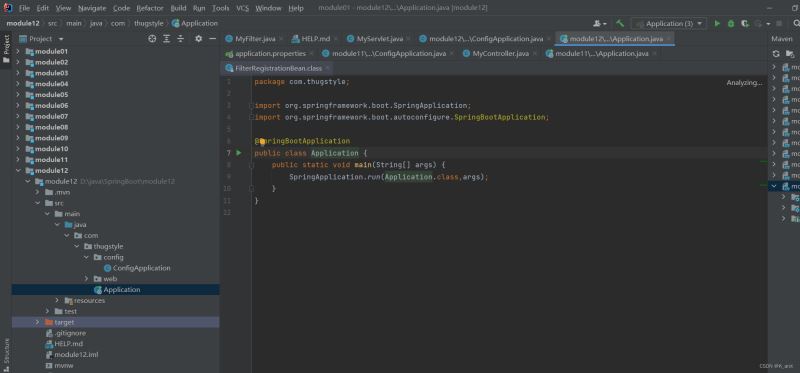
启动容器对象
SpringApplication.run返回值为容器对象,可用来测试
package com.thugstyle;

import org.springframework.boot.SpringApplication;
import org.springframework.boot.autoconfigure.SpringBootApplication;

@SpringBootApplication
public class Application {
    public static void main(String[] args) {
        SpringApplication.run(Application.class,args);
    }
}
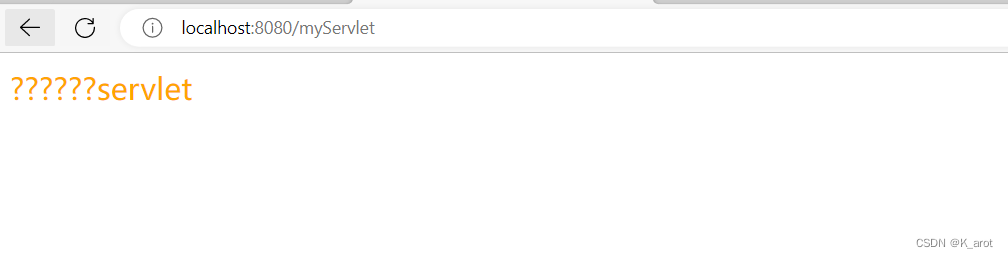
响应内容出现中文乱码,因此这里需要将字符集过滤器类注册到容器中
注册字符集过滤器类
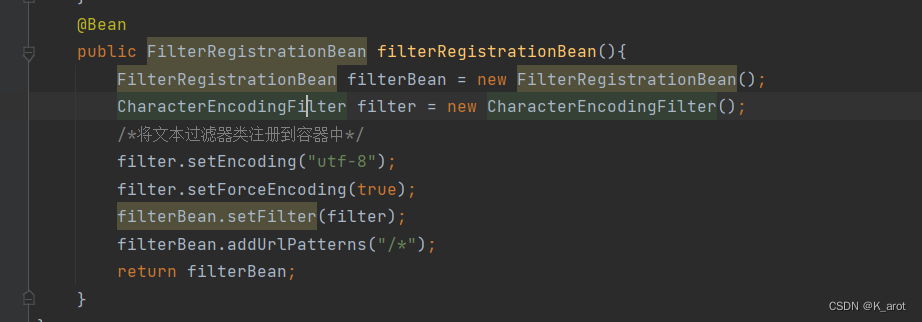
使用框架中的字符集过滤器类,并声明编码格式为utf-8,指定request和response都使用encoding的值
 @Bean
    public FilterRegistrationBean filterRegistrationBean(){
        FilterRegistrationBean filterBean = new FilterRegistrationBean();
        CharacterEncodingFilter filter = new CharacterEncodingFilter();
        /*将文本过滤器类注册到容器中*/
        filter.setEncoding("utf-8");
        filter.setForceEncoding(true);
        filterBean.setFilter(filter);
        filterBean.addUrlPatterns("/*");
        return filterBean;
    }
关闭系统默认过滤器
SpringBoot中默认配置的CharacterEncodingFilter为IS0-8859-1,设置enabled=fales目的是关闭系统默认的字符集过滤器,使用上一步自定义的CharacterEncodingFilter编码格式(utf-8)
server.servlet.encoding.enabled=false
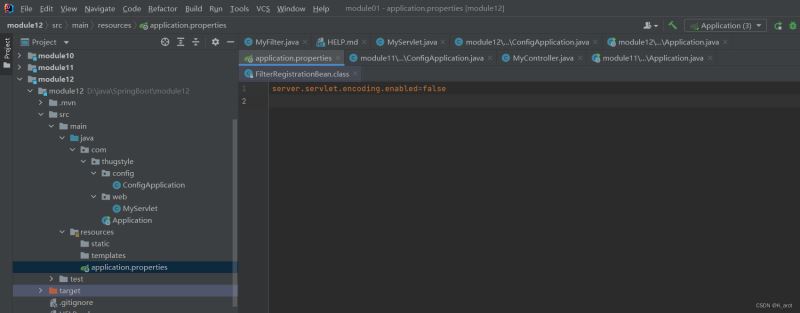
再次访问Servlet发现未出现中文乱码

第二种方式
可以在application.properties配置文件中配置自定义编码格式,其中编码使能开关默认是true可省略,
并设置请求与响应都使用自定义编码格式,这种方式不需要注册CharacterEncodingFilter过滤器,推荐使用。
server.servlet.encoding.charset=UTF-8
server.servlet.encoding.enabled=true
server.servlet.encoding.force=true

以上就是SpringBoot响应出现中文乱码的解决方法的详细内容,更多关于SpringBoot响应中文乱码的资料请关注脚本之家其它相关文章!
相关文章

mybaties plus实体类设置typeHandler不生效的解决
这篇文章主要介绍了mybaties plus实体类设置typeHandler不生效的解决方案,具有很好的参考价值,希望对大家有所帮助。如有错误或未考虑完全的地方,望不吝赐教2022-08-08 这篇文章主要介绍了springboot如何实现国际化配置问题,具有很好的参考价值,希望对大家有所帮助。如有错误或未考虑完全的地方,望不吝赐教2023-06-06
 今天小编就为大家分享一篇关于IntelliJ IDEA查看方法说明文档的图解,小编觉得内容挺不错的,现在分享给大家,具有很好的参考价值,需要的朋友一起跟随小编来看看吧2018-10-10
 这篇文章主要介绍了浅谈Maven环境隔离应用,小编觉得挺不错的,现在分享给大家,也给大家做个参考。一起跟随小编过来看看吧2018-09-09
springboot加载一个properties文件转换为map方式
这篇文章主要介绍了springboot加载一个properties文件转换为map方式,具有很好的参考价值,希望对大家有所帮助。如有错误或未考虑完全的地方,望不吝赐教2022-07-07 HashMap是基于哈希表的Map接口实现,提供了所有可选的映射操作,并允许使用null值和null建,不同步且不保证映射顺序。本文将记录一下研究HashMap实现原理。2017-01-01
 这篇文章主要介绍了Spring boot整合mybatis实现过程图解,文中通过示例代码介绍的非常详细,对大家的学习或者工作具有一定的参考学习价值,需要的朋友可以参考下2020-08-08
 这篇文章主要介绍了springboot security自定义认证过程,具有很好的参考价值,希望对大家有所帮助,如有错误或未考虑完全的地方,望不吝赐教2025-03-03
 Spring Boot Starter封装了项目中常用的一些依赖,使得开发者可以快速启动和运行项目,而无需手动配置这些依赖,下面就来详细的介绍一下如何实现,感兴趣的可以了解一下2025-09-09
 如何把写好的Java程序打包为jar文件呢?下面说的就是java使用命令行打包JAR的方法2013-11-11
最新评论