

java实现word转pdf or直接生成pdf文件
更新时间:2025年04月23日 10:17:55 作者:C__jx
这篇文章主要介绍了java实现word转pdf or直接生成pdf文件方式,具有很好的参考价值,希望对大家有所帮助,如有错误或未考虑完全的地方,望不吝赐教
1、需要引入的maven坐标
<!-- https://mvnrepository.com/artifact/com.itextpdf/kernel -->
        <dependency>
            <groupId>com.itextpdf</groupId>
            <artifactId>kernel</artifactId>
            <version>7.2.4</version>
        </dependency>
        <dependency>
            <groupId>org.junit.jupiter</groupId>
            <artifactId>junit-jupiter</artifactId>
            <version>RELEASE</version>
            <scope>compile</scope>
        </dependency>
        <!-- https://mvnrepository.com/artifact/com.itextpdf/layout -->
        <dependency>
            <groupId>com.itextpdf</groupId>
            <artifactId>layout</artifactId>
            <version>7.2.4</version>
        </dependency>
2、读取word转换为pdf
/**
     * 文件
     */
    public void createFile() {
        XWPFDocument xwpfDocument = null;
        try {
            xwpfDocument = new XWPFDocument(new FileInputStream("/Users/chenjx/Downloads/zipceshi/createYuWord.docx"));
        } catch (IOException e) {
            throw new RuntimeException(e);
        }
        ;
        List<XWPFParagraph> paragraphs = xwpfDocument.getParagraphs();
        List<XWPFTable> tables = xwpfDocument.getTables();
        //   创建 一个 PdfWriter,用于定义 pdf 的路径地址
        String filename = String.format("/Users/chenjx/Downloads/zipceshi/pdf/%s.pdf", UUID.randomUUID() + "===1111");
        try {
            PdfWriter pdfWriter = new PdfWriter(filename);
            PdfDocument pdfDocument = new PdfDocument(pdfWriter);
            PdfFont font = PdfFontFactory.createFont(FONTS);
            Document document = new Document(pdfDocument).setFont(font);
            //通过读取word进行转换
            //读取文本内容
            for (XWPFParagraph paragraph : paragraphs) {
                String text = paragraph.getText();
                document.add(new Paragraph(text));
            }
            //读取表格内容
            for (XWPFTable table : tables) {
                final Table[] table1 = {null};
                List<XWPFTableRow> rows = table.getRows();
                rows.forEach(row -> {
                    int i = rows.indexOf(row);
                    List<XWPFTableCell> tableCells = row.getTableCells();
                    if (i == 0) {
                        table1[0] = new Table(tableCells.size());
                    }
                    tableCells.stream().map(XWPFTableCell::getParagraphs).forEach(x -> x.stream().map(XWPFParagraph::getRuns).forEach(runs -> {
                        if (i == 0) {
                            table1[0].setWidth(500);
                            table1[0].addHeaderCell(runs.stream().map(XWPFRun::text).collect(Collectors.joining()));
                        } else {
                            table1[0].addCell(runs.stream().map(XWPFRun::text).collect(Collectors.joining()));
                        }
                    }));
                });
                document.add(table1[0]);
            }
            document.close();
        } catch (Exception e) {
            e.printStackTrace();
        }
    }
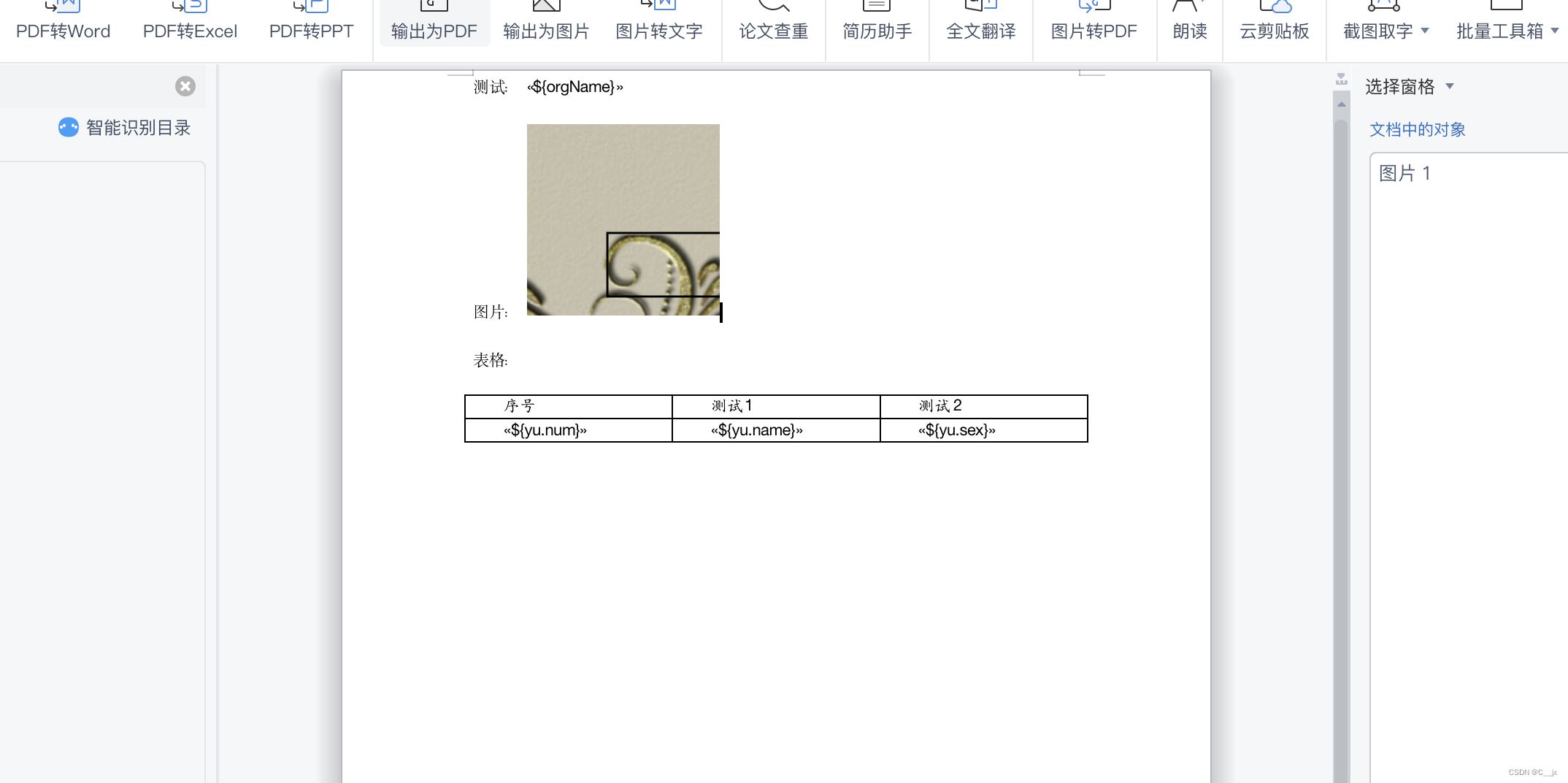
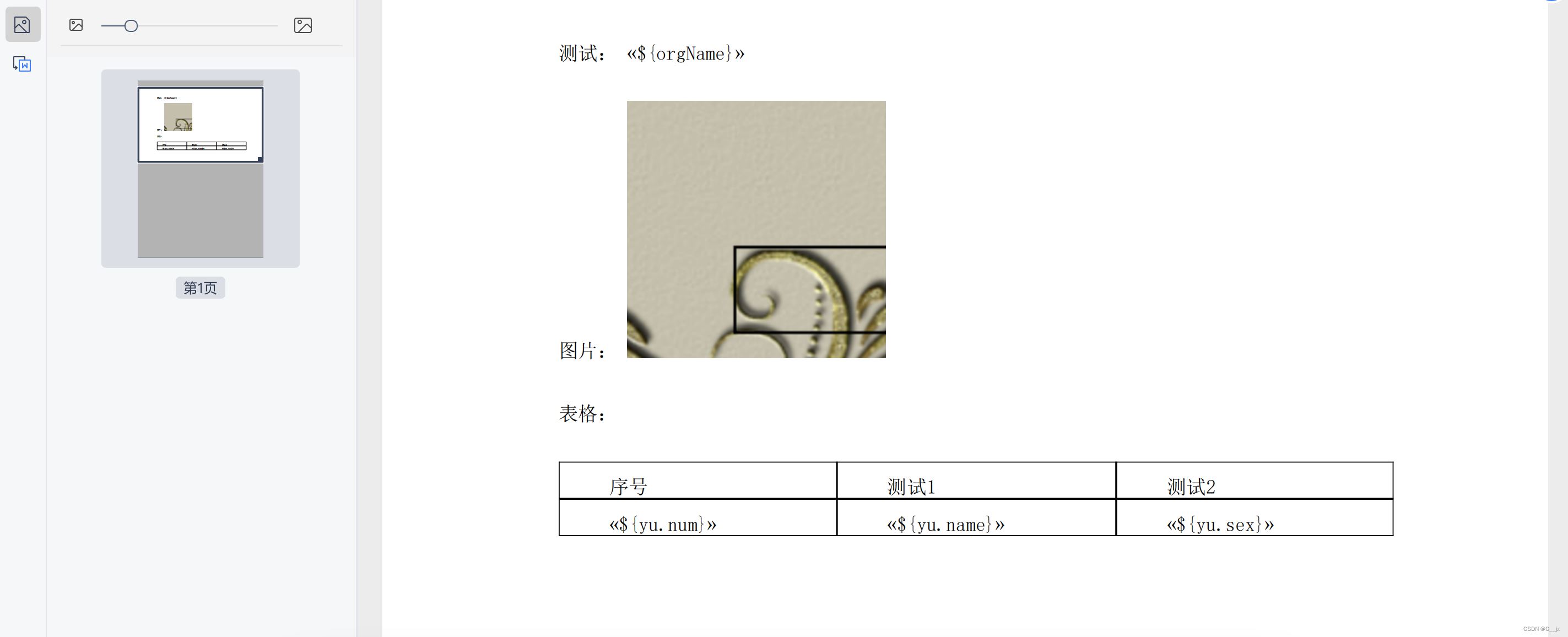
生成效果:
- word模版:
- 生成的pdf:
3、自己设置格式生成 共有三种格式、直接上util类
package com.zjjw.jxtest.util.util;


import com.itextpdf.io.image.ImageData;
import com.itextpdf.io.image.ImageDataFactory;
import com.itextpdf.kernel.font.PdfFont;
import com.itextpdf.kernel.font.PdfFontFactory;
import com.itextpdf.kernel.pdf.PdfDocument;
import com.itextpdf.kernel.pdf.PdfWriter;
import com.itextpdf.layout.Document;
import com.itextpdf.layout.element.Image;
import com.itextpdf.layout.element.Paragraph;
import com.itextpdf.layout.element.Table;
import org.apache.poi.xwpf.usermodel.XWPFDocument;
import org.apache.poi.xwpf.usermodel.XWPFParagraph;
import org.apache.poi.xwpf.usermodel.XWPFRun;
import org.apache.poi.xwpf.usermodel.XWPFStyle;
import org.apache.poi.xwpf.usermodel.XWPFStyles;
import org.apache.poi.xwpf.usermodel.XWPFTable;
import org.apache.poi.xwpf.usermodel.XWPFTableCell;
import org.apache.poi.xwpf.usermodel.XWPFTableRow;

import java.io.FileInputStream;
import java.io.IOException;
import java.util.List;
import java.util.UUID;
import java.util.stream.Collectors;


/**
 * @author: chenjiaxiang
 * @create: 2022/11/21 17:00
 **/
public class FilePreviewUtil {

    private static final String FONTS1 = "/Users/chenjx/Library/Fonts/SIMFANG.TTF";
    private static final String FONTS = "/Users/chenjx/Library/Fonts/SIMSUN.TTC,1";


    public static void main(String[] args) {
        new FilePreviewUtil().createFile();
        new FilePreviewUtil().createWordTableFile();
        new FilePreviewUtil().createPictureFile();
    }


    /**
     * 文本
     */
    public void createFile() {

        //   创建 一个 PdfWriter,用于定义 pdf 的路径地址
        String filename = String.format("/Users/chenjx/Downloads/zipceshi/pdf/%s.pdf", UUID.randomUUID() + "===1111");
        try {
            PdfWriter pdfWriter = new PdfWriter(filename);
            PdfDocument pdfDocument = new PdfDocument(pdfWriter);
            PdfFont font = PdfFontFactory.createFont(FONTS);
            Document document = new Document(pdfDocument).setFont(font);
            //纯英文
            document.add(new Paragraph(("Hello China")));
            document.add(new Paragraph(("Hello China 中文")));

            document.close();
        } catch (Exception e) {
            e.printStackTrace();
        }
    }

    /**
     * word表格
     */
    public void createWordTableFile() {
        try {
            String filename = String.format("/Users/chenjx/Downloads/zipceshi/pdf/%s.pdf", UUID.randomUUID() + "===222");
            PdfWriter pdfWriter = new PdfWriter(filename);
            PdfDocument pdfDocument = new PdfDocument(pdfWriter);

            //这里不要搞错,找到你电脑上的这个文件,复制这个文件的绝对路径
            PdfFont font = PdfFontFactory.createFont(FONTS);
            Document document = new Document(pdfDocument).setFont(font);
            Table table = new Table(4);
            table.setWidth(500);
            table.addHeaderCell("header 1").addHeaderCell("header 2").addHeaderCell("header 3").addHeaderCell("header 4");
            for (int i = 0; i < 16; i++) {
                table.addCell("cell " + i);
            }
            document.add(table);

            document.close();
        } catch (Exception e) {
            e.printStackTrace();
        }
    }

    /**
     * 图片
     */
    public void createPictureFile() {
        try {
            String filename = String.format("/Users/chenjx/Downloads/zipceshi/pdf/%s.pdf", UUID.randomUUID() + "===3333");

            PdfWriter pdfWriter = new PdfWriter(filename);
            PdfDocument pdfDocument = new PdfDocument(pdfWriter);
            PdfFont font = PdfFontFactory.createFont(FONTS);
            Document document = new Document(pdfDocument).setFont(font);
            ImageData imageData = ImageDataFactory.create("/Users/chenjx/Downloads/图片/1616377073865测试.jpg");
            Image img = new Image(imageData);
            document.add(img.setAutoScale(true));

            document.close();
        } catch (Exception e) {
            e.printStackTrace();
        }

    }


}
4、方法调用
生成纯文本pdf
/**
     * 文本
     */
    public void createFile() {

        //   创建 一个 PdfWriter,用于定义 pdf 的路径地址
        String filename = String.format("/Users/chenjx/Downloads/zipceshi/pdf/%s.pdf", UUID.randomUUID() + "===1111");
        try {
            PdfWriter pdfWriter = new PdfWriter(filename);
            PdfDocument pdfDocument = new PdfDocument(pdfWriter);
            PdfFont font = PdfFontFactory.createFont(FONTS);
            Document document = new Document(pdfDocument).setFont(font);
            //纯英文
            document.add(new Paragraph(("Hello China")));
            document.add(new Paragraph(("Hello China 中文")));

            document.close();
        } catch (Exception e) {
            e.printStackTrace();
        }
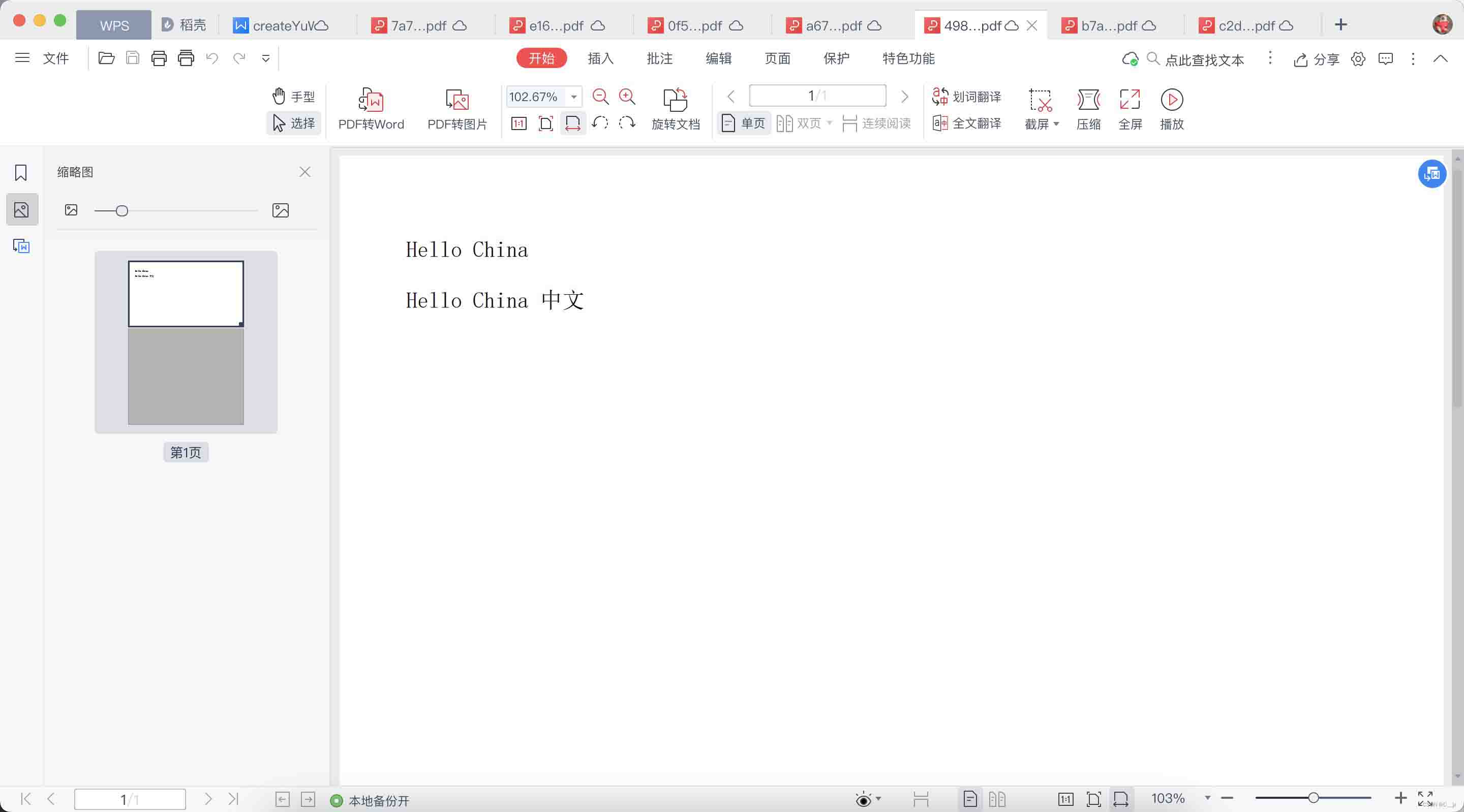
}- createFile()方法生成:
生成纯表格pdf
private static final String FONTS = "/Users/chenjx/Library/Fonts/SIMSUN.TTC,1";

/**
     * word表格
     */
    public void createWordTableFile() {
        try {
            String filename = String.format("/Users/chenjx/Downloads/zipceshi/pdf/%s.pdf", UUID.randomUUID() + "===222");
            PdfWriter pdfWriter = new PdfWriter(filename);
            PdfDocument pdfDocument = new PdfDocument(pdfWriter);

            //这里不要搞错,找到你电脑上的这个文件,复制这个文件的绝对路径
            PdfFont font = PdfFontFactory.createFont(FONTS);
            Document document = new Document(pdfDocument).setFont(font);
            Table table = new Table(4);
            table.setWidth(500);
            table.addHeaderCell("header 1").addHeaderCell("header 2").addHeaderCell("header 3").addHeaderCell("header 4");
            for (int i = 0; i < 16; i++) {
                table.addCell("cell " + i);
            }
            document.add(table);

            document.close();
        } catch (Exception e) {
            e.printStackTrace();
        }
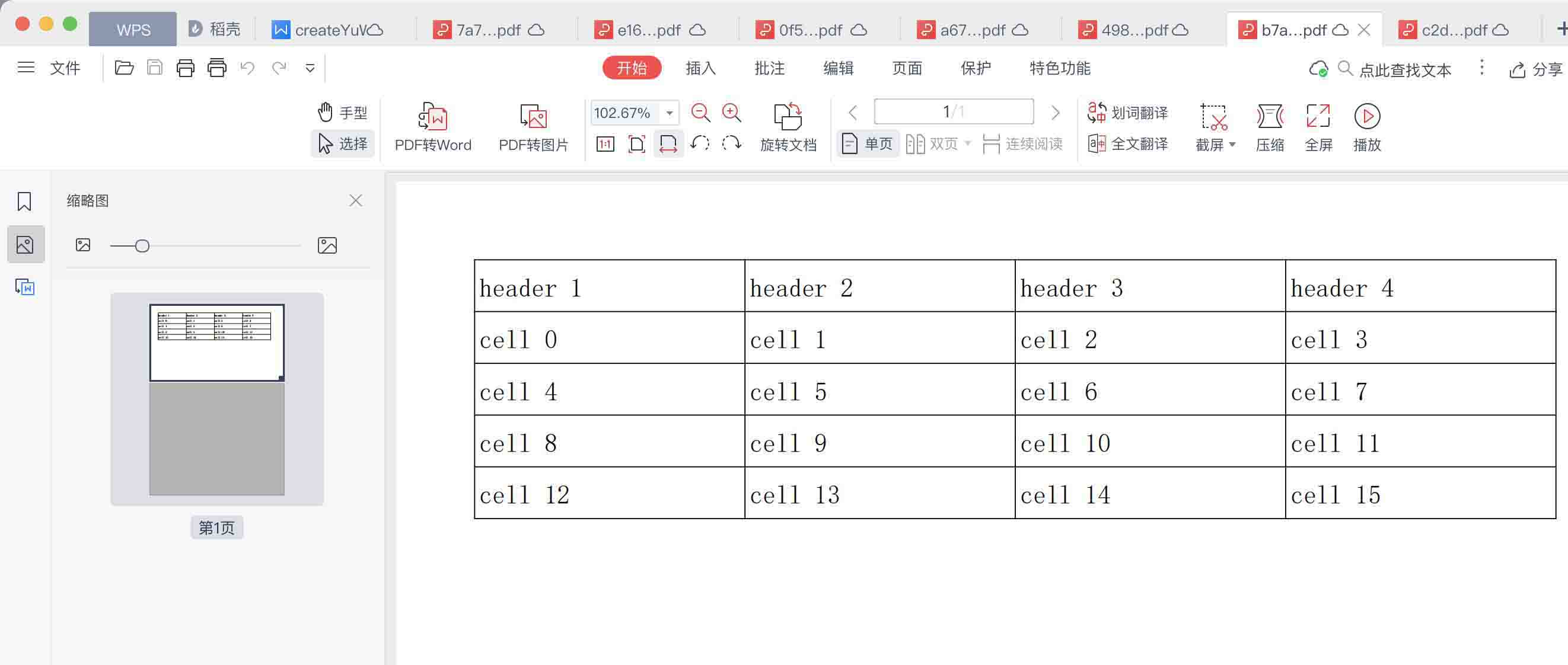
}- createWordTableFile()方法生成
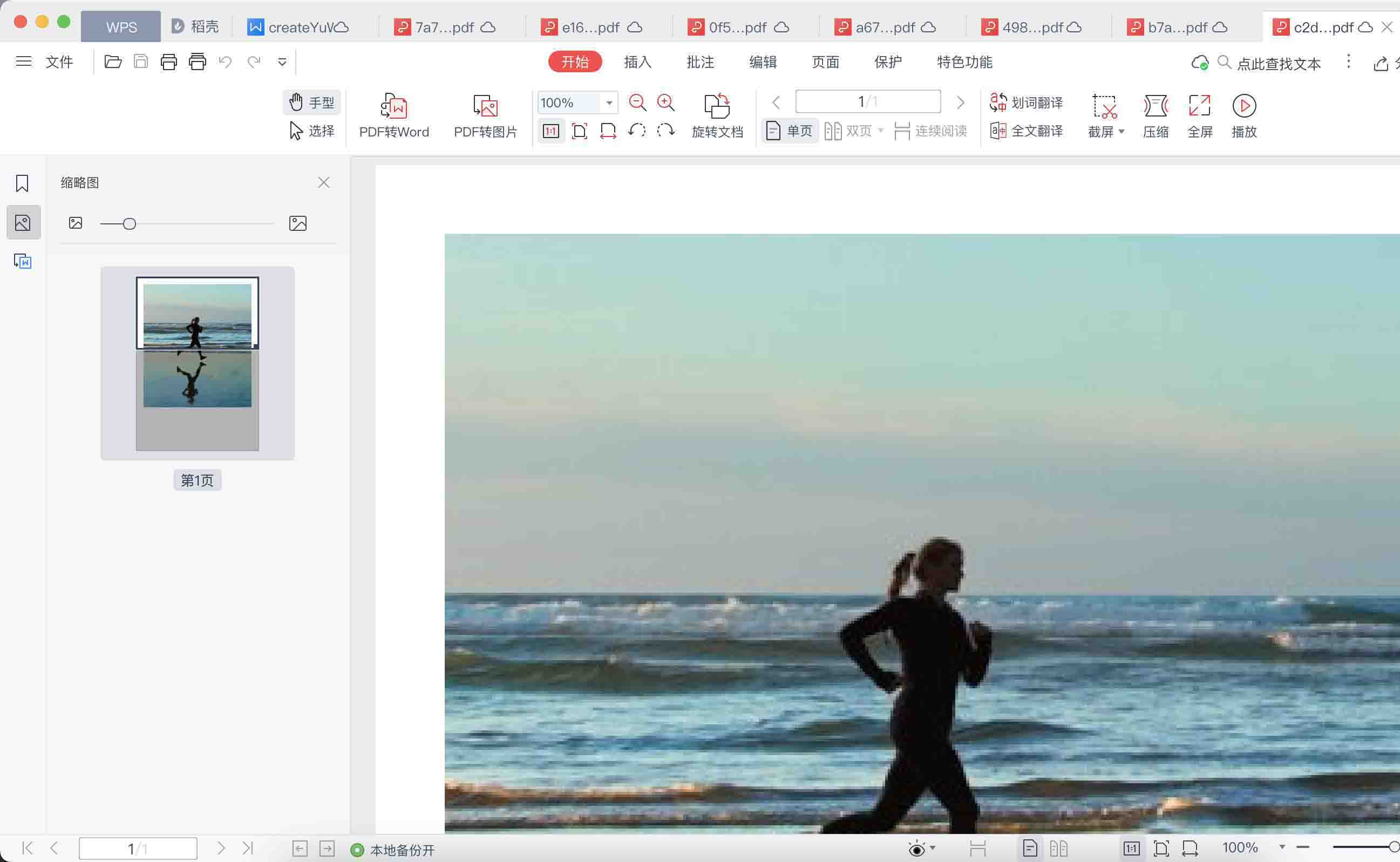
生成图片pdf
 /**
     * 图片
     */
    public void createPictureFile() {
        try {
            String filename = String.format("/Users/chenjx/Downloads/zipceshi/pdf/%s.pdf", UUID.randomUUID() + "===3333");

            PdfWriter pdfWriter = new PdfWriter(filename);
            PdfDocument pdfDocument = new PdfDocument(pdfWriter);
            PdfFont font = PdfFontFactory.createFont(FONTS);
            Document document = new Document(pdfDocument).setFont(font);
            ImageData imageData = ImageDataFactory.create("/Users/chenjx/Downloads/图片/1616377073865测试.jpg");
            Image img = new Image(imageData);
            document.add(img.setAutoScale(true));

            document.close();
        } catch (Exception e) {
            e.printStackTrace();
        }

}- createPictureFile()
总结
以上为个人经验,希望能给大家一个参考,也希望大家多多支持脚本之家。
相关文章
 这篇文章主要介绍了Mybatis如何传入多个参数的实现代码,文中通过示例代码介绍的非常详细,对大家的学习或者工作具有一定的参考学习价值,需要的朋友们下面随着小编来一起学习学习吧2019-12-12
 这篇文章主要介绍了详解Struts2动态方法调用,涉及调用方法的代码,具有一定参考价值,需要的朋友可以了解下。2017-09-09
 这篇文章主要介绍了Spring注解开发生命周期原理解析,文中通过示例代码介绍的非常详细,对大家的学习或者工作具有一定的参考学习价值,需要的朋友可以参考下2020-09-09
 这篇文章主要介绍了Spring连接Mysql数据库全过程,具有很好的参考价值,希望对大家有所帮助。如有错误或未考虑完全的地方,望不吝赐教2022-11-11
PostgreSQL Docker部署+SpringBoot集成方式
本文介绍了如何在Docker中部署PostgreSQL和pgadmin,并通过SpringBoot集成PostgreSQL,主要步骤包括安装PostgreSQL和pgadmin,配置防火墙,创建数据库和表,以及在SpringBoot中配置数据源和实体类2024-12-12 最近在工作中发现了对于集合操作转换的神器,java8新特性 stream,但在使用中遇到了一个非常重要的注意点,所以这篇文章主要给大家介绍了关于Java8中Stream使用过程中的一个注意事项,需要的朋友可以参考借鉴,下面随着小编来一起学习学习吧。2017-11-11
 这篇文章主要介绍了Java实现高效随机数算法的示例代码,小编觉得挺不错的,现在分享给大家,也给大家做个参考。一起跟随小编过来看看吧2019-02-02
servlet之session工作原理简介_动力节点Java学院整理
这篇文章主要介绍了servlet之session工作原理简介,小编觉得挺不错的,现在分享给大家,也给大家做个参考。一起跟随小编过来看看吧2017-07-07 本文会基于实际场景介绍ThreadLocal如何使用以及内部实现机制。 具有很好的参考价值,下面跟着小编一起来看下吧2017-02-02
Springboot整合ShardingJdbc实现分库分表方式
这篇文章主要介绍了Springboot整合ShardingJdbc实现分库分表方式,具有很好的参考价值,希望对大家有所帮助,如有错误或未考虑完全的地方,望不吝赐教2025-06-06
最新评论