

SpringBoot整合RabbitMQ实现通配符模式
更新时间:2025年06月12日 09:26:01 作者:新绿MEHO
本文主要介绍了SpringBoot整合RabbitMQ实现通配符模式,包括依赖添加、配置、队列与交换机声明及绑定,生产者发送消息,两个消费者分别接收并处理,验证消息正确分发至不同队列,感兴趣的可以了解一下
通配符模式
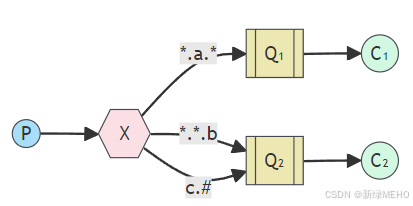
引入依赖
<dependency>
    <groupId>org.springframework.boot</groupId>
    <artifactId>spring-boot-starter-amqp</artifactId>
</dependency>
<dependency>
    <groupId>org.springframework.boot</groupId>
    <artifactId>spring-boot-starter-web</artifactId>
</dependency>

<dependency>
    <groupId>org.springframework.boot</groupId>
    <artifactId>spring-boot-starter-test</artifactId>
    <scope>test</scope>
</dependency>
<dependency>
    <groupId>org.springframework.amqp</groupId>
    <artifactId>spring-rabbit-test</artifactId>
    <scope>test</scope>
</dependency>
添加配置
spring:
  application:
    name: rabbitmq-springboot
  rabbitmq:
    addresses: amqp://study:study@47.98.109.138:5672/aaa
常量类
public class Constants {

    //通配符模式
    public static final String TOPIC_QUEUE1 = "topic.queue1";
    public static final String TOPIC_QUEUE2 = "topic.queue2";
    public static final String TOPIC_EXCHANGE = "topic.exchange";
}
声明队列和交换机并绑定二者关系
import org.springframework.amqp.core.*;
import org.springframework.beans.factory.annotation.Qualifier;
import org.springframework.context.annotation.Bean;
import org.springframework.context.annotation.Configuration;
import rabbitmq.constant.Constants;

@Configuration
public class RabbitMQConfig {
    //通配符模式
    @Bean("topicQueue1")
    public Queue topicQueue1(){
        return QueueBuilder.durable(Constants.TOPIC_QUEUE1).build();
    }
    @Bean("topicQueue2")
    public Queue topicQueue2(){
        return QueueBuilder.durable(Constants.TOPIC_QUEUE2).build();
    }
    @Bean("topicExchange")
    public TopicExchange topicExchange(){
        return ExchangeBuilder.topicExchange(Constants.TOPIC_EXCHANGE).durable(true).build();
    }

    @Bean("topicQueueBinding1")
    public Binding topicQueueBinding1(@Qualifier("topicExchange") TopicExchange topicExchange, @Qualifier("topicQueue1") Queue queue){
        return BindingBuilder.bind(queue).to(topicExchange).with("*.orange.*");
    }
    @Bean("topicQueueBinding2")
    public Binding topicQueueBinding2(@Qualifier("topicExchange") TopicExchange topicExchange, @Qualifier("topicQueue2") Queue queue){
        return BindingBuilder.bind(queue).to(topicExchange).with("*.*.rabbit");
    }
    @Bean("topicQueueBinding3")
    public Binding topicQueueBinding3(@Qualifier("topicExchange") TopicExchange topicExchange, @Qualifier("topicQueue2") Queue queue){
        return BindingBuilder.bind(queue).to(topicExchange).with("lazy.#");
    }
}
编写生产者代码
import org.springframework.amqp.rabbit.core.RabbitTemplate;
import org.springframework.beans.factory.annotation.Autowired;
import org.springframework.web.bind.annotation.PathVariable;
import org.springframework.web.bind.annotation.RequestMapping;
import org.springframework.web.bind.annotation.RestController;
import rabbitmq.constant.Constants;

@RequestMapping("/producer")
@RestController
public class ProducerController {
    @Autowired
    private RabbitTemplate rabbitTemplate;

    @RequestMapping("/topic/{routingKey}")
    public String topic(@PathVariable("routingKey") String routingKey){
        rabbitTemplate.convertAndSend(Constants.TOPIC_EXCHANGE, routingKey, "hello spring amqp:topic, my routing key is "+routingKey);
        return "发送成功";
    }
}
编写消费者代码(含两个队列)
import org.springframework.amqp.rabbit.annotation.RabbitListener;
import org.springframework.stereotype.Component;
import rabbitmq.constant.Constants;

@Component
public class TopicListener {

    @RabbitListener(queues = Constants.TOPIC_QUEUE1)
    public void queueListener1(String message){
        System.out.println("队列["+Constants.TOPIC_QUEUE1+"] 接收到消息:" +message);
    }

    @RabbitListener(queues = Constants.TOPIC_QUEUE2)
    public void queueListener2(String message){
        System.out.println("队列["+Constants.TOPIC_QUEUE2+"] 接收到消息:" +message);
    }
}
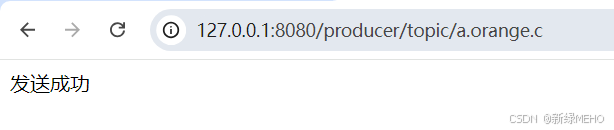
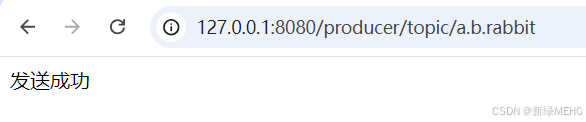
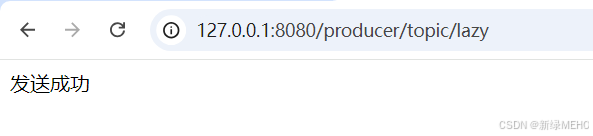
生产消息
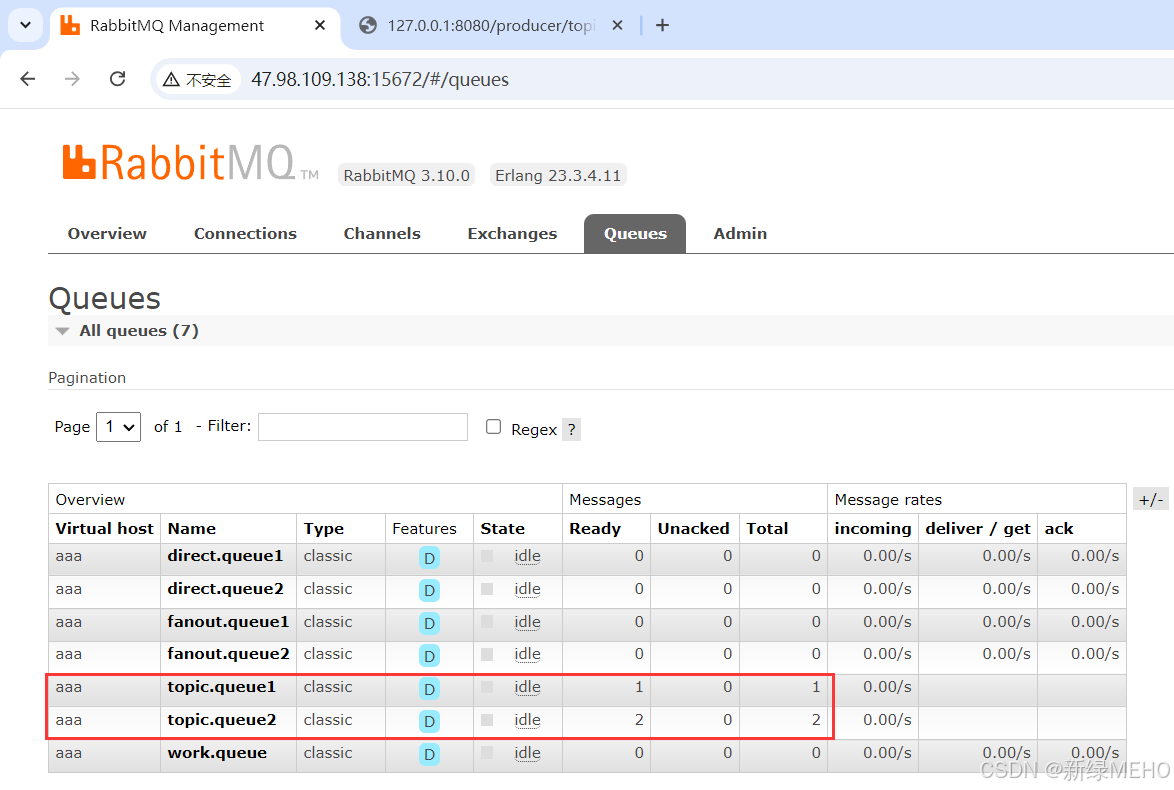
消费消息

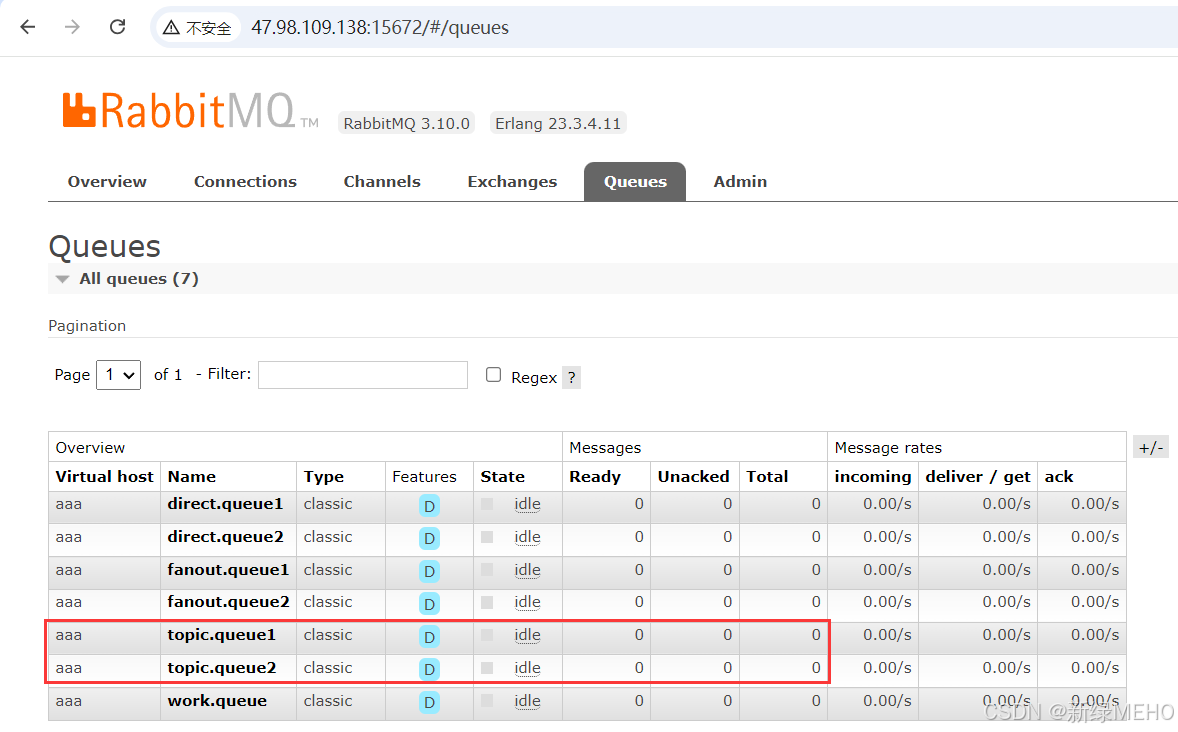
两个队列都收到并消费了消息,且结果符合预期。
到此这篇关于SpringBoot整合RabbitMQ实现通配符模式的文章就介绍到这了,更多相关SpringBoot RabbitMQ通配符模式内容请搜索脚本之家以前的文章或继续浏览下面的相关文章希望大家以后多多支持脚本之家!
您可能感兴趣的文章:
- springboot整合rabbitmq的示例代码
- springboot集成rabbitMQ之对象传输的方法
- springboot实现rabbitmq的队列初始化和绑定
- Springboot 配置RabbitMQ文档的方法步骤
- SpringBoot集成RabbitMQ的方法(死信队列)
- SpringBoot+RabbitMq具体使用的几种姿势
- SpringBoot中RabbitMQ集群的搭建详解
- SpringBoot中连接多个RabbitMQ的方法详解
- 一文掌握Springboot集成RabbitMQ的方法
- SpringBoot实现RabbitMQ监听消息的四种方式
- SpringBoot 整合 RabbitMQ 的使用方式(代码示例)
相关文章

在MyBatis中实现一对多查询和多对一查询的方式详解(各两种方式)
今天通过两种方法分别给大家介绍在MyBatis中实现一对多查询和多对一查询的方式,每种方式通过实例代码给大家介绍的非常详细,需要的朋友参考下吧2022-01-01 这篇文章主要为大家详细介绍了Java用jxl读取excel并保存到数据库的方法,具有一定的参考价值,感兴趣的小伙伴们可以参考一下2017-10-10
 这篇文章主要介绍了JAVA数字千分位和小数点的现实代码(处理金额问题),具有很好的参考价值,希望对大家有所帮助。一起跟随小编过来看看吧2020-10-10
 这篇文章主要介绍了关于SpringSecurity的基本使用示例,SpringSecurity 本质是一个过滤器链SpringSecurity 采用的是责任链的设计模式,它有一条很长的过滤器链,需要的朋友可以参考下2023-05-05
浅谈在Java中使用Callable、Future进行并行编程
这篇文章主要介绍了浅谈在Java中使用Callable、Future进行并行编程,具有一定借鉴价值,需要的朋友可以参考下。2017-12-12 这篇文章主要介绍了Spring的循环依赖、三级缓存解决方案源码详细解析,在Spring中,由于IOC的控制反转,创建对象不再是简单的new出来,而是交给Spring去创建,会经历一系列Bean的生命周期才创建出相应的对象,需要的朋友可以参考下2024-01-01
 这篇文章主要介绍了Java常用开源库的相关资料,文中讲解非常细致,帮助大家更好的理解和学习Java,感兴趣的朋友可以了解下2020-07-07
 这篇文章主要介绍了JDBC的扩展知识点总结,文中有非常详细的代码示例,对正在学习JDBC的小伙伴们有很好地帮助,需要的朋友可以参考下2021-05-05
 本文主要介绍了Java并发之异步的八种实现方式,文中通过示例代码介绍的非常详细,对大家的学习或者工作具有一定的参考学习价值,需要的朋友们下面随着小编来一起学习学习吧2023-06-06
 这篇文章主要为大家详细介绍了java Spring Boot实现app扫码登录功能,具有一定的参考价值,感兴趣的小伙伴们可以参考一下,希望能够给你带来帮助2021-09-09
最新评论