


 Compress Any Video PRO for Mac(视频压缩工具) v2.2.1 直装激活
38.6MB / 04-26
 Video Cut Crop Join for Mac(视频剪辑压缩工具) v3.9.0 TNT免费
161MB / 05-03
 Mac视频压缩软件 iLove Video Compressor for Mac v2.1.0 一键安
28.7MB / 01-18
 苹果视频压缩编码工具(Apple Compressor for Mac) V4.4.7 中文/
282MB / 08-26
-

Apple FCPX视频剪辑软件Final Cut Pro X / FCPX V12.2 Mac 中文/ 视频编辑 / 5.8GB
-

Adobe After Effects 2026(AE2026) for Mac V26.2.1 ACR18.3中文 视频编辑 / 2.3GB
-

Adobe Premiere Pro 2026(pr2026) v26.2.1 for Mac 中文免费直装 视频编辑 / 4.6GB
-

BiliLive-tools(B站录播一站式工具) for Mac v3.14.0 苹果电脑版 视频编辑 / 218MB
-

-
kdenlive for mac(mac视频剪辑软件) v26.04.1 苹果电脑Intel版 视频编辑 / 147 MB
-
-
-

-


详情介绍
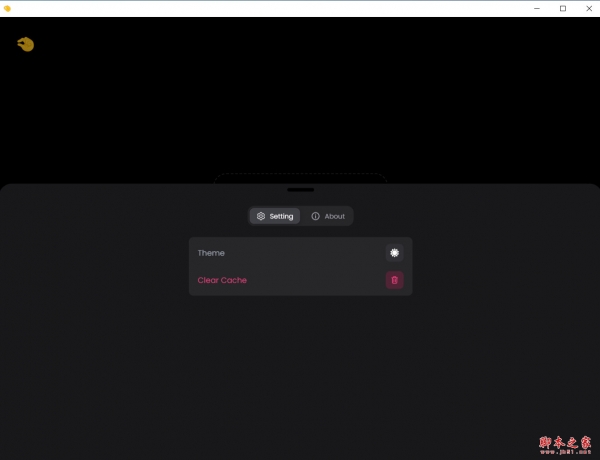
CompressO mac版是一个基于FFmpeg项目的视频压缩工具,旨在帮助用户大幅度减少视频文件的体积。该工具设计简洁、操作直观,即使是初学者也能轻松上手。除了基本的压缩功能外,CompressO还支持在压缩过程中随时取消操作,方便用户在不满意时快速停止。同时,用户可以通过拖拽的方式直接添加视频文件到压缩列表,极大提升了使用便捷性。此外,CompressO还提供了静音视频的功能,适用于需要在不改变画面内容的情况下去除音频的场景。最重要的是,CompressO完全离线运行,确保用户数据的安全性和隐私性,不会将任何数据上传到云端服务器。总的来说,CompressO是一款功能强大且易于使用的视频压缩工具,适合各种需要减小视频体积的用户。

下载适合你Mac的CompressO版本
针对采用Intel芯片的Mac电脑和采用Apple芯片的Mac电脑都进行了优化,请确保你使用了正确版本。
如何确认电脑芯片类型?
1、点击左上角苹果菜单,选择「关于本机」
2、找到「处理器」或「芯片」一栏,查看芯片类型是「Intel」还是「Apple」,并选择下载对应的版本

主要功能
(一)高效压缩
CompressO采用先进的视频压缩算法,能够根据用户设定的压缩参数,对视频进行智能压缩。无论是几分钟的短视频,还是长达数小时的长视频,都能在短时间内完成压缩处理,并且有效减小文件体积,最高可实现90%的压缩率,同时保持画面清晰流畅。
(二)多格式支持
如前文所述,该软件支持几乎所有常见的视频格式。用户无需担心因视频格式不兼容而无法进行压缩的问题,无论是手机拍摄的MP4格式视频,还是摄像机录制的AVI格式视频,都能直接导入CompressO进行压缩处理。
(三)质量调节
CompressO允许用户根据实际需求自由调节视频质量。在压缩过程中,用户可以通过设置分辨率、码率、帧率等参数,精确控制压缩后的视频质量。例如,若视频仅用于手机端小屏幕观看,可适当降低分辨率和码率,以获得更大的压缩比;若视频需要在大屏幕上展示,则可保持较高的质量参数,确保画面细节清晰。
(四)批量处理
当用户有多个视频需要压缩时,CompressO的批量处理功能就能大显身手。用户只需将多个视频文件一次性拖放到软件界面中,设置好压缩参数,即可同时对多个视频进行压缩,大大提高工作效率,节省大量时间。
(五)预览与对比
在完成视频压缩后,CompressO提供了预览和对比功能。用户可以直接在软件中预览压缩后的视频效果,同时还能将压缩前后的视频进行画面、文件大小等方面的对比,直观地了解压缩效果,以便根据需要进一步调整压缩参数。
因为是轻量的,所以功能也不多,压缩质量决定大小,压缩后转换的格式:

软件特点
简单易用,完全离线运行
可以大幅度减少视频体积
支持压缩中取消、拖拽视频、静音视频
软件亮点
1. 完全本地离线:所有压缩在你电脑上完成,不上传云端,保护隐私。
2. 免费开源:无广告、无水印、无内购,源码公开可查。
3. 高效压缩:基于 FFmpeg 引擎,压缩率极高(常可缩小至原大小的 1/10),同时较好保留画质。
4. 跨平台:支持 Windows、macOS、Linux。
5. 操作极简:拖入视频 → 选压缩强度 → 开始,一键完成。
软件说明
Compressor 是一款视频压缩工具,可以将高清视频、4K视频、甚至是8K视频压缩成适合网络传输或存储的小文件。Compressor支持多种视频格式,包括H.264、HEVC、ProRes和AVC-Intra等,用户可以根据需要选择不同的压缩格式。
更新日志
v3.0.0
Features:
New Brand Identity: Updated logo and app icon across all platforms.
Image Compression Support: Comprehensive image compression for JPEG, PNG, WebP, and GIF formats with quality controls and optimization options.
Image Transformations: Full transformation support for images including crop, rotate, flip, and dimension adjustments.
SVG Conversion: Convert SVG files to PNG, JPEG, or WebP formats with advanced settings for raster to SVG conversion.
Convert to SVG: Convert any raster images like png, jpeg, webp, etc. to a svg image. A real vector image.
Video to GIF Conversion: Convert videos to animated GIFs with customizable quality and FPS settings.
GIF Compression: Compress animated GIFs while maintaining quality and reducing file size.
Cross-Container Image Conversion: Convert between different image formats (JPEG, PNG, WebP, SVG) seamlessly.
Output Comparison Slider: Compare original and compressed images/videos with an interactive before/after slider.
In-App Updater: Built-in updater to notify and download new releases automatically within the application.
Video Speed Control: Adjust video playback speed for faster preview and review.
Image Metadata Preservation: Preserve EXIF and other metadata when compressing images.
Full Image Information View: View detailed information about image files including dimensions, format, EXIF metadata, etc.
Enhancements:
Linux Video Playback: Implemented local axum server to serve video assets on Linux, enabling video playback that was previously unsupported on WebGTK.
Improved Compression Settings: Enhanced compression settings UI with better controls and options for both video and image compression.
Better Output Stats Display: Improved the display of compression statistics showing before/after file sizes and savings percentage.
Advanced SVG Support: Added support for converting large SVG files to PNG for thumbnail rendering and better compatibility.
Piped Process Support: Refactored media processing to support piped commands, enabling more complex transformation workflows.
Central Process Executor: Implemented central process executor using builder pattern for better process management and error handling.
Subtitle Handling: Improved subtitle embedding with better preservation of language and title metadata.
Metadata Stripping: Enhanced metadata stripping functionality with more granular controls.
Batch Compression: Extended batch compression settings to fully support image compression alongside video compression.
Bug Fixes:
Fixed dimension calculation issue during image crop operations.
Fixed output path display after media is saved.
Fixed FPS not being properly applied during GIF conversion.
Fixed subtitle embedding issues for multiple container formats.
下载地址
其它版本
CompressO(视频压缩工具) v3.0.0 免费安装版
类型:视频处理64.3 MB | 简体中文 | 2026-05-01 11:28:51- 167 MB | 简体中文 | 2026-05-06 10:10:28
- 72.9 MB | 简体中文 | 2026-05-06 10:43:28
更多版本
人气软件

达芬奇20 DaVinci Resolve Studio v19.1/20.3.1+ EasyDCP Mac中
Final Cut Pro X for Mac(视频剪辑软件) V12.2 苹果电脑免费版
Adobe Premiere Pro 2024 for Mac(PR2024) v24.6.1 中文正式免费
Apple FCPX视频剪辑软件Final Cut Pro X / FCPX V12.2 Mac 中文/
Adobe After Effects 2026(AE2026) for Mac V26.2.1 ACR18.3中文
剪映 for Mac(抖音视频编辑工具) v10.5.0 官方免费专业版
Adobe Premiere Pro 2026(pr2026) v26.2.1 for Mac 中文免费直装
AI智能视频画质增强工具Topaz Video AI for Mac v7.0.1 安装免费
Adobe After Effects CC 2015 for Mac 中文特别版
Adobe Media Encoder CC 2017 For Mac 苹果电脑版


相关文章
 CompressO(视频图像压缩神器)for mac v3.0.0 苹果电脑Apple版
CompressO是一款基于FFmpeg的视频压缩工具,能显著减小视频文件大小,它操作简便,支持在压缩过程中取消、拖拽添加视频以及静音处理,且完全离线运行,确保用户数据安全...
- CompressO for mac(视频压缩工具) v3.0.0 苹果电脑Intel版
CompressO是一款基于FFmpeg的视频压缩工具,能显著减小视频文件大小,它操作简便,支持在压缩过程中取消、拖拽添加视频以及静音处理,且完全离线运行,确保用户数据安全...
 超级编导(智能视频剪辑)for mac v1.9.62 苹果电脑Apple版
超级编导一款专为短视频创作者打造的智能辅助工具,将脚本创作、视频剪辑、多平台发布等核心功能整合于一体,通过AI技术帮助用户快速完成从创意到成片的完整流程,用户只需输...
- 超级编导for mac(智能视频剪辑) v1.9.62 苹果电脑Intel版
超级编导一款专为短视频创作者打造的智能辅助工具,将脚本创作、视频剪辑、多平台发布等核心功能整合于一体,通过AI技术帮助用户快速完成从创意到成片的完整流程,用户只需输...
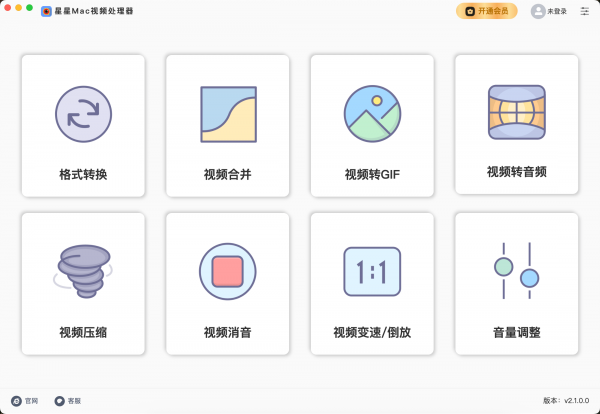 星星Mac视频处理器 V2026.02.05 苹果电脑版
星星Mac视频处理器电脑端使用的视频处理工具,提供了视频格式转换、视频压缩、视频合并、视频倒放、视频变速等...
 kdenlive(mac视频剪辑软件) v26.04.1 苹果电脑Apple版
Kdenlive是一款开源的免费视频剪辑软件,支持很多文件格式,并且有kde、ffmpeg、qt这些开源组织和相关软件,操作简单,使用便捷,需要的快来下载...

下载声明
☉ 解压密码:www.jb51.net 就是本站主域名,希望大家看清楚,[ 分享码的获取方法 ]可以参考这篇文章
☉ 推荐使用 [ 迅雷 ] 下载,使用 [ WinRAR v5 ] 以上版本解压本站软件。
☉ 如果这个软件总是不能下载的请在评论中留言,我们会尽快修复,谢谢!
☉ 下载本站资源,如果服务器暂不能下载请过一段时间重试!或者多试试几个下载地址
☉ 如果遇到什么问题,请评论留言,我们定会解决问题,谢谢大家支持!
☉ 本站提供的一些商业软件是供学习研究之用,如用于商业用途,请购买正版。
☉ 本站提供的CompressO for mac(视频压缩工具) v3.0.0 苹果电脑Intel版资源来源互联网,版权归该下载资源的合法拥有者所有。