

 ping探测(Ping命令工具) v1.0 免费绿色版
23.9KB / 05-02
 网络状态监测工具(mping) v1.0 绿色版
75KB / 01-22
 Ping工具(测试网络连接状态) v1.2 中文绿色免费版
841KB / 06-20
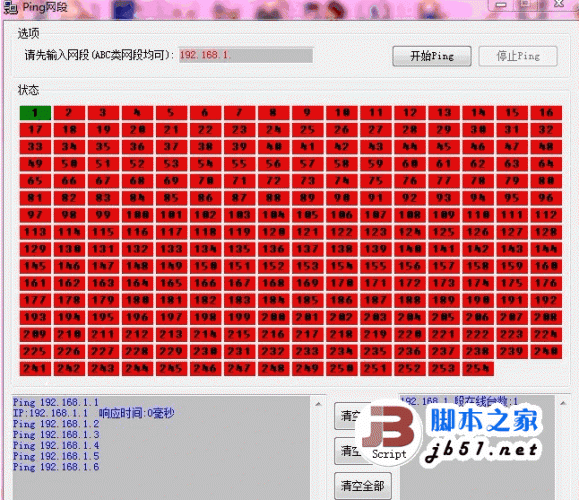 Ping网段(32bit) v1.0.0.0 绿色免费版
570KB / 01-19
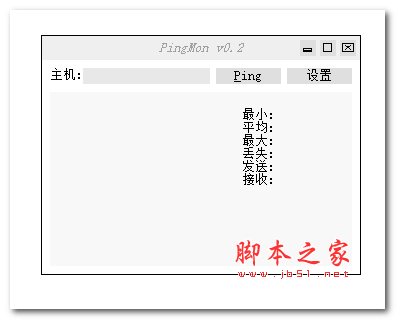 Ping监视器 (PingMon) 0.2.0.8 汉化绿色免费版
295KB / 08-11
-

-

Ping管理器Ping Manager v3.0.0 官方免费版 网络工具 / 971KB
-

网络检测(生成报告) v1.24 绿色免费版 网络工具 / 560KB
-

-

MQTTX官方版 v1.13.0 官方安装版 32/64位 网络工具 / 195MB
-

-
-

花生壳客户端 For Linux v5.3 正式安装版 网络工具 / 286KB
-

ip设置 NetSetMan v5.4.0 多国语言绿色版 网络工具 / 5.69MB
-


详情介绍
下面介绍一下这个软件的用途,这个软件
一可以监听服务器的端口状态,默认是80端口的,也可以指定其它端口。
二可以看到ping 返回的时间,这样可以知道服务器是否有延时或者端口不通的状态。
软件的使用非常简单:
一、将下载的文件放在C:\WINDOWS\system32 目录下,就可以直接使用了。
二、在windows命令提示符里可以直接使用这个命令了,相关的参数可以自己查询一下,查询的命令是:tcping /?
三、简单地举两个例子的使用
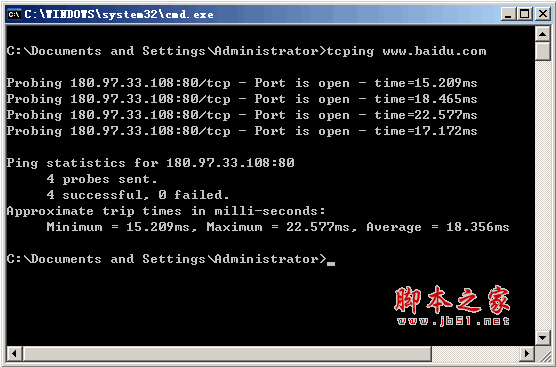
tcping www.baidu.com
tcping -t www.baidu.com 【参数-t 是让命令一直运行ping 】
tcping -d -t www.baidu.com 【参数 -d 是显示时间,这样就可以更清楚了】
tcping -d -t www.baidu.com 21 【这里只是举例,21是您所需要监听的端口,这个可以行定义。】
官方使用方法:
NAME
tcping - simulate "ping" over tcp by establishing a connection to network hosts.
Measures the time for your system to [SYN], receive the target's [SYN][ACK] and send [ACK]. Note that the travel time for
the last ACK is not included - only the time it takes to be put on the wire a tthe sending end.
SYNOPSIS
tcping [-tdsvf46] [-i interval] [-n times] [-w interval] [-b n] [-r times][-j depth] [--tee filename] [-f] destination [port]
DESCRIPTION
tcping measures the time it takes to perform a TCP 3-way handshake (SYN, SYN/ACK, ACK) between itself and a remote host.
The travel time of the outgoing final ACK is not included, only the (minimal) amount of time it has taken to drop it on
the wire at the near end. This allows the travel time of the (SYN, SYN/ACK) to approximate the travel time of the
ICMP (request, response) equivalent.
参数
-4 Prefer using IPv4
-6 Prefer using IPv6
-t ping continuously until stopped via control-c
-n count
send _count_ pings and then stop. Default 4.
-i interval
Wait _interval_ seconds between pings. Default 1. Decimals permitted.
-w interval
Wait _interval_ seconds for a response. Default 2. Decimals permitted.
-d include date and time on every output line
-f Force sending at least one byte in addition to making the connection.
-b type
Enable audible beeps.
'-b 1' will beep "on down". If a host was up, but now its not, beep.
'-b 2' will beep "on up". If a host was down, but now its up, beep.
'-b 3' will beep "on change". If a host was one way, but now its the other, beep.
'-b 4' will beep "always".
-r count
Every _count_ pings, we will perform a new DNS lookup for the host in case it changed.
-s Exit immediately upon a success.
-v Print version and exit.
-j depth
Calculate jitter. Jitter is defined as the difference between the last response time and the historical average.
If _depth_ is specified tcping will use the prior _depth_ values to calculate a rolling average. If _depth_ is not
specified tcping will use the overall average.
--tee _filename_
Duplicate output to the _filename_ specified. Windows can still not be depended upon to have a useful command line
environment. Don't tease me, *nix guys.
destination
A DNS name, an IP address, or (in "http" mode) a URL.
Do not specify the protocol ("//") in "http" mode. Also do not specify server port via ":port" syntax.
For instance: "tcping //www.elifulkerson.com:8080/index.html" would fail
Use the style: "tcping www.elifulkerson.com/index.html 8080" instead.
port
A numeric TCP port, 1-65535. If not specified, defaults to 80.
HTTP MODE OPTIONS
-h Use "http" mode. In http mode we will attempt to GET the specified document and return additional values including
the document's size, http response code, kbit/s.
-u In "http" mode, include the target URL on each output line.
--post Use POST instead of GET in http mode.
--head Use HEAD instead of GET in http mode.
--get Shorthand to invoke "http" mode for consistency's sake.
--proxy _proxyserver_
Connect to _proxyserver_ to request the url rather than the server indicated in the url itself.
--proxyport _port_
Specify the numeric TCP port of the proxy server. Defaults to 3128.
RETURN VALUE
tcping returns 0 if all pings are successful, 1 if zero pings are successful and 2 for mixed outcome.
BUGS/REQUESTS
Please report bugs and feature requests to the author via contact information on //www.elifulkerson.com
AVAILABILITY
tcping is available at //www.elifulkerson.com/projects/tcping.php
D:\tcping-devel>tcping www.reddit.com
Probing 72.14.204.104:80/tcp - Port is open - time=23.285ms
Probing 72.14.204.104:80/tcp - Port is open - time=21.651ms
Probing 72.14.204.104:80/tcp - Port is open - time=21.899ms
Probing 72.14.204.104:80/tcp - Port is open - time=21.789ms
Ping statistics for 72.14.204.104:80
4 probes sent.
4 successful, 0 failed.
Approximate trip times in milli-seconds:
Minimum = 21.651ms, Maximum = 23.285ms, Average = 22.156ms
--------------------------------------------------------------------------------
D:\tcping-devel>tcping -h www.elifulkerson.com
** Requesting "" from www.elifulkerson.com:
(for various reasons, kbit/s is an approximation)
Probing 64.22.103.201:80/tcp - HTTP is open - time=31.288ms rcv_time=31.951 status=200 bytes=4052 kbit/s=~1014.554
Probing 64.22.103.201:80/tcp - HTTP is open - time=29.553ms rcv_time=30.947 status=200 bytes=4052 kbit/s=~1047.479
Probing 64.22.103.201:80/tcp - HTTP is open - time=29.871ms rcv_time=31.727 status=200 bytes=4052 kbit/s=~1021.728
Probing 64.22.103.201:80/tcp - HTTP is open - time=29.976ms rcv_time=36.002 status=200 bytes=4052 kbit/s=~900.393
Ping statistics for 64.22.103.201:80
4 probes sent.
4 successful, 0 failed.
Approximate trip times in milli-seconds:
Minimum = 29.553ms, Maximum = 31.288ms, Average = 30.172ms
下载地址
人气软件

xp安装ipx协议文件
Microsoft Windows Installer for XP 4.5 Windows应用程序安装和
reqable黄鸟抓包(HttpCanary) 2026 v3.1.1 官方最新版
真正的斐讯K2路由器刷不死固件+多拨网速叠加翻倍教程 v2.9 全自
PLC通信测试全能助手 HslCommunication v12.2.0 官方中文绿色版
cFosSpeed 优化网速(网络拉速器) Ver 3.01.Build1130多国语言特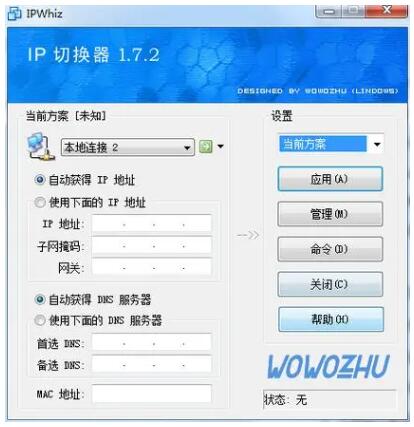
最好用的ip切换工具ipwhiz1.72绿色免费版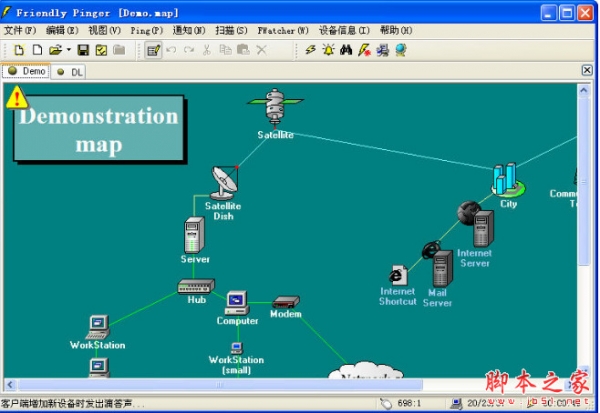
Friendly fpinger(网络拓扑图制作软件) v5.0.1 绿色中文版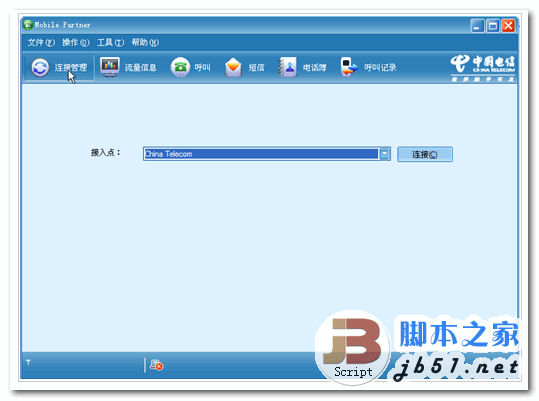
华为 电信3G拨号工具 Mobile Partner V11.030 中文绿色免费版
还原精灵简体中文特别版


相关文章
-
MQTTX官方版 v1.13.0 官方安装版 32/64位
MQTTX由涵盖MQTT/TCP、MQTT/TLS、MQTT/WebSocket协议的连接测试,支持创建多个同时在线的客户端,便于验证协议特性等,本站提供的是这款软件的安装包...
-
TP-LINK物联PC客户端 v4.9.12.1300 官方安装版
TP-LINK物联支持对局域网中的IPC进行快速的设置和连接,支持录像回放,还能够进行事件侦测、录像计划等,欢迎下载...
-
内网穿透工具 Frpc-Desktop v1.1.5 绿色免费版(含单文件版)
Frpc-Desktop 是一款革命性的跨平台桌面客户端,它通过可视化配置,让内网穿透变得前所未有的简单,欢迎需要的朋友下载使用...
-
reqable黄鸟抓包(HttpCanary) 2026 v3.1.1 官方最新版
黄鸟抓包英文本名叫HttpCanary,已重命名为Reqable,是一款功能强大的抓包工具,界面清爽简洁,操作简单,可快速地进行抓包,并且,还能有效防止系统被某些软件进行恶意篡改...
-
PLC通信测试全能助手 HslCommunication v12.2.0 官方中文绿色版
HslCommunication是一个强大的网络数据通信工具,适用于多种场景和需求,能够实现与各种工业设备如PLC、机器人、远程I/O、传感器和执行器、仪表等的数据通信,还可以调用Hs...
-
InternetTest Pro(网络测试工具) v9.1.0.2602 中文安装免费版
InternetTest Pro是一款专业的网络测试工具,旨在帮助用户测试和优化其网络连接的性能和稳定性,是专为 Windows 用户设计的功能强大且现代化的连接实用程序...
下载声明
☉ 解压密码:www.jb51.net 就是本站主域名,希望大家看清楚,[ 分享码的获取方法 ]可以参考这篇文章
☉ 推荐使用 [ 迅雷 ] 下载,使用 [ WinRAR v5 ] 以上版本解压本站软件。
☉ 如果这个软件总是不能下载的请在评论中留言,我们会尽快修复,谢谢!
☉ 下载本站资源,如果服务器暂不能下载请过一段时间重试!或者多试试几个下载地址
☉ 如果遇到什么问题,请评论留言,我们定会解决问题,谢谢大家支持!
☉ 本站提供的一些商业软件是供学习研究之用,如用于商业用途,请购买正版。
☉ 本站提供的tcping 类似ping的工具(禁止ping也能ping)资源来源互联网,版权归该下载资源的合法拥有者所有。