

Dreamweaver 8 无法启动的解决方案
互联网 发布时间:2008-10-17 19:36:02 作者:佚名  我要评论
我要评论
我要评论症状:
Dreamweaver8 启动出现错误,点击后一直无法进入程序。 即使删除了注册表键值,优化了系统,反反复复删装了两三遍程序也不见效~~~
处方:
重命名或删除用户配置文件夹即可。 以WinXp为例,该文件夹的路径为:C:Documents and Settings系统用户名Application
症状:
Dreamweaver8 启动出现错误,点击后一直无法进入程序。 即使删除了注册表键值,优化了系统,反反复复删装了两三遍程序也不见效~~~ 处方:
重命名或删除用户配置文件夹即可。 以WinXp为例,该文件夹的路径为:C:\Documents and Settings\系统用户名\Application Data\Macromedia\Dreamweaver 8\Configuration 详细的参考资料 Dreamweaver 8 does not launch Issue
Some users are reporting that Dreamweaver 8 does not launch. The common characteristic is that the splash screen appears momentarily, then the application closes. Some users report being able to launch Dreamweaver 8 two or three times before experiencing the problem, while some users were never able to launch Dreamweaver 8. (Ref. 201530) Solution
Here are some steps that should resolve the problem. Try the steps in descending order. Close Dreamweaver before performing each suggestion, and launch it again after performing each suggestion, to see if the problem is solved. Windows
The Dreamweaver 8.0.1 Updater resolved this issue for most users. Install the Dreamweaver 8.0.2 Updater as it includes all of the fixes in the 8.0.1 update, plus additional recommended fixes. Try renaming the Dreamweaver user configuration folder, so that Dreamweaver will automatically generate a new user configuration folder the next time Dreamweaver launches. The Configuration folder is located here: C:\Documents and Settings\
Dreamweaver8 启动出现错误,点击后一直无法进入程序。 即使删除了注册表键值,优化了系统,反反复复删装了两三遍程序也不见效~~~ 处方:
重命名或删除用户配置文件夹即可。 以WinXp为例,该文件夹的路径为:C:\Documents and Settings\系统用户名\Application Data\Macromedia\Dreamweaver 8\Configuration 详细的参考资料 Dreamweaver 8 does not launch Issue
Some users are reporting that Dreamweaver 8 does not launch. The common characteristic is that the splash screen appears momentarily, then the application closes. Some users report being able to launch Dreamweaver 8 two or three times before experiencing the problem, while some users were never able to launch Dreamweaver 8. (Ref. 201530) Solution
Here are some steps that should resolve the problem. Try the steps in descending order. Close Dreamweaver before performing each suggestion, and launch it again after performing each suggestion, to see if the problem is solved. Windows
The Dreamweaver 8.0.1 Updater resolved this issue for most users. Install the Dreamweaver 8.0.2 Updater as it includes all of the fixes in the 8.0.1 update, plus additional recommended fixes. Try renaming the Dreamweaver user configuration folder, so that Dreamweaver will automatically generate a new user configuration folder the next time Dreamweaver launches. The Configuration folder is located here: C:\Documents and Settings\
相关文章

HTML代码怎么调整图片位置? dw任意改变浏览器窗口图片都居中的代码
HTML代码怎么调整图片位置?dw想要通过代码实现图片页面居中,该怎么实现呢?下面我们就来看看dw任意改变浏览器窗口图片都居中的代码2023-03-06
dw怎么给框架加内容? Dreamweaver向框架中添加内容的技巧
dw怎么给框架加内容?dw中创建的框架,想要添加内容,该怎么添加呢?下面我们就来看看Dreamweaver向框架中添加内容的技巧2023-03-03
dw怎么给鱼片添加边框线? dreamweaver图片添加边框的方法
dw怎么给鱼片添加边框线?dw中的图片想要添加内边框,外边框或者双边框,该怎么操作呢?下面我们就来看看dreamweaver图片添加边框的方法2023-03-03
HTML怎么角度代码调节一个角的角度? dw调节一个角的角度代码技巧
HTML怎么角度代码调节一个角的角度?dw调节一个角的角度代码技巧2023-02-23
DW2017图片文字怎么并排排列? HTML图片/文字并排排列代码写法
DW2017图片文字怎么并排排列?DW2017中的图片和文字想要并列排列,该怎么操作呢?下面我们就来看看HTML图片/文字并排排列代码写法2023-01-29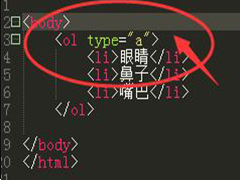
dw有序列表ol怎么用? HTML页面添加有序列表ol的教程
dw有序列表ol怎么用? Dreamweaver页面中国的内容需要添加列表效果,该怎么添加有序列表呢?下面我们就来看看HTML页面添加有序列表ol的教程2023-01-09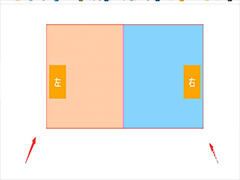
banner图片上添加左右按钮代码怎么弄? HTML制作banner按钮的技巧
banner图片上添加左右按钮代码怎么弄?Dreamweaver做banner的时候,想要在图片上添加左右翻页按钮,该怎么设置呢?下面我们就来看看HTML制作banner按钮的技巧2023-01-06 html用代码制作虚线框怎么做?想要在页面中绘制一个虚线圆形,该怎么制作呢?下面我们就来看看dw制作虚线圆圈的技巧,详细请看下文介绍2022-11-21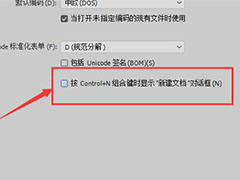
Dw怎么撤销组合键? Dw关闭按control组合键显示新建文档对话框的技巧
Dw怎么撤销组合键?Dreamweaver中经常会使用快捷键创建新文档,如果想要关闭这个快捷键,该怎么操作呢?下面我们就来看看Dw关闭按control组合键显示新建文档对话框的技巧2022-07-19 Dw2018打开只读文件提示警告怎么办?Dw2018中打开制度文件就会出现警告,想要关闭警告,下面我们就来看看Dreamweaver关闭打开只读文件时警告用户的技巧2022-05-19


最新评论