

DeepSeek Harness 常用插件的使用小结
 我要评论
我要评论快速入门
什么是 DeepSeek Harness?
DeepSeek Harness(简称 DSH)是 DeepSeek 官方开源的 AI Agent 运行时框架,核心理念是 “一切皆插件”(Everything is a Plugin)。
- 开源地址:https://github.com/deepseek-ai/deepseek-harness
- 安装命令:
npx @deepseek-ai/dsh web - 默认端口:http://127.0.0.1:3080
为什么需要插件?
DSH 本身是一个"毛坯房",通过插件可以:
- 🎨 自定义界面皮肤
- 👁️ 补充视觉能力(原版不支持图片)
- ⚡ 增强自动化能力
- 🧠 添加长期记忆
- 👥 构建多 Agent 团队
插件安装方法
基本安装命令
# 安装插件到 web profile
dsh plugin --profile web add <插件地址>

# 示例:安装 ModLens 视觉插件
dsh plugin --profile web add github:liustack/modlens

# 示例:安装 better-sidebar
dsh plugin --profile web add github:omdsh-dev/DSH-better-sidebar
卸载插件
# 如果插件导致 DSH 无法启动,可以手动移除
npx @deepseek-ai/dsh plugin --profile web remove <插件包名>
注意事项
- ⚠️ 安装插件时建议锁定版本号,不要用
@latest - ⚠️ DSH 目前处于 Developer Preview,插件可能有兼容性变化
- ⚠️ 安装新插件前,可以用
dsh-plugin-check先检查兼容性
常用插件推荐
必装插件
1. ModLens - 视觉能力补全 ⭐⭐⭐⭐⭐
| 信息 | 详情 |
|---|---|
| 地址 | https://github.com/liustack/modlens |
| Stars | 857⭐ |
| 功能 | 给纯文本模型装上眼睛,支持 OCR、布局分析、语义结构化 |
为什么必装:DeepSeek 原版不支持图片理解,装上后可以直接粘贴截图、设计稿让模型分析。
# 安装命令(注意锁定版本号)
dsh plugin --profile web add github:liustack/modlens
使用方法:
- 配置视觉模型(支持 Gemini、GLM-4V 等)
- 直接在对话框粘贴图片
- 模型会自动识别图片内容
2. dsh-at-file - 快速调用文件 ⭐⭐⭐⭐⭐
| 信息 | 详情 |
|---|---|
| 地址 | https://github.com/omdsh-dev/dsh-at-file |
| 功能 | 在输入框直接 @ 调用文件,无需手动复制路径 |
使用方法:装完后直接在输入框输入 @ 就能选择文件。
3. dsh-genui - 交互式 UI 渲染 ⭐⭐⭐⭐⭐
| 信息 | 详情 |
|---|---|
| 地址 | https://github.com/omdsh-dev/dsh-genui |
| 功能 | 让模型回复直接渲染图表、表格、表单、Diff、Mermaid、交互面板 |
使用方法:安装后,模型会自动在回复中渲染可交互的 UI 组件。
视觉增强
4. dsh-vision-toolkit - 视觉工具包 ⭐⭐⭐⭐
| 信息 | 详情 |
|---|---|
| 地址 | https://github.com/Anionex/dsh-vision-toolkit |
| Stars | 232⭐ |
| 功能 | 图片问答、长截图 OCR、UI 还原 |
dsh plugin --profile web add github:Anionex/dsh-vision-toolkit
UI/工作台增强
5. DSH-better-sidebar - 侧边栏工作台 ⭐⭐⭐⭐⭐
| 信息 | 详情 |
|---|---|
| 地址 | https://github.com/omdsh-dev/DSH-better-sidebar |
| Stars | 371⭐ |
| 功能 | 类似 VS Code 的工作台,集成文件管理、代码编辑、终端、Git、Diff、内嵌浏览器 |
dsh plugin --profile web add github:omdsh-dev/DSH-better-sidebar
亮点:装完后侧边栏变成迷你 IDE,减少窗口切换。
6. dsh-web-ui - 网页端增强 ⭐⭐⭐⭐⭐
| 信息 | 详情 |
|---|---|
| 地址 | https://github.com/zhu1090093659/dsh-web-ui |
| Stars | 922⭐ |
| 功能 | 任务面板、Git 图、皮肤中心合集 |
7. dsh-deep-whale - 鲸鱼娘皮肤 ⭐⭐⭐⭐
| 信息 | 详情 |
|---|---|
| 地址 | https://github.com/Small-tailqwq/dsh-deep-whale |
| Stars | 237⭐ |
| 功能 | 可爱的鲸鱼娘主题皮肤 |
其他皮肤推荐:
- QQ 2006 风格:https://github.com/LaplaceYoung/dsh-qq2006
- Excel 风格:https://github.com/Small-tailqwq/dsh-deepcel
- 同花顺风格:https://github.com/renat3u/tonghuashun-webui
皮肤市场:https://gallery.dsh-market.com/
记忆与上下文
8. dsh-memory-evolve - 长期记忆 ⭐⭐⭐⭐
| 信息 | 详情 |
|---|---|
| 地址 | https://github.com/csyangwen/dsh-memory-evolve |
| Stars | 24⭐ |
| 功能 | 跨会话长期记忆 + 自我进化 |
解决痛点:让会话记忆跨过 session 边界,下次打开还记得之前的对话。
9. dsh-turn-rewind - 对话回退 ⭐⭐⭐
| 信息 | 详情 |
|---|---|
| 地址 | https://github.com/Anionex/dsh-turn-rewind |
| Stars | 25⭐ |
| 功能 | 对话/代码状态回退,相当于撤回键 |
多 Agent 与工作流
10. dsh-agent-teams - 多 Agent 团队 ⭐⭐⭐⭐
| 信息 | 详情 |
|---|---|
| 地址 | https://github.com/NanmiCoder/dsh-agent-teams |
| Stars | 142⭐ |
| 功能 | 在 Harness 里拉起多 Agent 团队,支持任务拆分、依赖管理、实时状态查看 |
使用方法:说一句「用 AgentTeams 调研一下 XX」,当前 Agent 会自动当队长拉组。
11. dsh-automation - 自动化能力 ⭐⭐⭐⭐
| 信息 | 详情 |
|---|---|
| 地址 | https://github.com/titanwings/dsh-automation |
| 功能 | 补充自动化能力,适合定时任务和批处理 |
dsh plugin --profile web add github:titanwings/dsh-automation
终端与桌面端
12. dsh-TUI - 全屏终端 UI ⭐⭐⭐⭐
| 信息 | 详情 |
|---|---|
| 地址 | https://github.com/ccch1mneyyy/dsh-TUI |
| Stars | 487⭐ |
| 功能 | Claude Code 风格的全屏终端 UI |
13. dsh-launcher - Windows 启动器 ⭐⭐⭐
| 信息 | 详情 |
|---|---|
| 地址 | https://github.com/Ruler4396/dsh-launcher |
| Stars | 40⭐ |
| 功能 | Windows 轻量启动器 |
实用工具
14. dsh-plugin-check - 插件检查工具 ⭐⭐⭐⭐
| 信息 | 详情 |
|---|---|
| 地址 | https://github.com/omdsh-dev/dsh-plugin-check |
| 功能 | 检查插件健康状态(Manifest、Patch、构建产物等 33 项检查) |
# 安装
dsh plugin --profile web add github:omdsh-dev/dsh-plugin-check

# 使用
# 在 DSH 中输入:使用 plugin_check 工具检查一个插件仓库 xxx
15. dsh-chatnode-wechat - 微信桥接 ⭐⭐⭐⭐
| 信息 | 详情 |
|---|---|
| 地址 | https://github.com/BiBoyang/dsh-im-bridge |
| 功能 | 把 DSH 接入微信,手机上直接给 Agent 发任务、查看状态、审批操作 |
# 安装到 web profile
dsh plugin --profile web add https://github.com/BiBoyang/dsh-im-bridge

# 如果需要 headless 模式
dsh plugin --profile headless add https://github.com/BiBoyang/dsh-im-bridge
使用方法:
- 获取登录链接(可能需要更新链接)
- 微信扫码登录
- 直接在微信里发任务、回复
/yes或/no审批
插件精选索引
综合索引
| 名称 | Stars | 说明 |
|---|---|---|
| awesome-dsh-plugin | 256⭐ | 插件精选列表,中英双语 |
| awesome-dsh-plugins | 507⭐ | 自动扫描索引所有 dsh 插件候选 |
| awesome-deepseek-harness | 227⭐ | DSH 生态精选:插件、工具、基础设施 |
| dsh-handbook | 74⭐ | 从 0 到 1 的 DSH 深度手册 |
按类别查找
| 类别 | 推荐插件 |
|---|---|
| 视觉/多模态 | ModLens, dsh-vision-toolkit |
| UI 增强 | dsh-web-ui, DSH-better-sidebar, dsh-genui |
| 皮肤 | dsh-deep-whale, dsh-qq2006, dsh-deepcel |
| 记忆 | dsh-memory-evolve, dsh-turn-rewind |
| 多 Agent | dsh-agent-teams |
| 终端 | dsh-TUI, dsh-launcher |
| 实用工具 | dsh-at-file, dsh-plugin-check, dsh-automation |
常见问题
Q1: 安装插件后 DSH 无法启动怎么办?
# 手动移除问题插件
npx @deepseek-ai/dsh plugin --profile web remove <插件包名>
Q2: 如何查看已安装的插件?
在 DSH Web UI 中查看,或使用 dsh plugin --profile web list 命令。
Q3: 插件更新后兼容性问题?
- 安装时锁定版本号,避免用 @latest
- 安装前用 dsh-plugin-check 检查兼容性
- 关注插件的 CHANGELOG
Q4: 如何开发自己的插件?
参考官方文档:https://github.com/deepseek-ai/deepseek-harness
核心步骤:
- 克隆 harness 源码
- 在 packages/ 目录创建插件
- 实现 Cordis 插件接口
- 发布到 npm 或 GitHub
参考资料
- DeepSeek Harness 官方仓库
- DeepSeek Harness 首发实测 + 入门教程
- DeepSeek Harness 插件安装教程
- DeepSeek Harness 插件推荐:4 款开源神器
到此这篇关于DeepSeek Harness 常用插件的使用小结的文章就介绍到这了,更多相关DeepSeek Harness 常用插件内容请搜索脚本之家以前的文章或继续浏览下面的相关文章,希望大家以后多多支持脚本之家!
相关文章
DeepSeek Harness插件开发完整教程:从第一个工具到可安装 Bundle
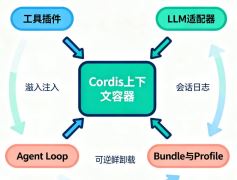
DeepSeek Harness 插件开发,是用 Cordis 插件把工具、模型适配器、策略或界面能力挂载到 dsh 运行时的过程,本文基于 DeepSeek AI 官方仓库 0.1.1-rc.2(2026 年 8 月 212026-08-27
DeepSeek Harness 插件开发简易指南(保姆级教程)
这篇文章给大家介绍DeepSeek Harness 插件开发简易指南,适合新手入门保姆级教程,本文给大家介绍的非常详细,对大家的学习或工作具有一定的参考借鉴价值,需要的朋友参考2026-08-26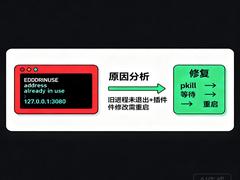
DeepSeek Harness修改插件后3080端口无法访问
本文主要介绍了DeepSeek Harness修改插件后3080端口无法访问,教你用pkill终止旧进程、快速释放端口,并掌握cordis.patch.yml热重载的正确边界,感兴趣的可以了解一下2026-08-25 DeepSeek Harness(命令行简称 dsh)是 DeepSeek 开源的 Agent 框架(agent harness),架构上「一切皆插件」,下面我们就来看看DeepSeek Harness中插件开发的具体步骤,有2026-08-25
DeepSeek Harness 桌面版保姆级教程来了!附3个插件清单(超保姆级)
DeepSeek Harness(简称 DSH)是 DeepSeek 官方的 AI 智能体框架,你给它一个目标,它能自己拆解任务、调用工具、按步骤执行,本文介绍DeepSeek Harness 桌面版保姆级教程来2026-08-24
DeepSeek Harness(dsh)安装使用指南:一切皆插件的开源 Agent 框架
Deepseek Harness 是一个用于深度学习模型的自动化部署框架,旨在帮助开发者从模型的训练、验证到生产部署的全流程管理,本文介绍DeepSeek Harness(dsh)安装使用指南:一切2026-08-21
DeepSeek Harness 推荐的 6 个插件(亲测不踩坑)
发现6款必装DeepSeek Harness插件,从插件管理到视觉识别、终端界面全覆盖,直接复制安装命令即可,全面评测dshmarket、dsh-TUI、dsh-context等实用功能,助你优化工作流并解决2026-08-20DeepSeek Harness 10 个真正实用的插件详解(高星项目与安装指南)
DeepSeek Harness 目前处于开发者预览阶段,不存在官方认证的“必装 10 个插件”清单;以下推荐基于 GitHub 社区热度(Star 数)、功能覆盖度及实测实用性筛选出的高价值扩2026-08-20- 本文主要介绍了深度拆解DeepSeek Harness插件热更新实现原理,文中通过示例代码介绍的非常详细,对大家的学习或者工作具有一定的参考学习价值,需要的朋友们下面随着小编来2026-08-20
DeepSeek Harness源码深度解析:一切皆插件的Agent运行时是如何搭建的
DeepSeek Harness(命令行名 dsh)是 DeepSeek 于 2026 年 8 月开源的 agent harness(智能体执行框架),本文基于对 deepseek-ai/deepseek-harness 仓库源码与架构文档的2026-08-19
最新评论