


 API管理开发工具Postman for Mac M1芯片 v9.7.1 最新汉化版
154.6MB / 01-01
- Postman for Mac(API管理开发工具) v9.7.1 最新汉化版
153MB / 01-01
 接口调试与文档生成软件ApiPost for Mac v8.2.7 苹果电脑Apple版
119 MB / 05-25
- ApiPost(接口调试与文档生成软件) for Mac v8.2.7 苹果电脑Intel
119 MB / 05-25
 超强API接口调试工具Apifox for Mac v2.8.35 苹果电脑Apple版
227 MB / 06-26
 showdoc for mac (API文档编辑工具) v1.0.2 苹果电脑版
 62.3MB / 09-24
 API文档浏览器/代码段管理器 Dash for Mac v7.1.6 一键特别安装
23.2MB / 11-08
 Apifox(API接口调试工具) for Mac v2.8.35 苹果电脑Intel版
315 MB / 06-26







详情介绍
Bruno mac版作为一款全新且创新的API客户端,它在设计、功能和数据处理等方面都展现了其颠覆性的潜力。此外,Bruno还在数据存储和管理上采用了创新的方式。它将API信息直接存储在用户的电脑文件夹中,并使用纯文本标记语言Bru来保存API相关信息。这种方式使得用户可以方便地使用Git或其他版本控制系统对API信息进行版本控制和协作。Bruno的一个独特之处在于它仅限离线使用,并没有云同步功能。这是基于对用户数据隐私的重视,认为用户的数据应该保持在用户自己的设备上。这一特性可能会吸引那些对数据隐私有高要求的用户。
下载适合你Mac的Bruno版本
针对采用Intel芯片的Mac电脑和采用Apple芯片的Mac电脑都进行了优化,请确保你使用了正确版本。
如何确认电脑芯片类型?
1、点击左上角苹果菜单,选择「关于本机」
2、找到「处理器」或「芯片」一栏,查看芯片类型是「Intel」还是「Apple」,并选择下载对应的版本

Bruno与Postman优缺点对比优点
优点:
(1)完全离线支持: Bruno的离线特性使得它在一些网络受限或安全性要求较高的环境中具有明显优势。
(2)基于Git版本控制: Bruno的Git版本控制功能使得API测试过程更加可控和可追溯,方便团队协作和项目管理。
(3)安全性:由于所有数据均保存在本地,Bruno在数据安全性方面具有更高保障。
(4)可定制、自定义程度高:Bruno允许用户通过编写自定义脚本和插件来扩展其功能,满足更复杂的测试需求。
(5)轻量级:相比Postman,Bruno更加轻量级,启动速度更快,占用更少的系统资源。
缺点:
(1)知名度相对较低,有一定学习曲线:作为一款新兴工具,Bruno的知名度相对较低,可能需要一定的学习和适应成本。
(2)社区支持有限:与Postman相比,Bruno的社区较小,相关的教程和资源可能不如Postman丰富。
(3)较少插件支持: Postman拥有一个庞大的插件生态系统,而Bruno在这方面还在发展中,可能无法提供同样广泛的扩展功能。
软件特色
Bruno 是一款快速、友好的开源 API 客户端,旨在改变由 Postman、Insomnia 等工具所代表的现状。
存储方式: Bruno 将您的集合直接存储在您文件系统的文件夹中,使用纯文本标记语言 Bru 来保存 API 请求的相关信息。
版本控制: 您可以使用 Git 或您选择的任何版本控制工具来协作处理您的 API 集合。
离线使用: Bruno 仅支持离线使用,按作者的说法永远不会添加与云同步的计划,也是为了保护数据的隐私,确保数据的安全性。
Bruno创建工作区文档
点击主页图标导航到您的工作区设置。
点击 添加文档 按钮。

在markdown格式的文本区域中添加您的文档。

点击保存按钮以保存您的文档。
更新日志
v3.5.0
23 JUN 2026
What's New?
Expanded collection migration support for response assertions and negation handling.
Import failures now show detailed error context with an option to report issues on GitHub.
Collection imports now detect missing script dependencies and show steps to resolve them.
Git repository imports now show more collection context and support importing all collections at once.
Scripted requests from bru.sendRequest() and bru.runRequest() now appear in the Timeline.
Official Bruno GitHub Action for running collections in GitHub Actions workflows.
Official Bruno CLI Docker images for running collections in container-based CI/CD pipelines.
System proxy mode now honors OS-level PAC proxy configuration.
Added bru.hasGlobalEnvVar() for checking global environment variables.
Added an option to open Terminal at workspace level.
Localhost URLs without a protocol now automatically use http://.
Updated welcome modal with import options for Insomnia and OpenAPI.
Restored multi-file upload support in form-data body.
Bug Fixes
Fixed high memory consumption in desktop app and CLI runner.
Fixed request history storage using excessive CPU and memory as history grows.
Fixed auth token variables not being interpolated during GraphQL schema introspection.
Fixed Windows auto-updater downloading the installer version instead of the portable version.
Fixed auth data loss when switching between authentication types.
Fixed OpenAPI exports not preserving duplicate request variants with the same URL and method.
Fixed Postman setNextRequest calls not translating correctly during collection import.
Fixed API Key placement settings not being preserved during collection import.
Fixed collection-level proxy configuration not being applied to requests.
Fixed workspace opened success message shown after cancelling the folder picker.
Fixed large file bodies over 20 MB sending file metadata instead of actual content.
Fixed Edit Variable popup closing unexpectedly during drag interactions.
Fixed unsaved changes prompt not appearing when closing affected HTTP request tabs with Cmd+W.
Fixed folder script tabs losing interactivity after reopening the app from a snapshot.
Fixed large request bodies losing content after view changes.
Fixed workspace home icon alignment inconsistency.
Fixed workspace name and navigation tabs becoming inaccessible when editing Workspace Docs with many collections.
Fixed closing all tabs redirecting to the last tab instead of the overview.
Fixed collection and workspace name validation.
Fixed relative file paths not being preserved in request YAML on Windows.
Fixed external file updates and Git operations not refreshing correctly in the Git UI.
Fixed Git Repository Creation popup inconsistency when a GitHub PAT is removed.
Fixed GitHub collection imports on Windows showing full system paths.
Fixed OpenAPI spec viewer Try it out requests failing on cross-origin requests.
Fixed OpenAPI export crashing with null OAuth2 scopes.
Fixed OpenAPI Spec Viewer not refreshing correctly after workspace switches and spec changes.
Fixed OpenAPI spec export failing for collections containing WebSocket requests.
Fixed OpenAPI import not preserving special characters in YAML tag and folder names.
Fixed Create OpenAPI Spec modal opening Finder when clicking empty space.
Fixed Insomnia v4 import losing request body text for Other body type.
Fixed OpenCollection schema $id URL returning 404.
New in CLI
Fixed --bail flag not stopping execution across CSV and iteration count runs.
Fixed HTML reports showing NaN for Total Controls and Tests in bailed iterations.

下载地址
其它版本
 164MB | 英文软件 | 2026-05-31 12:04:31
 111 MB | 简体中文 | 2026-05-31 10:53:03
 95.5 MB | 简体中文 | 2026-05-31 11:56:57
- 150 MB | 简体中文 | 2026-05-31 11:32:31

更多版本
人气软件
Fish Shell Mac版 for Mac V3.1.2 苹果电脑版
Java SE Development Kit(JDK) 21 LTS for Mac v21.0.11 官方正
IntelliJ IDEA v2026.1.3 Mac中文正式免费版(附安装教程)
安卓集成开发工具Android Studio v2025.3.4.7 Mac最新版(Apple S
JDK11(Java SE Development Kit 11) for Mac v11.0.31 x64 官方
IntelliJ IDEA 旗舰版 v2025.3.5 Mac中文完整正式版(附安装教程)
Myeclipse for Mac V2014 苹果电脑版(附破解工具及破解教程)
Pycharm Pro v2026.1.3 Mac 专业中文许可正式版(附使用教程)
Navicat for MySQL 11 for Mac V11.2.18 苹果电脑版
Mathematica for Mac 11.3 中文特别版(附注册机+激活方法)
相关文章
 Reasonix for mac(开源终端编程Agent) v1.12.0 苹果电脑版
Reasonix 是爆火的开源终端 AI 编程助手,只适配 DeepSeek 模型,主打 “极致缓存优化、大幅降本”,支持auto模型自动切换功能,使得简单和复杂任务都能获得匹配的模型能力...
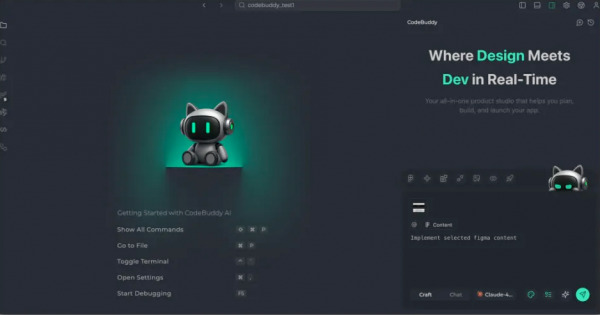 CodeBuddy IDE(AI智能编程工具 )v4.7.0.23812295 苹果电脑版 Intel版/apple版
CodeBuddy IDE 定位为开发者的 AI 搭档,能够理解设计意图、生成代码、重构应用,甚至处理部署流程,它的目标是将开发者从繁琐的编码工作中解放出来,专注于创意和架构设计...
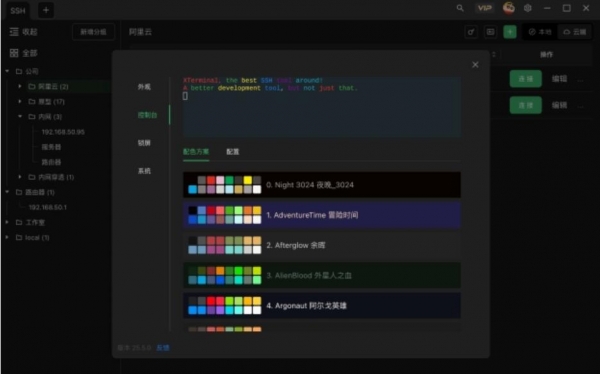 Xterminal(SSH工具)V4.3.7 苹果电脑版 intel版/apple版
Xterminal是一个代码开发创建类软件,能够实时的创建面板去编辑代码,文件上传的速度很快,可以连接代码文件也可以去修改代码文件,本站提供的是mac intel版和mac apple版...
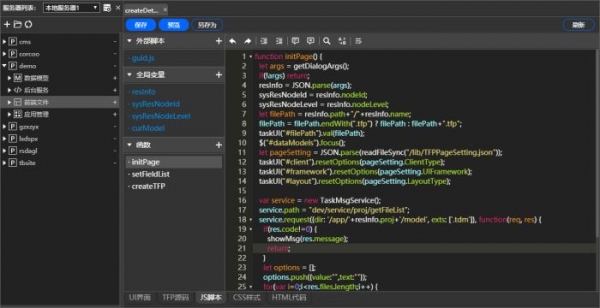 任擎Tasgine(企业级的Web应用服务器) v4.3.4.2409 苹果电脑端
任擎(tasgine)是基于Node.js和JavaScript语言开发的一款企业级的Web应用服务器,类似Tomcat、IIS或Apache,与他们相比,任擎可以提供静态文件访问、动态服务运行、会话管...
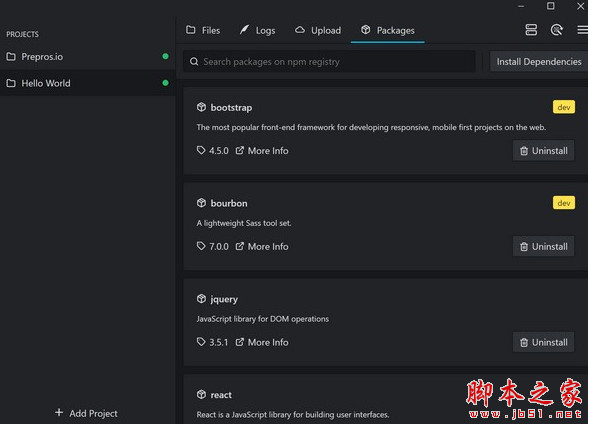 Prepros for mac(前端开发工具) v7.39.0 苹果电脑电脑版
Prepros mac版是一款适用于苹果电脑端的前端开发工具,是能对大多数的预处理语言来进行编译,还能一键来快速的找出错误哦...
 通义灵码Lingma IDE(编码辅助工具)for Mac v2026.03.31 苹果电脑版 intel版+apple芯片版
通义灵码Lingma IDE提供了代码智能生成、智能问答、多文件修改、编程智能体等功能,欢迎下载使用...

下载声明
☉ 解压密码:www.jb51.net 就是本站主域名,希望大家看清楚,[ 分享码的获取方法 ]可以参考这篇文章
☉ 推荐使用 [ 迅雷 ] 下载,使用 [ WinRAR v5 ] 以上版本解压本站软件。
☉ 如果这个软件总是不能下载的请在评论中留言,我们会尽快修复,谢谢!
☉ 下载本站资源,如果服务器暂不能下载请过一段时间重试!或者多试试几个下载地址
☉ 如果遇到什么问题,请评论留言,我们定会解决问题,谢谢大家支持!
☉ 本站提供的一些商业软件是供学习研究之用,如用于商业用途,请购买正版。
☉ 本站提供的Bruno API客户端(Postman替代工具) v3.5.0 苹果电脑Intel版资源来源互联网,版权归该下载资源的合法拥有者所有。