

英文:A链接标记ie下会自动补全href
互联网 发布时间:2009-04-02 20:55:02 作者:佚名  我要评论
我要评论
我要评论英文:A链接标记ie下会自动补全href.
Whilst working on the Ajax Link Tracker and MapSurface I have come across an inconsistency in how the href attribute is retrieved using DOM Scripting.
The href attribute is
英文:A链接标记ie下会自动补全href.
Whilst working on the Ajax Link Tracker and MapSurface I have come across an inconsistency in how the href attribute is retrieved using DOM Scripting.
The href attribute is different to other element attributes in that the value set can be relative to the context of the page URL. If you set a link with a relative href attribute
<a href="../development/test1.html">test page</a>
The browser will look at the pages current URL and derive an absolute URL for the link.
http://www.glenn.jones.net/development/test1.html
This is the root of the problem, some browsers return the text of the attribute and others return the derived absolute URL. The results also differ by the method you use to retrieve the href attribute. There are three common ways to access an attribute:
linkobj.href; linkobj[‘href’]; linkobj.getAttribute(‘href’);
The
linkobj.href and linkobj[‘href’]; methods of accessing the attribute consistently return the derived absolute URL.
Microsoft has tried to address this by
linkobj.getAttribute(‘href’); linkobj.getAttribute(‘href’,2);
Absolute URL
So what should be returned by the getAttribute method?
After a really good exchange with Jim in the comments below, I stand corrected. The specification does say the getAttribute should return the attribute value, not the absolute URL. The Microsoft approach is wrong.
For the time being I am using the old school object property method
linkobj.href to return derived absolute URLs. It provides the most consistent results across all browsers.
URLs of interestW3C REC DOM Level 2 Core specification for getAttribute
Gecko documentation for getAttribute
Microsoft documentation for getAttribute
As usual just as I was finishing this post I found this bug report on the QuickMode site which discusses the same subject.
getAttribute HREF is always absolute.html
相关文章
 文章介绍了HTML中img标签的使用,包括src属性(指定图片路径)、相对/绝对路径区别、alt替代文本、title提示、宽高控制及边框设置等,本文主要给大家介绍HTML img标签和超链2025-06-20
- HTML meta标签用于提供文档元数据,涵盖字符编码、SEO优化、社交媒体集成、移动设备适配、浏览器控制及安全隐私设置,优化页面显示与搜索引擎索引,本文给大家介绍HTML中meta2025-06-20
 input 标签主要用于接收用户的输入,随 type 属性值的不同,变换其具体功能,本文通过实例图文并茂的形式给大家介绍HTML input 标签,感兴趣的朋友一起看看吧2025-06-20
 这篇文章主要介绍了html 滚动条滚动过快会留下边框线的解决方案,解决方法很简单,可以将 dialog 单独拿出来别放在 transform 的子元素里,需要的朋友可以参考下2025-06-09
- 本文将介绍如何使用<img>标签在 HTML 中添加图片,并展示一些常见的用法和技巧,通过本文的介绍,应该掌握了在 HTML 中添加和调整图片的基础知识,感兴趣的朋友一起看2025-05-16
- HTML表格用于在网页上展示数据,通过标签及其相关标签来创建,表格由行和列组成,每一行包含一个或多个单元格,单元格可以包含文本、图像、链接等元素,本文将详细介绍HTML表格2025-03-12
- 本文介绍了三种禁止HTML页面滚动的方法:通过CSS的overflow属性、使用JavaScript的滚动事件监听器以及使用CSS的position:fixed属性,每种方法都有其适用场景和优缺点,感兴2025-02-24
 在 Web 开发中,文本的视觉效果是提升用户体验的重要因素之一,通过 CSS 技巧,我们可以创造出许多独特的效果,例如文字镂空效果,本文将带你一步一步实现一个简单的文字镂空2024-11-17
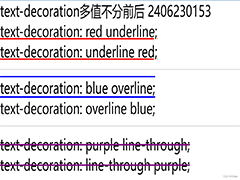 在Html中,a标签默认的超链接样式是蓝色字体配下划线,这可能不满足所有设计需求,如需去除这些默认样式,可以通过CSS来实现,本文给大家介绍Html去除a标签的默认样式的操作代码2024-09-25
- 在HTML中,可以通过设置CSS的resize属性为none,来禁止用户手动拖动文本域(textarea)的大小,这种方法简单有效,适用于大多数现代浏览器,但需要在老旧浏览器中进行测试以确保2024-09-25

最新评论