

干净的XHTML语法
互联网 发布时间:2008-10-17 18:55:45 作者:佚名  我要评论
我要评论
我要评论Writing XHTML demands a clean HTML syntax.
写XHTML要求使用干净的HTML语法
--------------------------------------------------------------------------------
Some More XHTML Syntax Rules:
更多XHTML语法规则:
Attribute names must be in lower case
属性名称必须
Writing XHTML demands a clean HTML syntax.
写XHTML要求使用干净的HTML语法
--------------------------------------------------------------------------------
Some More XHTML Syntax Rules:
更多XHTML语法规则:
Attribute names must be in lower case
属性名称必须为小写
Attribute values must be quoted
属性值使用双引号
Attribute minimization is forbidden
属性简写是不允许的
The id attribute replaces the name attribute
用id属性来替代name属性
The XHTML DTD defines mandatory elements
XHTML DTD定义强制元素
--------------------------------------------------------------------------------
Attribute Names Must Be In Lower Case
属性名称必须为小写
This is wrong:
这是错误的:
<table WIDTH="100%">This is correct:
这是正确的:
<table width="100%">
--------------------------------------------------------------------------------
Attribute Values Must Be Quoted
属性值必须带上双引号
This is wrong:
这是错误的:
<table width=100%>This is correct:
这是正确的:
<table width="100%">
--------------------------------------------------------------------------------
Attribute Minimization Is Forbidden
不允许属性简写
This is wrong:
这是错误的:
<input checked>
<input readonly>
<input disabled>
<option selected>
<frame noresize>This is correct:
正确的是这样:
<input checked="checked" />
<input readonly="readonly" />
<input disabled="disabled" />
<option selected="selected" />
<frame noresize="noresize" />Here is a list of the minimized attributes in HTML and how they should be written in XHTML:
这是在HTML中简写的属性和其在XHTML中应该怎样书写的列表:
HTML XHTML
compact compact="compact"
checked checked="checked"
declare declare="declare"
readonly readonly="readonly"
disabled disabled="disabled"
selected selected="selected"
defer defer="defer"
ismap ismap="ismap"
nohref nohref="nohref"
noshade noshade="noshade"
nowrap nowrap="nowrap"
multiple multiple="multiple"
noresize noresize="noresize"
--------------------------------------------------------------------------------
The id Attribute Replaces The name Attribute
id属性替换name属性
HTML 4.01 defines a name attribute for the elements a, applet, frame, iframe, img, and map. In XHTML the name attribute is deprecated. Use id instead.
对于a, applet, frame, iframe, img和map,HTML 4.01中定义了一个name属性,在XHTML中是不赞成这样做的,使用id来代替。
This is wrong:
这是错误的:
<img src="picture.gif" name="picture1" />This is correct:
这是正确的:
<img src="picture.gif" id="picture1" />Note: To interoperate with older browsers for a while, you should use both name and id, with identical attribute values, like this:
注意:为了版本比较低的浏览器,你应该同时使用name和id属性,并使它们两个的值相同的,像这样:
<img src="picture.gif" id="picture1" name="picture1" />IMPORTANT Compatibility Note:
兼容性注意点:
To make your XHTML compatible with today''s browsers, you should add an extra space before the "/" symbol.
让你的XHTML兼容当前的浏览器你应该在/标记前添加空格
--------------------------------------------------------------------------------
The Lang Attribute
Lang 属性
The lang attribute applies to almost every XHTML element. It specifies the language of the content within an element.
lang属性可以应用于几乎所有的XHTML元素。它指定了元素中内容的语言
If you use the lang attribute in an element, you must add the xml:lang attribute, like this:
如果你像在一个元素中应用lang属性,你必须加上xml:lang属性,像这样:
<div lang="no" xml:lang="no">Heia Norge!</div>
--------------------------------------------------------------------------------
Mandatory XHTML Elements
强制XHTML元素
All XHTML documents must have a DOCTYPE declaration. The html, head and body elements must be present, and the title must be present inside the head element.
所有的XHTML文档都必须有一个DOCTYPE声名。html、head和body元素必须出现,并且title必须在head元素里
This is a minimum XHTML document template:
这是一个极小的XHTML文档模板
<!DOCTYPE Doctype goes here>
<html xmlns="http://www.w3.org/1999/xhtml">
<head>
<title>Title goes here</title>
</head><body>
Body text goes here
</body></html>Note: The DOCTYPE declaration is not a part of the XHTML document itself. It is not an XHTML element, and it should not have a closing tag.
注意:DOCTYPE声明并不是XHTML文档自身的一部分。它也不是XHTML元素,它不该有关闭标签。
Note: The xmlns attribute inside the <html> tag is required in XHTML. However, the validator on w3.org does not complain when this attribute is missing in an XHTML document. This is because "xmlns=http://www.w3.org/1999/xhtml" is a fixed value and will be added to the <html> tag even if you do not include it.
注意:XHTML文档要求xmlns属性出现在html标签中。然而,w3.org的校验器不会由于这个属性没有出现在你的XHTML文档中而报告错误。这是因为"xmlns=http://www.w3.org/1999/xhtml"是一个固定的值,即使你的文档里没有包含它,它也会自动加上的。
You will learn more about the XHTML document type definition in the next chapter
写XHTML要求使用干净的HTML语法
--------------------------------------------------------------------------------
Some More XHTML Syntax Rules:
更多XHTML语法规则:
Attribute names must be in lower case
属性名称必须为小写
Attribute values must be quoted
属性值使用双引号
Attribute minimization is forbidden
属性简写是不允许的
The id attribute replaces the name attribute
用id属性来替代name属性
The XHTML DTD defines mandatory elements
XHTML DTD定义强制元素
--------------------------------------------------------------------------------
Attribute Names Must Be In Lower Case
属性名称必须为小写
This is wrong:
这是错误的:
<table WIDTH="100%">This is correct:
这是正确的:
<table width="100%">
--------------------------------------------------------------------------------
Attribute Values Must Be Quoted
属性值必须带上双引号
This is wrong:
这是错误的:
<table width=100%>This is correct:
这是正确的:
<table width="100%">
--------------------------------------------------------------------------------
Attribute Minimization Is Forbidden
不允许属性简写
This is wrong:
这是错误的:
<input checked>
<input readonly>
<input disabled>
<option selected>
<frame noresize>This is correct:
正确的是这样:
<input checked="checked" />
<input readonly="readonly" />
<input disabled="disabled" />
<option selected="selected" />
<frame noresize="noresize" />Here is a list of the minimized attributes in HTML and how they should be written in XHTML:
这是在HTML中简写的属性和其在XHTML中应该怎样书写的列表:
HTML XHTML
compact compact="compact"
checked checked="checked"
declare declare="declare"
readonly readonly="readonly"
disabled disabled="disabled"
selected selected="selected"
defer defer="defer"
ismap ismap="ismap"
nohref nohref="nohref"
noshade noshade="noshade"
nowrap nowrap="nowrap"
multiple multiple="multiple"
noresize noresize="noresize"
--------------------------------------------------------------------------------
The id Attribute Replaces The name Attribute
id属性替换name属性
HTML 4.01 defines a name attribute for the elements a, applet, frame, iframe, img, and map. In XHTML the name attribute is deprecated. Use id instead.
对于a, applet, frame, iframe, img和map,HTML 4.01中定义了一个name属性,在XHTML中是不赞成这样做的,使用id来代替。
This is wrong:
这是错误的:
<img src="picture.gif" name="picture1" />This is correct:
这是正确的:
<img src="picture.gif" id="picture1" />Note: To interoperate with older browsers for a while, you should use both name and id, with identical attribute values, like this:
注意:为了版本比较低的浏览器,你应该同时使用name和id属性,并使它们两个的值相同的,像这样:
<img src="picture.gif" id="picture1" name="picture1" />IMPORTANT Compatibility Note:
兼容性注意点:
To make your XHTML compatible with today''s browsers, you should add an extra space before the "/" symbol.
让你的XHTML兼容当前的浏览器你应该在/标记前添加空格
--------------------------------------------------------------------------------
The Lang Attribute
Lang 属性
The lang attribute applies to almost every XHTML element. It specifies the language of the content within an element.
lang属性可以应用于几乎所有的XHTML元素。它指定了元素中内容的语言
If you use the lang attribute in an element, you must add the xml:lang attribute, like this:
如果你像在一个元素中应用lang属性,你必须加上xml:lang属性,像这样:
<div lang="no" xml:lang="no">Heia Norge!</div>
--------------------------------------------------------------------------------
Mandatory XHTML Elements
强制XHTML元素
All XHTML documents must have a DOCTYPE declaration. The html, head and body elements must be present, and the title must be present inside the head element.
所有的XHTML文档都必须有一个DOCTYPE声名。html、head和body元素必须出现,并且title必须在head元素里
This is a minimum XHTML document template:
这是一个极小的XHTML文档模板
<!DOCTYPE Doctype goes here>
<html xmlns="http://www.w3.org/1999/xhtml">
<head>
<title>Title goes here</title>
</head><body>
Body text goes here
</body></html>Note: The DOCTYPE declaration is not a part of the XHTML document itself. It is not an XHTML element, and it should not have a closing tag.
注意:DOCTYPE声明并不是XHTML文档自身的一部分。它也不是XHTML元素,它不该有关闭标签。
Note: The xmlns attribute inside the <html> tag is required in XHTML. However, the validator on w3.org does not complain when this attribute is missing in an XHTML document. This is because "xmlns=http://www.w3.org/1999/xhtml" is a fixed value and will be added to the <html> tag even if you do not include it.
注意:XHTML文档要求xmlns属性出现在html标签中。然而,w3.org的校验器不会由于这个属性没有出现在你的XHTML文档中而报告错误。这是因为"xmlns=http://www.w3.org/1999/xhtml"是一个固定的值,即使你的文档里没有包含它,它也会自动加上的。
You will learn more about the XHTML document type definition in the next chapter
相关文章
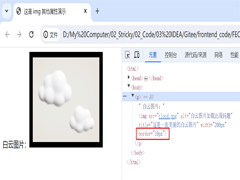 文章介绍了HTML中img标签的使用,包括src属性(指定图片路径)、相对/绝对路径区别、alt替代文本、title提示、宽高控制及边框设置等,本文主要给大家介绍HTML img标签和超链2025-06-20
- HTML meta标签用于提供文档元数据,涵盖字符编码、SEO优化、社交媒体集成、移动设备适配、浏览器控制及安全隐私设置,优化页面显示与搜索引擎索引,本文给大家介绍HTML中meta2025-06-20
 input 标签主要用于接收用户的输入,随 type 属性值的不同,变换其具体功能,本文通过实例图文并茂的形式给大家介绍HTML input 标签,感兴趣的朋友一起看看吧2025-06-20
 这篇文章主要介绍了html 滚动条滚动过快会留下边框线的解决方案,解决方法很简单,可以将 dialog 单独拿出来别放在 transform 的子元素里,需要的朋友可以参考下2025-06-09
- 本文将介绍如何使用<img>标签在 HTML 中添加图片,并展示一些常见的用法和技巧,通过本文的介绍,应该掌握了在 HTML 中添加和调整图片的基础知识,感兴趣的朋友一起看2025-05-16
- HTML表格用于在网页上展示数据,通过标签及其相关标签来创建,表格由行和列组成,每一行包含一个或多个单元格,单元格可以包含文本、图像、链接等元素,本文将详细介绍HTML表格2025-03-12
- 本文介绍了三种禁止HTML页面滚动的方法:通过CSS的overflow属性、使用JavaScript的滚动事件监听器以及使用CSS的position:fixed属性,每种方法都有其适用场景和优缺点,感兴2025-02-24
 在 Web 开发中,文本的视觉效果是提升用户体验的重要因素之一,通过 CSS 技巧,我们可以创造出许多独特的效果,例如文字镂空效果,本文将带你一步一步实现一个简单的文字镂空2024-11-17
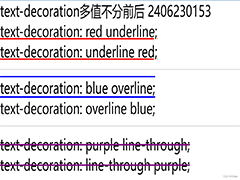 在Html中,a标签默认的超链接样式是蓝色字体配下划线,这可能不满足所有设计需求,如需去除这些默认样式,可以通过CSS来实现,本文给大家介绍Html去除a标签的默认样式的操作代码2024-09-25
- 在HTML中,可以通过设置CSS的resize属性为none,来禁止用户手动拖动文本域(textarea)的大小,这种方法简单有效,适用于大多数现代浏览器,但需要在老旧浏览器中进行测试以确保2024-09-25

最新评论