

XHTML 1.0 参考
互联网 发布时间:2008-10-17 18:56:15 作者:佚名  我要评论
我要评论
我要评论按功能排列
NN: 表明哪个早期Netscape版本支持这个标签
IE: 表明哪个早期Internet Explorer版本支持这个标签
DTD: 表明符合XHTML 1.0 DTD 何级别的定义 . S=Strict(严格), T=Transitional(过渡), and F=Frameset(框架)
按功能排列
NN: 表明哪个早期Netscape版本支持这个标签
IE: 表明哪个早期Internet Explorer版本支持这个标签
DTD: 表明符合XHTML 1.0 DTD 何级别的定义 . S=Strict(严格), T=Transitional(过渡), and F=Frameset(框架)
开始标签
用途(Purpose)
NN
IE
DTD
基本标签
<!DOCTYPE>?
文档类型(Defines the document type)
STF
<html>
html文档(Defines a html document)
3.0
3.0
STF
<body>
body元素(Defines the body element)
3.0
3.0
STF
<h1> to <h6>
标题1 -- 标题6(Defines header 1 to header 6)
3.0
3.0
STF
<p>
段落(Defines a paragraph)
3.0
3.0
STF
<br />
换行(Inserts a single line break)
3.0
3.0
STF
<hr />
水平线(Defines a horizontal rule)
3.0
3.0
STF
<!--...-->
注释(Defines a comment)
3.0
3.0
STF
Char Format
<b>
粗体文本(Defines bold text)
3.0
3.0
STF
<font>
文字的外观,大小和颜色(Defines the font face, size, and color of text)
3.0
3.0
TF
<i>
文本为斜体(Defines italic text)
3.0
3.0
STF
<em>
文本为重要(Defines emphasized text)?
3.0
3.0
STF
<big>
文本增大(Defines big text)
3.0
3.0
STF
<strong>
文本为非常重要(Defines strong text)
3.0
3.0
STF
<small>
文本缩小(Defines small text)
3.0
3.0
STF
<sup>
文本上标(Defines superscripted text)
3.0
3.0
STF
<sub>
文本下标(Defines subscripted text)
3.0
3.0
STF
<bdo>
???(Defines the direction of text display)
6.2
5.0
STF
<u>
文本下划线(Defines underlined text)
3.0
3.0
TF
输出
<pre>
预先格式(保留文件中空格的大小)(Defines preformatted text)
3.0
3.0
STF
<code>
码(显示源码用)(Defines computer code text)
3.0
3.0
STF
<tt>
打印机字体(Defines teletype text)
3.0
3.0
STF
<kbd>
键盘(Defines keyboard text)
3.0
3.0
STF
<dfn>
定义(Defines?a definition term)
?
3.0
STF
<var>
变数(Defines a variable)
3.0
3.0
STF
<samp>
样本(Defines sample computer code)
3.0
3.0
STF
<xmp>
不赞成使用,使用<pre>代替(Deprecated. Defines preformatted text. Use <pre> instead)
3.0
3.0
结构性定义
<acronym>
只取首字母的缩写词(Defines an acronym)
6.2
4.0
STF
<abbr>
缩写(Defines an abbreviation)
6.2
?
STF
<address>
地址(Defines an address element)
4.0
4.0
STF
<blockquote>
引文区块(Defines an long quotation)
3.0
3.0
STF
<center>
句中对齐(Defines centered text)
3.0
3.0
TF
<q>
引用短语(Defines a short quotation)
6.2
4.0
STF
<cite>
引文(Defines a citation)
3.0
3.0
STF
<ins>
插入(Defines inserted text)
6.2
4.0
STF
<del>
删除(Defines deleted text)
6.2
4.0
STF
<s>
删除线(Defines strikethrough text)
3.0
3.0
TF
<strike>
删除线(Defines strikethrough text)
3.0
3.0
TF
链接
<a>
链接(Defines an anchor)
3.0
3.0
STF
<link>
资源参考??(Defines a resource reference)
4.0
3.0
STF
框架
<frame>
定义个别视框(Defines a sub window (a frame))
3.0
3.0
F
<frameset>
视框格式总定义(Defines a set of frames)
3.0
3.0
F
<noframes>
无视框时的内容(Defines a noframe section)
3.0
3.0
TF
<iframe>
定义嵌入视图(Defines an inline sub window (frame))
6.0
4.0
TF
输入
<form>
定义表单(Defines a form)
3.0
3.0
STF
<input />
定义输入域(Defines an input field)
3.0
3.0
STF
<textarea>
输入区换行方式(Defines a text area)
3.0
3.0
STF
<button>
按钮(Defines a push button)
6.2
4.0
STF
<select>
下拉式选单(Defines a selectable list)
3.0
3.0
STF
<optgroup>
选项组(Defines an option group)
6.0
6.0
STF
<option>
列表选项(Defines an item in a list box)
3.0
3.0
STF
<label>
标签(用于表单控制?)(Defines a label?for a form control) 6.2 4.0 STF <fieldset> 域(Defines a fieldset) 6.2 4.0 STF <legend> 域标题(Defines a title in a fieldset) 6.2 4.0 STF <isindex> 不建议使用(可搜寻,使用input代替)(Deprecated. Defines a single-line input field. Use <input> instead) 3.0 3.0 TF 列举 <ul> 无次序式列举(Defines an unordered list) 3.0 3.0 STF <ol> 有次序式列举(Defines an ordered list) 3.0 3.0 STF <li> 每条项目列表(Defines a list item) 3.0 3.0 STF <dir> 目录式列举(Defines a directory list) 3.0 3.0 TF <dl> 定义式列举(Defines a definition list) 3.0 3.0 STF <dt> 定义项目(Defines a definition term) 3.0 3.0 STF <dd> 定义说明(Defines a definition description) 3.0 3.0 STF <menu> 菜单列表(Defines a menu list) 3.0 3.0 TF 图片 <img /> 图片(Defines an image) 3.0 3.0 STF <map> 图片地图(Defines an image map)? 3.0 3.0 STF <area /> 图片热点(Defines an area inside an image map) 3.0 3.0 STF 表格 <table> 表格(Defines a table) 3.0 3.0 STF <caption> 表格抬头(Defines a table caption) 3.0 3.0 STF <th> 表格标题(Defines a table header) 3.0 3.0 STF <tr> 行(Defines a table row) 3.0 3.0 STF <td> 单元格(列)(Defines a table cell) 3.0 3.0 STF <thead> 定义表格头(Defines a table header) 4.0 STF <tbody> 定义表格主体(Defines a table body) 4.0 STF <tfoot> 定义表格脚(Defines a table footer) 4.0 STF <col> 定义特有特征(Defines attributes for table columns)? 3.0 STF <colgroup> 定义特征集合(Defines groups of table columns) 3.0 STF 样式 <style> 样式定义(Defines a style definition) 4.0 3.0 STF <div> 在文档中定义一个区域(Defines a section in a document) 3.0 3.0 STF <span> 在文档中定义一个区域(Defines a section in a document) 4.0 3.0 STF 头信息 <head> 定语关于文档的信息(Defines information about the document) 3.0 3.0 STF <title> 定义文档标题(Defines the document title) 3.0 3.0 STF <meta> 定义背景资讯(Defines meta information) 3.0 3.0 STF <base /> 基本文档中所有链接的基准(Defines a base URL for all the links in a page) 3.0 3.0 STF <basefont /> 定义基本字体(Defines a base font) 3.0 3.0 TF 脚本、引用外部对象相关 <script> 定义脚本(Defines a script) 3.0 3.0 STF <noscript> 定义无脚本的显示区域(Defines a noscript section) 3.0 3.0 STF <applet> 定义java程序(Defines an applet) 2.0 3.0 TF <object> 定义内嵌对象(Defines an embedded object) ? 3.0 STF <param> 定义对象的参数(Defines a parameter for an object) 3.0 3.0 STF
标签(用于表单控制?)(Defines a label?for a form control) 6.2 4.0 STF <fieldset> 域(Defines a fieldset) 6.2 4.0 STF <legend> 域标题(Defines a title in a fieldset) 6.2 4.0 STF <isindex> 不建议使用(可搜寻,使用input代替)(Deprecated. Defines a single-line input field. Use <input> instead) 3.0 3.0 TF 列举 <ul> 无次序式列举(Defines an unordered list) 3.0 3.0 STF <ol> 有次序式列举(Defines an ordered list) 3.0 3.0 STF <li> 每条项目列表(Defines a list item) 3.0 3.0 STF <dir> 目录式列举(Defines a directory list) 3.0 3.0 TF <dl> 定义式列举(Defines a definition list) 3.0 3.0 STF <dt> 定义项目(Defines a definition term) 3.0 3.0 STF <dd> 定义说明(Defines a definition description) 3.0 3.0 STF <menu> 菜单列表(Defines a menu list) 3.0 3.0 TF 图片 <img /> 图片(Defines an image) 3.0 3.0 STF <map> 图片地图(Defines an image map)? 3.0 3.0 STF <area /> 图片热点(Defines an area inside an image map) 3.0 3.0 STF 表格 <table> 表格(Defines a table) 3.0 3.0 STF <caption> 表格抬头(Defines a table caption) 3.0 3.0 STF <th> 表格标题(Defines a table header) 3.0 3.0 STF <tr> 行(Defines a table row) 3.0 3.0 STF <td> 单元格(列)(Defines a table cell) 3.0 3.0 STF <thead> 定义表格头(Defines a table header) 4.0 STF <tbody> 定义表格主体(Defines a table body) 4.0 STF <tfoot> 定义表格脚(Defines a table footer) 4.0 STF <col> 定义特有特征(Defines attributes for table columns)? 3.0 STF <colgroup> 定义特征集合(Defines groups of table columns) 3.0 STF 样式 <style> 样式定义(Defines a style definition) 4.0 3.0 STF <div> 在文档中定义一个区域(Defines a section in a document) 3.0 3.0 STF <span> 在文档中定义一个区域(Defines a section in a document) 4.0 3.0 STF 头信息 <head> 定语关于文档的信息(Defines information about the document) 3.0 3.0 STF <title> 定义文档标题(Defines the document title) 3.0 3.0 STF <meta> 定义背景资讯(Defines meta information) 3.0 3.0 STF <base /> 基本文档中所有链接的基准(Defines a base URL for all the links in a page) 3.0 3.0 STF <basefont /> 定义基本字体(Defines a base font) 3.0 3.0 TF 脚本、引用外部对象相关 <script> 定义脚本(Defines a script) 3.0 3.0 STF <noscript> 定义无脚本的显示区域(Defines a noscript section) 3.0 3.0 STF <applet> 定义java程序(Defines an applet) 2.0 3.0 TF <object> 定义内嵌对象(Defines an embedded object) ? 3.0 STF <param> 定义对象的参数(Defines a parameter for an object) 3.0 3.0 STF
相关文章
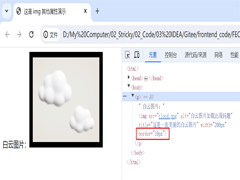 文章介绍了HTML中img标签的使用,包括src属性(指定图片路径)、相对/绝对路径区别、alt替代文本、title提示、宽高控制及边框设置等,本文主要给大家介绍HTML img标签和超链2025-06-20
- HTML meta标签用于提供文档元数据,涵盖字符编码、SEO优化、社交媒体集成、移动设备适配、浏览器控制及安全隐私设置,优化页面显示与搜索引擎索引,本文给大家介绍HTML中meta2025-06-20
 input 标签主要用于接收用户的输入,随 type 属性值的不同,变换其具体功能,本文通过实例图文并茂的形式给大家介绍HTML input 标签,感兴趣的朋友一起看看吧2025-06-20
 这篇文章主要介绍了html 滚动条滚动过快会留下边框线的解决方案,解决方法很简单,可以将 dialog 单独拿出来别放在 transform 的子元素里,需要的朋友可以参考下2025-06-09
- 本文将介绍如何使用<img>标签在 HTML 中添加图片,并展示一些常见的用法和技巧,通过本文的介绍,应该掌握了在 HTML 中添加和调整图片的基础知识,感兴趣的朋友一起看2025-05-16
- HTML表格用于在网页上展示数据,通过标签及其相关标签来创建,表格由行和列组成,每一行包含一个或多个单元格,单元格可以包含文本、图像、链接等元素,本文将详细介绍HTML表格2025-03-12
- 本文介绍了三种禁止HTML页面滚动的方法:通过CSS的overflow属性、使用JavaScript的滚动事件监听器以及使用CSS的position:fixed属性,每种方法都有其适用场景和优缺点,感兴2025-02-24
 在 Web 开发中,文本的视觉效果是提升用户体验的重要因素之一,通过 CSS 技巧,我们可以创造出许多独特的效果,例如文字镂空效果,本文将带你一步一步实现一个简单的文字镂空2024-11-17
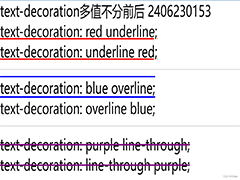 在Html中,a标签默认的超链接样式是蓝色字体配下划线,这可能不满足所有设计需求,如需去除这些默认样式,可以通过CSS来实现,本文给大家介绍Html去除a标签的默认样式的操作代码2024-09-25
- 在HTML中,可以通过设置CSS的resize属性为none,来禁止用户手动拖动文本域(textarea)的大小,这种方法简单有效,适用于大多数现代浏览器,但需要在老旧浏览器中进行测试以确保2024-09-25

最新评论