

详解CSS多种三列自适应布局实现
发布时间:2021-02-24 15:25:01 作者:寒蝉zero_Fsc  我要评论
我要评论
我要评论这篇文章主要介绍了详解CSS多种三列自适应布局实现,文中通过示例代码介绍的非常详细,对大家的学习或者工作具有一定的参考学习价值,需要的朋友们下面随着小编来一起学习学习吧
前言
为了按照常规WEB布局,这里全部采用拥有header和footer模式进行左中右布局编写。
第一种:基于float实现
实现思路
常规思路,使左右两个Aside分别浮动至左右两侧即可
代码实现
<!-- HTML部分 -->
<div class="container">
  <!-- 顶部Header -->
  <header>这里是头部</header>
  <!-- 中间aside及content -->
  <div class="middle clearfix">
    <aside class="left"></aside>
    <aside class="right"></aside>
    <!-- 中间content显示内容 为了防止将右侧挤下去故放置在右侧栏下方 -->
    <div class="content">这里是内容</div>
  </div>
  <!-- 底部Footer -->
  <footer></footer>
</div>
<!-- CSS部分 -->
<style lang="scss">
  * {
    margin: 0;
    padding: 0;
  }

  .clearfix {
    zoom: 1;
    &::after {
      display: block;
      content: ' ';
      clear:both
    }
  }

  html, body {
    width: 100%;
    height: 100%
    }
    .container {
      width: 100%
      height: 100%
      header {
        height: 80px;
        background: rgba(0, 0, 0, 0.5)
      }
      footer {
        height: 80px;
        background: rgba(0, 0, 0, 0.5)
      }
      .middle {
        height: calc(100% - 80px - 80px)
        aside {
          height: 100%;
          width: 300px;
          background: rgba(156, 154, 249, 1)
        }
        .left {
          float: left
        }
        .right: {
          float: right
        }
      }
    }
  }
</style>
实现效果
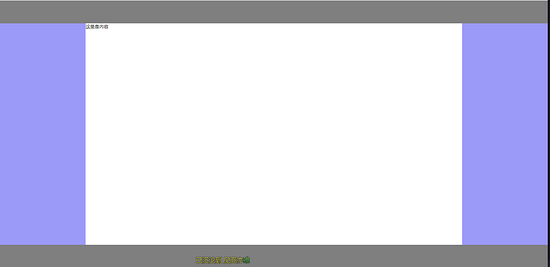
第二种:基于position:absolute实现
实现思路
为中间三栏父级赋予position: relative,赋予左右Aside position: absolute,并且分别赋予left: 0 right: 0 width:自定义值,赋予中间content left,right 分别等于左右width即可
代码实现
<!-- HTML相关代码 -->
<div class="container">
  <!-- 顶部Header -->
  <header></header>
  <div class="middle">
    <!-- 左侧Aside -->
    <aside class="left"></aside>
    <!-- 中间content内容 -->
    <div class="content">这里是内容</div>
    <!-- 右侧Aside -->
    <aside class="right"></aside>
  </div>
  <!-- 底部Footer -->
  <footer></footer>
</div>
<!-- CSS相关代码 -->
<style lang="scss">
  * {
    margin: 0;
    padding: 0
  }

  html, body {
    width: 100%;
    height: 100%
  }

  .container {
    width: 100%;
    height: 100%;
    header {
      height: 80px;
      background: rgba(0, 0, 0, 0.5);
    }
    footer {
      height: 80px;
      background: rgba(0, 0, 0, 0.5);
    }
    .middle {
      height: calc(100% - 80px - 80px);
      position: relative;
      aside,
      .content {
        position: absolute;
      }
      .left {
        width: 300px;
        background: rgba(156, 154, 249, 1);
        left: 0;
        height: 100%;
      }
      .right {
        width: 300px;
        background: rgba(156, 154, 249, 1);
        right: 0;
        height: 100%;
      }
      .content {
        left: 300px;
        right: 300px;
      }
    }
  }
</style>
实现效果
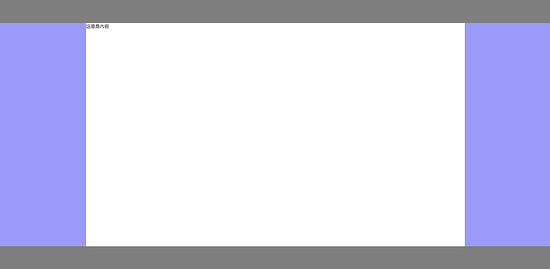
第三种:基于display:flex实现
实现思路
赋予左中右三列父级display: flex,赋予左右Aside width自定义,赋予中间content flex:1即可
代码实现
<!-- HTML相关代码 -->
<div class="container">
  <!-- 顶部Header -->
  <header></header>
  <div class="middle">
    <!-- 左侧Aside -->
    <aside class="left"></aside>
    <!-- 中间content内容 -->
    <div class="content">这里是内容</div>
    <!-- 右侧Aside -->
    <aside class="right"></aside>
  </div>
  <!-- 底部Footer -->
  <footer></footer>
</div>
<!-- CSS部分 -->
<style lang="scss">
  * {
    margin: 0;
    padding: 0;
  }

  html, body {
    width: 100%;
    height: 100%;
  }

  .container {
    header {
      height: 80px;
      background: rgba(0, 0, 0, 0.5);
    }
    footer {
      height: 80px;
      background: rgba(0, 0, 0, 0.5);
    }
    .middle {
      display: flex;
      height: calc(100% - 80px - 80px);
      aside {
        width: 300px;
        background: rgba(156, 154, 249, 1);
      }
      .content: {
        flex: 1;
      }
    }
  }
</style>
实现效果
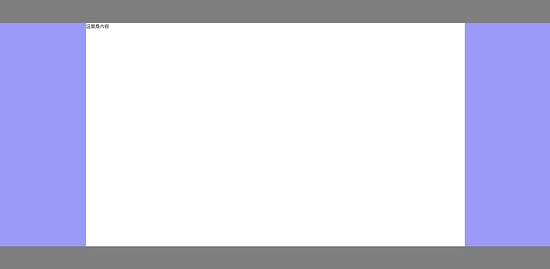
第四种:基于display: table实现
实现思路
赋予左中右三列父级display: table, width: 100%,分别赋予左中右三列display: table-cell,分别赋予左右Aside width即可。
代码实现
<!-- HTML相关代码 -->
<div class="container">
  <!-- 顶部Header -->
  <header></header>
  <div class="middle">
    <!-- 左侧Aside -->
    <aside class="left"></aside>
    <!-- 中间content内容 -->
    <div class="content">这里是内容</div>
    <!-- 右侧Aside -->
    <aside class="right"></aside>
  </div>
  <!-- 底部Footer -->
  <footer></footer>
</div>
<!-- CSS部分 -->
<style lang="scss">
  * {
    margin: 0;
    padding: 0;
  }

  html, body {
    width: 100%;
    height: 100%;
  }

  .container {
    header {
      height: 80px;
      background: rgba(0, 0, 0, 0.5);
    }
    footer {
      height: 80px;
      background: rgba(0, 0, 0, 0.5);
    }
    .middle {
      display: table;
      width: 100%
      height: calc(100% - 80px - 80px);
      aside {
        width: 300px;
        display: table-cell;
        background: rgba(156, 154, 249, 1);
      }
      .content: {
        display: table-cell;
      }
    }
  }
</style>
实现效果
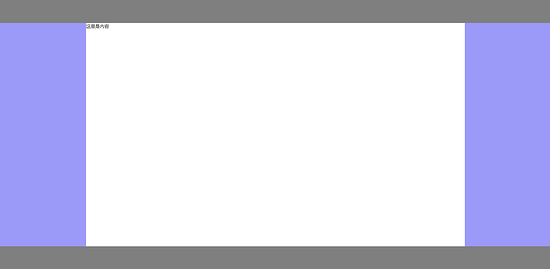
第五种:基于display: grid实现
实现思路
赋予左中右三列父级display: grid,并且使用grid-template-columns: 300px auto 300px,将其分为宽为300px、auto、300px三列布局即可。
代码实现
<!-- HTML相关代码 -->
<div class="container">
  <!-- 顶部Header -->
  <header></header>
  <div class="middle">
    <!-- 左侧Aside -->
    <aside class="left"></aside>
    <!-- 中间content内容 -->
    <div class="content">这里是内容</div>
    <!-- 右侧Aside -->
    <aside class="right"></aside>
  </div>
  <!-- 底部Footer -->
  <footer></footer>
</div>
<!-- CSS部分 -->
<style lang="scss">
  * {
    margin: 0;
    padding: 0;
  }

  html, body {
    width: 100%;
    height: 100%;
  }

  .container {
    header {
      height: 80px;
      background: rgba(0, 0, 0, 0.5);
    }
    footer {
      height: 80px;
      background: rgba(0, 0, 0, 0.5);
    }
    .middle {
      display: grid;
      grid-template-columns: 300px auto 300px;
      height: calc(100% - 80px - 80px);
      aside {
        background: rgba(156, 154, 249, 1);
      }
    }
  }
</style>
实现效果
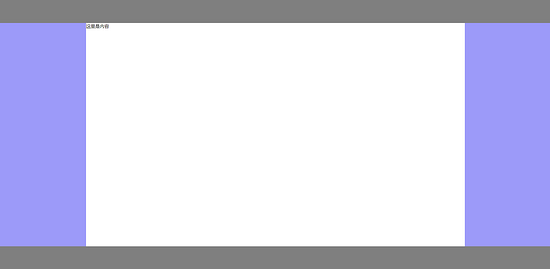
到此这篇关于详解CSS多种三列自适应布局实现的文章就介绍到这了,更多相关CSS 三列自适应布局内容请搜索脚本之家以前的文章或继续浏览下面的相关文章,希望大家以后多多支持脚本之家!
相关文章
css display table 自适应高度、宽度问题的解决
这篇文章主要介绍了css display table 自适应高度、宽度问题的解决,文中通过示例代码介绍的非常详细,对大家的学习或者工作具有一定的参考学习价值,需要的朋友们下面随着2021-05-07 这篇文章主要介绍了CSS实现背景图片屏幕自适应的实现,文中通过示例代码介绍的非常详细,对大家的学习或者工作具有一定的参考学习价值,需要的朋友们下面随着小编来一起学2020-12-07
 css3实现自适应浏览器图片布局特效是一款自适应浏览器屏幕的水平列表div容器,好友头像列表水平布局特效。2020-11-23
 这篇文章主要介绍了CSS实现表格首行首列固定和自适应窗口的实例代码,本文给大家介绍的非常详细,对大家的学习或工作具有一定的参考借鉴价值,需要的朋友可以参考下2020-11-11
- 这篇文章主要介绍了css实现六种自适应两栏布局方式,文中通过示例代码介绍的非常详细,对大家的学习或者工作具有一定的参考学习价值,需要的朋友们下面随着小编来一起学习2020-10-28
- 这篇文章主要介绍了CSS将img图片填满父容器div并自适应容器大小,文中通过示例代码介绍的非常详细,对大家的学习或者工作具有一定的参考学习价值,需要的朋友们下面随着小编2020-10-23
- 今天通过7种方法给大家介绍css实现两栏布局,左侧固定宽,右侧自适应效果,每种方法通过实例代码给大家介绍的非常详细,需要的朋友参考下吧2021-08-04

最新评论