

nginx配置虚拟主机的详细步骤
更新时间:2021年07月11日 11:40:23 作者:途径日暮不赏丶
虚拟主机提供了在同一台服务器、同一组Nginx进程上运行多个网站的功能。本文通过三种方法给大家介绍配置虚拟主机的方法,感兴趣的朋友跟随小编一起看看吧
虚拟主机使用的是特殊的软硬件技术,它把一台运行在因特网上的服务器主机分成一台台“虚拟”的主机,每台虚拟主机都可以是一个独立的网站,可以具有独立的域名,具有完整的Intemet服务器功能(WWW、FTP、Email等),同一台主机上的虚拟主机之间是完全独立的。从网站访问者来看,每一台虚拟主机和一台独立的主机完全一样。
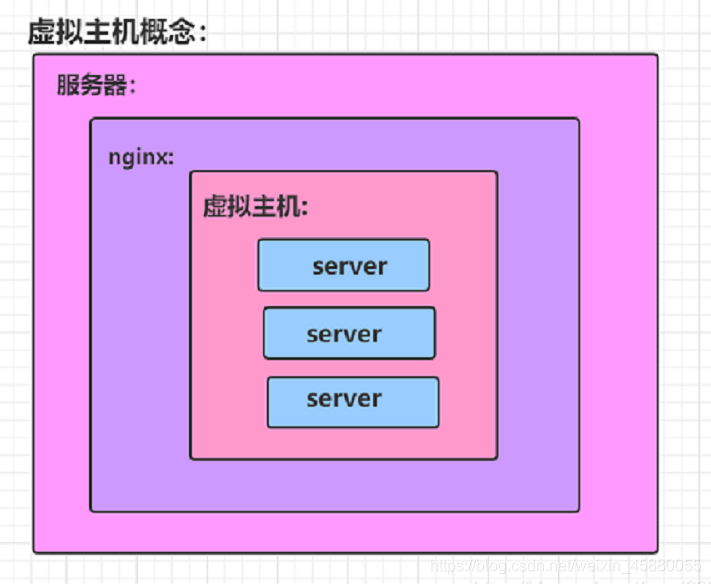
利用虚拟主机,不用为每个要运行的网站提供一台单独的Nginx服务器或单独运行一组Nginx进程。虚拟主机提供了在同一台服务器、同一组Nginx进程上运行多个网站的功能。
配置虚拟主机有三种方法:
- 基于域名的虚拟主机 : 不同的域名、相同的IP(此方式应用最广泛)
- 基于端口的虚拟主机 : 不使用域名、IP来区分不同站点的内容,而是用不同的TCP端口号
- 基于IP地址的虚拟主机 : 不同的域名、不同的IP ( 需要加网络接口 ,应用的不广泛) 基于IP地址
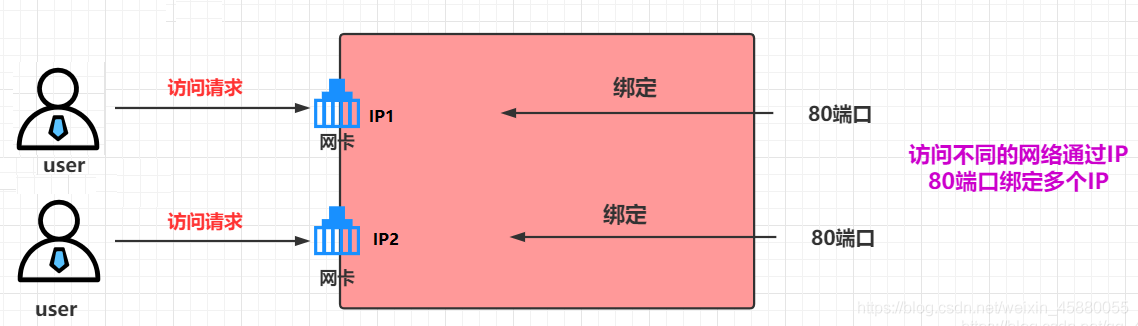
方式一:多网卡多IP
两个物理网卡,两个IP
# 两张物理网卡ens32和ens34
[root@nginx network-scripts]# ifconfig ens32 | awk 'NR==2 {print $2}'
192.168.126.41

[root@nginx network-scripts]# ifconfig ens34 | awk 'NR==2 {print $2}'
192.168.126.42
编辑配置文件,基于每个IP创建一个虚拟主机
# 为防止 /etc/nginx/conf.d/default.conf 配置文件影响,对其进行重命名
[root@nginx ~]# mv /etc/nginx/conf.d/default.conf /etc/nginx/conf.d/default

[root@nginx ~]# vim /etc/nginx/conf.d/ip.conf
# ens32网卡对应的虚拟主机
server {
  listen 192.168.126.41:80;

  location / {
    root /ip_ens32;
    index index.html;
  }
}

# ens34 网卡对应的虚拟主机
server {
  listen 192.168.126.42:80;

  location / {
    root /ip_ens34;
    index index.html;
  }
}
创建虚拟主机的网页文件目录及文件
[root@nginx ~]# mkdir /ip_ens32
[root@nginx ~]# mkdir /ip_ens34

[root@nginx ~]# echo "ens32" > /ip_ens32/index.html
[root@nginx ~]# echo "ens34" > /ip_ens34/index.html
检查配置文件的语法
[root@nginx ~]# nginx -t
nginx: the configuration file /etc/nginx/nginx.conf syntax is ok
nginx: configuration file /etc/nginx/nginx.conf test is successful
重载nginx服务
[root@nginx ~]# systemctl reload nginx
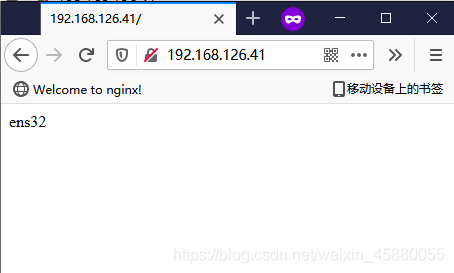
测试
[root@nginx ~]# curl 192.168.126.41
ens32
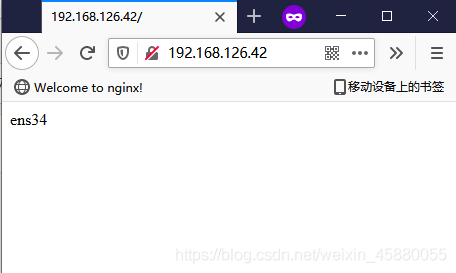
[root@nginx ~]# curl 192.168.126.42
ens34
方式二:单网卡多IP
为一个物理网卡配置多个ip
ip addr add IP/MASK dev 网卡名

# 删除
ip addr del IP/MASK dev 网卡名
其余步骤同上面多网卡多IP的配置
基于端口
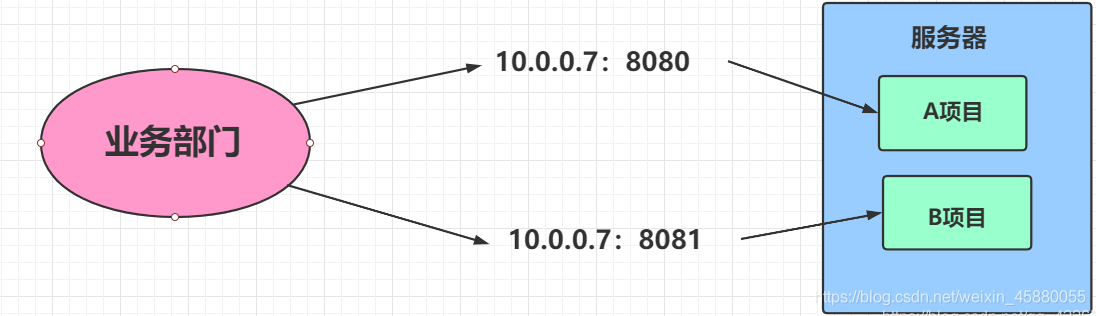
多使用于公司内部,无法使用域名或没有域名时
配置
[root@nginx ~]# vim /etc/nginx/conf.d/port.conf
server {
  listen 81;

  location / {
    root /port_81;
    index index.html;
  }
}

server {
  listen 82;

  location / {
    root /port_82;
    index index.html;
  }
}

[root@nginx ~]# mkdir /port_{81..82}
[root@nginx ~]# echo "81" > /port_81/index.html
[root@nginx ~]# echo "82" > /port_82/index.html

[root@nginx ~]# nginx -t
nginx: the configuration file /etc/nginx/nginx.conf syntax is ok
nginx: configuration file /etc/nginx/nginx.conf test is successful
[root@nginx ~]# systemctl reload nginx
测试
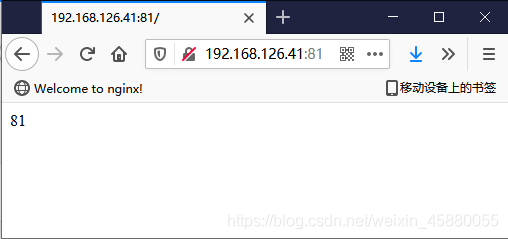
[root@nginx ~]# curl 192.168.126.41:81
81
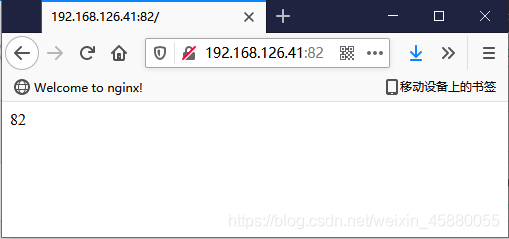
[root@nginx ~]# curl 192.168.126.41:82
82
基于域名
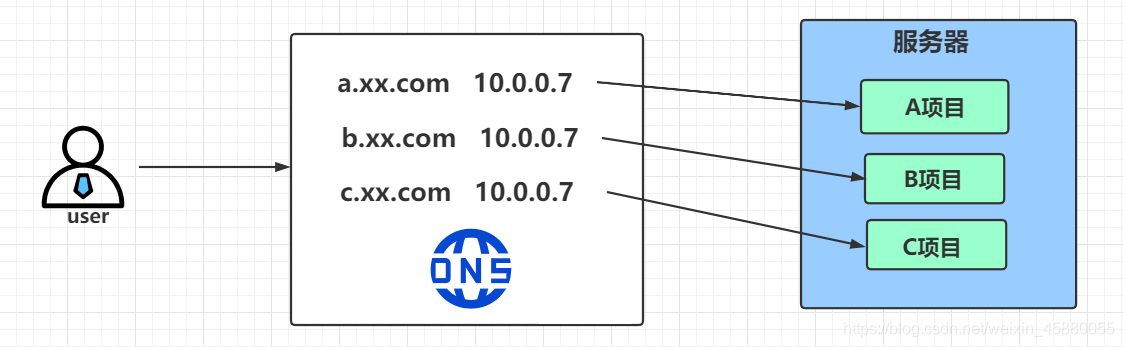
配置
一般一个域名对应一个配置文件,便于管理
[root@nginx ~]# vim /etc/nginx/conf.d/test1.dxk.com.conf
server {
  listen 80;
  server_name test1.dxk.com;

  location / {
    root /test1;
    index index.html;
  }
}

[root@nginx ~]# vim /etc/nginx/conf.d/test2.dxk.com.conf
server {
  listen 80;
  server_name test2.dxk.com;

  location / {
    root /test2;
    index index.html;
  }
}

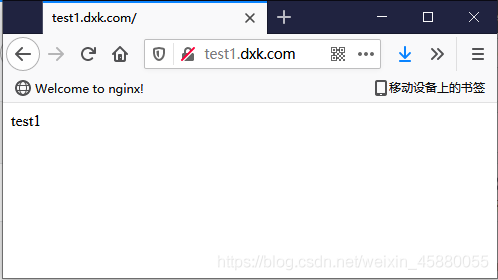
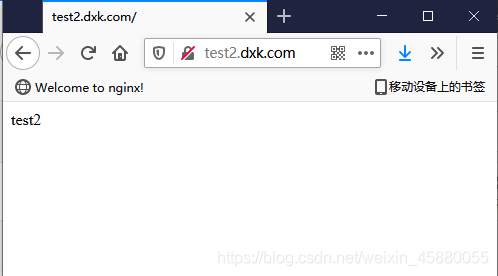
[root@nginx ~]# mkdir /test{1..2}
[root@nginx ~]# echo "test1" > /test1/index.html
[root@nginx ~]# echo "test2" > /test2/index.html

[root@nginx ~]# nginx -t
nginx: the configuration file /etc/nginx/nginx.conf syntax is ok
nginx: configuration file /etc/nginx/nginx.conf test is successful

[root@nginx ~]# systemctl reload nginx
测试
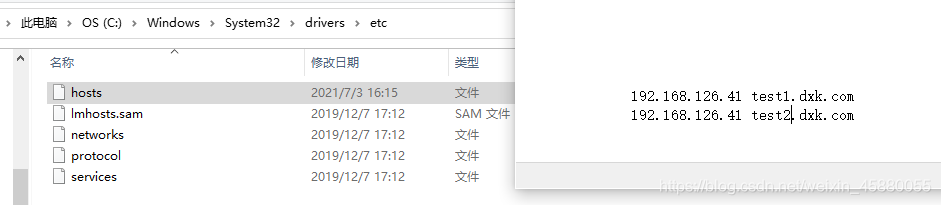
# 配置域名解析
[root@nginx ~]# echo -e "192.168.126.41 test1.dxk.com\n192.168.126.41 test2.dxk.com" >> /etc/hosts
[root@nginx ~]# cat /etc/hosts
127.0.0.1   localhost localhost.localdomain localhost4 localhost4.localdomain4
::1         localhost localhost.localdomain localhost6 localhost6.localdomain6
192.168.126.41 test1.dxk.com
192.168.126.41 test2.dxk.com

[root@nginx ~]# curl test1.dxk.com
test1
[root@nginx ~]# curl test2.dxk.com
test2
这里有个问题:
如果在配置域名解析时由于写错了,那么访问该错误域名(未配置该错误域名的虚拟主机)时竟然还会返回网页内容。
[root@nginx ~]# vim /etc/hosts
192.168.126.41 test1.dxk.com
192.168.126.41 test3.dxk.com   # 这里本应该是 test2.dxk.com ,但是由于写错了,而且对应test3.dxk.com域名的虚拟主机并不存在
访问该错误域名
[root@nginx ~]# curl test3.dxk.com
test1

# 可以看到,还是会返回网页信息
因为在配置域名解析时,虽然域名写错了,但是IP是对的,那么此时服务端默认会返回满足是该IP且端口为80的排在第一个的虚拟主机的网页信息给客户端
[root@nginx ~]# ll /etc/nginx/conf.d/
-rw-r--r--. 1 root root  112 Jul  3 21:23 test1.dxk.com.conf
-rw-r--r--. 1 root root  112 Jul  3 21:22 test2.dxk.com.conf
这是需要注意的
到此这篇关于nginx虚拟主机的文章就介绍到这了,更多相关nginx虚拟主机内容请搜索脚本之家以前的文章或继续浏览下面的相关文章希望大家以后多多支持脚本之家!
相关文章

解读nginx反向代理location和proxy_pass的映射关系
这篇文章主要介绍了解读nginx反向代理location和proxy_pass的映射关系,具有很好的参考价值,希望对大家有所帮助,如有错误或未考虑完全的地方,望不吝赐教2024-01-01 Nginx是一款轻量级的Web服务器、反向代理服务器及电子邮件代理服务器,其特点是占有内存少,并发能力强,事实上nginx的并发能力确实在同类型的网页服务器中表现较好,本文主要介绍利用nginx来禁用特定ip的方法,需要的朋友可以参考下2023-09-09
 大家好,本篇文章主要讲的是CentOS系统rpm安装Nginx和配置,感兴趣的同学赶快来看一看吧,对你有帮助的话记得收藏一下,方便下次浏览2021-12-12
 本文主要介绍了在启动Nginx时遇到80端口被占用的问题及解决方法,文中通过示例代码介绍的非常详细,对大家的学习或者工作具有一定的参考学习价值,需要的朋友们下面随着小编来一起学习学习吧2024-12-12
详解Nginx虚拟主机配置中server_name的具体写法
这篇文章主要介绍了Nginx虚拟主机配置中server_name的具体写法,server_name服务器名是虚拟主机中必须配置的重要参数,需要的朋友可以参考下2016-03-03 nginx 是一个高性能的 Web 服务器,之前也写过一些关于 nginx 的文章。为了提高博客的响应速度,可以从设置 nginx 的 gzip 和缓存这2方面入手。为字体开启 gzip 和缓存能大大减少带宽的消耗2017-03-03
 Nginx(engine x)是一个轻量级的高性能的HTTP和反向代理web服务器及电子邮件(IMAP/POP3)代理服务器,下面这篇文章主要给大家介绍了关于Nginx配置文件nginx.conf基本配置的相关资料,需要的朋友可以参考下2022-09-09
 本文主要介绍了nginx代理postgresql的实现示例,文中通过示例代码介绍的非常详细,对大家的学习或者工作具有一定的参考学习价值,需要的朋友们下面随着小编来一起学习学习吧2023-10-10
 本文主要介绍了NGINX设置HTTPS的方法步骤,文中通过示例代码介绍的非常详细,具有一定的参考价值,感兴趣的小伙伴们可以参考一下2022-03-03
Nginx 配置 ModSecurity 网络应用防火墙实现
这篇文章主要介绍了Nginx 配置 ModSecurity 网络应用防火墙实现,文中通过示例代码介绍的非常详细,对大家的学习或者工作具有一定的参考学习价值,需要的朋友们下面随着小编来一起学习学习吧2023-12-12
最新评论