

CSS实现鼠标悬浮动画特效
发布时间:2023-05-04 15:54:46 作者:佚名  我要评论
我要评论
我要评论Css(层叠样式表)是种格式化网页的标准方式,用于控制设置网页的样式,并且允许CSS样式信息与网页内容(由HTML语言定义)分离的一种技术,使用css可以制作各种好看的动画特效,需要的朋友可以参考下
最近发现css动画真是只有你想不到,没有她做不到,有些效果调好了做出来是真的好看。
1.第一个动画:
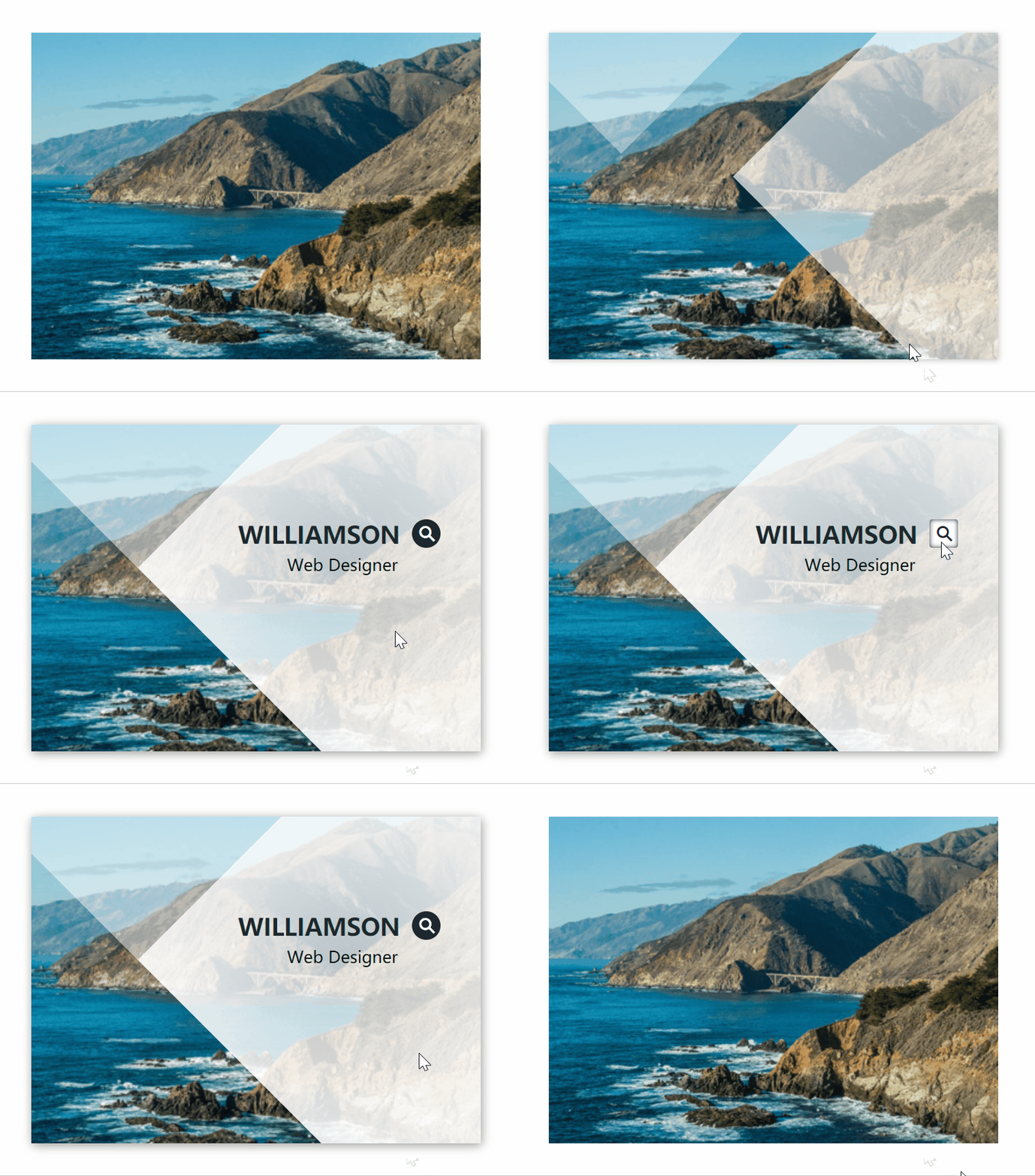
这个动画看起来还是很舒适的。 下面是这个的dom结构以及样式
<template>
    <div class="middle">
        <div class="box">
            <img src="../../assets/img/img-2.jpg">
            <div class="box-content">
                <h3 class="title">Williamson</h3>
                <span class="post">Web designer</span>
                <div class="icon">
                    <i class="iconfont iconfangdajing"></i>
                </div>
            </div>
        </div>
    </div>
</template>
<style scoped lang='scss' src="./index.scss"></style>
.box{
    height: 320px;
    width: 440px;
    overflow: hidden;
    position: relative;
    z-index:1;
    transition: all .5s;
    img{
        transition: all .5s ease;
    }
    .title{
        color: #1e272e;
        font-size: 23px;
        font-weight: 700;
        text-transform: uppercase;
        margin: 0 0 3px 0;
    }
    .post{
        font-size: 16px;
        text-transform: capitalize;
        display: block;
        float: right;
        margin-top: 8px;
        margin-right: 2px;
    }
    .box-content{
        height: 100px;
        width: auto;
        position: absolute;
        z-index: 999;
        top: 30%;
        right: -150%;
        transition: all 0.5s;
        .icon{
            display: inline-block;
            width: 28px;
            height: 28px;
            border-radius: 50%;
            background-color: #1e272e;
            position:absolute;
            top:-3px;
            right: -40px;
            transition: all .3s;
            i{
                position: absolute;
                top: 7px;
                left: 7px;
                clear: both;
                font-size: 15px;
                color: #fff;
            }
            &:hover{
                background-color: #fff;
                border-radius: 10%;
                box-shadow: 0 0 5px #1e272e inset;
                i{
                    color: #1e272e;
                }
            }
        }
    }
    &:hover{
        box-shadow: 1px 2px 10px #999;
        img{
            transform: scale(1.2)
        }
        .box-content{ right:18% }
    }
}
.box:before,.box:after{
    content:"";
    background:radial-gradient(circle at 23% 70%,rgba(255,255,255,0.8),#fff 30%);
    width: 150%;
    height: 150%;
    opacity: 0;
    transform: rotate(45deg);
    position: absolute;
    top: -10.5%;
    right: -168%;
    z-index: 1;
    transition: all 0.35s;
}
.box:before{
    top: -188%;
    left: -100%;
}
.box:hover:before{
    background-color: rgba(255,255,255,0.5);
    width: 65%;
    height: 65%;
    right: auto;
    left: -15%;
    top: -43%;
    opacity: 0.5;
}
.box:hover:after{
    top: -11.2%;
    right: -90.3%;
    opacity: 0.9;
}
这个就是类似于两个长方形在外面等着,等鼠标hover到图片上以后再进来。就像:

两个长方形合并起来,配合overflow:hidden就可以实现啦,是不是很简单
2. 第二个动画:

是不是感觉很高大上! 其实就是rotate外面边框而已啦! 当边框设置了border-radius: 50%;以后,没有边框的一边就会变成虚线哦~不要以为是canvas啦,这样也可以简单实现! 下面是代码部分~
<div class="items animated  fadeInUpBig">
	<div class="item"  @mouseenter="hoverWord(1)" @mouseleave="hoverWordLeave(1)">
		<div class="item-content">
			<img src="../../assets/img/img-2.jpg" alt="" >
			<div class="word">{{word.word1}}</div>
		</div>
	 </div>
</div>
	.items {
            display: flex;
            width: 80vw;
            margin-left: 10vw;
            .item{
                width: 210px;
                height: 210px;
                border-radius: 50%;
                margin-top: 20vh;
                margin: 0 auto;
                .out-circle{
                    width: 210px;
                    height: 210px;
                    border: 1px solid #fff;
                    border-left: 0;
                    border-radius: 50%;
                    position: relative;
                    transition: all .45s linear;
                    &:hover{
                        transform: rotate(180deg);
                    }
                }
                .out-circle:before{
                    content: "";
                    width: 6.5px;
                    height: 6.5px;
                    border-radius: 50%;
                    position: absolute;
                    top: 27px;
                    left: 27px;
                    background-color: #fff;
                }
                &:hover{
                    .out-circle{
                        transform: rotate(180deg);
                    }
                    .item-content {
                        img{
                            transform: scale(1.2);
                        }
                        .word{
                            font-size: 14px;
                        }
                    }
                }
                .item-content{
                    width: 162px;
                    height: 162px;
                    border-radius: 50%;
                    overflow: hidden;
                    position: relative;
                    top: -186px;
                    left: 24px;
                    img{
                        width: 100%;
                        height: 100%;
                        border-radius: 50%;
                        position: relative;
                        //filter:blur(1px);
                        filter: brightness(50%);
                        transition: all .35s ease-in-out;
                    }
                    .word{
                        height: 40px;
                        width: 145px;
                        font-size: 22px;
                        line-height: 38px;
                        font-weight: 700;
                        color: #fff;
                        text-align: center;
                        position: relative;
                        top: -100px;
                        left: 8px;
                        border-top: 1px solid #fff;;
                        border-bottom: 1px solid #fff;
                        cursor: pointer;
                    }

                }

            }
改字的地方用到了js,可以自己添加。
到此这篇关于CSS实现鼠标悬浮动画特效的文章就介绍到这了,更多相关CSS鼠标悬浮动画内容请搜索脚本之家以前的文章或继续浏览下面的相关文章,希望大家以后多多支持脚本之家!
相关文章
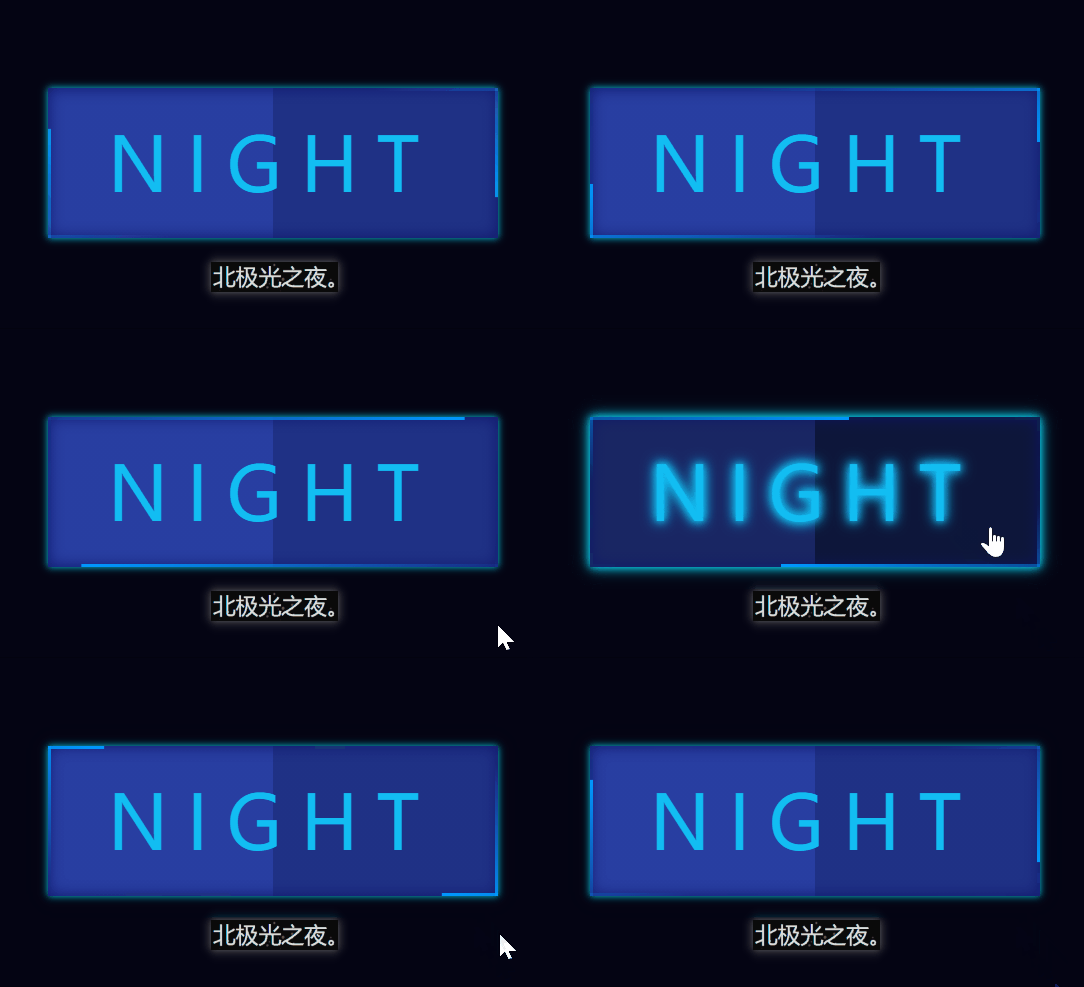 这篇文章主要介绍了使用CSS实现按钮边缘跑马灯动画,技术上只使用了css+html,还是非常容易学习的,文中提供了详细的代码,需要的朋友可以参考下2023-04-28
 这篇文章主要介绍了使用css实现水波加载动画效果,技术上只用到了css+html,还是非常容易学习的,做出来的效果也很不错,需要的朋友可以参考下2023-04-23
 本文主要介绍了纯CSS实现了下划线的交互动画效果,文中通过示例代码介绍的非常详细,对大家的学习或者工作具有一定的参考学习价值,需要的朋友们下面随着小编来一起学习学2023-03-06
 按钮在开发中使用的频率非常的高,ui 框架中的按钮组件也都是层出不穷,今天教大家仅用 css 实现一些非常炫酷的按钮效果,感兴趣的朋友跟随小编一起学习吧2023-02-28
- 节流指的避免过于频繁的执行一个函数,基本上是通过js去控制节流问题,其实css也能做到节流,本文给大家讲解css 动画实现节流,感兴趣的朋友一起看看吧2023-02-17
 本文主要介绍了利用css动画实现节流,文中通过示例代码介绍的非常详细,对大家的学习或者工作具有一定的参考学习价值,需要的朋友们下面随着小编来一起学习学习吧2023-01-04
 2022卡塔尔世界杯正在如火如荼的进行之中,作为“诸神的黄昏”,本届世界杯备受瞩目,足坛巅峰老将c罗,梅西,内马尔也将随本次世界杯退役,一代人的青春到此结束!本篇我2023-01-04
 这篇文章主要介绍了CSS使用SVG实现动态分布的圆环发散路径动画,第一时间看到这个需求想到的就是 SVG 或者 Canvas,但是由于开发时可能还需要插入其他元素,所以这里还是希2022-10-27
 粒子动画就是页面上存在大量的粒子构建而成的动画。传统的粒子动画主要由 Canvas、WebGL 实现,接下来通过本文给大家介绍使用 CSS 构建强大且酷炫的粒子动画效果,感兴趣的2022-08-09
 本文主要介绍了纯CSS打字动画的实现示例,逐个显示一段文本中的字符,模拟出一种打字的效果,文中通过示例代码介绍的非常详细,对大家的学习或者工作具有一定的参考学习价2022-07-25


最新评论